Before diving deep into the NordVPN vs ExpressVPN comparison, we suggest you take a look at the solution that goes beyond connection security. MacKeeper’s Private Connect can protect your privacy online, while MacKeeper’s other features will take care of your Mac’s cleaning, security, and optimization—all in one app.
When it comes to choosing a leading VPN, there’s no doubt that NordVPN and ExpressVPN are two of the biggest names on the market. But which might be the best option for you? Both have their pros and cons, which we’ll examine in this article to help you choose between the two.
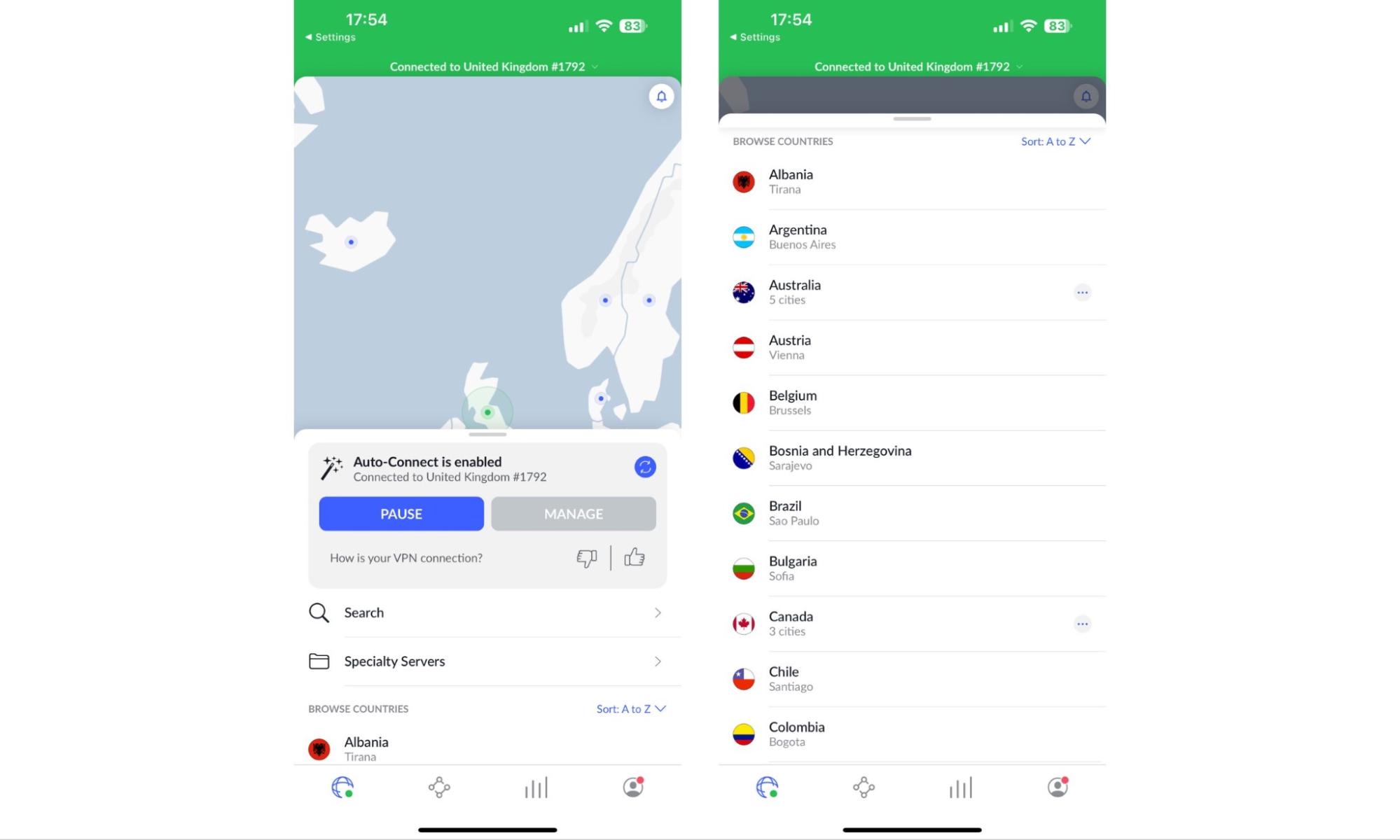
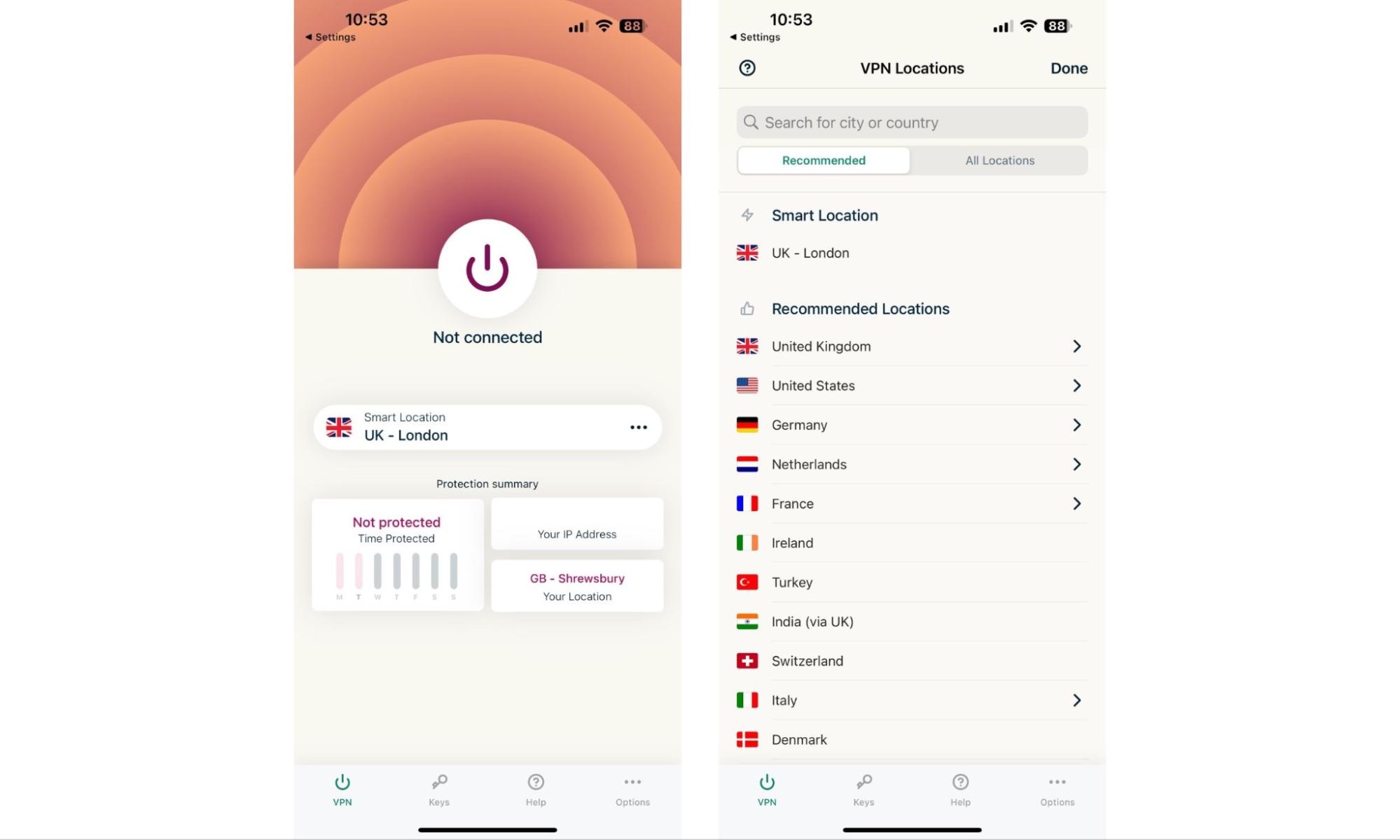
There are a few differences between NordVPN and ExpressVPN, one of which is server coverage. While NordVPN has more—over 6,000 versus around 3,000—ExpressVPN has greater reach, with 105 locations to choose from, versus only 61 offered by NordVPN. Depending on where you want to connect with a VPN, this could be a big advantage.
Here’s an overview of how NordVPN and ExpressVPN compare on key features:
NordVPN
ExpressVPN
Servers
6,000+ in 61 countries
3,000+ in 105 countries
Logging policy
No logging
No logging
VPN protocols
OpenVPN, IKEv2, WireGuard
OpenVPN, IKEv2, Lightway
Streaming service support
Netflix, Disney+, Hulu, BBC iPlayer, and more
Netflix, Disney+, Hulu, BBC iPlayer, and more
Platform support
Mac, iOS, Windows, Android, Linux, Smart TVs
Mac, iOS, Windows, Android, Linux, Smart TVs
Simultaneous connections
6
8
Pricing
From $3.79 per month
From $8.32 per month
A note from our experts:
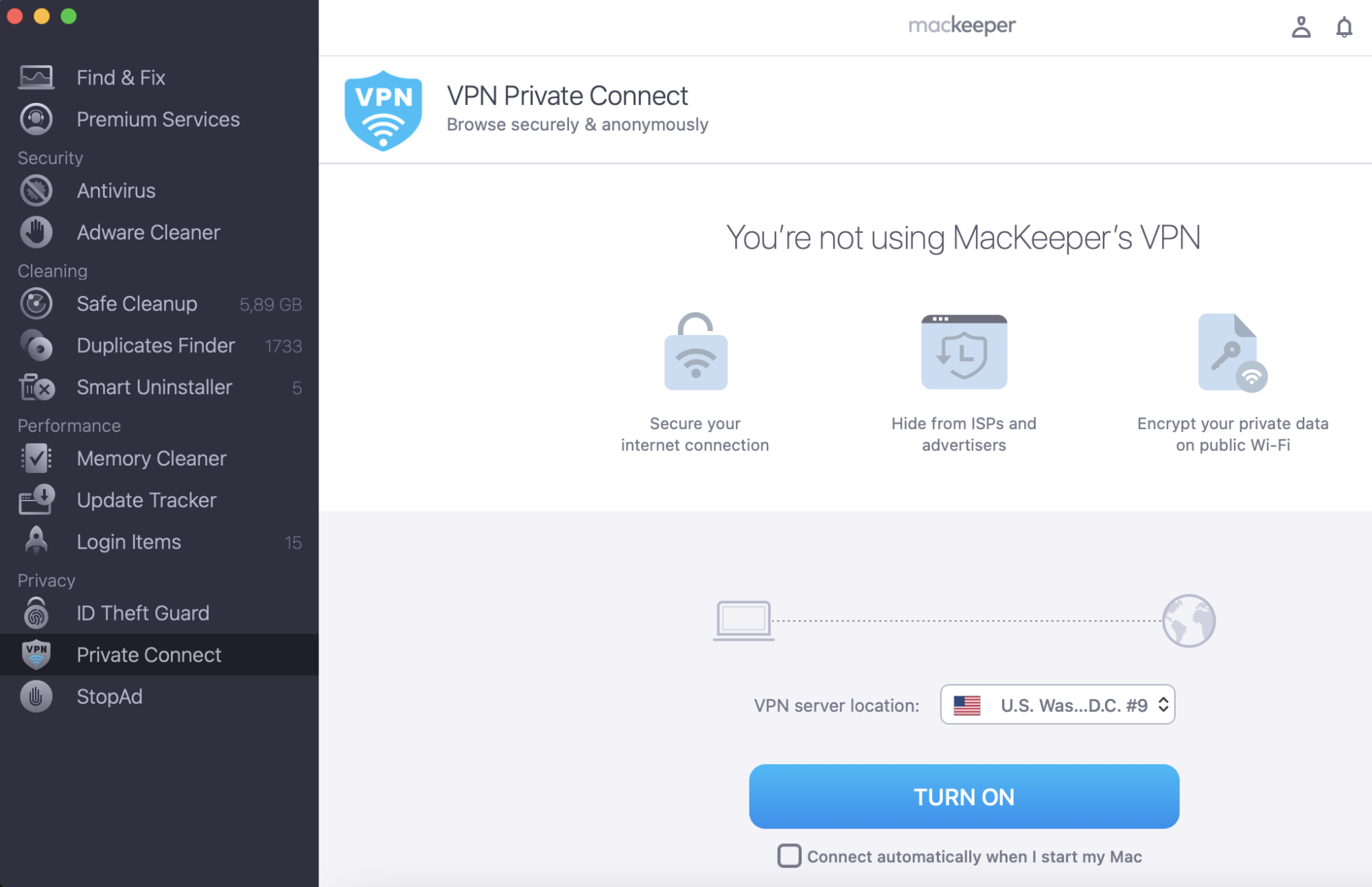
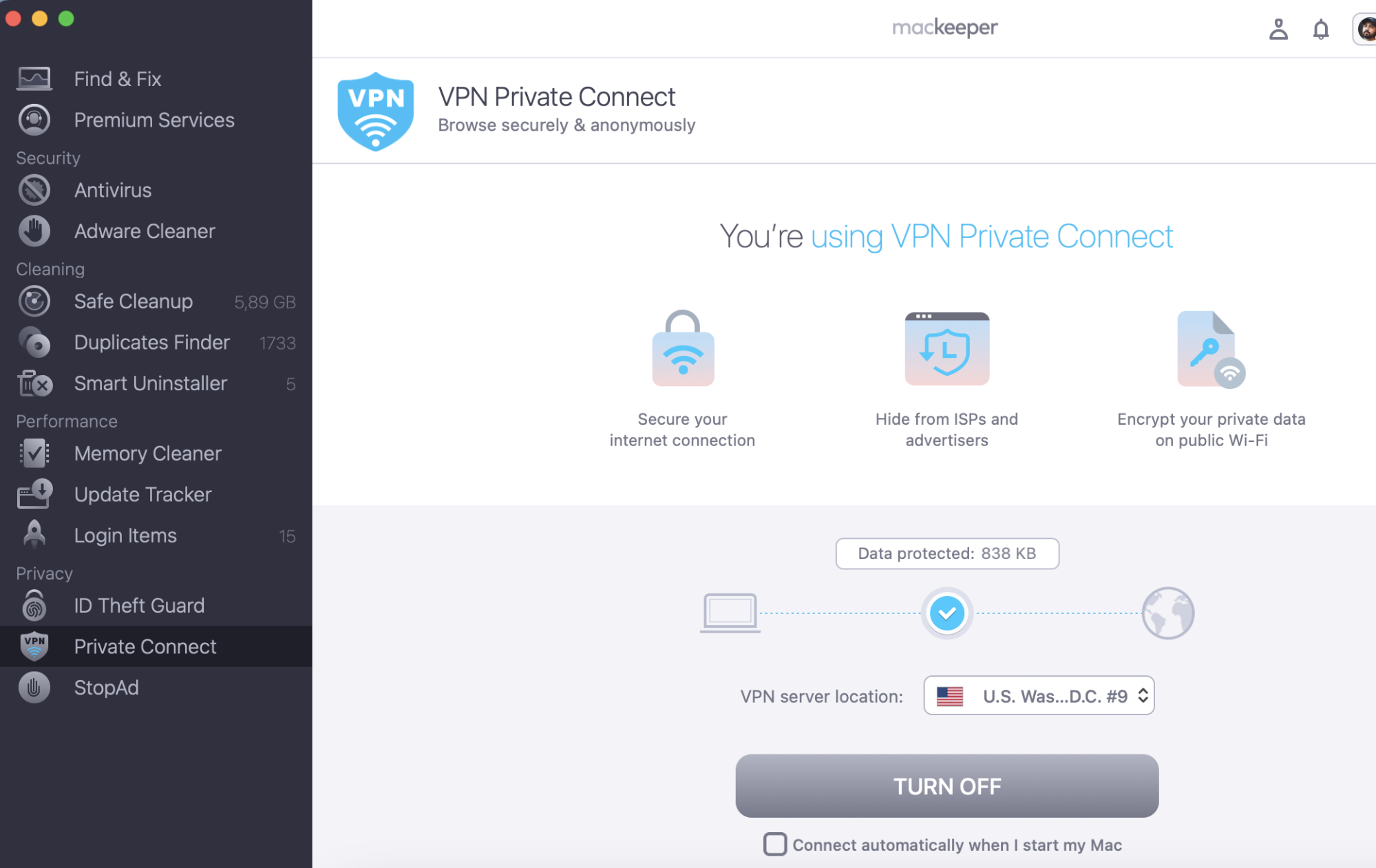
While you’re looking for the best VPN tool for your Mac and comparing NordVPN and ExpressVPN, we recommend an all-in-one tool for your device. MacKeeper has a built-in VPN Private Connect tool with a wide range of possible locations for you. And its other tools take care of your Mac’s memory, privacy, and virus protection.
Here’s how to get started with MacKeeper’s Private Connect VPN:
When MacKeeper starts, select Private Connect in the sidebar.
Choose the VPN server location you want to use from the drop-down menu.
Click the Turn On button to get connected.
Step 1. MacKeeper > Private Connect > select the location > Turn OnStep 2. Click Turn Off
Pricing comparison between NordVPN and ExpressVPN
When it comes to choosing any service, a key factor is its cost. Although most leading VPN providers tend to have similar pricing, there are often small differences, as is the case between NordVPN and ExpressVPN. Identifying which best fits your budget is one way to decide which is right for you.
NordVPN is typically cheaper than ExpressVPN, with a one-year subscription priced at $59.88 versus $80.04. NordVPN also offers a two-year plan, whereas ExpressVPN does not. However, if you plan to pay monthly, ExpressVPN is slightly cheaper at $12.95 versus $12.99.
Here’s a more detailed look at the price comparison between the two:
NordVPN
ExpressVPN
Free plan?
No
No
Monthly
$12.99 per month
$12.95 per month
Yearly
$67.35 per year
$99.95 per year
Two-yearly
$102.33 every two years
Not available
Features and tools of NordVPN and ExpressVPN
NordVPN and ExpressVPN are close competitors when it comes to tools and features. Neither has a major advantage over the other in functionality and no matter what you might be looking for in a VPN, you can expect both to deliver it. NordVPN and ExpressVPN support major streaming services, allow for torrenting and include “kill switches” for extra protection.
However, there are some smaller differences between the two. Here’s how NordVPN and ExpressVPN compare in terms of tools and features:
NordVPN
ExpressVPN
Encryption
AES-256
AES-256
RAM-only servers
Yes
Yes
Logging policy
No logging
No logging
Kill switch
Yes
Yes
DNS leak protection
Yes
Yes
Split tunneling
Yes
Yes
Dedicated IP address
Yes
No
Meshnet
Yes
No
Ad blocker
Yes
Yes
Double VPN servers
Yes
No
Router compatibility
No
Yes
Password manager
No
Yes
NordVPN’s exclusive features
As you can see from the comparison above, there are some features offered by NordVPN that you don’t get with ExpressVPN, including:
Dedicated IP address: If you need to use a consistent IP address when connecting to the internet through a VPN, NordVPN gives you this functionality.
Meshnet: NordVPN lets you create secure connections between up to 60 devices, enabling things like remote file access, collaboration, and virtual LAN parties.
Ad blocker: Don’t want to see ads when you browse the web? NordVPN blocks ads and trackers automatically. ExpressVPN claims to do the same. However, it doesn’t appear to be as effective as NordVPN, particularly when it comes to stopping ads.
Double VPN servers: NordVPN offers the ability to route traffic through two VPN servers by default, providing an extra layer of privacy and security.
ExpressVPN’s exclusive features
ExpressVPN has some exclusive features of its own that you won’t find in NordVPN, including:
Router compatibility: ExpressVPN can be installed on your router so that any device connecting to the internet is protected by it, regardless of whether it has ExpressVPN installed or not.
Password manager: ExpressVPN is bundled with a secure password manager, which may be handy if you don’t already have one.
Our expert’s verdict: While both VPN providers offer threat protection, NordVPN’s solution is a little more robust than ExpressVPN’s. For instance, it cannot scan downloads for malware, and it doesn’t work without an active VPN connection, whereas NordVPN’s threat protection does.
NordVPN vs ExpressVPN: which one is safer?
If you plan to use a VPN to bolster your online privacy protection and data security, it’s important to know which is safer: NordVPN or ExpressVPN. Both have fundamental security features built in, including military-grade encryption, kill switches, and DNS leak protection.
One advantage NordVPN has over ExpressVPN is its mesh net feature, which allows you to connect to other devices to prevent data breaches securely. It supports up to 60 devices in total, giving you the ability to create a fairly large secure network.
NordVPN
ExpressVPN
Encryption
AES-256
AES-256
Hashing
SHA-512
SHA-512
RAM-only servers
Yes
Yes
Logging policy
No logging
No logging
Kill switch
Yes
Yes
DNS leak protection
Yes
Yes
Ad blocking
Yes
Yes
Tracker blocking
Yes
Yes
Meshnet
Yes
No
Privacy
NordVPN and ExpressVPN take several steps to protect your privacy online, with military-grade encryption for all your traffic, a kill switch that blocks internet access if your VPN connection goes down, and DNS leak protection. In addition, both use RAM-only servers, which are regularly cleared so that your browsing data isn’t saved.
Both providers also claim to offer ad and tracker blocking. However, in testing, NordVPN seems to be much more effective at this. We noticed far fewer ads when using NordVPN than we did when using ExpressVPN, though both did a great job of blocking trackers.
Logging
A key component of any VPN is its logging policy. If your goal is to conceal your browsing activities, it’s recommended that you steer clear of any provider that keeps a record of them. Fortunately, both NordVPN and ExpressVPN have a no-logging policy, which means they don’t keep records of your browsing activities.
Which is faster: NordVPN or ExpressVPN?
As is always the case with VPN connection speeds, your own internet connection plays a huge role—as does your choice of server when connecting to the internet. If you have a slow or unstable connection to the internet, your VPN will be slow and unstable, too. If you choose to connect to servers thousands of miles away, it will impact your browsing speeds and latency.
However, when looking at typical download speeds with NordVPN vs ExpressVPN, NordVPN comes out on top in our testing. In almost all cases, we noticed faster speeds when connecting to our closest servers in the United Kingdom, as well as when connecting to those located in other regions. Here are the results we collected:
NordVPN
ExpressVPN
UK
632 Mbps average
544 Mbps average
France
613 Mbps average
489 Mbps average
Germany
599 Mbps average
481 Mbps average
Spain
597 Mbps average
459 Mbps average
US (New York)
498 Mbps average
351 Mbps average
Canada
359 Mbps average
224 Mbps average
Japan
262 Mbps average
143 Mbps average
Note: Tests were performed on a 900 Mbps connection over Wi-Fi.
Customer support
Thanks to 24/7 customer support, both NordVPN and ExpressVPN are available at all times for customers who need assistance. It’s not possible to get support over the telephone from either of them, but you can get in touch by email or through live chat. In addition, both providers offer online FAQs and knowledge bases, where you’ll find guides and fixes for common issues.
Fortunately, we didn’t run into any issues while testing NordVPN and ExpressVPN. However, I did try out their live chat and email services. During UK office hours, when I suspect both services might be busy, I was able to get quick responses from NordVPN and ExpressVPN through live chat, and both replied to my initial emails within a couple of hours.
In most cases, however, you won’t need to contact support when troubleshooting. The online knowledge bases for both providers cover a wide range of technical issues that users may run into when using a VPN. ExpressVPN has also translated many of its guides into different languages, including German, Italian, Spanish, and Portuguese.
How NordVPN and ExpressVPN work in countries with limited internet access
In countries like China, where the government censors internet access, a VPN is the only way to access certain banned services, such as Facebook and Google. Not all VPNs are able to get around these restrictions, but NordVPN and ExpressVPN can. They do this using a feature called obfuscated servers, which disguises VPN traffic as regular internet traffic.
When you use obfuscated servers, it’s impossible for your ISP or any other service to tell you’re connected via a VPN. This not only allows you to circumvent any restrictions that your government or ISP may impose on you, but it also means that you can access services that try to block VPN connections, such as certain Netflix and other content streaming platforms.
ExpressVPN is widely regarded as one of the best choices for users in China and other countries where internet access is restricted. However, NordVPN also supports these regions.
Comparison methodology
While testing NordVPN and ExpressVPN, we considered a number of key factors to compare the two, including:
Key features: All functionality included with each VPN, including privacy and security tools, platform support, and any additional extras.
Exclusive features: Any functionality offered by either provider that is not available from the other, such as NordVPN’s mesh net and ExpressVPN’s password manager.
Security: Steps taken to protect user security, including encryption and hashing, logging policies, and the use of RAM-only servers.
Pricing: The cost of each service on a monthly, yearly, and two-yearly basis.
Connection speed: The average speed recorded across a number of tests on servers around the world.
Server coverage: The number of servers offered by each VPN provider, as well as the server locations that are available.
Customer support: All support options available, including knowledge bases and FAQs, as well as how responsive customer support is.
Final comparison
When it comes to choosing a premium VPN, there’s no doubt that NordVPN is better than ExpressVPN in a number of key areas. It not only comes out fastest in speed tests, but it offers better threat monitoring, privacy protection, and exclusive security features, including mesh net, double VPN servers, and seemingly more effective ad blocking. It’s also cheaper in most cases.
However, ExpressVPN has some advantages of its own, including support for more simultaneous connections (8 vs 6) and wider server coverage. This may be important if you’re looking to connect from a country that NordVPN doesn’t yet support.
If you’re looking for a VPN that works well on Mac, we highly recommend MacKeeper Private Connect VPN, which is included with the MacKeeper suite of system optimization tools. It’s fast and incredibly secure, and it works seamlessly on macOS.
We respect your privacy and
use cookies
for the best site experience.
Privacy Preferences Center
We use cookies along with other tools to give you the best possible experience while using the
MacKeeper website. Cookies are small text files that help the website load faster. The cookies we
use don’t contain any type of personal data meaning they never store information such as your
location, email address, or IP address.
Help us improve how you interact with our website by accepting the use of cookies. You can change
your privacy settings whenever you like.
Manage consent
All cookies
These cookies are strictly necessary for enabling basic website functionality (including page
navigation, form submission, language detection, post commenting), downloading and purchasing
software. The website might malfunction without these cookies.