Looking for CCleaner alternatives? Try MacKeeper’s Safe Cleanup—it effectively removes junk, cache, logs, and so on. Moreover, MacKeeper also offers powerful tools for system security, privacy, and optimization—all in one app.
For a long time, CCleaner was a favorite among Windows PC users, giving them an easy way to clean up registry files, caches, and more. The Mac version came along later, but it does a similar job—cleaning out junk files and other redundant data, giving back disk space, and potentially speeding up your computer too. Check out our detailed CCleaner for Mac review to learn more about that app.
There are many other programs like CCleaner to help you do the job, though. In fact, if you’re looking for an alternative solution, you might be overwhelmed by the sheer amount of choice. Luckily, if you need help choosing a CCleaner replacement, you’re in the right place. We’re going to show you what other apps are available and which ones are best for you.
A note from our experts
MacKeeper’s Safe Celanup is an easy-to-use tool that can replace CCleaner. Moreover, our app has all the necessary tools to keep your Mac optimized and protected.
There are many CCleaner Alternatives, but here we’re looking at just some of the best. Are they better than CCleaner? Read on and find out.
Meet the competitors of CCleaner:
MacKeeper
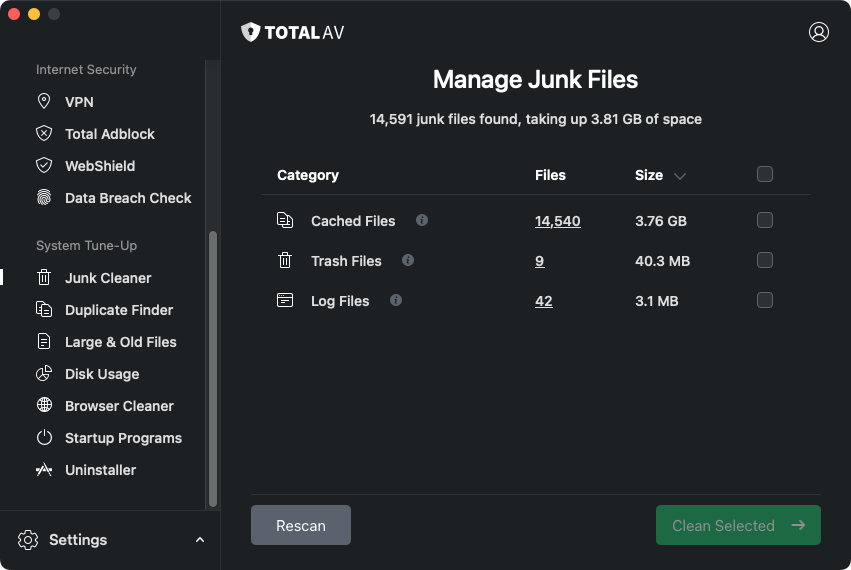
TotalAV
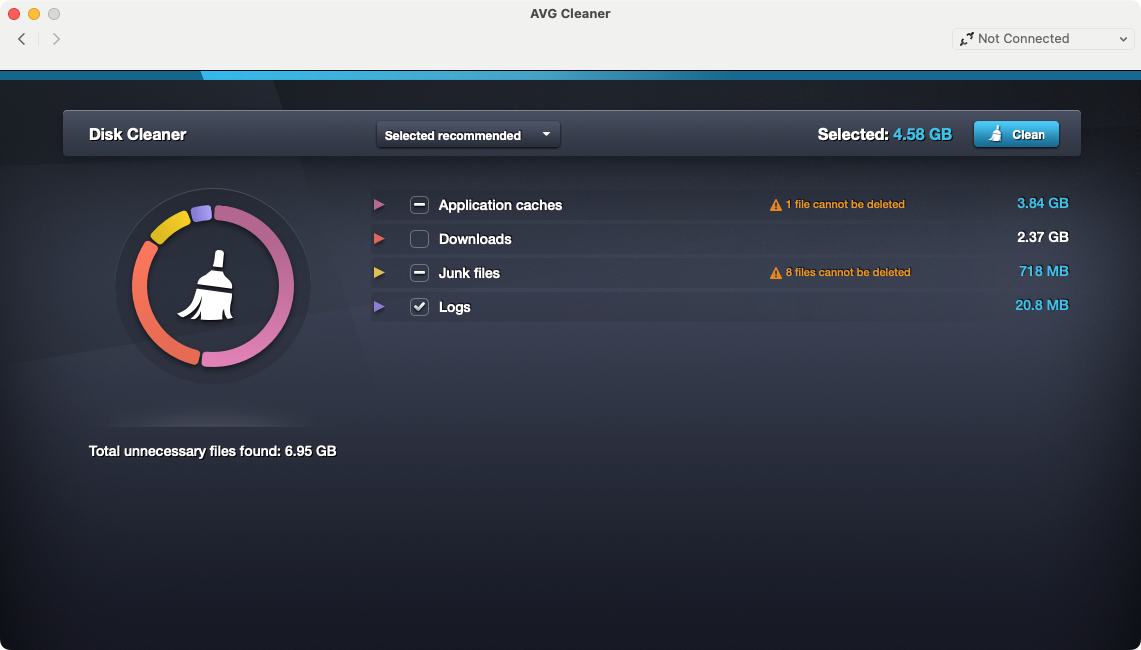
AVG Cleaner
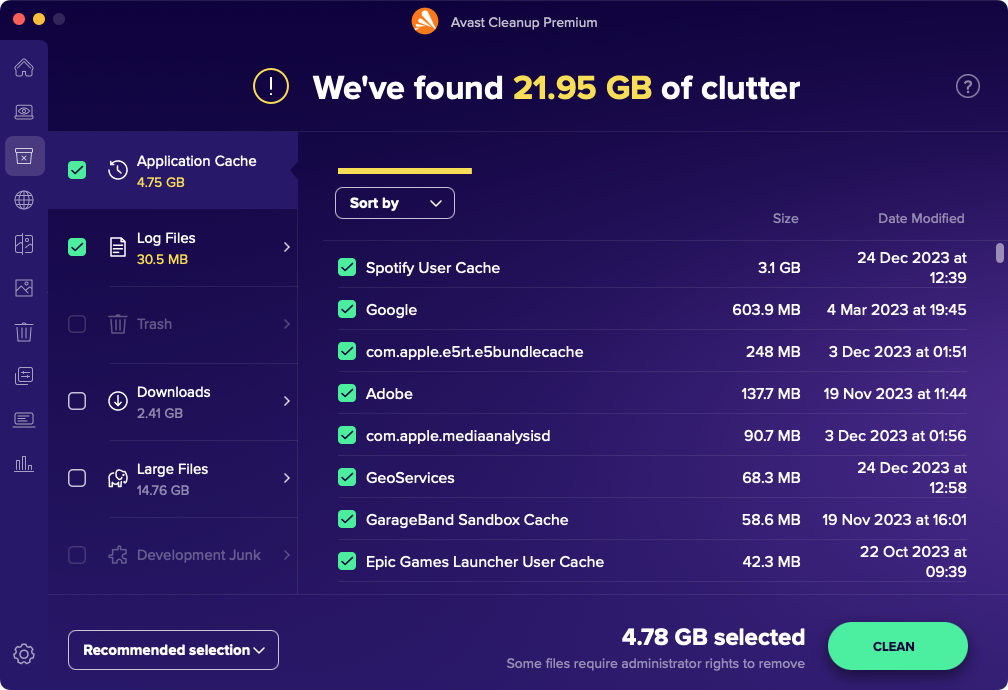
Avast Cleanup
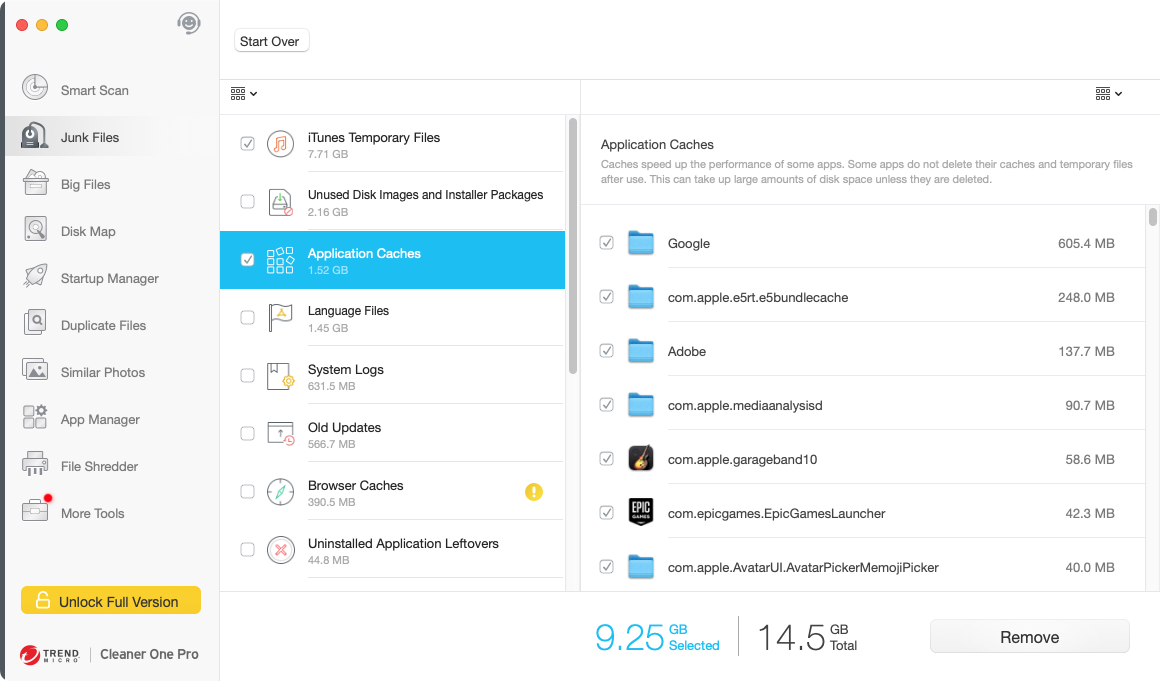
Cleaner One
Onyx
Macube Cleaner
DaisyDisk
MacBooster
1. MacKeeper
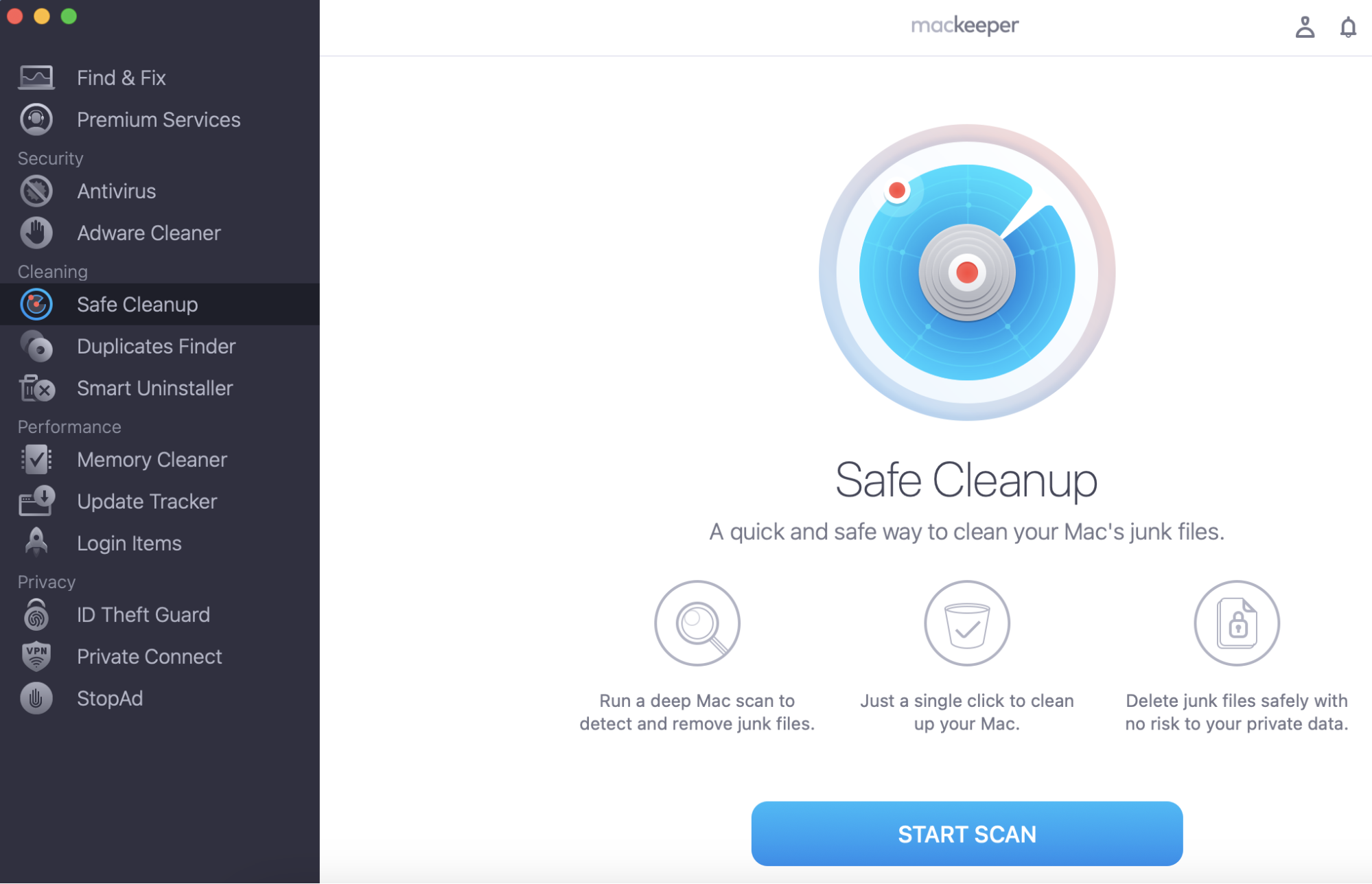
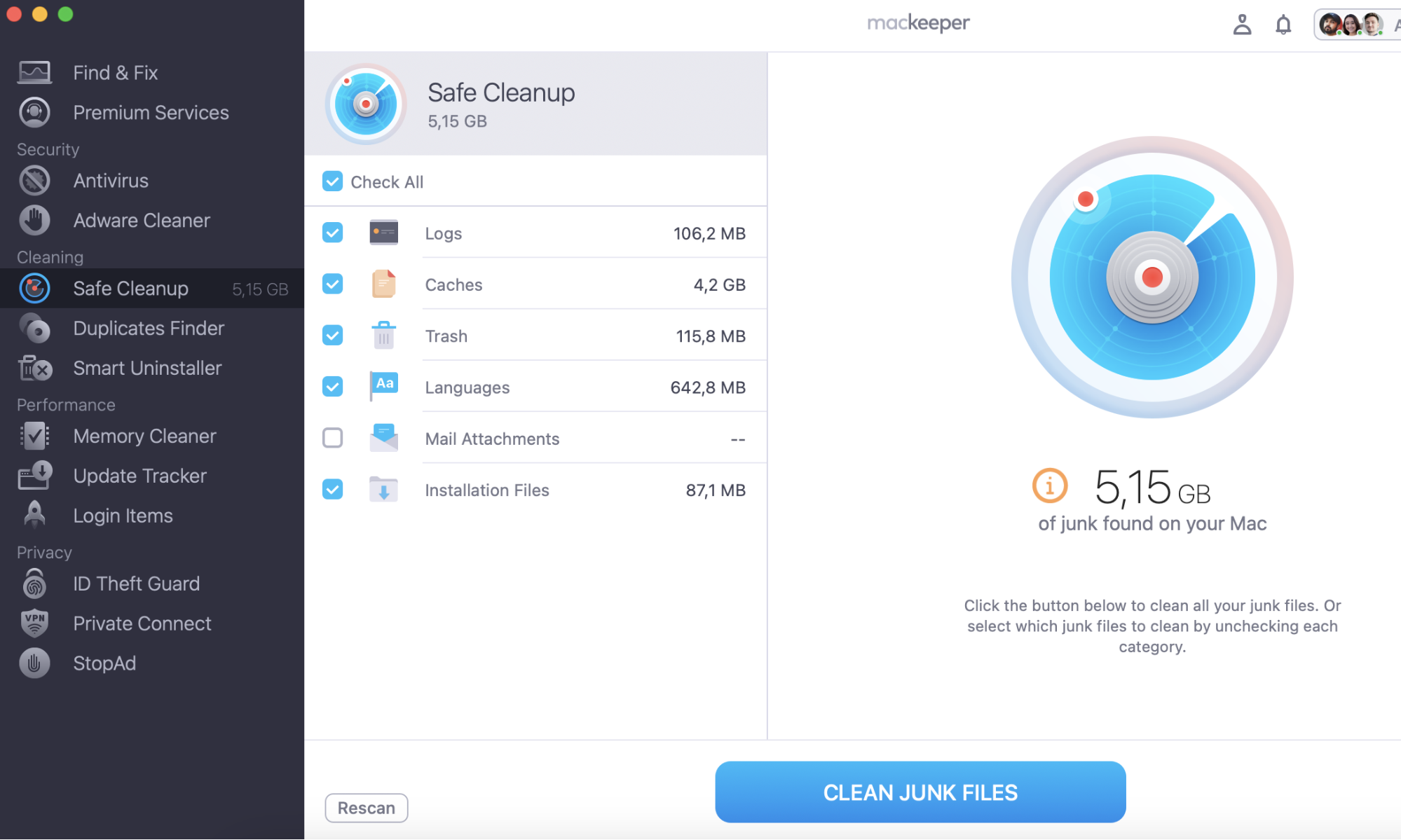
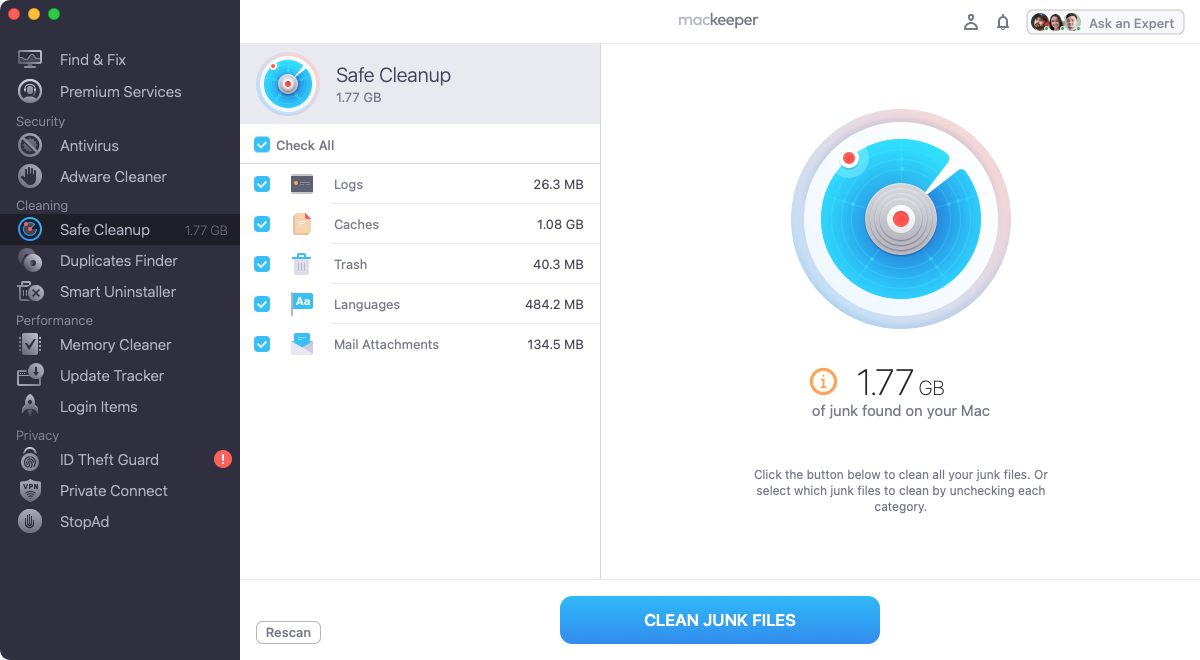
MacKeeper is a multipurpose security, optimization, and privacy program. Its Safe Cleanup tool can clear out all manner of different junk files on your Mac in just a few clicks—great if your Mac is running slow.
Pricing
License period
Number of users
Price
12 months
4 Macs
$65.67
12 months
1 Macs
$62.01
6 months
3 Macs
$53.24
6 months
1 Mac
$45.99
1 month
1 Mac
$10.95
Pros and cons
Pros
Cons
Fast, easy cleaning
Doesn’t have a disk space visualizer tool
Remove unnecessary language files
No free version
A good range of license options
Loads of security, optimization, and other tools
Top features
Safe Cleanup: Find and remove various types of unneeded data.
Antivirus: Use real-time and on-demand protection against malware infections.
Smart Uninstaller: Safely remove apps, widgets, and more without leaving anything behind.
Private Connect: Enjoy a complete VPN service, protecting your data and privacy.
Duplicate Finder: Find and remove unnecessary copies of files and photos.
MacKeeper's Safe Cleanup
2. TotalAV
As its name suggests, TotalAV is focused largely on security. However, it also has a selection of tune-up tools, which are similar to those in CCleaner.
Pricing
License period
Number of users
Price
12 months
3 devices
$29, then renews at $119
12 months
5 devices
$39, then renews at $145
12 months
6 devices
$49, then renews at $179
Pros and cons
Pros
Cons
Lots of tools for free, including cleaning
No real-time protection without a subscription
Good prices for the first year
Doesn’t remove language files or mail attachments
Works across multiple devices
Prices go up a lot after first year
Has a disk space visualizer
Not always clear which features are free and which cost extra
Top features
Disk Usage: Quickly see what’s taking up your Mac’s disk space.
Junk Cleaner: Find and delete data that your Mac doesn’t need.
Malware Scan: Run an on-demand scan. Subscribe to unlock real-time protection.
Password Vault: Use a premium feature that stores your passwords.
VPN: Benefit from a fully featured VPN with no need to pay for it.
TotalAV offers a Junk Cleaner
3. AVG Cleaner
Available from the Mac App Store, AVG Cleaner is a simple, lightweight cleaning app. You can buy more fully featured apps on the AVG website, but this one is completely free.
Pricing
License period
Number of users
Price
One-off
Unlimited
Free
Pros and cons
Pros
Cons
Download and install for free
Has a very basic user interface
Cleans a variety of junk files
Cleaning function is limited compared to CCleaner
Has a very small number of features
Top features
Disk Cleaner: Search for and erase clutter from your Mac.
Duplicate Finder: Look for unwanted copies of files in folders you specify.
AVG Cleaner's Disk Cleaner function
4. Avast Cleanup
Avast is best known for its antivirus apps, but Avast Cleanup is focused on keeping Macs and other devices junk-free. Its main cleanup tool is called Clean Clutter.
Pricing
License period
Number of users
Price
12 months
1 Mac
$29.88 then renews $65.99
12 months
10 devices
$34.68 then renews at $79.99
Pros and cons
Pros
Cons
Free 30-day trial without credit card
Price goes up a lot after first-year
10-device license covers Mac, Windows, Android
Doesn’t offer security features or VPN
Large Files feature finds big files to delete
Doesn’t clean out language files or mail attachments
Statistics feature lets you keep track of your cleaning activities
Top features
Clean Clutter: Delete cached files and other junk data.
Duplicate Files: Find and remove duplicated files from your Mac.
Analyze Photos: Look for poor quality or similar photos you can delete.
App Uninstaller: Safely remove apps from your computer.
System Monitor: View vital statistics about your Mac at a glance.
Avast Cleanup Premium finds clutter
5. Cleaner One Pro
Made by security software firm Trend Micro, Cleaner One Pro is an all-in-one disk cleaning manager for Windows and Mac computers. Its main cleaning tool goes by the name Junk Files.
Pricing
License period
Number of users
Price
12 months
1 device
$19.99
12 months
5 devices
$29.99
Pros and cons
Pros
Cons
Good price for a yearly subscription
No monthly rolling subscription option
Works on Windows and macOS
Features like VPN and antivirus cost extra
Removes all kinds of junk
File Shredder securely deletes files
Top features
Junk Files: Scan your Mac for unwanted data you can delete.
File Shredder: Erase files so they can’t be recovered by undelete software.
Disk Map: See a visual map of your Mac’s storage.
Duplicate Files: Get the utility that finds and deletes duplicates.
Big Files: Quickly track down large files that you can delete.
6. OnyX
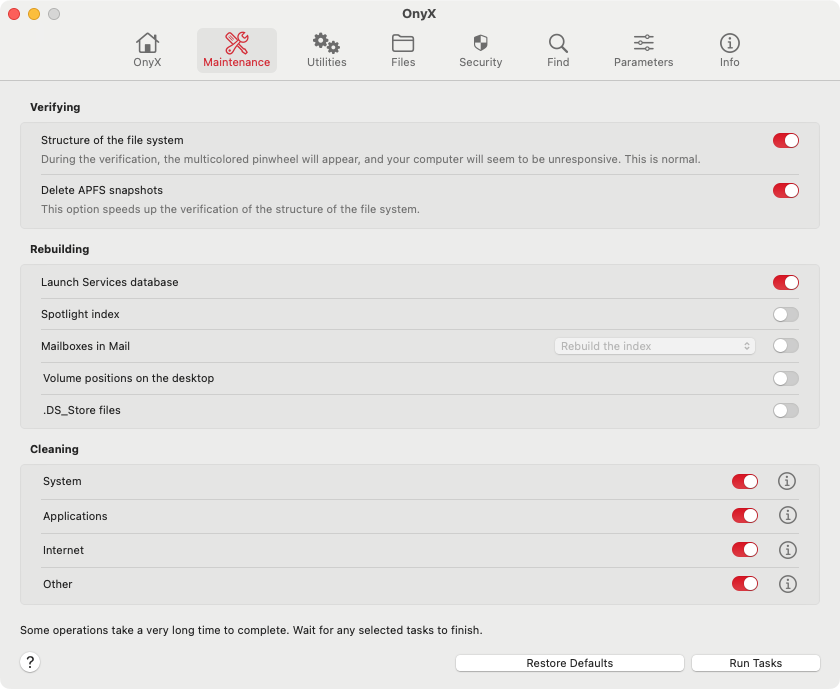
Onyx is a free app that lets you tweak lots of different settings on your Mac. It’s freeware, rather than being open source, which means you can share and use it, but you can’t alter the code. Onyx has some cleaning functions among its maintenance options.
Pricing
License period
Number of users
Price
One-off
Unlimited
Free
Pros and cons
Pros
Cons
Completely free to download and use
Cleaning function offers limited control
Loads of different features for your Mac
Probably too advanced for novices
Doesn’t take up a lot of space or slow your Mac down
Potential to delete the wrong thing and damage macOS
A different version for every major OS release
Top features
Maintenance: Verify and rebuild databases as well as clean caches and junk.
Utilities: Manage Time Machine snapshots, see Unix manuals, and more.
Files: Tweak visibility of files and folders, erase files, and lots more.
Security: Gain a quick access to macOS’s built-in security features.
Find: Locate files and folders on your Mac, using a variety of methods.
Onyx has some cleaning features
7. Macube Cleaner
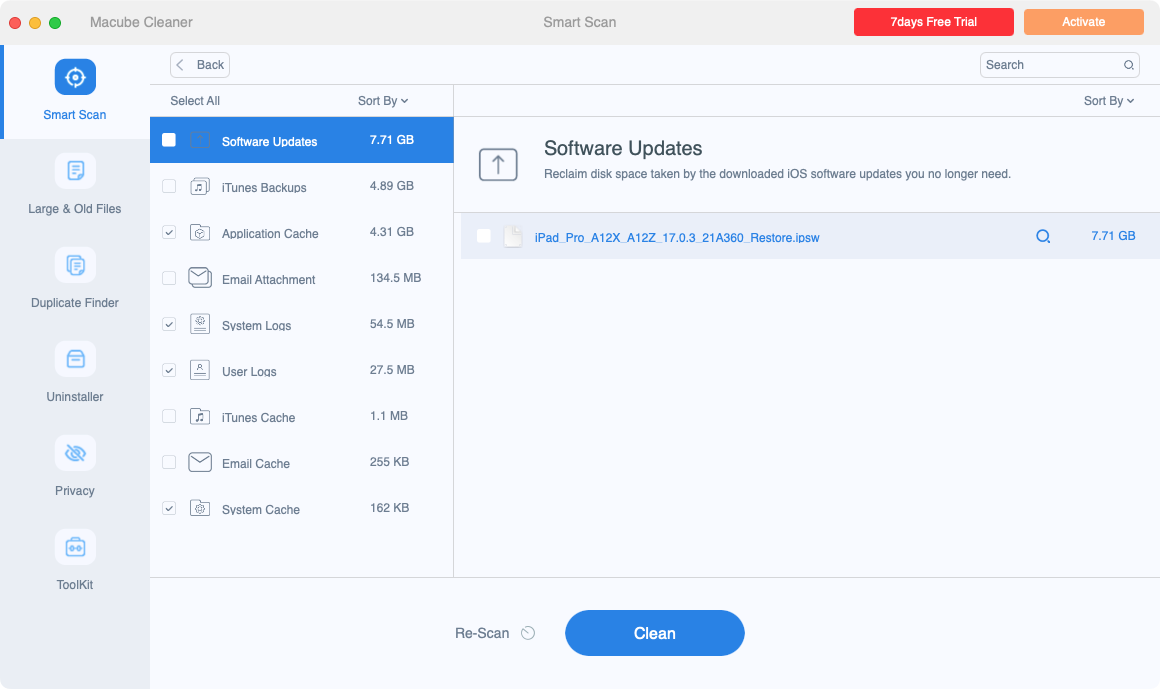
A dedicated Mac app, Macube offers a variety of cleaning tools for your Apple machine. Smart Scan is its main cleaning tool, but offers a few other features too.
Pricing
License period
Number of users
Price
1 month
1 Mac
$8.95
12 months
1 Mac
$39.95
One-off
2 Macs
$69.95
Pros and cons
Pros
Cons
Finds and deletes a wide range of Mac junk
Doesn’t remove language files
Offers a duplicate file and similar image finder
Limited features compared to other CCleaner competitors
Shredder feature deletes files securely
Offers a seven-day trial
Top features
Smart Scan: Delete caches, old log files, email attachments, and more.
Large & Old Files: Quickly recover space on your Mac with this tool.
Duplicate Finder: Get rid of those unwanted duplicates fast.
Uninstaller: Remove apps safely from your computer.
Shredder: Erase files forever with this feature.
Macube Smart Scan finds junk files
8. DaisyDisk
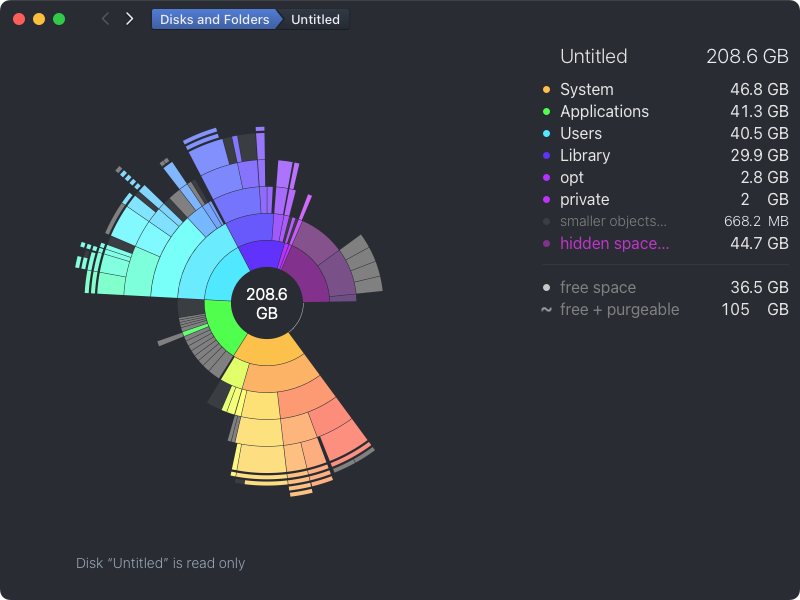
DaisyDisk is a bit different from the other cleaners here. It gives you a visual map of your Mac’s storage, but it doesn’t tell you what you can delete—that’s entirely up to you. It’s perfect if you don’t know where your storage is vanishing to.
Pricing
License period
Number of users
Price
One-off
5 Macs
$9.99
Pros and cons
Pros
Cons
Quickly find out what’s taking up your disk space
Only does one thing
Search your cloud storage too
Doesn’t tell you what’s safe to delete
Attractive, intuitive user interface
Cheap, one-off price
Top features
Scan cloud disks: Scan Dropbox, Box, Google Drive, and OneDrive accounts.
Scan local storage: Scan your internal and external drives.
Scan as administrator: View restricted files and folders.
Preview files: Quickly see what files are using macOS’s preview function.
DaisyDisk's scan results
9. MacBooster
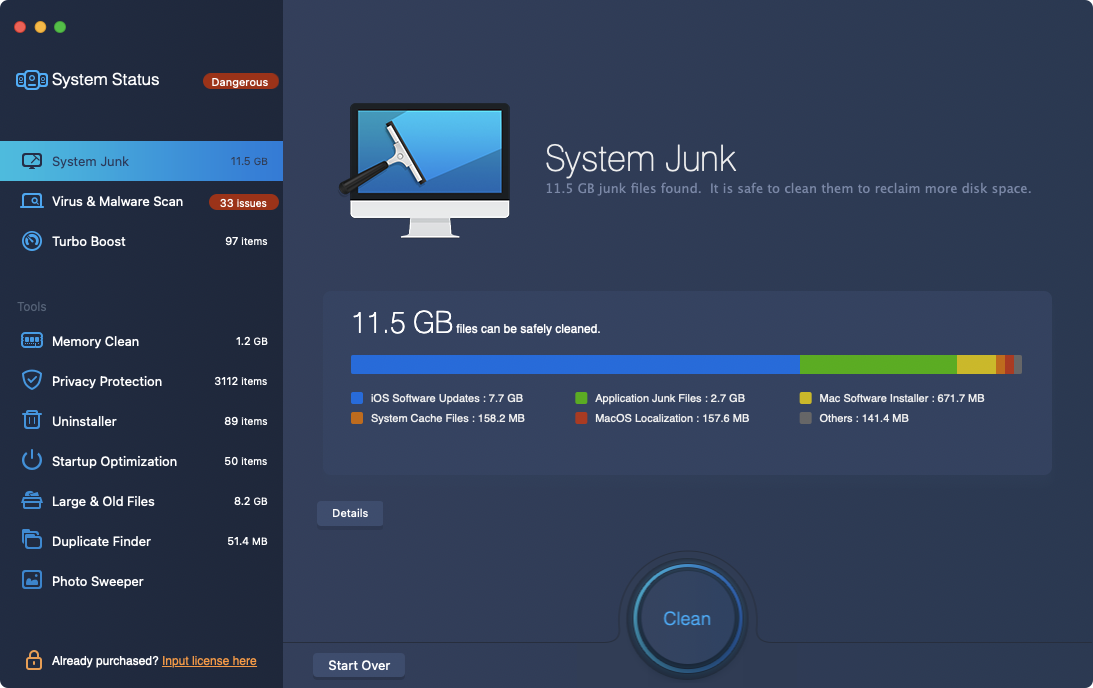
Using MacBooster’s System Junk tool, you can easily find and remove all kinds of unwanted stuff from your Mac. MacBooster also offers security, privacy, and optimization tools.
Pricing
License period
Number of users
Price
12 months
1 Mac
$29.95
12 months
3 Macs
$49.95
12 months
5 Macs
$89.95
Pros and cons
Pros
Cons
A decent selection of tools
No monthly rolling plan
Offers antivirus protection
Antivirus comes up with false positives
Can find large and old files quickly
Top features
System Junk: Scan your Mac for cached data, log files, and more to delete.
Virus & Malware Scan: Protect your Mac from malware.
Duplicate Finder: Easily get rid of duplicated files.
Photo Sweeper: Clear your machine of poor-quality images.
Memory Clean: Quickly release some of your Mac’s RAM.
Preview files: Quickly see what files are using macOS’s preview function.
MacBooster's System Junk cleaner
Comparison of CCleaner competitors
From Sierra to Sonora, there are plenty of different programs like CCleaner to keep macOS free of junk files. Here’s how they compare, at a glance:
Name
Starting Price
Free Trial
Cache cleaning
Duplicate Finder
Antivirus
App Uninstaller
MacKeeper
$10.95
✅
✅
✅
✅
✅
TotalAV
$29
✅
✅
✅
✅
✅
AVG Cleaner
Free
Free
✅
✅
❌
❌
Avast Cleanup
$29.88
✅
✅
✅
❌
✅
Cleaner One
$19.99
✅
✅
✅
❌
✅
Onyx
Free
Free
✅
❌
❌
❌
Macube
$8.95
✅
✅
✅
❌
✅
DaisyDisk
$9.99
✅
❌
❌
❌
❌
MacBooster
$29.95
✅
✅
✅
✅
✅
What is the best alternative to CCleaner?
CCleaner has lots of its own strengths, but each of the apps we’ve looked at here is better than CCleaner in some way. The key areas to consider when choosing a CCleaner alternative are:
Pricing: How much does the app cost, are you tied into a contract, and so on?
Number of devices per license: Some limit you to one Mac, some give you more, while others are unlimited.
Cleaning thoroughness: What types of data do each of these utilities clean up for you?
Automated cleaning: Most but not all cleaning apps will tell you which files are safe to delete.
Additional features: Look out for extras like antivirus, VPN, privacy protection, and more.
For maximum cleaning effectiveness, grab yourself a copy of MacKeeper. Its Safe Cleanup feature lets you find and remove junk files—quickly and safely. Check out our MacKeeper vs CCleaner showdown to see how it compares.
Our Safe Cleanup tool deletes all kinds of data, including language files and email attachments, which not all cleaning tools do. Plus, it’s packed with loads of other features that help you to keep your Mac optimized and secure.
We respect your privacy and
use cookies
for the best site experience.
Privacy Preferences Center
We use cookies along with other tools to give you the best possible experience while using the
MacKeeper website. Cookies are small text files that help the website load faster. The cookies we
use don’t contain any type of personal data meaning they never store information such as your
location, email address, or IP address.
Help us improve how you interact with our website by accepting the use of cookies. You can change
your privacy settings whenever you like.
Manage consent
All cookies
These cookies are strictly necessary for enabling basic website functionality (including page
navigation, form submission, language detection, post commenting), downloading and purchasing
software. The website might malfunction without these cookies.