Choosing between Cleaner One Pro vs MacKeeper comes down to how much you want one app to do. If your Mac feels sluggish and cluttered, MacKeeper’s Safe Cleanup clears caches, logs, and junk in one scan while leaving your personal files untouched, restoring space and speed without the guesswork.
In short, these tools serve overlapping but different purposes. Cleaner One Pro, made by Trend Micro, is a focused storage-cleanup and optimization app for your Mac. MacKeeper is a broader Mac care suite that folds cleanup, performance, and security into one package. From our experience, the right pick depends on whether you want a lightweight cleaner or an all-in-one solution, and that’s the core Cleaner One Pro MacKeeper difference.
Put simply, if your only goal is a tidier drive, Cleaner One Pro does that job well. If you’d rather one app handled cleanup, speed, and protection so you’re not juggling several tools, MacKeeper is built for that. Keeping this distinction in mind makes the rest of the comparison much easier to follow.
Cleaner One Pro features
We’ve noticed that Cleaner One Pro keeps its focus on tidying and speeding up your Mac. Its toolset is approachable and effective for everyday maintenance.
Its main tools include:
Junk cleanup. Removes caches, logs, and temporary files to reclaim space.
Duplicate and large file finders. Surface identical copies and space-hogging items to remove.
Disk map. Visualizes what’s using your storage so you can act on it.
Startup and app managers. Control login items and uninstall apps with their leftovers.
MacKeeper casts a wider net, pairing cleanup with performance and security tools in one app. From what we can tell, that breadth is the biggest reason people weigh Cleaner One Pro or MacKeeper in the first place.
Its core tools include:
Safe Cleanup. Clears caches, logs, and trash in a single scan.
Duplicates & similar files. Finds and removes redundant files and lookalike photos.
Memory Cleaner & Smart Uninstaller. Frees up RAM and removes apps with their leftovers.
Antivirus, VPN & adware protection. Adds real-time security, private browsing, and ad cleanup.
Together, these help you free up space while also protecting your Mac, which a pure cleaner can’t do.
Cleaner One Pro vs MacKeeper for storage cleanup
On core storage cleanup, the two are closely matched. Both scan for junk, review duplicates, and help you clear large or unused items in a click. As our tests show, Cleaner One Pro’s disk map is a genuinely useful visual, while MacKeeper’s Safe Cleanup leans on a single thorough scan that keeps your personal files untouched.
Where they diverge is depth. MacKeeper tends to reach a little further into leftover caches and app remnants that lighter cleaners can miss, and because its cleanup sits beside its other tools, you’re not switching apps to also check security or free up memory. For pure disk decluttering, though, both will noticeably lighten a full Mac.
A note from our experts:
Over time, your Mac collects caches, duplicates, old logs, and other clutter that quietly eat storage and drag on performance. That’s why we’d point you to MacKeeper’s Safe Cleanup: unlike a storage-only cleaner, it removes months of buildup in a few clicks while leaving your personal files alone, and it sits alongside MacKeeper’s security tools rather than working in isolation. MacKeeper, developed by Clario Tech, gives you better performance without the guesswork.
Make your Mac more responsive like this:
Download and launch MacKeeper from the official site.
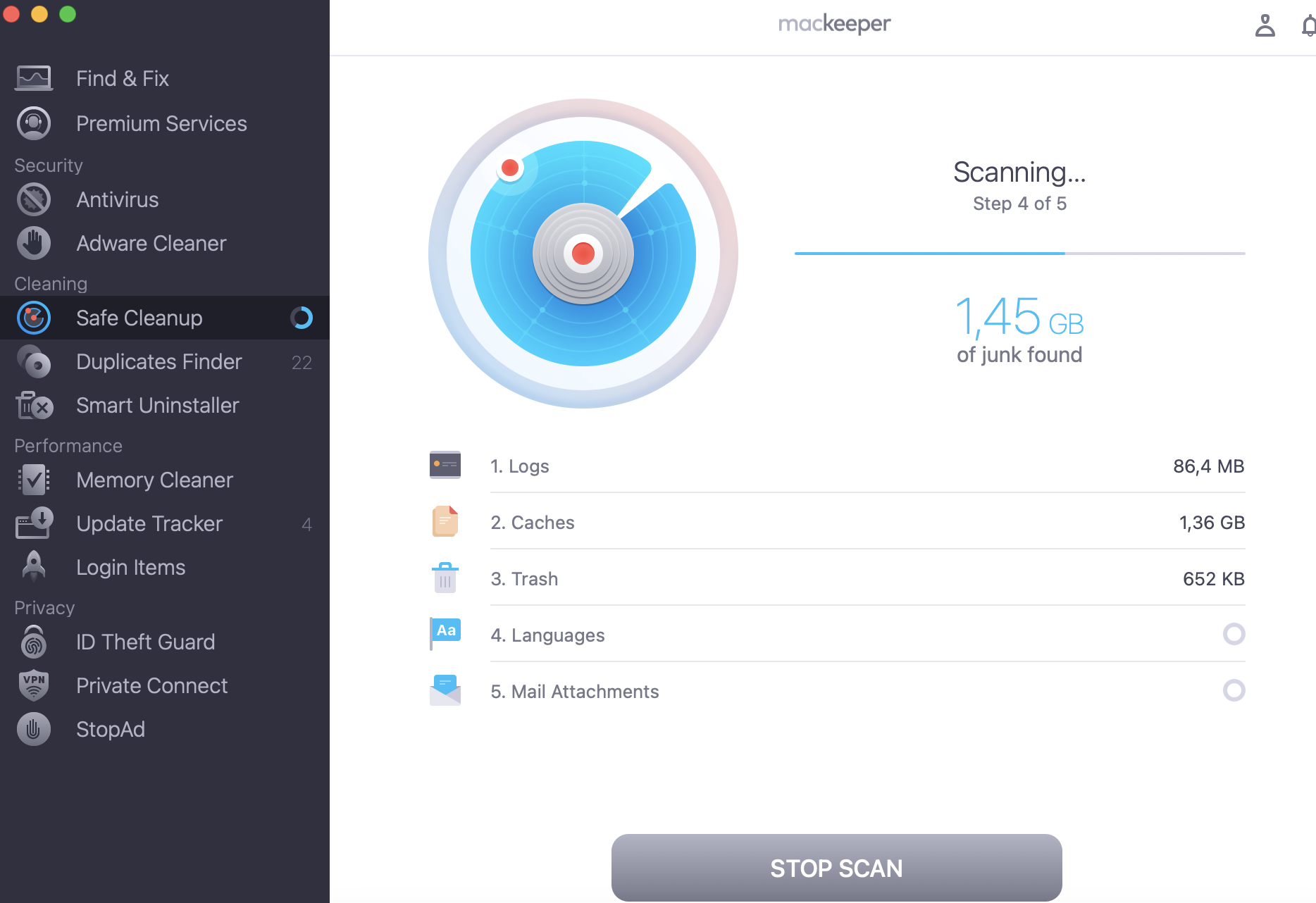
Open Safe Cleanup from the sidebar menu.
Click the Start Scan button.
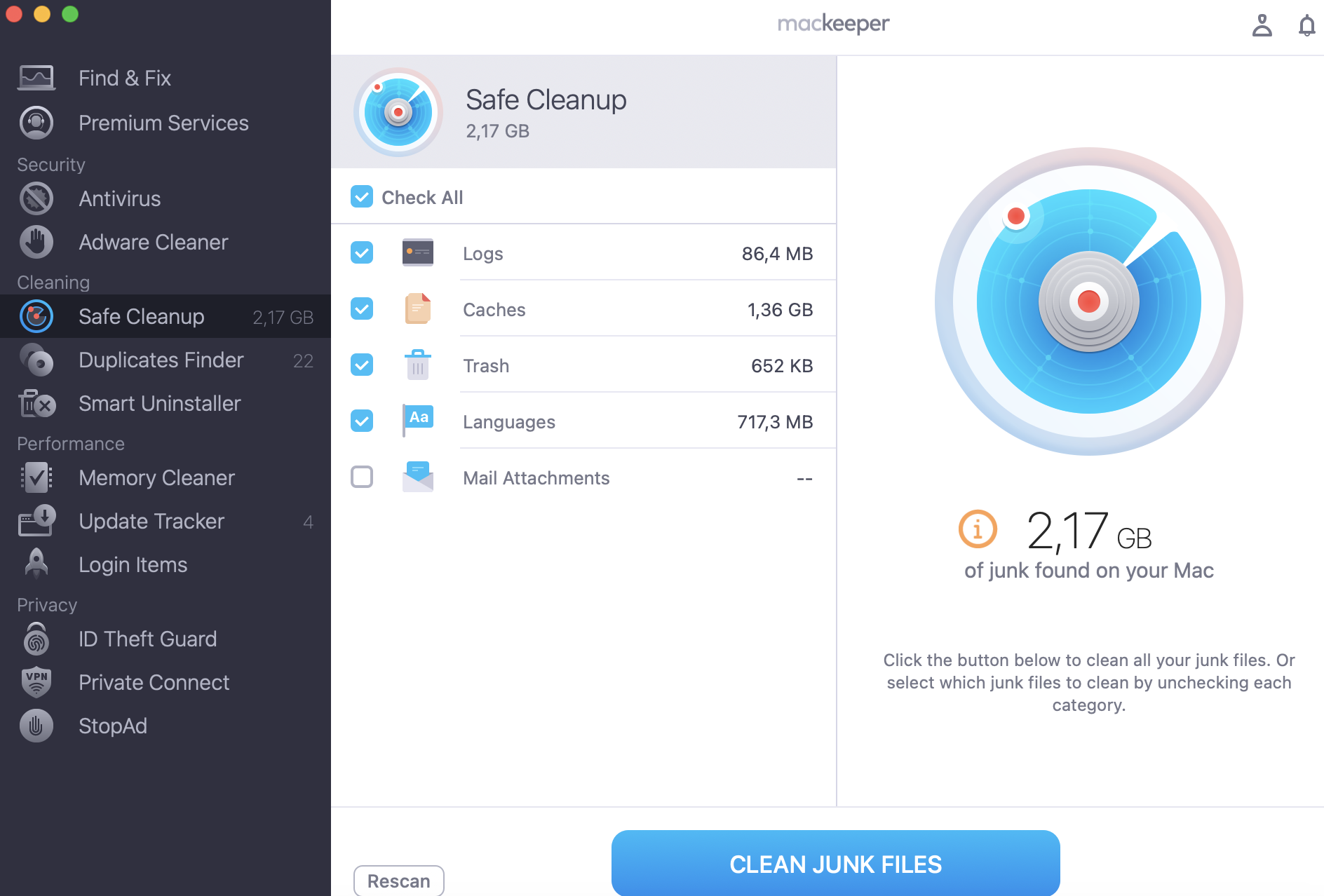
Review the detected data, select the unnecessary files, and press Clean Junk Files to remove them.
Step 1. Open MacKeeper, select Safe Cleanup from the sidebar, and click Start Scan to find junk Step 2. Review the results, select the unnecessary files, and click Clean Junk Files to free up space
Cleaner One Pro vs MacKeeper for performance optimization
Both apps aim to speed up your Mac, but they go about it differently. Cleaner One Pro leans on its startup manager and real-time memory monitor to keep things lean. MacKeeper adds a Memory Cleaner that frees RAM on demand, alongside login-item control and broader system maintenance, so you’re managing background processes and overall health from one place.
If your machine is dragging, our guide on how to boost performance pairs well with either tool.
Cleaner One Pro vs MacKeeper for app management
Removing apps cleanly matters, since a simple drag to the Trash leaves files behind. Both tools do this well: Cleaner One Pro’s App Manager bundles leftovers with the main app, and MacKeeper’s Smart Uninstaller scans for associated service files so nothing lingers. In our experience, either beats manual removal for reclaiming space.
Pricing reflects the difference in scope. Cleaner One Pro is positioned as an affordable, cleanup-focused tool, while MacKeeper bundles a wider feature set, including security, under a more comprehensive subscription. Both offer a limited free version so you can try before you buy.
Cleaner One Pro
MacKeeper
Focus
Storage cleanup & optimization
Full Mac care & security
Free version
Yes, limited
Yes, limited
Paid from
Around $19.99–$24.99/year
Subscription (broader suite)
Security tools
No antivirus or VPN
Antivirus, VPN, adware
Conclusion
The primary difference between MacKeeper and Cleaner One Pro is scope: they overlap in cleanup and optimization, but Cleaner One Pro remains storage-focused, while MacKeeper offers a broader Mac care and security package. If you only want to declutter a drive, the lighter tool may suffice; if you want cleanup, performance, and protection all in one, MacKeeper covers more ground.
Still weighing Cleaner One Pro vs MacKeeper for a slow, cluttered Mac? MacKeeper’s Safe Cleanup clears junk in one scan and keeps your files safe.
We respect your privacy and
use cookies
for the best site experience.
Privacy Preferences Center
We use cookies along with other tools to give you the best possible experience while using the
MacKeeper website. Cookies are small text files that help the website load faster. The cookies we
use don’t contain any type of personal data meaning they never store information such as your
location, email address, or IP address.
Help us improve how you interact with our website by accepting the use of cookies. You can change
your privacy settings whenever you like.
Manage consent
All cookies
These cookies are strictly necessary for enabling basic website functionality (including page
navigation, form submission, language detection, post commenting), downloading and purchasing
software. The website might malfunction without these cookies.