Regardless of whether you look for a way to view Instagram without an account or you want to browse other websites, there is an excellent way to remain anonymous online and protect your data from third parties. Try MacKeeper’s VPN Private Connect—it’s one of the best tools you can use to secure your connection.
With over 1.3 billion users, Instagram is one of the world’s most popular social media platforms. However, privacy is a concern for many people. In 2021, for example, pCloud discovered that Instagram collected 79% of user data—making it the most “invasive” social media app studied.
Many users have considered deleting their Instagram accounts due to privacy concerns. But since Instagram is a nice way to keep up with your favorite people, looking for alternative solutions to check their posts is a good idea. You can do multiple things without an account on the app, including:
Viewing user’s profiles
Checking individual posts
Watching Reels.
In this article, I’ll show you how you can view Instagram without an account. We’ll talk about how to do it from your smartphone and computer.
A note from our experts:
If you want to browse anonymously and stay private on the Internet, use a dedicated third-party app. MacKeeper’s VPN Private Connect hides your real IP address, making you anonymous and protecting you from being tracked online.
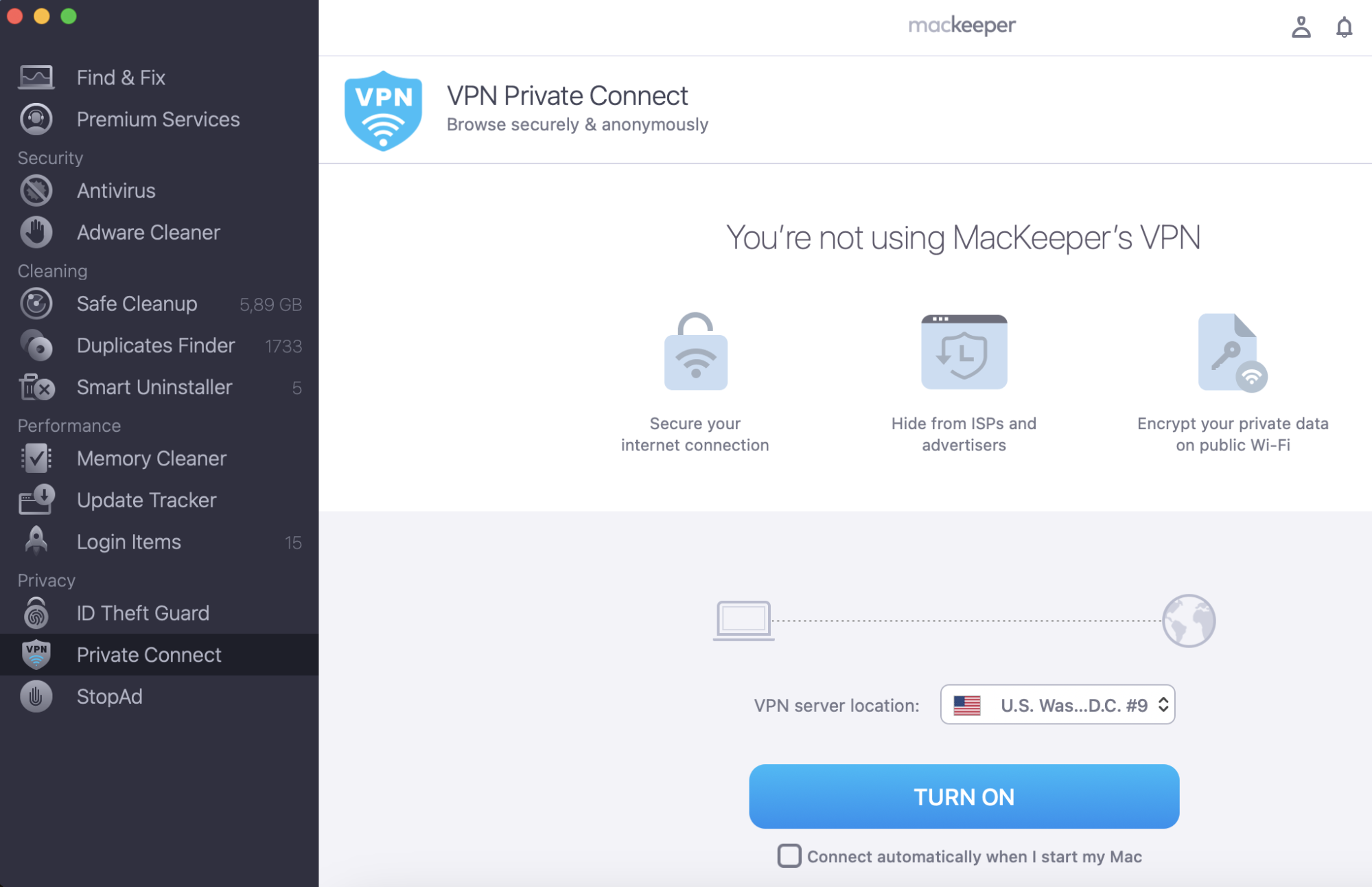
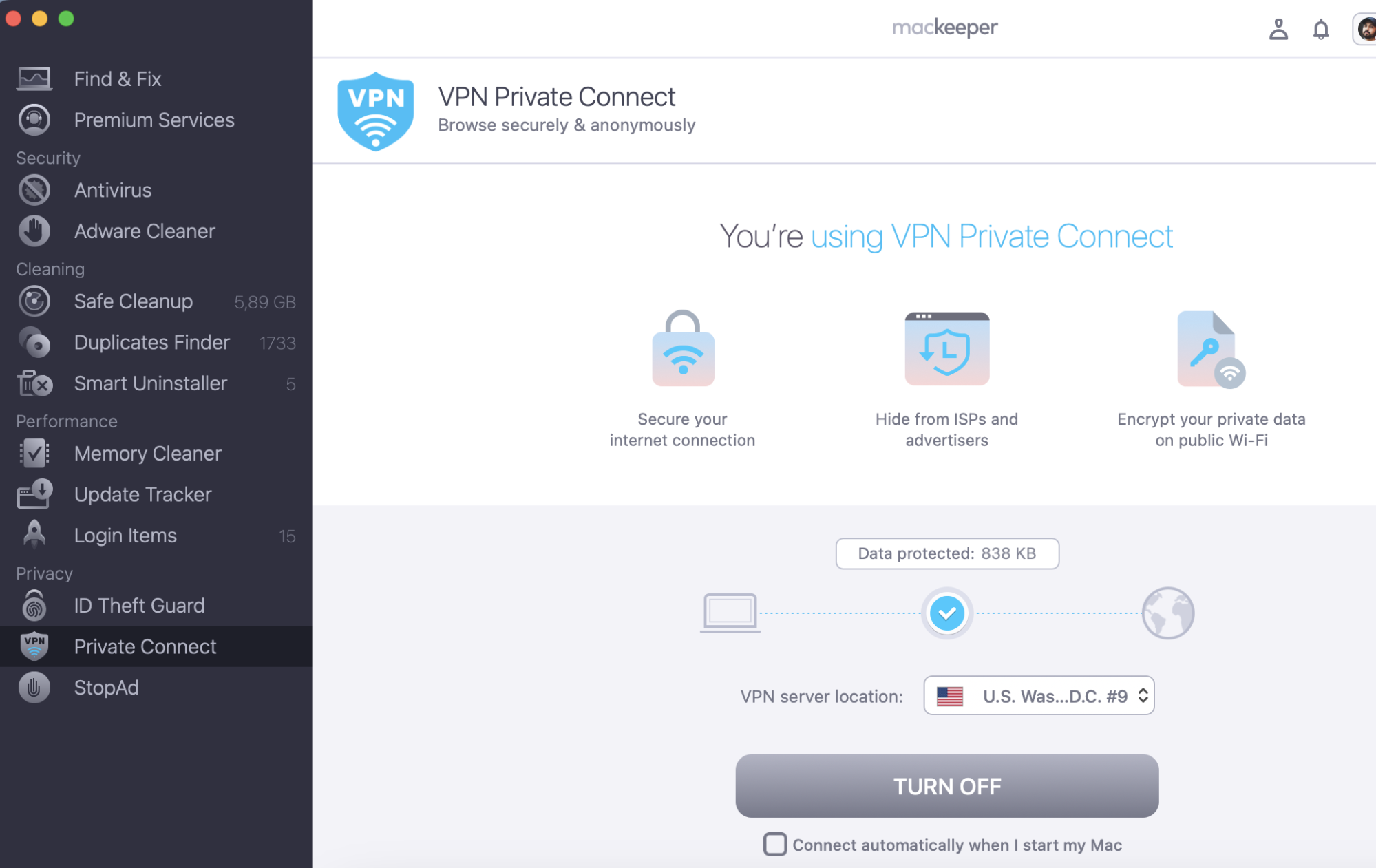
Here's how to use MacKeeper’s VPN Private Connect:
Select Open > Install Helper (the latter is only necessary if a pop-up window appears).
Choose your VPN server location.
Hit the Turn On button at the bottom of your screen.
Step 1. MacKeeper > select the location > Turn OnStep 2. Click Turn Off when you finish browsing
Browse Instagram without an account using the official website
Browsing Instagram without an account will differ depending on whether you use your computer or smartphone. Below, I’ll show you how to do both—starting with your phone.
From a computer
Before I show you how to use Instagram without an account, you should keep a few things in mind. First, the account you want to view must be set to public—otherwise, you won’t be able to view its posts. Moreover, you can’t like or comment on posts without signing into your account.
The method that I’ll show you to view Instagram without an account will work for most of the time. However, in some instances, the platform might keep redirecting you to the sign-in page. You can quit the browser, reopen it, and use the method again if this continually happens.
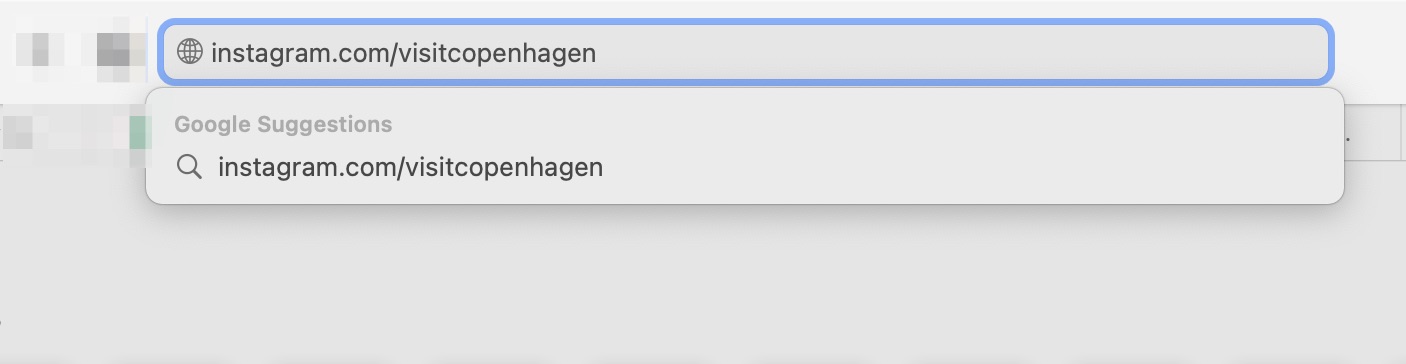
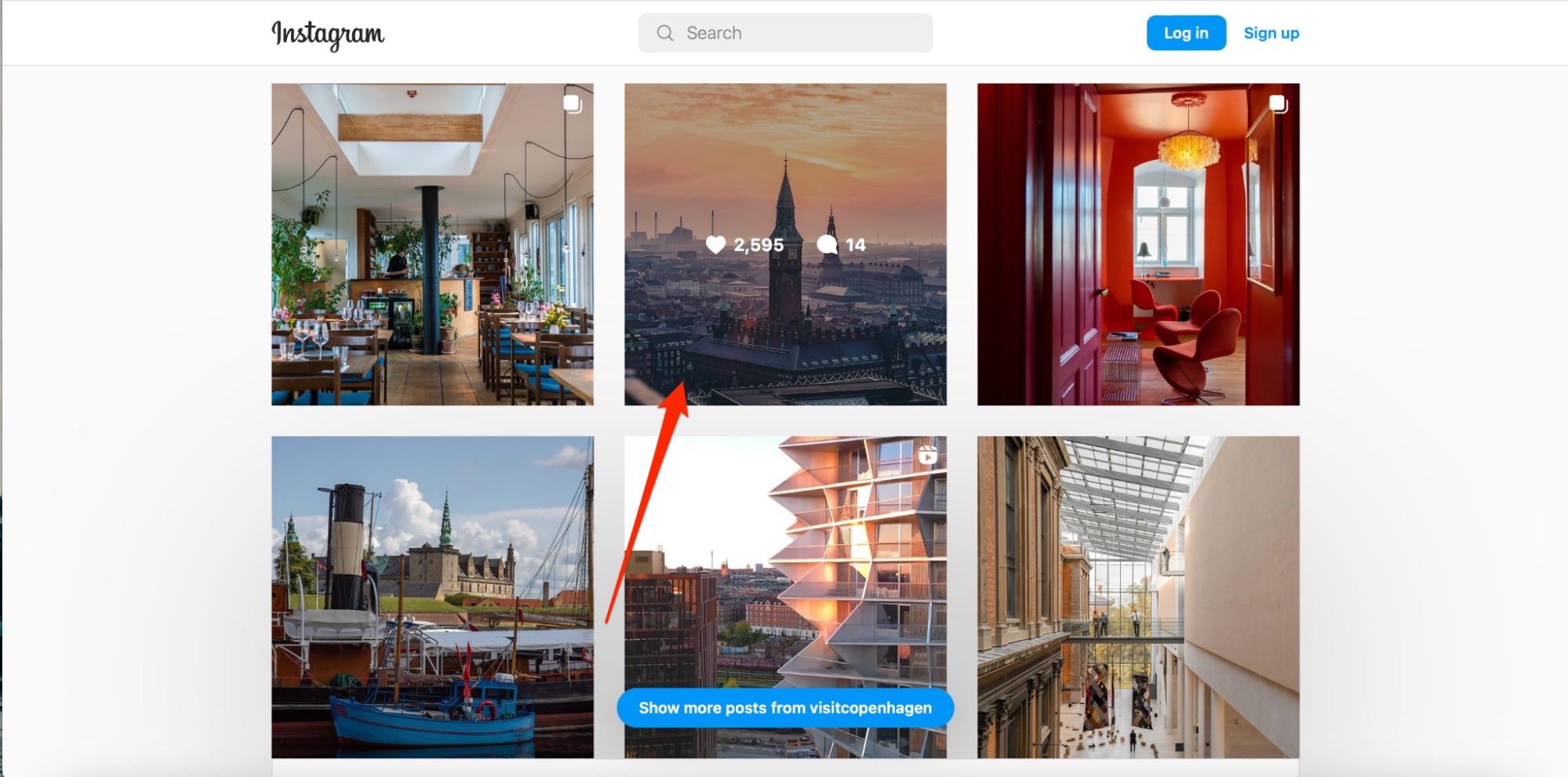
Below are the steps you can follow to view Instagram without an account:
Open your web browser.
In the search bar, type instagram.com/[enter account name here].
Click on the post that you want to see.
Step 1. Open your browser and type instagram.com/[enter account name here] Step 2. Click on the post that you want to see
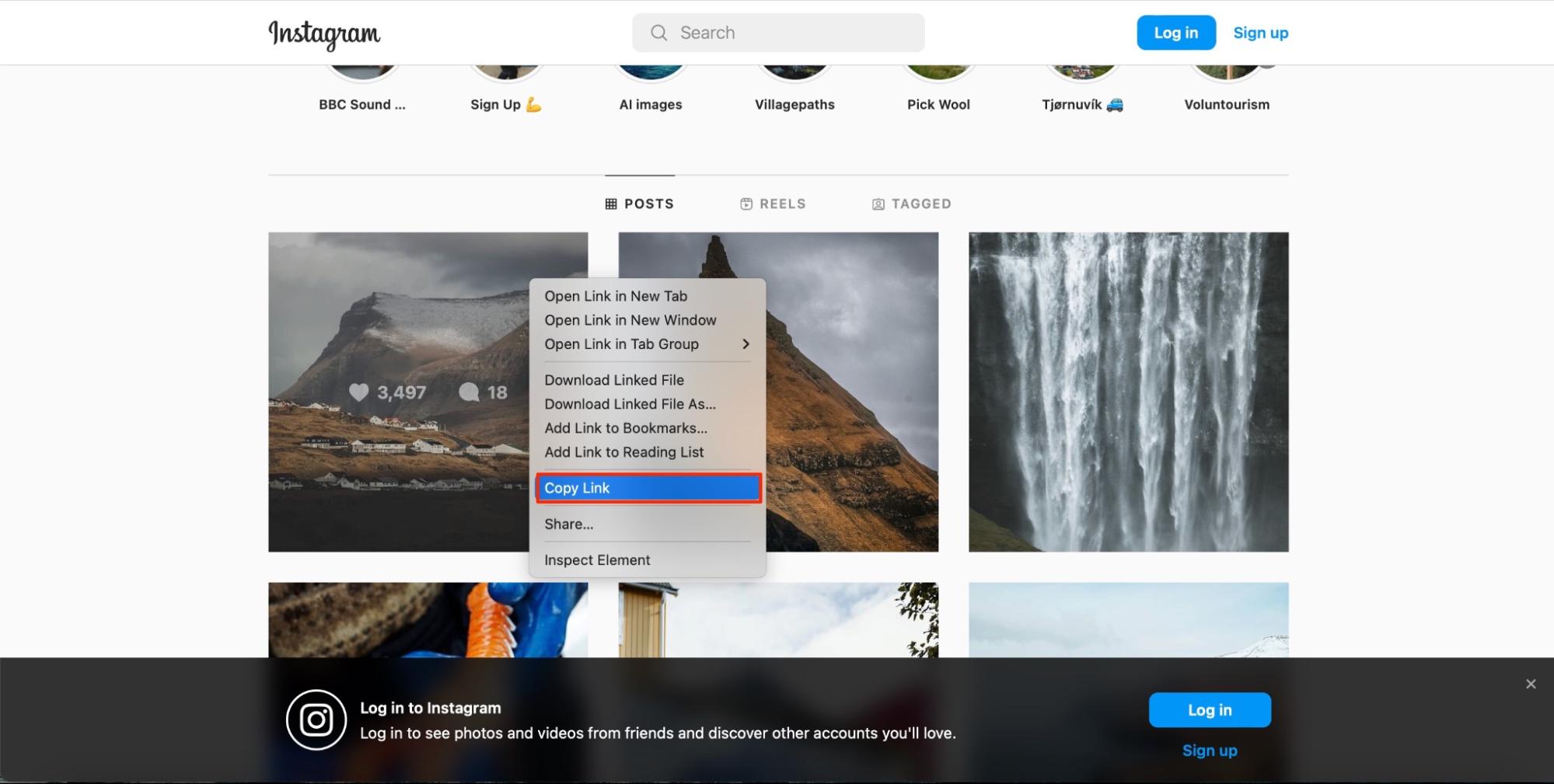
Alternatively, you can copy and paste the URL for a specific post into your web browser. To do this:
Hold the Control button and click on your trackpad after hovering over the post you want to see, before selecting Copy Link from the dropdown menu.
Copy and paste the link into your browser.
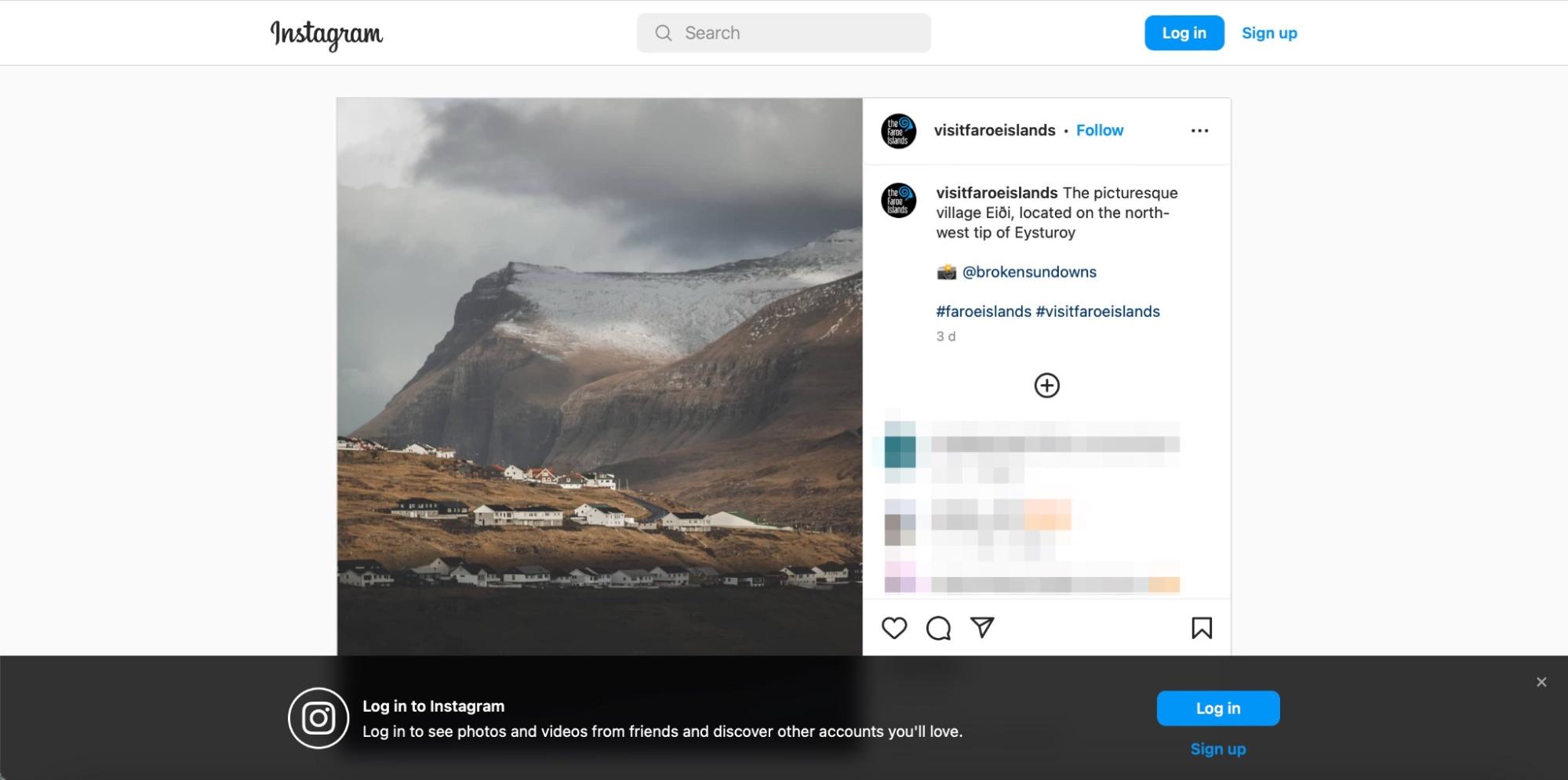
Hit the Enter key on your Mac and the post should appear—see below for an example.
Step 1. Hold the Control + Trackpad and hover over the post you want to see, then click Copy LinkStep 2. Copy and paste the link into your browser then hit Enter
To watch Instagram without an account on your phone, you’ll need to use your web browser, as you can only view Instagram from the app with an account. Below are the steps you should follow:
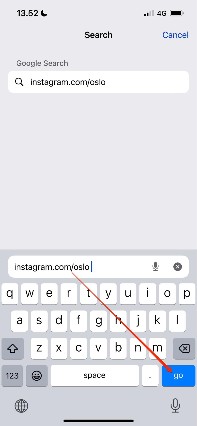
Open the web browser on your phone and type the Instagram account you want to view, before hitting the go button.
Look for the post you want to view and click on it.
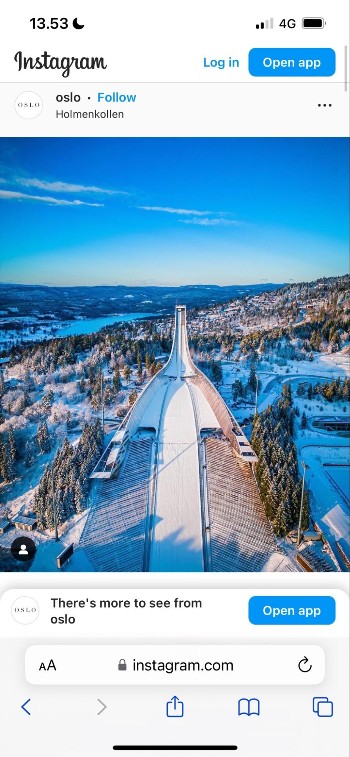
You should be able to see your post in the format that the screenshot below highlights.
Step 1. Open your browser and type the Instagram account, then click on Go Step 2. Click on the post you want to viewStep 3. See the post on the Instagram
If you want to view a specific post instead of someone’s profile, follow these steps instead:
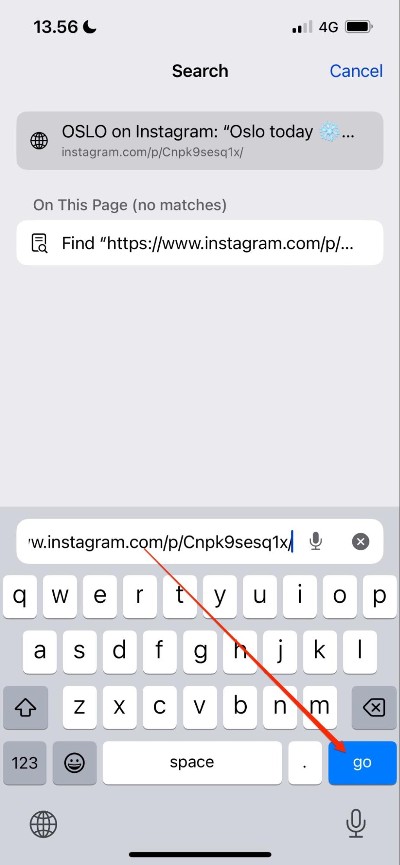
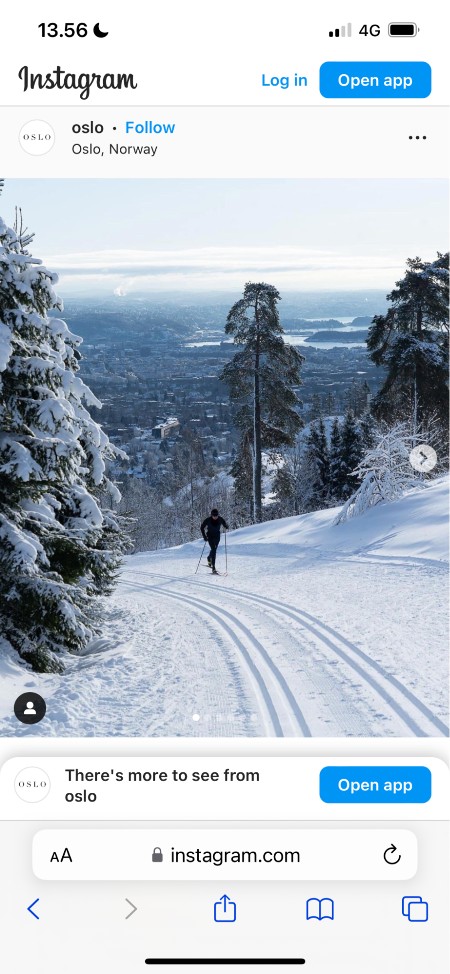
Copy and paste the post’s URL into your browser and select go.
Your post should load in the same way that you can see in the screenshots below. To view a carousel, you can click through the arrows.
Step 1. Copy and paste the post’s URL into your browser and select goStep 2. Load the post on Instagram
How to view Instagram stories without an account?
Unfortunately, Instagram doesn’t allow you to view user stories without registering for an account and signing in. You can, however, use third-party services. Below, I’ll provide a selection that you can explore further.
IgAnony: Lets you view and download stories without signing up for an account. Free to use.
StoriesIG: Lets you search for a username and view their stories anonymously. You can try it for use as well.
How to find someone on Instagram without an account?
Although you can’t search Instagram without an account, finding someone without having a profile is possible. I’ll outline what you need to do below.
Open the web browser on your smartphone or computer.
If you don’t know the account’s username, search for their name and “Instagram” in your browser.
In most cases, the person or profile you’re looking for will be the highest search result, and you can click on it.
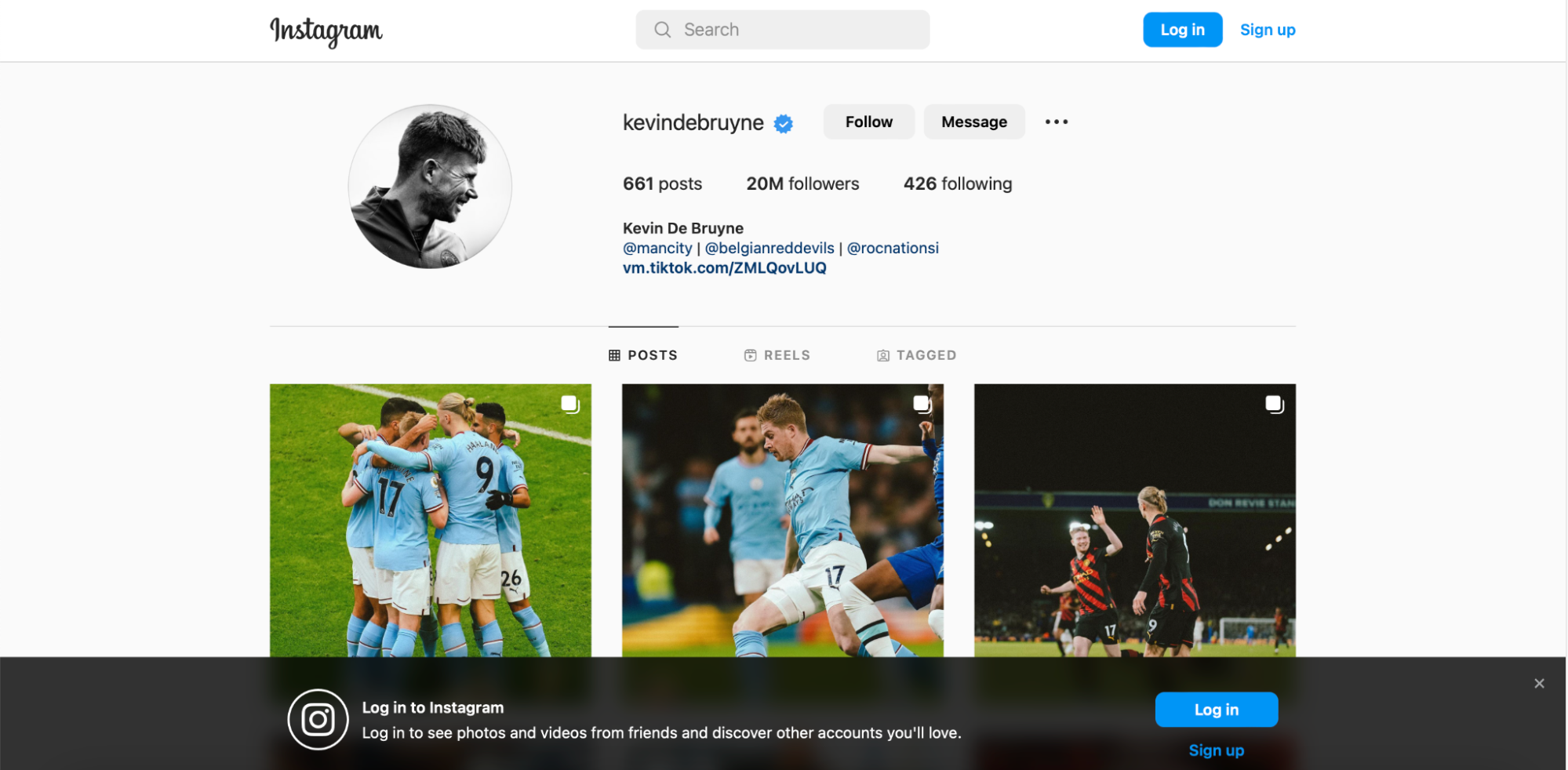
As you can see from the screenshot below, the user’s profile should load as normal. You can then scroll through and view their posts.
Alternatively, if you know the person’s username, type instagram.com/[username] and hit the Enter key or go button.
Step 1. Open the browser and search for the Instagram name
Step 2. Click on the search result of the Instagram profileStep 3. Load Instagram user profile and scroll though the postsStep 4. If you know the person’s username, type instagram.com/[username] in the search
If you’re concerned about other people finding you, even after deleting your Instagram account, you might want to learn more about how to protect your privacy online.
Do you need an Instagram account?
Now that you’ve read this article, you’ve got all the information you need about how to see Instagram without an account. Doing so can sometimes become tricky if you’re constantly prompted to sign in, but you don’t have to oblige.
The reality is that using Instagram is much easier with an account, but you’re not required to have one. If you’re concerned about your online privacy, however, you should consider all websites and not just social media. Using MacKeeper’s VPN Private Connect will help you remain anonymous.
We respect your privacy and
use cookies
for the best site experience.
Privacy Preferences Center
We use cookies along with other tools to give you the best possible experience while using the
MacKeeper website. Cookies are small text files that help the website load faster. The cookies we
use don’t contain any type of personal data meaning they never store information such as your
location, email address, or IP address.
Help us improve how you interact with our website by accepting the use of cookies. You can change
your privacy settings whenever you like.
Manage consent
All cookies
These cookies are strictly necessary for enabling basic website functionality (including page
navigation, form submission, language detection, post commenting), downloading and purchasing
software. The website might malfunction without these cookies.





![To find someone on Instagram without an account, use the person's username. In the search bar enter instagram.com/[username].](https://static-cdn.mackeeper.com/mk-blog-upload/images/new_e423d11b72.jpg "To find someone on Instagram without an account, use the person's username. In the search bar enter instagram.com/[username].")