With intrusive ads and user-uploaded videos everywhere, it’s fair to wonder whether streaming on this platform could put your Mac at risk. In short, is Dailymotion safe to use? Yes—the platform itself is legitimate and encrypted, but the ads around the videos are where real danger hides. MacKeeper’s StopAd blocks those intrusive ads and trackers before they ever reach you.
Dailymotion is a free, ad-supported video-sharing platform, much like YouTube, where creators upload and share clips on almost any topic. Owned by the French broadcasting company Canal+, it hosts everything from music videos and news to user-generated content. From our experience, its safety matters precisely because it’s so open: anyone can upload, and the platform earns its money from advertising, which shapes the risks you’ll encounter.
For Mac and MacBook users, that means the platform’s own infrastructure is one thing, while the third-party ads and links layered on top are another entirely. Understanding that distinction is the key to browsing it safely.
Is Dailymotion legal?
Yes, Dailymotion legal status is settled in most of the world—it’s a legitimate, licensed service that operates openly. As our research shows, the platform uses digital fingerprinting to detect copyrighted material and removes infringing uploads when they’re reported.
That said, two caveats are worth knowing. First, watching or sharing pirated content that other users upload is always illegal, regardless of the platform. Second, laws vary by country: Dailymotion is blocked or restricted in places like China, Russia, Kazakhstan, and India, so it’s wise to check your local rules before accessing it while traveling.
Is Dailymotion safe to use?
For the most part, yes. The official website and apps use HTTPS encryption with SSL/TLS to protect your data in transit, and the mobile apps are distributed through official stores like Apple’s App Store, which screens for malicious software. From our experience, the platform’s own infrastructure is solid—the gaps sit in what it can’t fully control, namely third-party advertising and the content its users upload.
Privacy and data concerns
Here’s where we’d urge some caution. Dailymotion collects a fair amount of data—your IP address, device information, and browsing behavior—and shares it with advertising partners. Since 2018, it’s been GDPR-compliant, giving EU users more control, but the sheer number of ad-network trackers means your activity is heavily monitored as you watch.
A note from our experts:
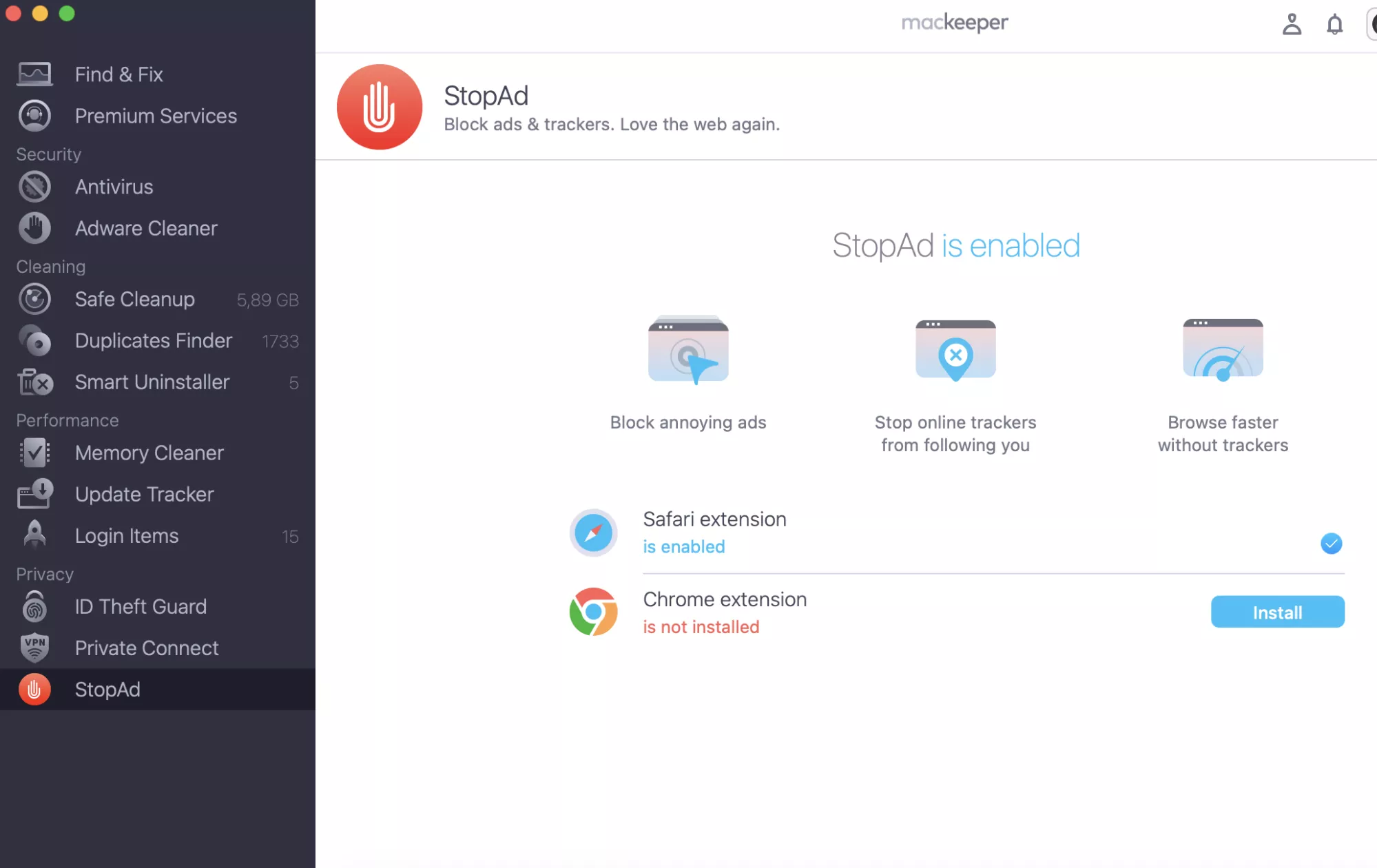
The single most effective thing you can do on an ad-heavy site like this is to cut the ad layer off at the source. In our experience, that’s also where nearly all the malware exposure lives. MacKeeper’s StopAd restricts intrusive ads, browser notifications, and trackers in Safari and other browsers, so you get a cleaner, quieter, and safer viewing experience. MacKeeper offers adware and malware removal, and it’s optimized for macOS, so it fits neatly into your everyday browsing.
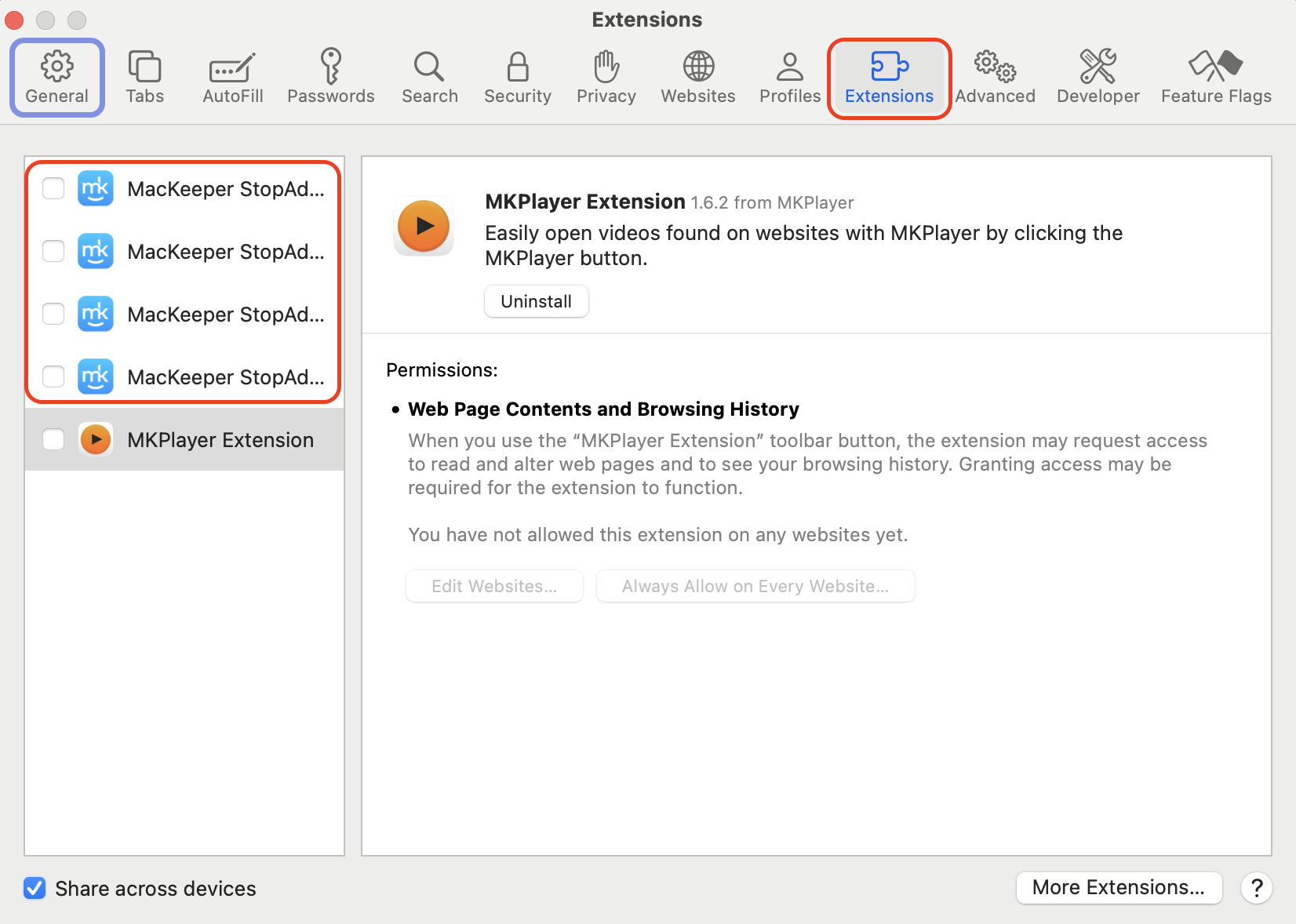
Click Open StopAd and follow the prompt to enable the browser extension.
Toggle protection for Safari, Chrome, or Firefox to start blocking ads and trackers.
Open MacKeeper, select StopAd from the sidebar, and enable the browser extensionToggle protection on for your browser to start blocking ads, notifications, and trackers
Security risks
So, does dailymotion have viruses? Not from the platform itself—there’s no evidence its official site or apps distribute malware. The real threats come from the surrounding layer of ads, links, and uploads, and it helps to know exactly where a Mac get viruses from a website in the first place.
1. Third-party ad risks
Aggressive advertising is Dailymotion’s most common complaint, and from what we can tell, it’s also the biggest risk. Some ads mimic download buttons or fake system alerts, and these malvertising tricks have redirected users to scam pages in the past. A good best ad blocker for Mac removes this layer entirely, which is the single most effective safety step you can take here.
2. Malware and phishing
The other danger is ending up on a fake site dressed up to look like Dailymotion. These lookalike domains often carry malware or ask you to “log in” so they can steal your credentials. We’d always recommend you learn how to protect from malware on Mac, since a single careless click on a dailymotion virus lookalike can undo all your other precautions.
3. Inappropriate and pirated content
Because anyone can upload, some content slips past moderation. Automated tools and human review catch a lot, but not everything instantly, so you may occasionally encounter inappropriate clips or pirated material. In our experience, Dailymotion’s moderation is lighter than YouTube’s, which is worth bearing in mind when you browse.
4. Account security vulnerabilities
If you create an account, it becomes a target like any other. Weak or reused passwords leave you open to credential-stuffing attacks, especially given the platform’s data-sharing habits. The good news is that Dailymotion supports two-factor authentication, which we’d consider essential rather than optional.
Regional restrictions
Finally, where you are affects what you can watch. Dailymotion is geo-blocked in several countries—China, Russia, Kazakhstan, and India among them—and some videos are restricted to specific regions by their creators. This isn’t a safety issue as such, but it explains why content sometimes refuses to load, and why many users turn to a VPN to reach it.
Is Dailymotion safe for children?
Honestly, not without supervision. Unlike YouTube, Dailymotion has no dedicated kids’ app, and its lighter moderation means inappropriate content and aggressive ads can surface more easily. From our experience, it’s not a platform we’d hand to a young child unsupervised.
If children do use it, we’d suggest you:
Supervise actively. Watch alongside younger children rather than leaving them to browse alone.
Enable the family filter. Turn on the content filter in the account settings for teenagers.
Use an ad blocker. This removes the ad layer where most unsafe redirects originate.
Talk about links. Explain the risks of clicking links in video descriptions before they browse independently.
How to stay safe using Dailymotion?
The reassuring part is that a few simple habits neutralize most of the risks above. As our tests show, the following steps make browsing Dailymotion on your Mac genuinely low-risk.
1. Use a VPN
A VPN encrypts your connection and hides your IP address from the ad trackers that blanket the site. We’d also reach for one whenever a video is geo-blocked in your region.
Set one up in minutes:
Choose a reputable VPN and install its Mac app.
Sign in and pick a server location that suits your needs.
Connect before you open Dailymotion in your browser.
Confirm your IP has changed, then start watching safely.
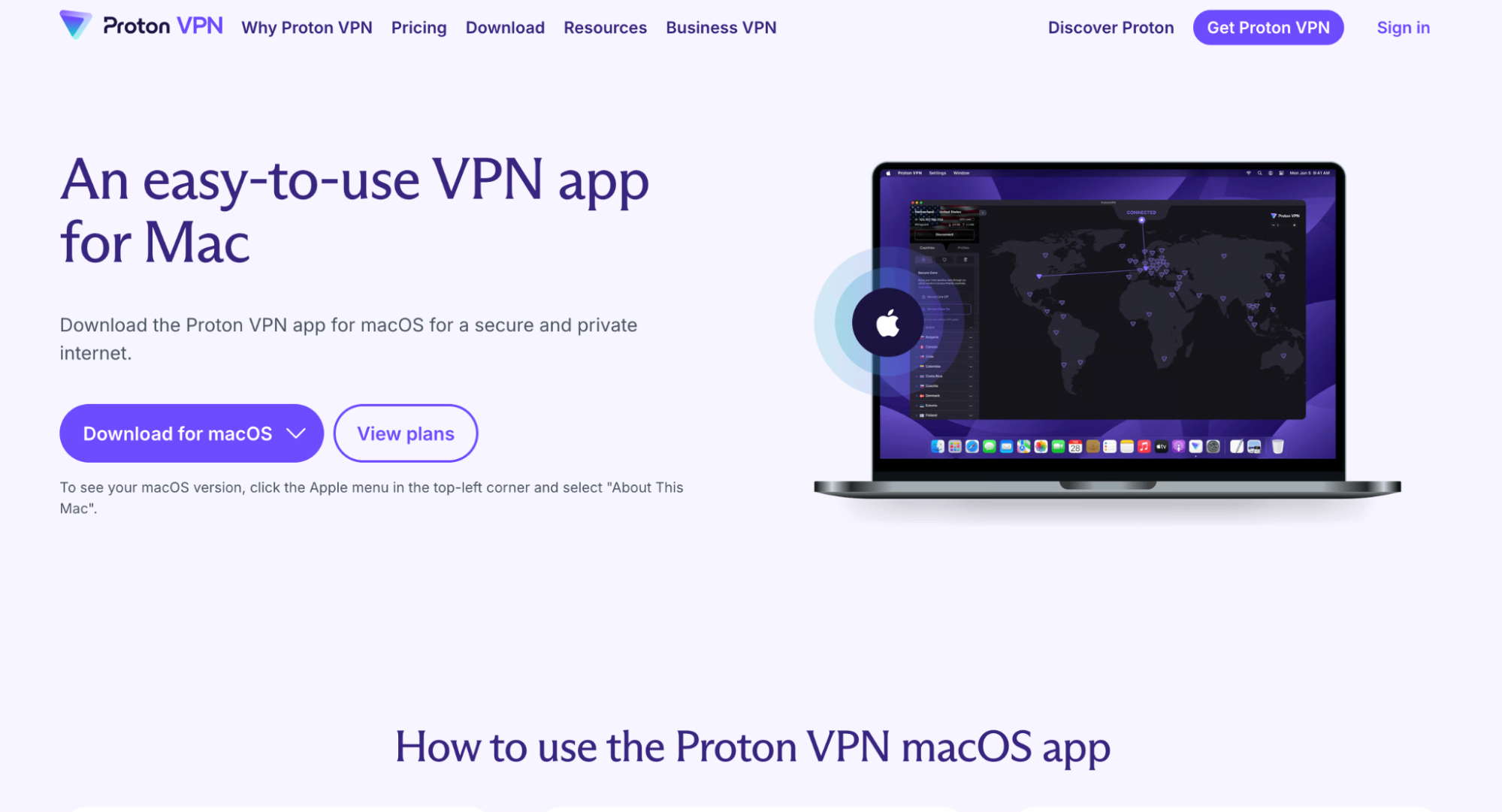
If you’re new to this, our guide on how to setup VPN on Mac walks you through every step.
Install a VPN app on your Mac, connect to a server, then open Dailymotion to browse privately
2. Keep antivirus and browser updated
Outdated software is an open door for malware. In our experience, keeping both your browser and your security tools current closes most of the gaps that malvertising tries to exploit.
Stay current with these steps:
Open your browser’s menu and check for available updates.
Install any pending update and restart the browser.
Run your antivirus and enable automatic updates if available.
Schedule regular scans so threats are caught early.
A hint from our team:
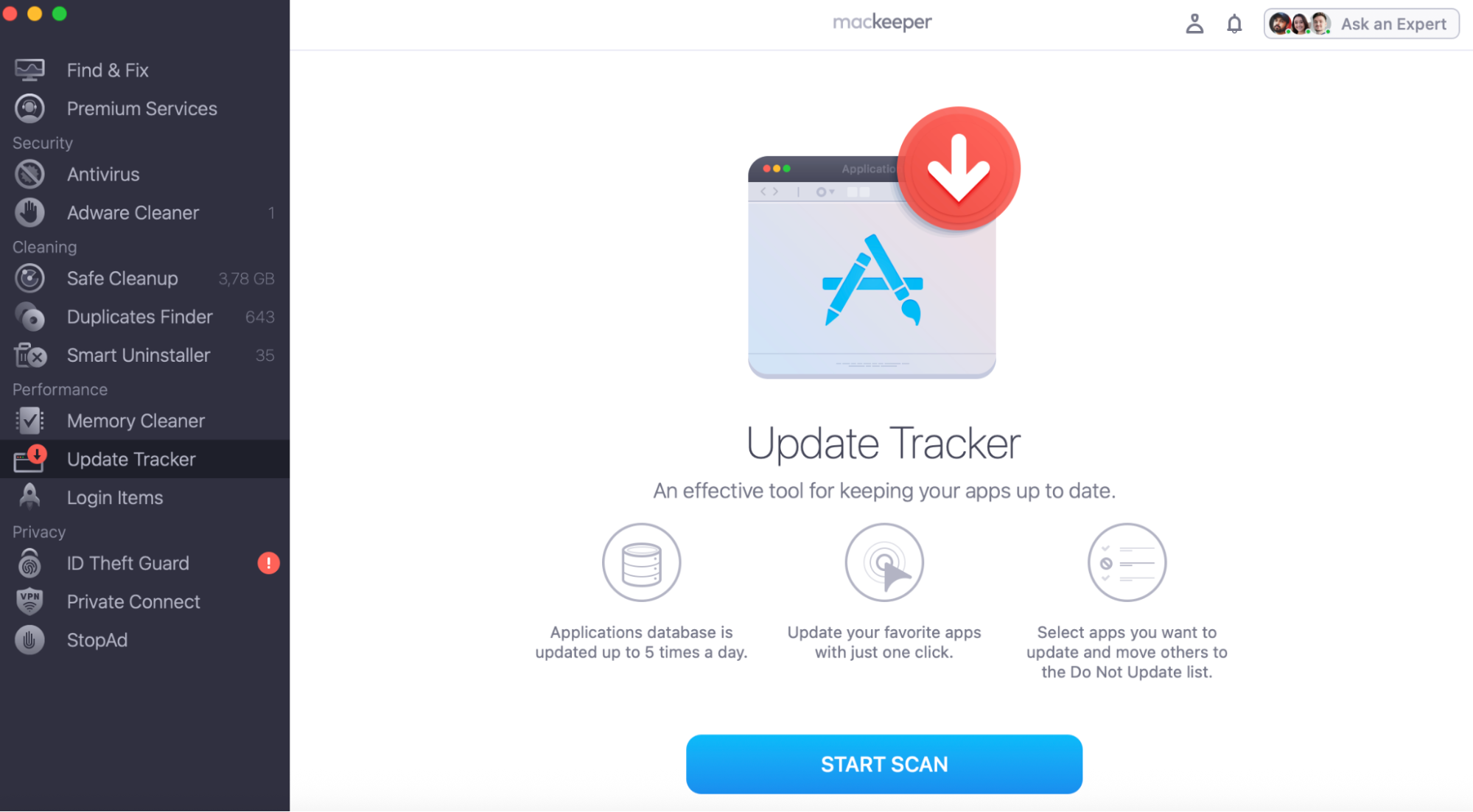
Not sure how to keep your browser or other Mac software updated? Read on our guide on how to update browser on Mac covers Safari specifically and start using MacKeeper’s Update Tracker for doing the update job easily and safely.
Open MacKeeper and run an Update Tracker to check for pending browser updates
3. Use strong passwords
If you sign up, a strong, unique password is your first line of defense. We’d never reuse one from another site, since a leak elsewhere would put your Dailymotion account at risk too.
Lock your account down:
Create a long password mixing letters, numbers, and symbols.
Use a unique password you don’t reuse anywhere else.
Store it in a trusted password manager rather than a note.
Enable two-factor authentication in your account settings.
4. Avoid suspicious pop-ups and links
Most trouble on Dailymotion starts with a click you didn’t need to make. From our experience, treating every pop-up and description link with suspicion keeps you clear of the platform’s biggest hazards.
Browse defensively like this:
Never click links promising free downloads or full movies.
Hover over any link to inspect the real URL before clicking.
Close pop-ups using the window controls, not buttons inside the ad.
Ignore fake “system alerts” claiming your Mac is infected.
Hover over links to check the URL and close pop-ups using the window controls only
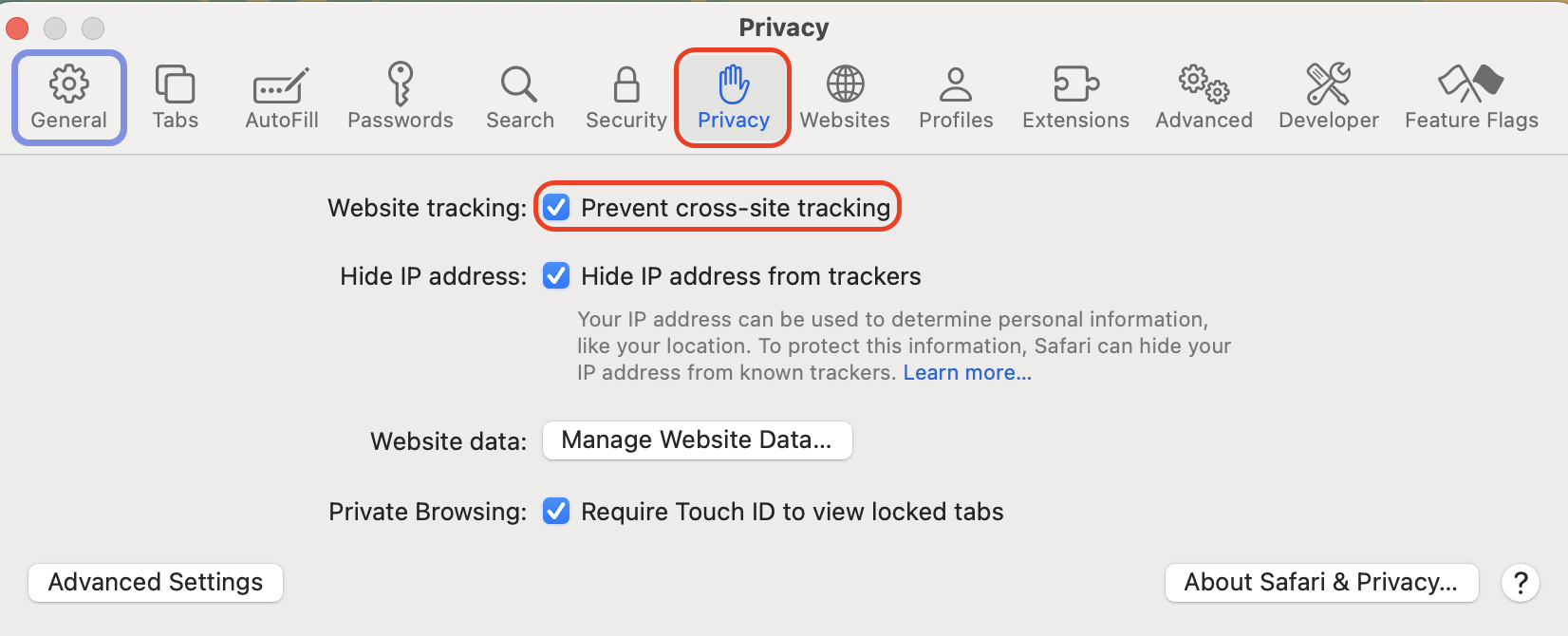
One habit we'd add is limiting what Dailymotion can track. Since the platform shares data with advertising partners, tightening your browser's privacy settings reduces how much of your activity is monitored, no matter how the site itself is laid out.
Tighten your settings this way:
Open Safari, then go to Settings from the menu bar.
Click the Privacy tab.
Turn on Prevent cross-site tracking to block ad trackers.
In Safari's Privacy settings, enable Prevent cross-site tracking and clear stored cookies
Conclusion
So, is Dailymotion safe? On balance, yes: the platform is legal, encrypted, and doesn’t distribute malware itself. The genuine risks—malvertising, fake lookalike sites, data tracking, and lighter content moderation—all live in the layer around the videos, and each can be mitigated with a VPN, up-to-date software, strong passwords, and cautious clicking.
The easiest safeguard of all is to remove the ad layer where most of the danger begins. MacKeeper is a macOS utility software developed by Clario Tech that protects your Mac. Its StopAd feature blocks annoying advertisements, browser alerts, and site trackers in one step, so you can watch what you want without inviting trouble onto your screen.
We respect your privacy and
use cookies
for the best site experience.
Privacy Preferences Center
We use cookies along with other tools to give you the best possible experience while using the
MacKeeper website. Cookies are small text files that help the website load faster. The cookies we
use don’t contain any type of personal data meaning they never store information such as your
location, email address, or IP address.
Help us improve how you interact with our website by accepting the use of cookies. You can change
your privacy settings whenever you like.
Manage consent
All cookies
These cookies are strictly necessary for enabling basic website functionality (including page
navigation, form submission, language detection, post commenting), downloading and purchasing
software. The website might malfunction without these cookies.