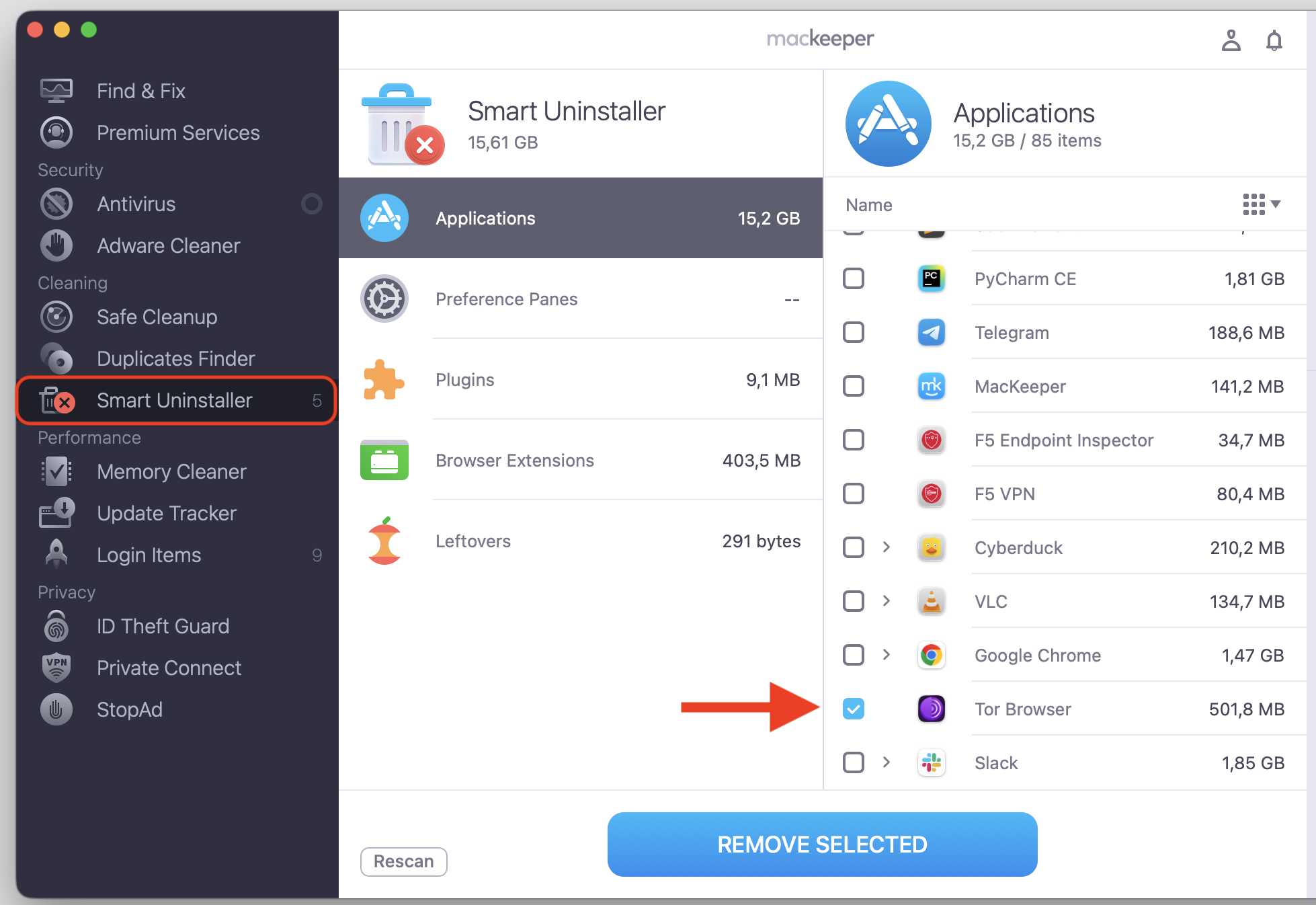
Wondering whether Tor Browser is safe? It’s great for private, anonymous browsing, but its safety depends on how you download and use it—treat it as a privacy tool, not full security. MacKeeper’s VPN Private Connect helps protect everyday browsing traffic—secure your connection below, then learn how to use Tor more safely.
Tor Browser is a free browser built for privacy. When connecting to the internet, it routes your traffic through the Tor network—a chain of volunteer-run servers—, so your real IP address stays hidden. Because each layer is encrypted independently, no single relay can see both who you are and where you’re going—the layered design is where the “onion” in onion routing comes from.
The Tor Project, a nonprofit, builds and maintains the browser, and it’s free and open-source. Anyone can inspect the code, which is part of why privacy researchers trust it. On a Mac, it installs like any other app—you download the file, drag it into your Applications folder, and open it from there.
This setup makes it harder for websites, advertisers, or your internet provider to track you. You can use Tor to reach everyday websites and special .onion sites on the darknet that a normal search engine won’t list.
Tor isn’t your only privacy-friendly option, and it’s worth knowing how it compares with the best browsers for Mac when you pick a daily driver.
Is Tor Browser safe on Mac?
Is Tor Browser safe for normal use on Apple computers? For most people, yes. It’s safe to use Tor Browser on Mac when you take a few simple precautions, whether you’re on a MacBook, MacBook Air, MacBook Pro, or an older Macintosh.
The trick is to download Tor only from the official Tor Project website—never a random mirror or pop-up link. Keep your macOS version up to date, too, since Apple’s updates patch security gaps. And steer clear of suspicious files or unknown extensions that could put your device at risk.
Most issues people run into trace back to a bad download or an outdated system, and both are easy to avoid. We always advise you to check a download before opening it. The Tor Project signs every release, and macOS flags a file that appears tampered—if you ever see that warning, delete the file and grab a fresh copy from the official site. It also helps to run Tor under your standard user account rather than an admin one, so a stray script can’t reach the rest of your Mac.
A note from our experts:
Choosing the correct browser for your daily routine is essential, but not sufficient. To plunge more safely into your internet search activity, we suggest protecting your private data with MacKeeper’s VPN Private Connect. With our dedicated tool, you’ll get both anonymous access and security.
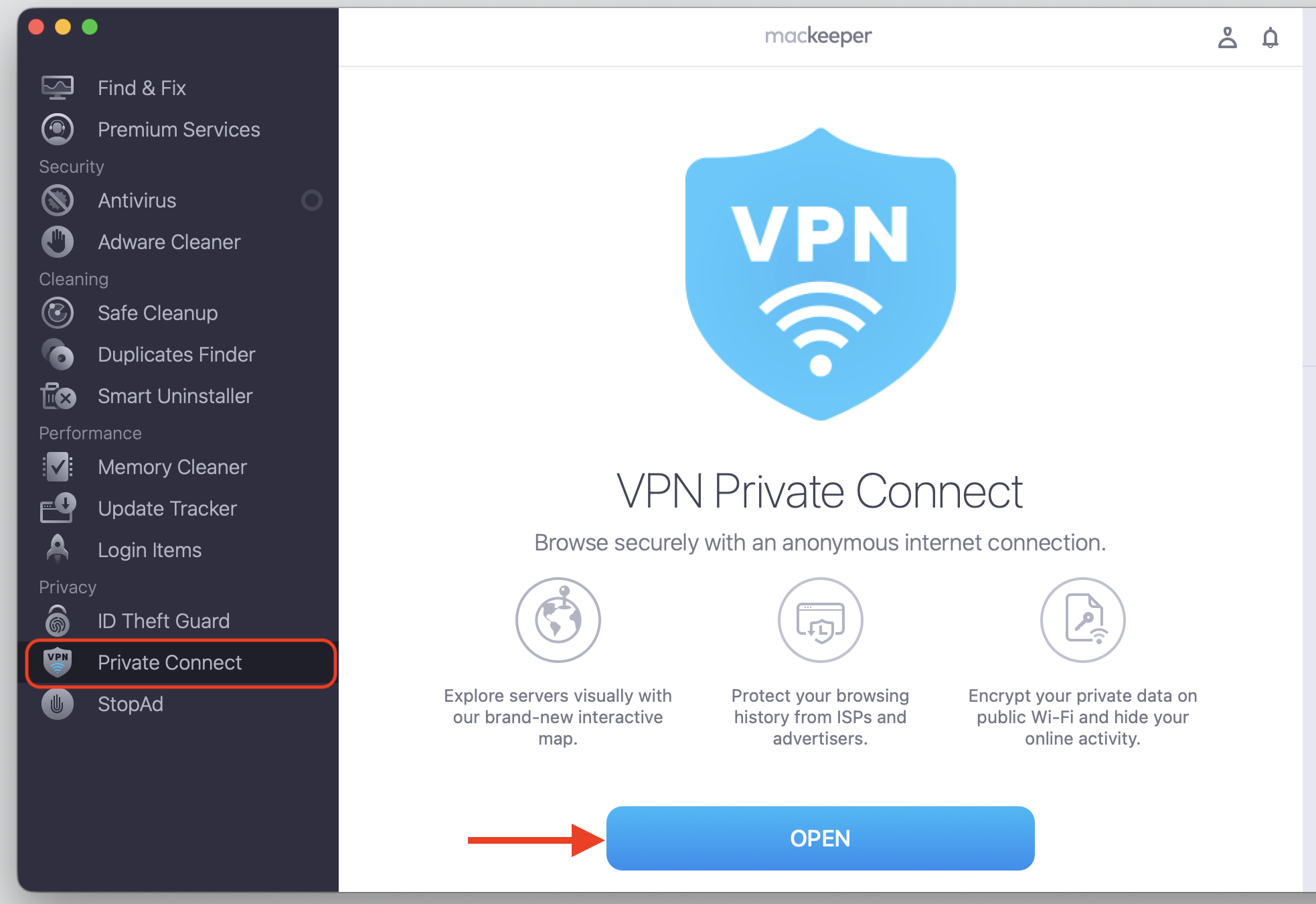
Choose VPN Private Connect in the list of features on the left and click Open.
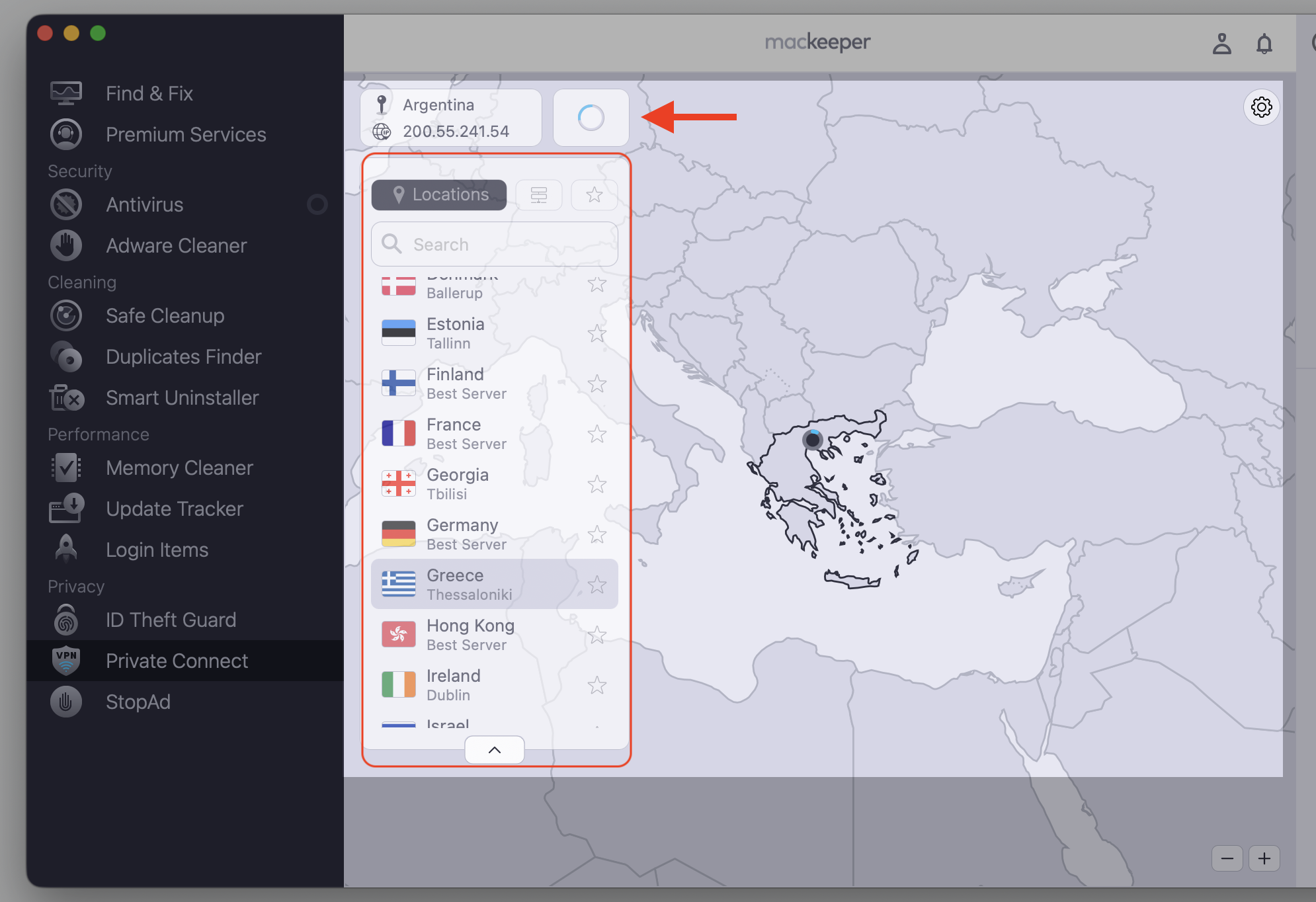
Pick the VPN location of your choice.
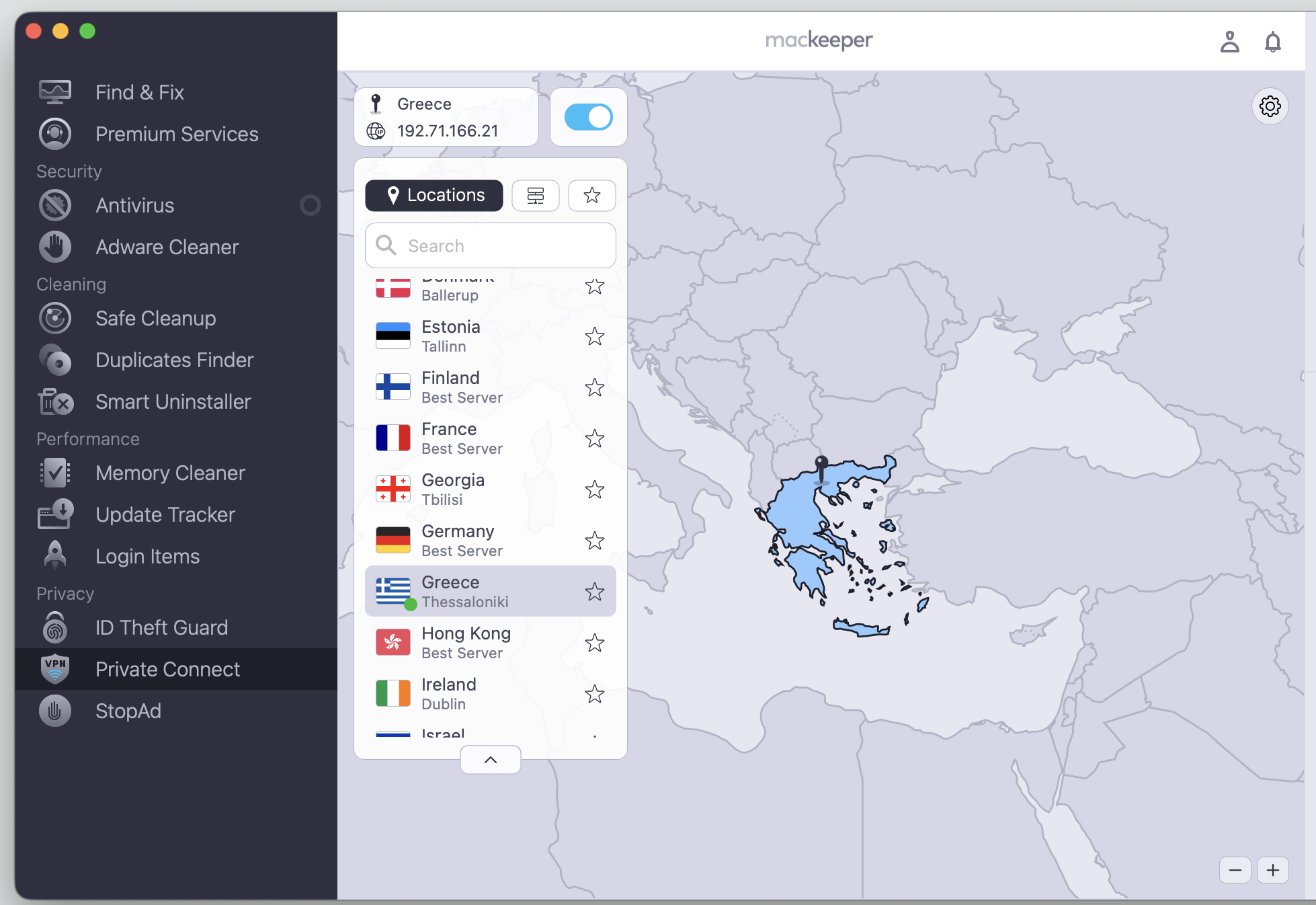
Benefit from your secure internet connection.
Step 1. Go to MacKeeper > Private Connect > OpenStep 2. Select a VPN location and wait until the connection is establishedStep 3. Enjoy a private and secure connection
What makes Tor Browser safer than regular browsing?
Regular browsers leave a trail—your IP address, your rough location, and pieces of your browsing history. Tor was designed to limit that.
Below, we’ll break down what keeps Tor Browser safe and private next to a standard browser:
Hides your IP address by routing your connection through several servers
Reduces tracking, so advertisers have a harder time following you
Blocks many fingerprinting tricks that identify you by your setup
Helps you avoid surveillance and censorship where access is limited
Clears your cookies and history each time you quit, so nothing lingers between sessions
Isolates each website into its own circuit, which makes cross-site tracking harder
These layers won’t make you invisible, but they protect far more of your activity than everyday browsing does. Tor also turns script-blocking up by default, which shuts out many of the hidden trackers that shadow you across the regular web. For anyone living under heavy censorship, that difference can matter a great deal.
What are the risks of using Tor Browser?
No privacy tool is flawless, and Tor has real limits worth knowing. Some people assume the darknet is automatically dangerous, but the browser itself is only a tool—the risks come mostly from how it’s used. Below, we’ve explained the main ones so you know what to expect.
Watch out for these issues:
Malicious exit nodes, where the final server in the chain could spy on unencrypted traffic
Phishing pages and fake downloads that try to slip malware or viruses onto your Mac
Slow speeds, since your traffic takes a long, winding route
Blocked websites, because some services don’t allow Tor connections
Lost anonymity when you share personal details or log into identifiable accounts
Browser fingerprinting, if you resize the window or add tweaks that make your setup stand out
Tor isn’t illegal to use in most places, but careless behavior can quietly undo its privacy benefits. Even on a secure Mac, your own habits matter more than the software.
The risk we see most often is human—logging into a personal email, opening a downloaded file outside Tor, or sharing a detail that points back to you. The network can guard your connection, but it can’t guard you from habits that reveal who you are.
How to use Tor Browser safely on Mac?
The safest way to use Tor is to pair smart habits with a clean setup. None of this is complicated, and the habits we follow below lower your risk a little more each time.
Keep these habits in mind:
Avoid logging into personal accounts that reveal who you are.
Skip suspicious downloads and never run unknown files.
Keep both Tor and macOS updated to their latest versions.
Stick to HTTPS websites whenever you can.
Don’t add plugins or extra extensions to the browser.
Keep the Tor Browser window at its default size, since resizing makes you easier to fingerprint.
Open downloaded files only after you disconnect, and scan them first.
It also helps to review Tor’s built-in security settings. Want stronger privacy? Here’s how we’d raise the security level:
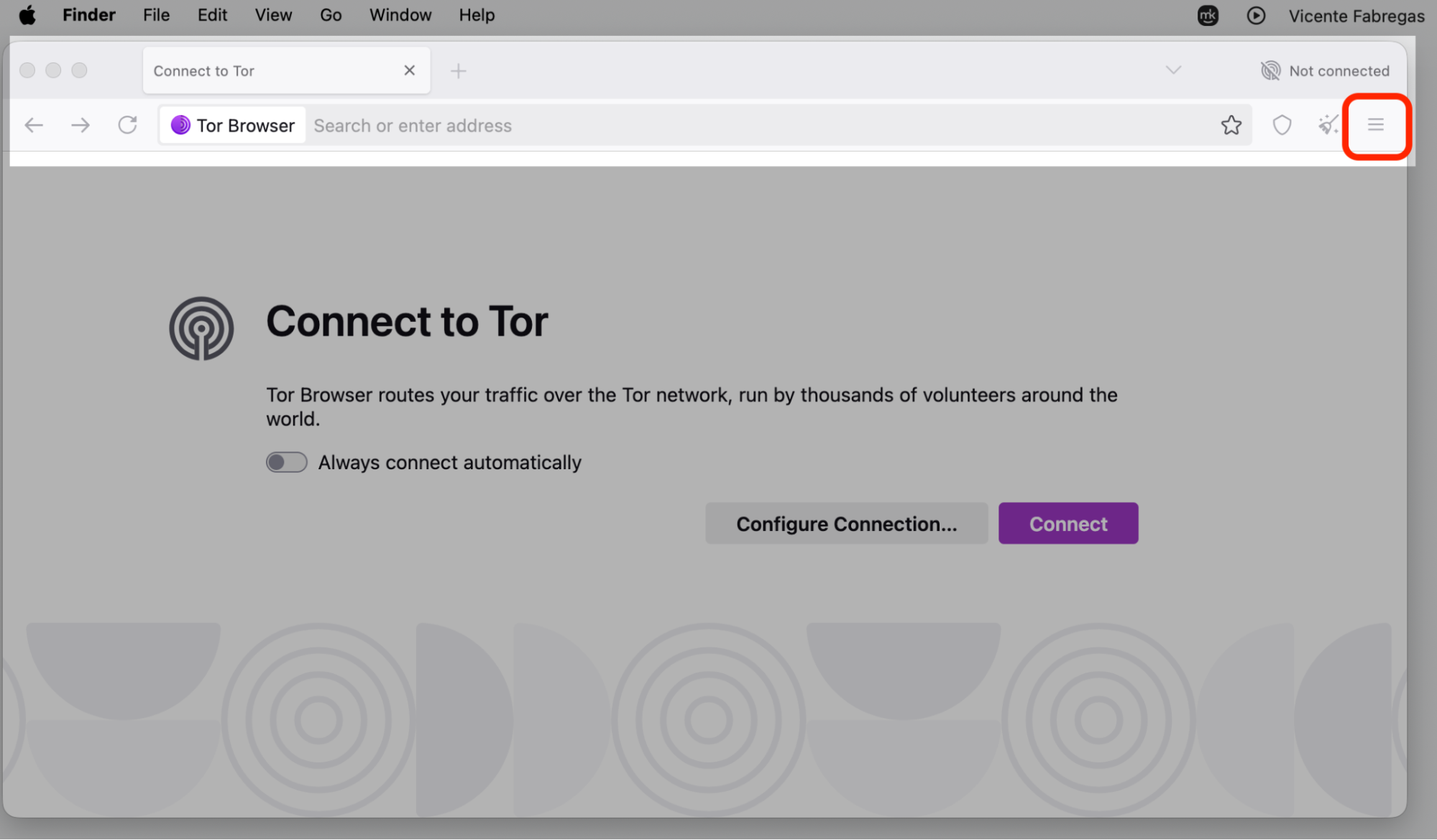
Open the Tor browser.
Click the shield icon near the address bar.
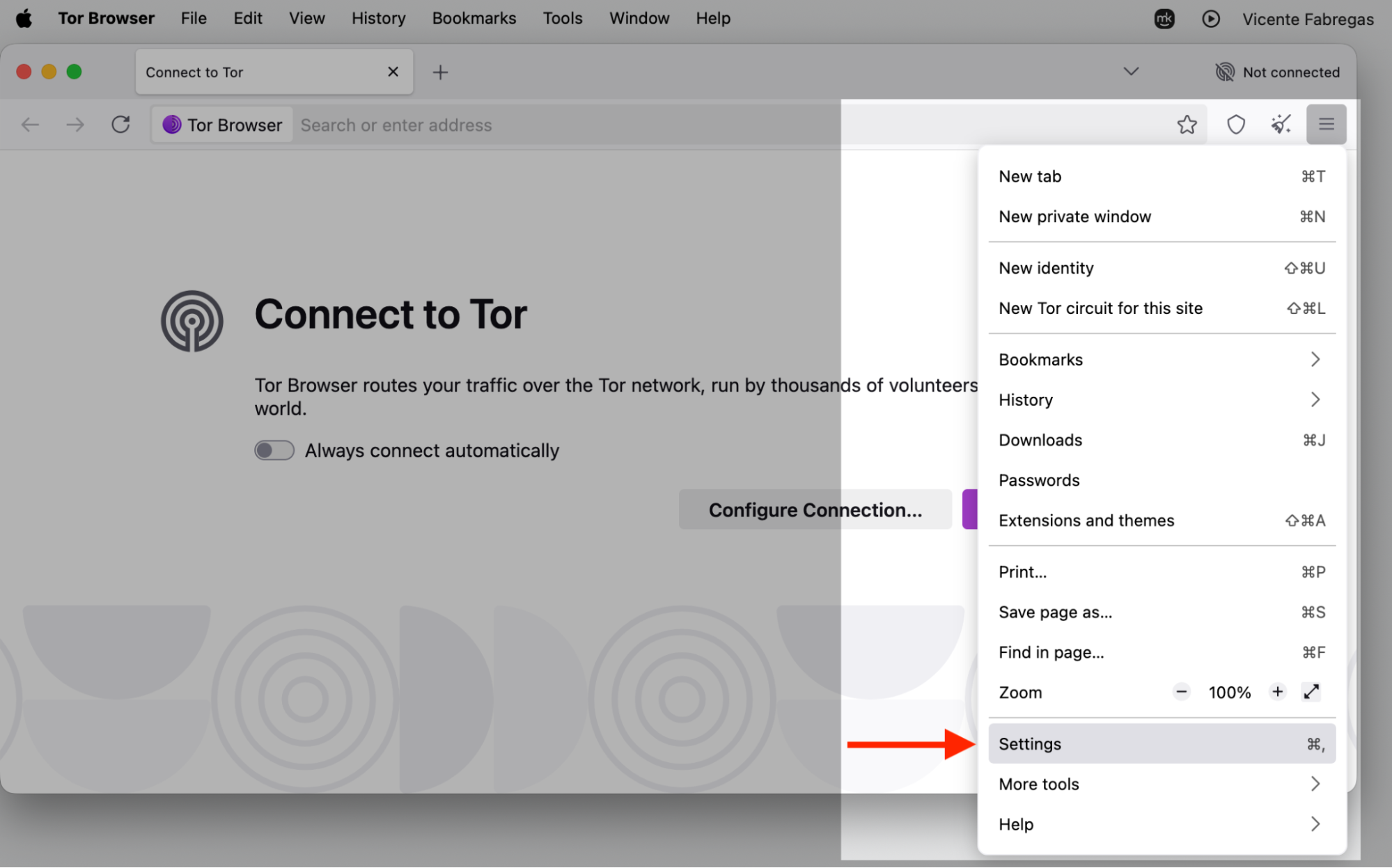
Select Settings.
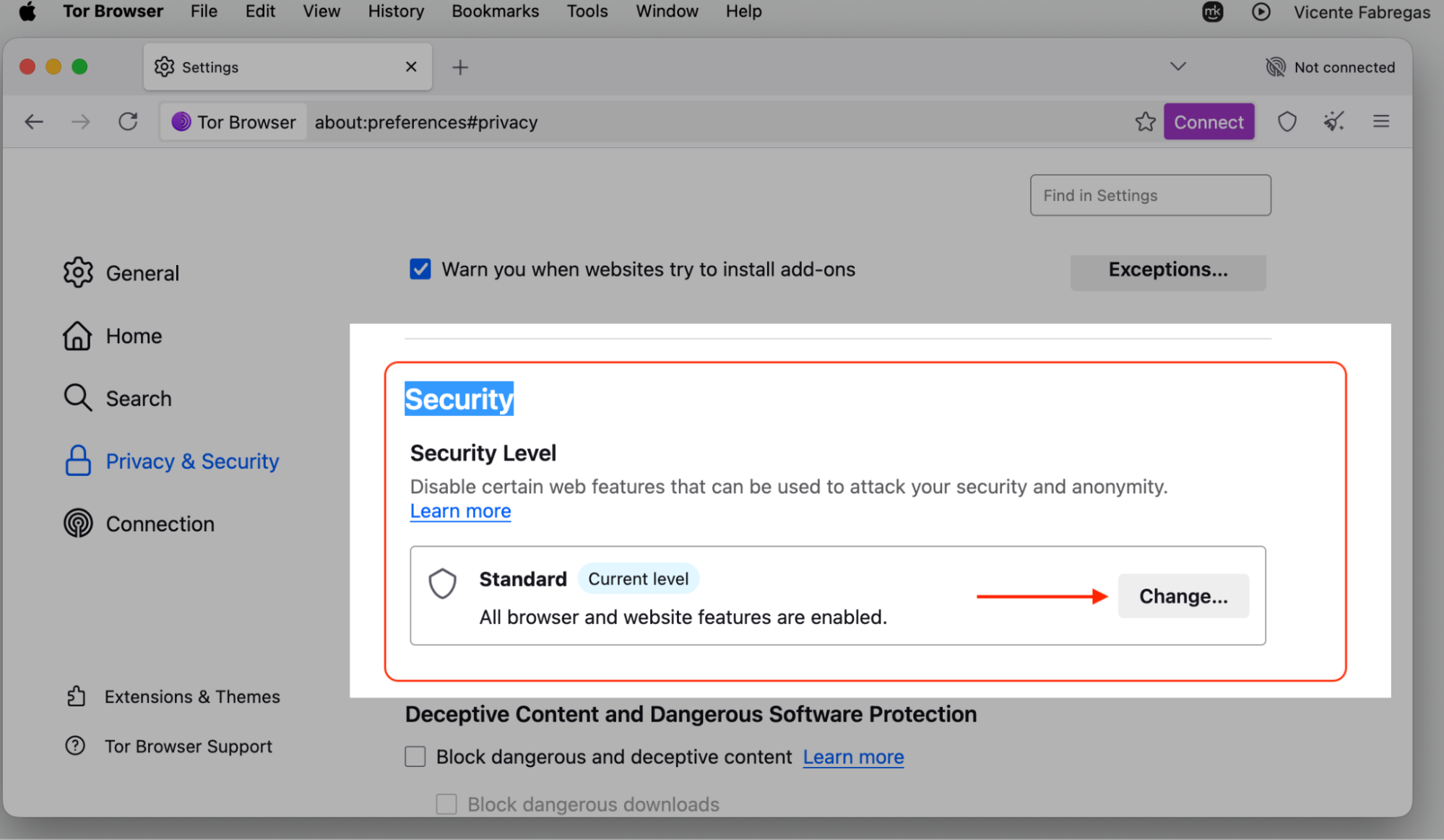
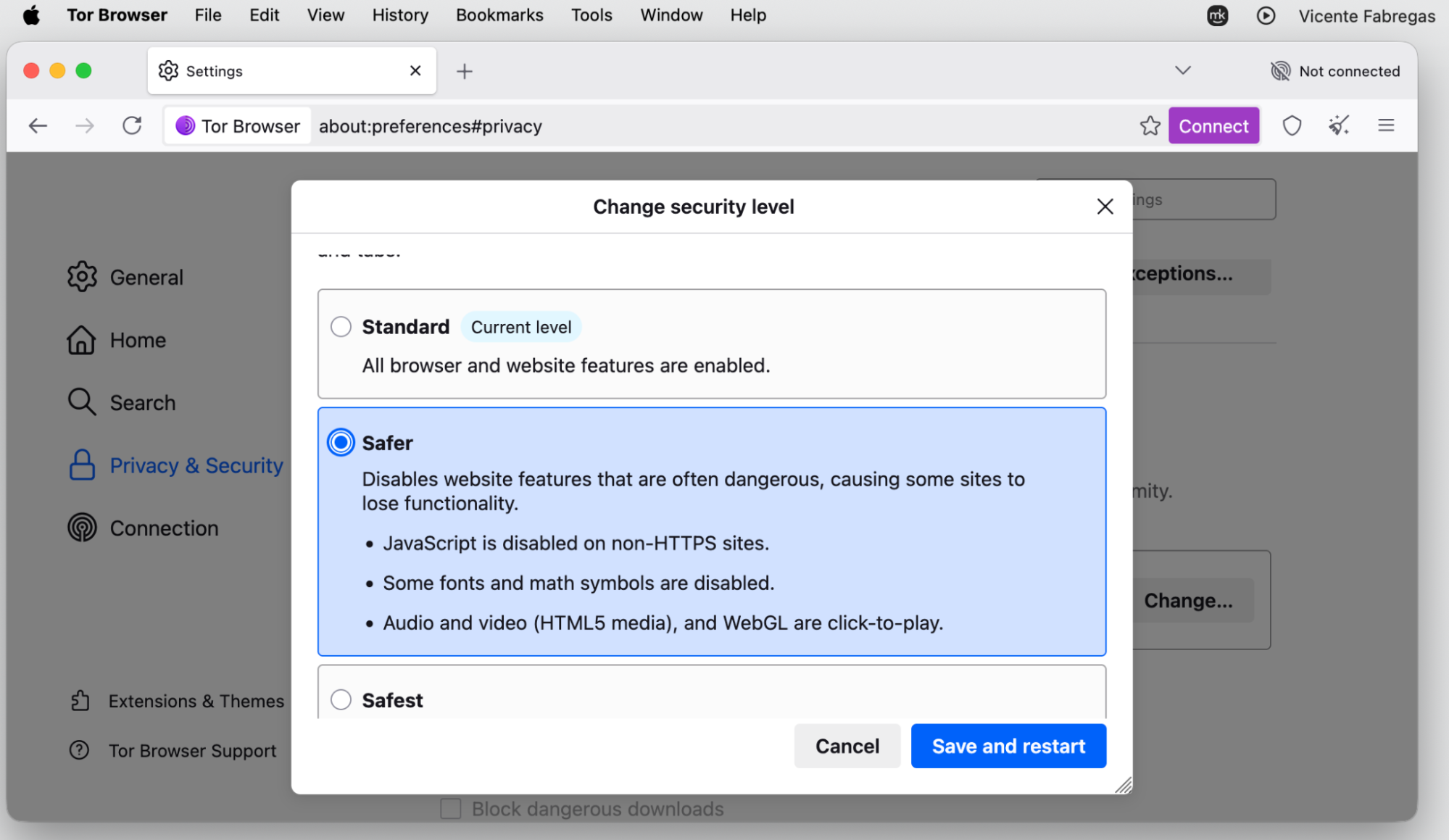
Go to Security > Security Level > Change. Choose between Safer or Safest, then keep browsing.
Step 1. Open Tor and click the shield icon near the address barStep 2. Select SettingsStep 3. Go to Security > Security Level > ChangeStep 4. Change the security level to Safer or Safest
If Tor is blocked where you live, we’d switch on a bridge in that same settings panel. A bridge routes your first hop through an unlisted relay, so your provider has a harder time spotting that you’re connecting to Tor at all.
Tor and VPNs solve different privacy puzzles. A VPN encrypts your whole connection and hides your IP from websites, while Tor leans on anonymity by sending traffic through many servers.
Using both together can add privacy in certain cases. That said, an incorrect setup can weaken your protection or just leave you unsure what’s actually covered. A common approach is Tor over VPN—you connect to the VPN first, then open Tor—so your provider can’t even see that you’re using Tor.
There’s also the reverse, VPN over Tor, where your traffic enters Tor first and leaves through the VPN. It’s fiddlier to set up and rarely needed day to day, so most Mac users are fine with the simpler Tor over VPN order—or with picking one tool and using it well.
If you’re new to this, we’d suggest setting up a VPN on Mac first—you can setup VPN in a few minutes and get comfortable before adding Tor on top.
Tor Browser vs VPN vs proxy
So which tool should you reach for? In our view, it depends on what you need. Let’s compare the three side by side.
Tool
Good for
Speed
Privacy strength
Tor
Strong anonymity and darknet access
Slow
High
VPN
Every day privacy and smooth browsing
Fast
Medium to high
Proxy
Quick, light tasks
Varies
Low
A quick way to decide:
Pick Tor when anonymity matters more than speed, like sensitive research.
Pick a VPN for everyday privacy, streaming, or public Wi-Fi.
Pick a proxy only for quick, low-stakes tasks where privacy isn’t the point.
Tor leans toward anonymity, a VPN balances speed with everyday privacy, and a proxy usually offers weaker protection. A proxy can reroute one app’s traffic quickly, but it rarely encrypts anything, so treat it as convenience rather than real privacy. Many Mac users find a VPN a practical pick for daily life, and if your needs shift, it’s easy to change VPN on a MacBook in a few taps.
Conclusion
So, whether Tor Browser is safe or not really comes down to how you use it. On its own, the browser does a solid job of hiding your IP address and limiting tracking, but it can’t undo a bad download, an outdated system, or a careless login that points straight back to you.
If you mostly want everyday privacy on your Mac, you don’t have to wrestle with Tor at all. The habits matter more than the tool—download it from the official Tor Project site, keep both Tor and macOS updated, stick to HTTPS, and skip anything that asks for personal details. Treat Tor as a focused privacy tool, not a magic shield, and it’ll serve you well.
Want privacy without the hassle? MacKeeper’s VPN Private Connect hides your traffic, blocks trackers, and keeps your browsing private—secure your connection today.
We respect your privacy and
use cookies
for the best site experience.
Privacy Preferences Center
We use cookies along with other tools to give you the best possible experience while using the
MacKeeper website. Cookies are small text files that help the website load faster. The cookies we
use don’t contain any type of personal data meaning they never store information such as your
location, email address, or IP address.
Help us improve how you interact with our website by accepting the use of cookies. You can change
your privacy settings whenever you like.
Manage consent
All cookies
These cookies are strictly necessary for enabling basic website functionality (including page
navigation, form submission, language detection, post commenting), downloading and purchasing
software. The website might malfunction without these cookies.