Avira covers the basics for free, but a lower lab score and constant upsells leave many Mac users weighing Avira Antivirus alternatives. MacKeeper’s Antivirus is one of them, and it checks your files in real time, catches malware and adware, and quarantines suspicious items before they can spread.
How to choose the right Avira Antivirus alternative?
To choose the right replacement, compare lab detection scores, the load the app puts on your Mac, and the price after the first year. It should also support macOS 27 and Apple silicon. As we’ve noticed, people usually leave Avira over one of these issues, so start with yours.
If you’re seeking a fuller setup, also learn how to protect your Mac from viruses with the tools macOS already gives you.
1. Check independent lab detection rates
Every vendor promises strong protection, so we’d rather trust the labs that measure it. AV-TEST and AV-Comparatives regularly test Mac apps against fresh malicious samples. In AV-TEST’s early 2026 round under macOS Tahoe, Avira detected 97.5% of the samples, while Bitdefender, Norton, Avast, and ESET caught all of them.
Check the latest report rather than an old badge, because rankings shift between rounds. If a tool skips these tests, see what other certifications it holds.
2. Evaluate performance impact and system load
An antivirus that drags your MacBook down hurts your productivity. Real-time scanning runs all day, so a heavy engine can eat RAM, spin up the fans, and drain the battery. Every product in AV-TEST’s latest Mac round earned full performance marks, so slowdowns usually come from extra components like VPNs, cleaners, and browser integrations.
Our team’s advice is to run a trial through a week of normal activity and watch Activity Monitor. If you already have a Mac running slow, sort out the cause first, so you don’t blame the new app.
3. Compare subscription plans and renewal pricing
The checkout price is rarely the one you’ll pay a year later. Norton 360 Deluxe, for example, costs $49.99 for the first year and renews at $124.99, and most competitors work the same way.
Check these three details before you pay:
Renewal rate. Look for the price after the introductory term.
Device count. A multi-device plan often costs little more than a single license.
Refund window. Avira, Norton, and Malwarebytes give you 60 days to ask for your money back, while Bitdefender and Avast give you 30.
A note from our experts:
Looking for an Avira replacement that was made for macOS from the start? Try MacKeeper’s Antivirus. MacKeeper offers real-time antivirus protection. MacKeeper is developed by Clario Tech. While Avira keeps extras like its full app uninstaller behind the Prime plan, MacKeeper puts malware scanning, adware cleaning, a VPN, and cleanup tools into one app with one subscription. Our tool also moves threats to Quarantine on its own, so your files stay safe even when you miss an alert.
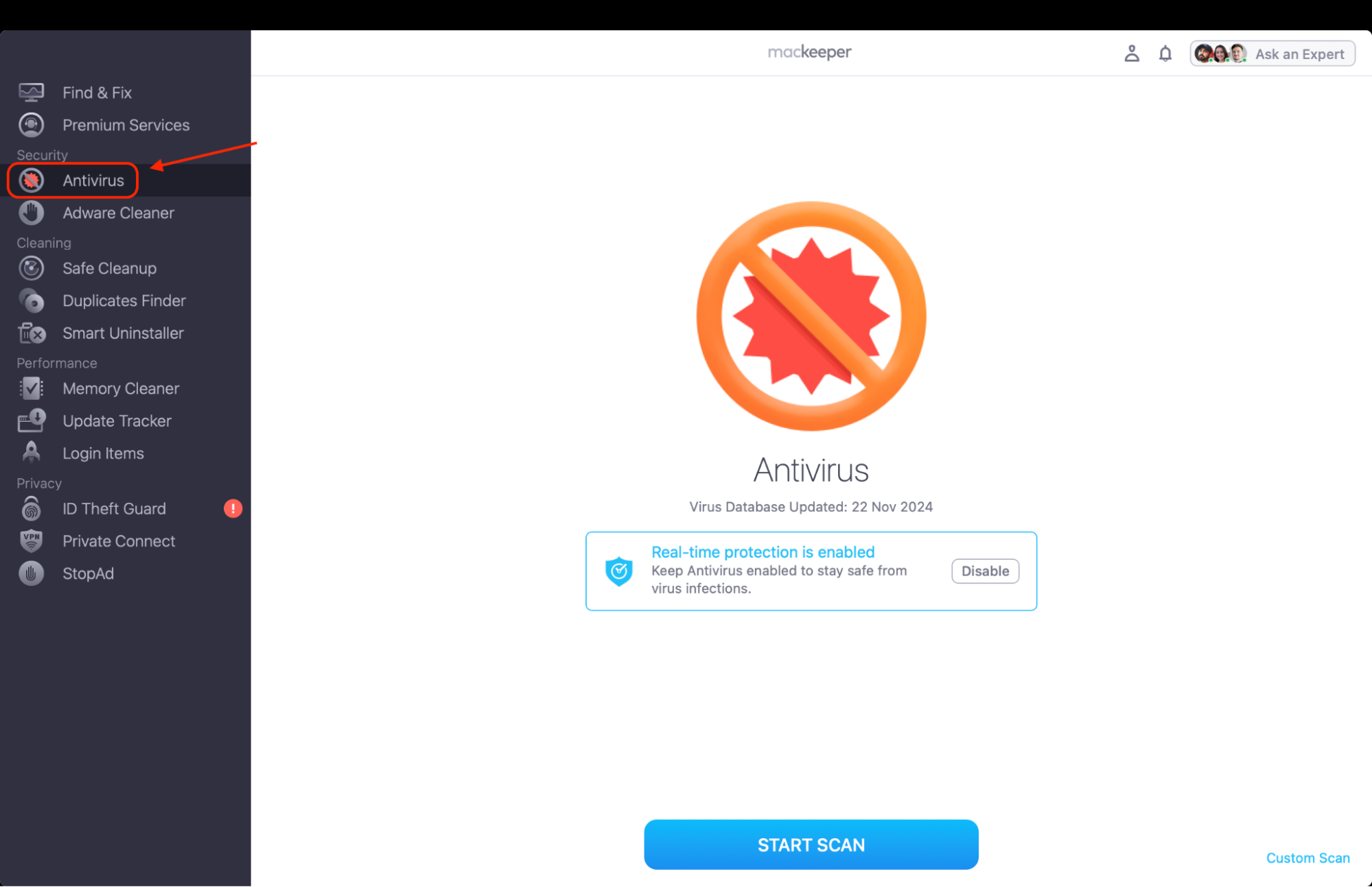
Select Antivirus from the sidebar and click Enable, then follow the prompts to turn on real-time protection in System Settings.
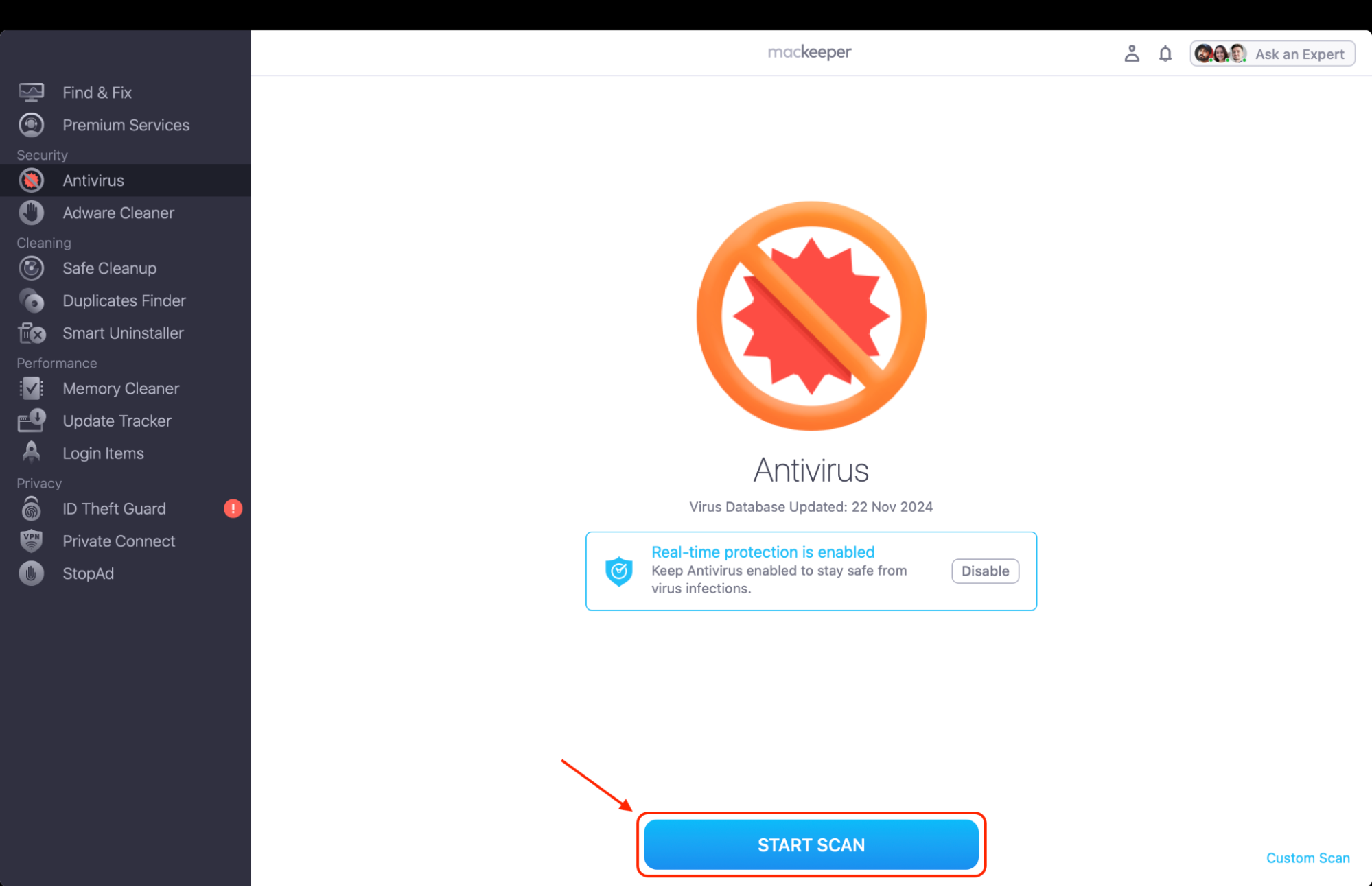
Click Start Scan to check your Home folder, or click Custom Scan to choose specific files and folders.
When the scan is over, open Quarantine, review the items found, and click Delete to remove them or Restore for files you trust.
Step 1. Select Antivirus in the MacKeeper sidebar and click Enable to turn on real-time protectionStep 2. Click Start Scan to check your Home folder for malware
Best Avira Antivirus alternative
In this Avira Antivirus comparison, we’ve lined up seven tools, from all-in-one suites to lightweight scanners, with their features, pricing, and drawbacks, so you can pick from the best Avira alternatives with your own needs in mind.
1. MacKeeper: Comprehensive protection and tune-up
MacKeeper combines security and maintenance in one app, so you don’t need separate tools for threats and clutter. Its Antivirus checks files in real time, and you can run a full or custom scan to detect malware on Mac on demand. In our experience, it suits people who want one window for everything.
Here’s what MacKeeper brings to the table:
Standout features. You get real-time malware protection, Adware Cleaner, a built-in VPN, and optimization tools like Safe Cleanup.
Pricing. A one-month plan costs $10.95, and the 12-month plan for one Mac works out to $71.40 a year.
Drawbacks. Its AV-TEST certification dates back to 2020, and it runs on Macintosh computers only.
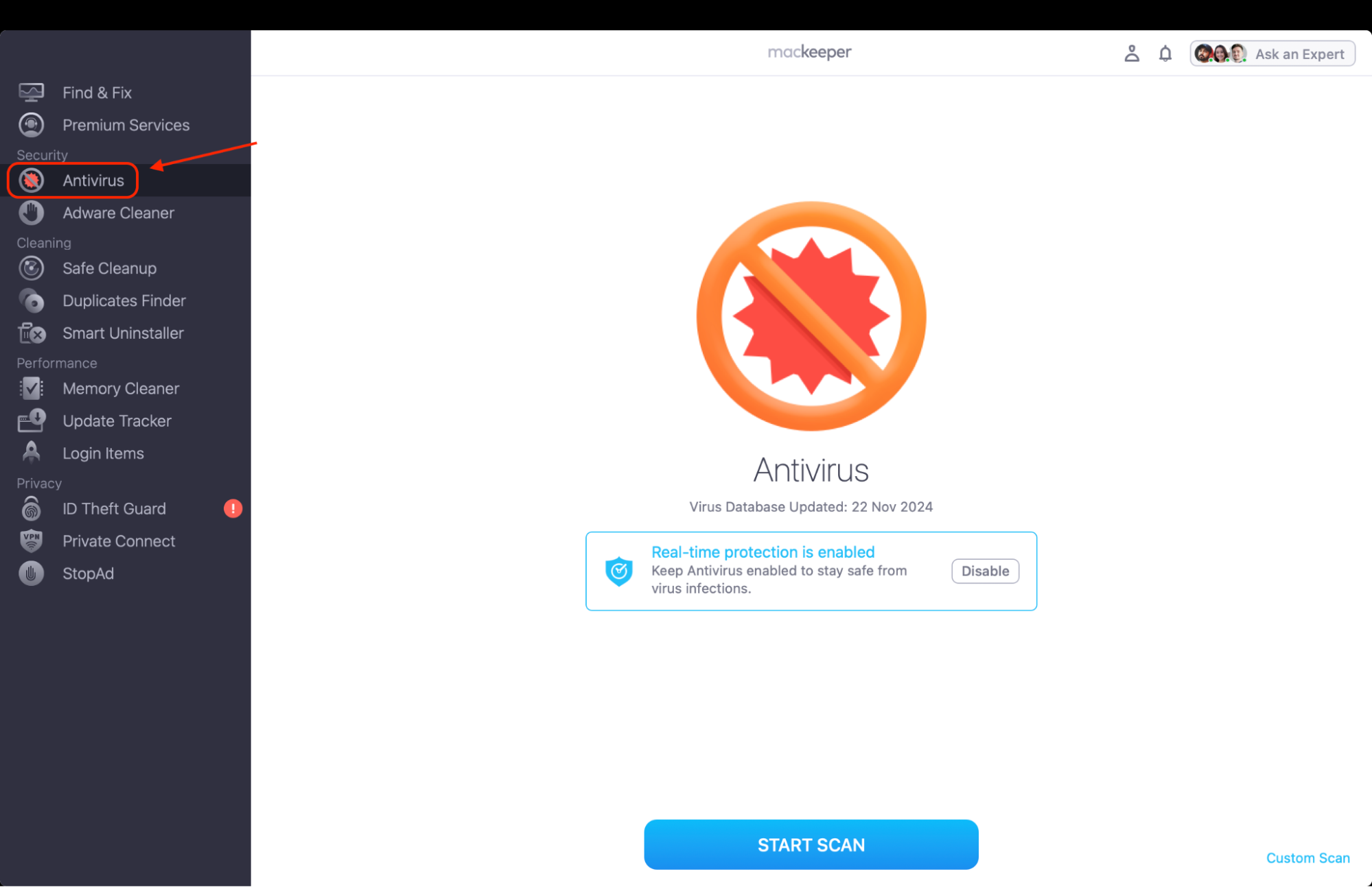
Select Antivirus in MacKeeper to scan your Mac and keep real-time protection on
2. Bitdefender: Multi-layer threat defense
Bitdefender Antivirus for Mac has a strong lab record. It detected every sample in AV-TEST’s latest Mac round, and AV-Comparatives certified it in 2026. Our Bitdefender for Mac review has the details.
What Bitdefender does well and where it falls short:
Standout features. Safe Files blocks unauthorized encryption of chosen folders, and Time Machine Protection guards your backups.
Pricing. The first year costs $24.99 for one Mac or $29.99 for three, with a higher renewal.
Drawbacks. The VPN is capped at 200MB a day, and there are no cleanup tools.
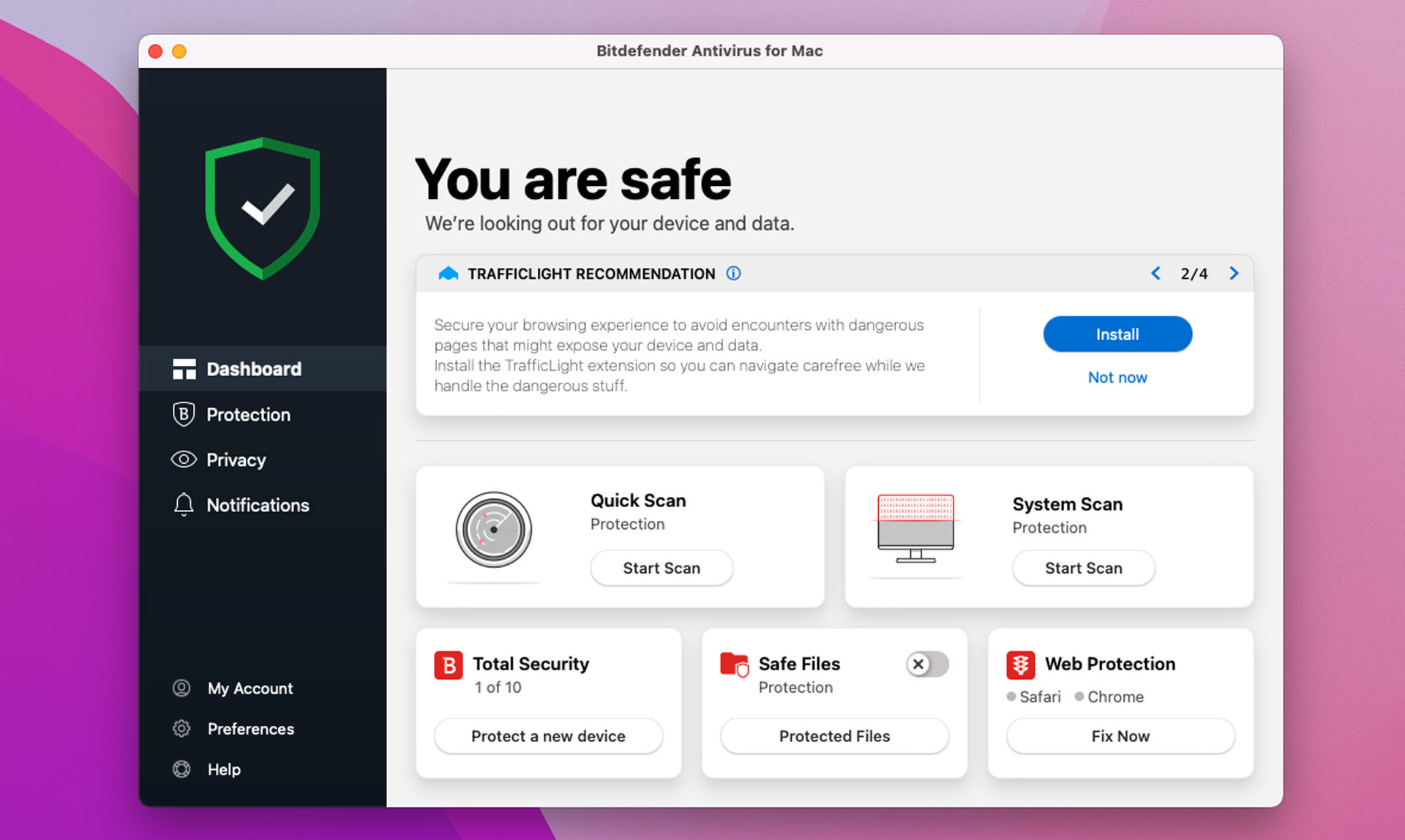
Run a scan in Bitdefender Antivirus for Mac and turn on Safe Files
3. Malwarebytes: Targeted malware and adware removal
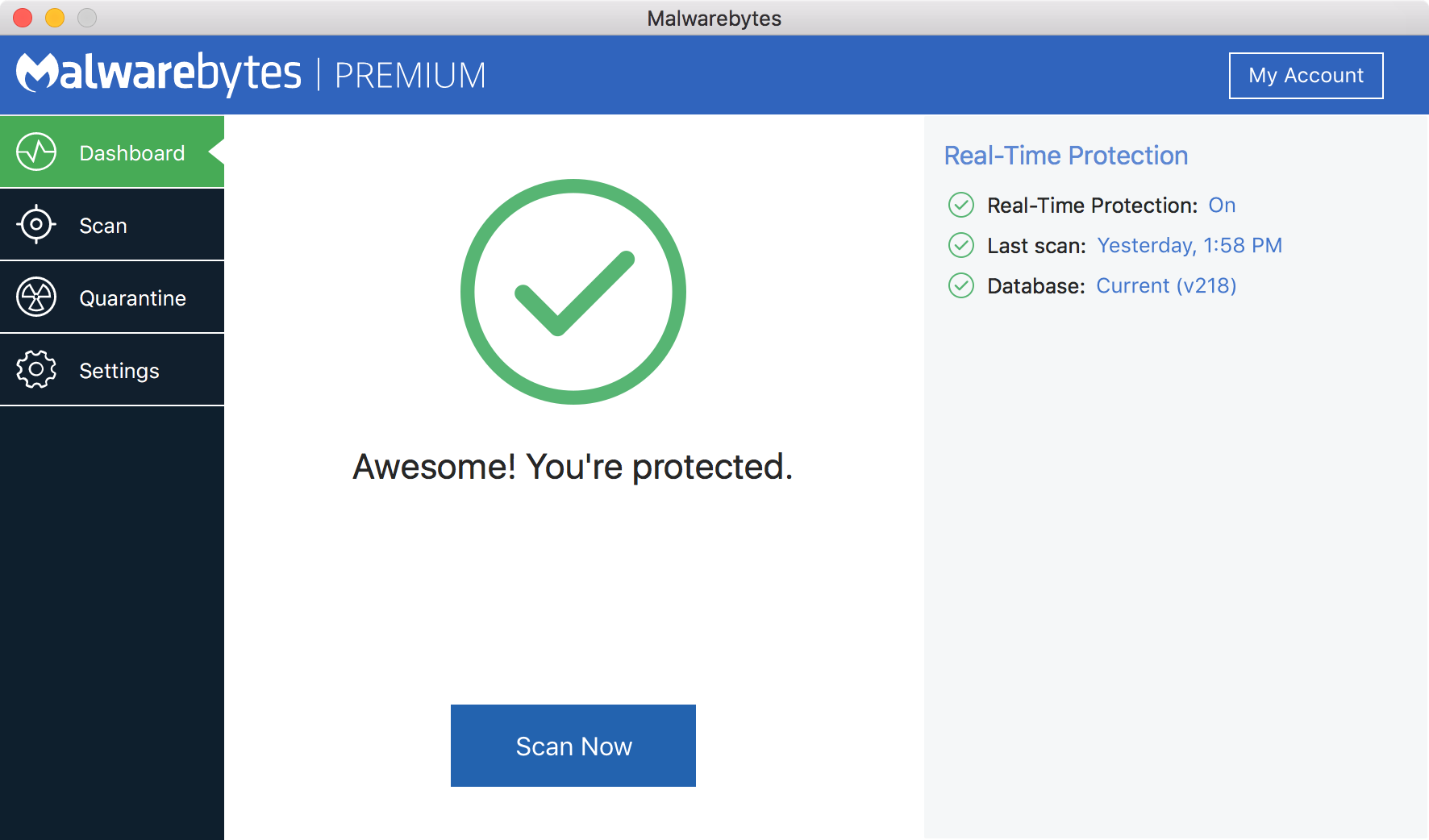
Malwarebytes started as a second-opinion scanner and still feels light on resources. Premium adds real-time protection, and as our tests show, it’s good at clearing adware from Safari and Chrome. You can review Malwarebytes in our dedicated article.
Key points to weigh about Malwarebytes:
Standout features. It offers automatic quarantine, ransomware prevention, and the free Browser Guard extension.
Pricing. Premium costs $44.99 a year for one device or $59.99 for three.
Drawbacks. The free version only removes existing infections, and Malwarebytes isn’t in the 2026 lab rounds.
Click Scan in Malwarebytes to check your Mac for malware and adware
4. Norton 360: All-inclusive cybersecurity suite
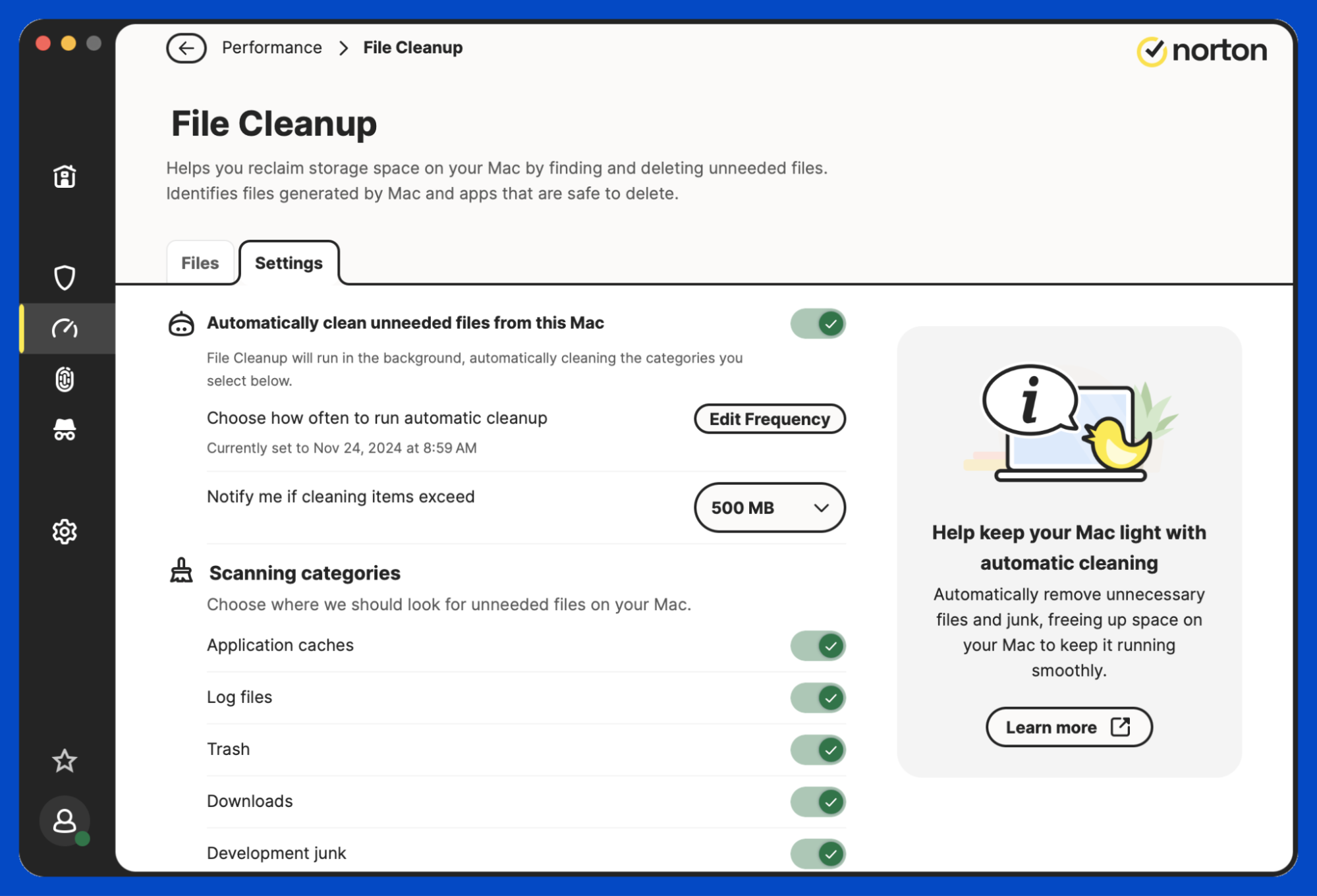
Norton 360 suits households that want antivirus, privacy, and identity tools in one account. Our Norton Antivirus overview covers the full suite.
Before you pick Norton 360, weigh these points:
Standout features. On a Mac, Deluxe gives you real-time protection, a firewall, a VPN, and Dark Web Monitoring for up to five devices.
Pricing. The first year costs $49.99, then it renews at $124.99.
Drawbacks. Cloud Backup and Parental Control don’t work on Mac, and Norton shares a parent company, Gen Digital, with Avira.
Run a scan in Norton 360 and check that real-time protection is on
5. Avast: Feature-rich free and premium security
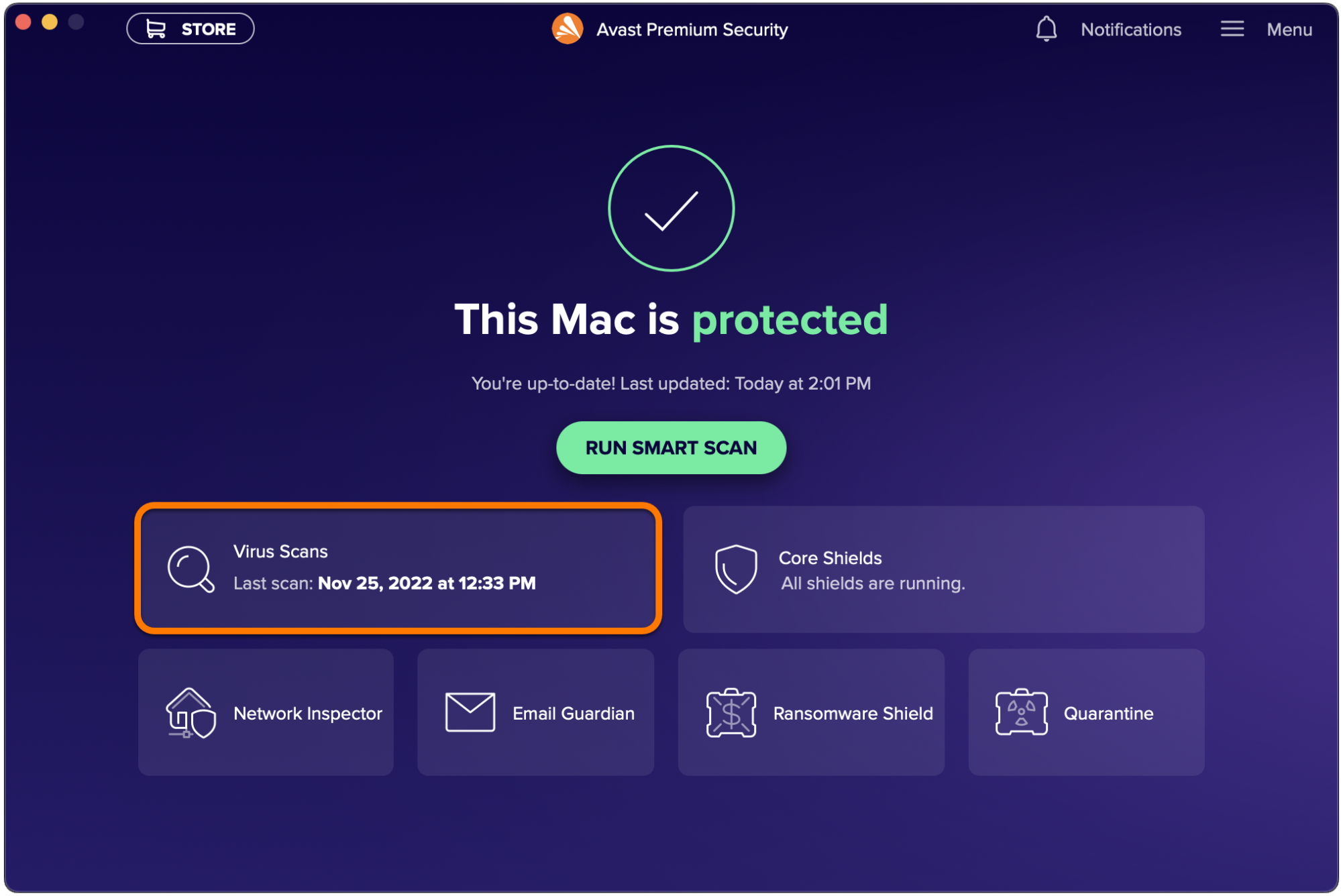
Avast’s free Mac version scans for malware and blocks scam websites, while Avast Premium Security adds a Ransomware Shield and alerts you when someone joins your Wi-Fi network.
Here’s how Avast stacks up:
Standout features. It caught every sample in AV-TEST’s latest Mac round, and the free version earned AV-Comparatives certification.
Pricing. Premium costs $49.08 for the first year and $77.99 after that.
Drawbacks. In 2024, the FTC ordered Avast to pay $16.5 million for selling users’ browsing data, and it’s also owned by Gen Digital.
Start a Smart Scan in Avast to check your Mac for malware
6. TotalAV: Easy-to-use protection and optimizer
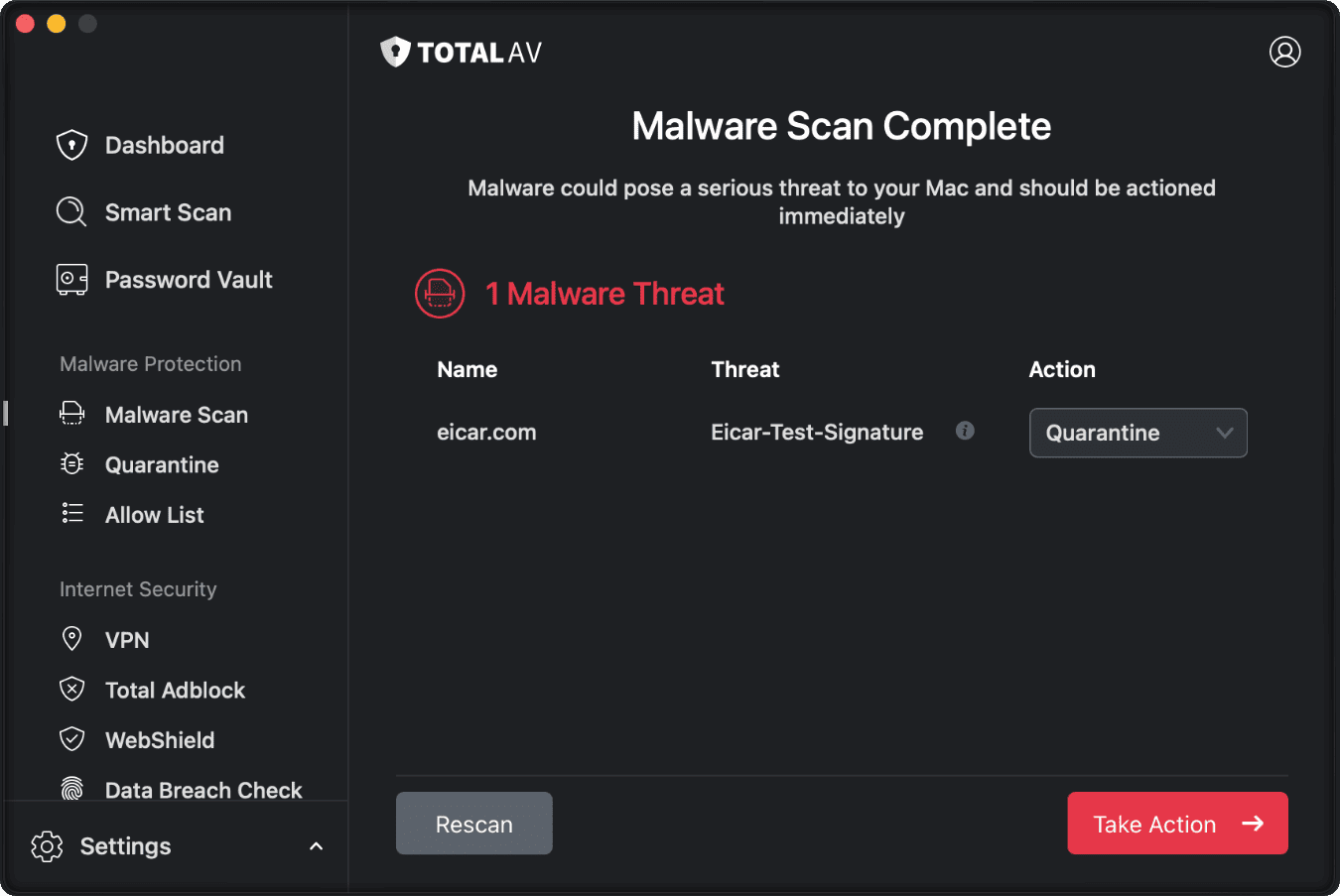
TotalAV aims at beginners, with a user-friendly dashboard that puts real-time scanning next to cleanup tools.
What to expect from TotalAV:
Standout features. It adds Junk Cleaner, Duplicate Finder, an uninstaller, and the WebShield browser extension.
Pricing. The entry plan costs $29 for the first year on three devices, then $99.
Drawbacks. Macworld’s review found it missed two Mac threats and pushed paid add-ons hard.
Select Malware Scan in TotalAV to check your files for threats
7. ESET: Lightweight and proactive threat detection
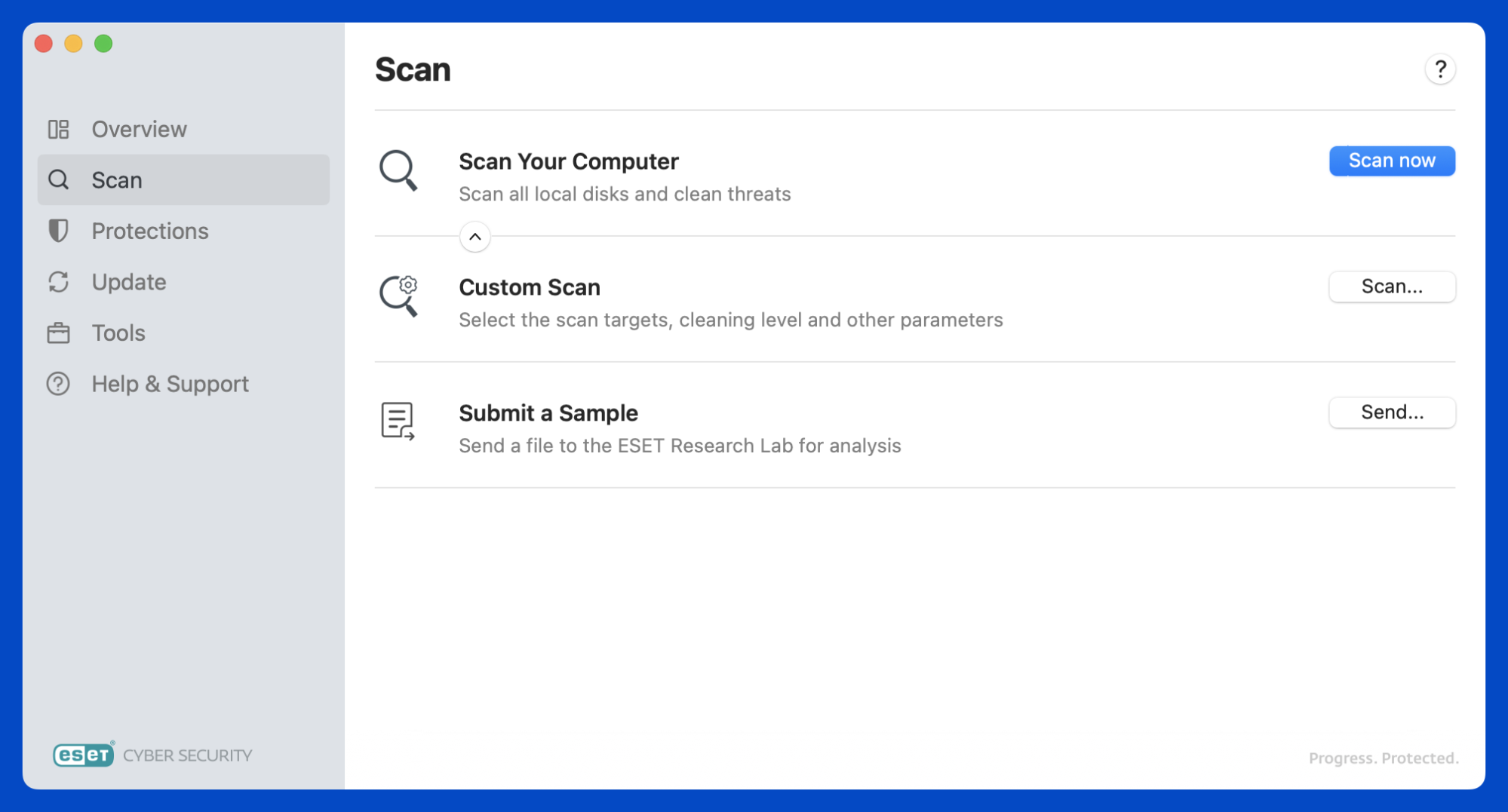
ESET is known for fast, resource-efficient scanning. ESET HOME Security Essential detected every sample in AV-TEST’s latest Mac round and was certified by AV-Comparatives. Our ESET for Mac review explains how it works.
The ESET pros and cons we’d point out:
Standout features. You get anti-phishing and a Ransomware Shield. ESET also lists an exploit blocker, but features differ by platform, so check the Mac version.
Pricing. Essential costs around $49.99 a year for one device.
Drawbacks. Macworld’s 2026 review hit a conflict with Discord and a failing scheduler.
Run a computer scan in ESET to check your Mac for threats
Conclusion
Choosing among Avira Antivirus alternatives means balancing lab scores, system load, and renewal price. Bitdefender, Norton, Avast, and ESET lead the latest lab tests, while Malwarebytes and TotalAV fit simpler needs.
If you’re tired of juggling separate apps for security and upkeep, MacKeeper’s Antivirus watches your files in real time and quarantines suspicious items on its own. MacKeeper is Apple-notarized and offers adware and malware removal, so you don’t have to worry about safety anymore.
We respect your privacy and
use cookies
for the best site experience.
Privacy Preferences Center
We use cookies along with other tools to give you the best possible experience while using the
MacKeeper website. Cookies are small text files that help the website load faster. The cookies we
use don’t contain any type of personal data meaning they never store information such as your
location, email address, or IP address.
Help us improve how you interact with our website by accepting the use of cookies. You can change
your privacy settings whenever you like.
Manage consent
All cookies
These cookies are strictly necessary for enabling basic website functionality (including page
navigation, form submission, language detection, post commenting), downloading and purchasing
software. The website might malfunction without these cookies.