
In this article you will find the following:
One of the most efficient ways to clear your device’s RAM is to use the dedicated memory cleaner application. In this regard, we advise you to download MacKeeper’s Memory Cleaner for reliable and easy optimization, but you can explore options like CleanMyMac, Macube, Nektony, or BuhoCleaner. Ultimately, the best Mac memory cleaner is whichever aligns closest with your needs.
What is memory cleaning on Mac?
Memory cleaning on a Mac refers to freeing Random Access Memory (RAM) by clearing inactive memory, closing background processes, and removing temporary files that slow performance. macOS software and tools like Activity Monitor can also help manage memory. However, third-party memory cleaners can provide extra optimization to improve Mac performance, even when multiple apps and resources are running and processing at once.
A note from our experts:
Looking for a quick way to boost your MacBook’s performance? Our very own MacKeeper’s Memory Cleaner is a fast and reliable tool that removes demanding processes draining all your RAM. It’s easy to use and fully compatible with macOS. Plus, it optimizes memory in real time, meaning you’ll have a smoother, faster Mac experience in no time without the worry of any software conflicts.
Top Mac memory cleaner tools
Looking for the top Mac memory cleaner? We highly recommend our own macOS-compatible Memory Cleaner for its ease of use, user-friendly interface, and all-around reliability. Other well-known cleaners like CleanMyMac and Nektony Memory Cleaner are two more applications trusted by many Mac users.
We’ll explore five popular memory cleaners to help you decide which is the top tool for you:
- MacKeeper
- CleanMyMac
- Macube
- Nektony memory cleaner
- BuhoCleaner
1. MacKeeper
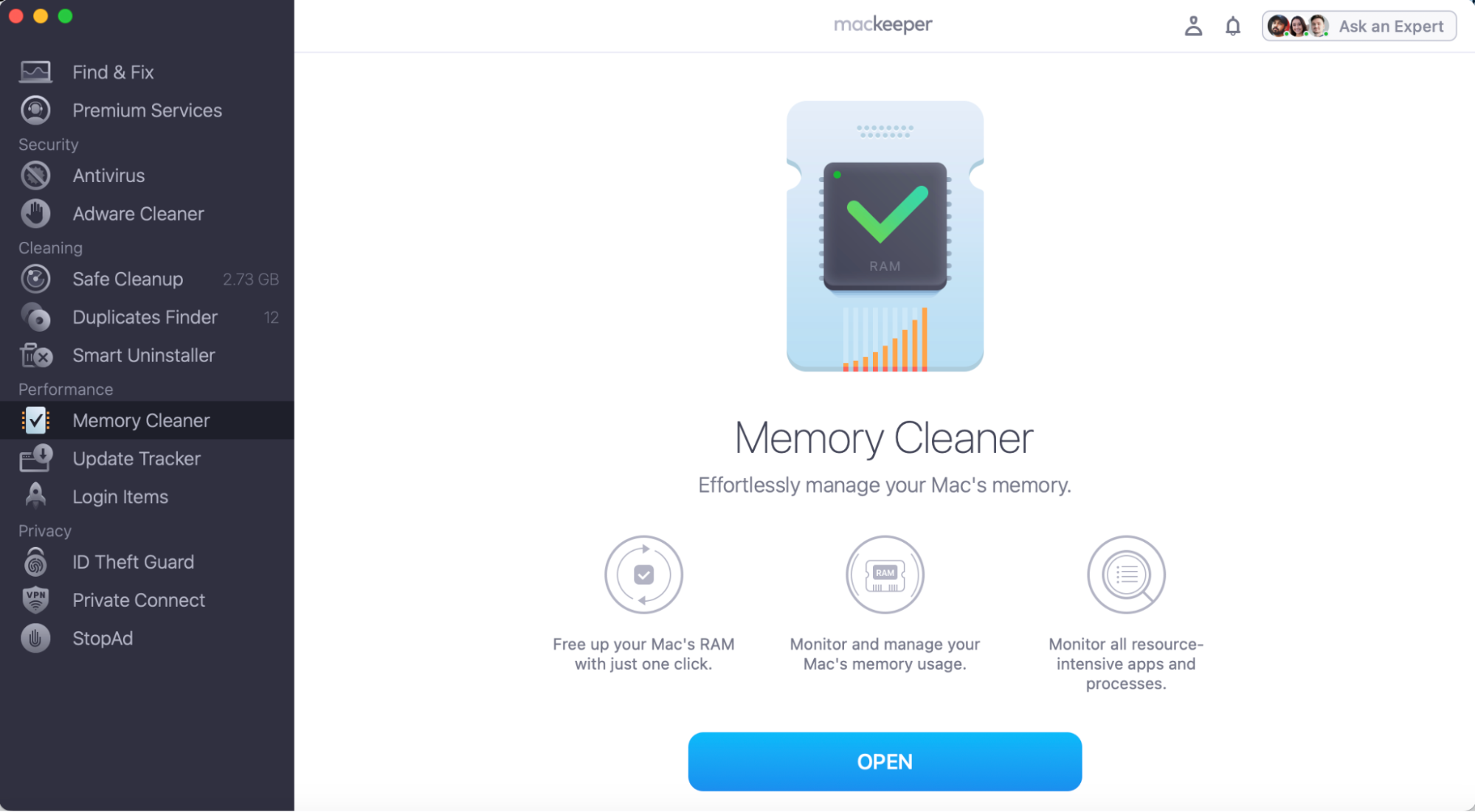
Has your MacBook's slowness well and truly become unbearable? You don’t need to put up with unexplained slowness or system-related lags anymore, as MacKeeper’s Memory Cleaner tool is here to help. Our macOS-supported cleaner has been developed by in-house Clario Tech experts, providing you with reliable memory cleaner software that does all the hard work for you. Your Mac will be more optimized in seconds with our self-proclaimed best Mac cleaner.
Here’s how it works:
- Download and open MacKeeper.
- Select Memory Cleaner.
- Press Open.
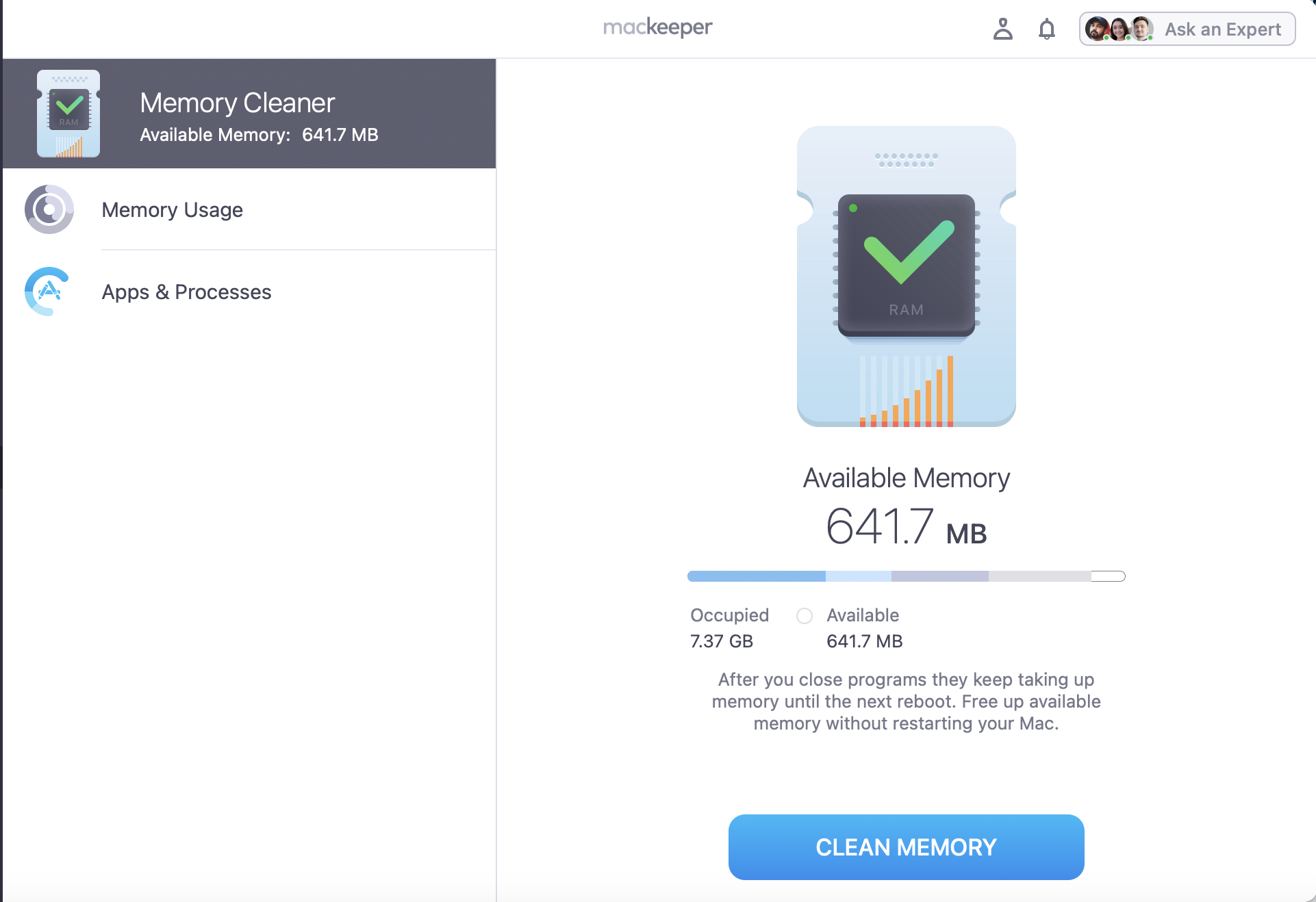
- You can now review your Memory usage and see your full list of apps & processes.
- To free up RAM, press Clean Memory.
2. CleanMyMac
Another memory cleaner that could help you combat freezing apps and maxed-out RAM is CleanMyMac. Again, all it takes is a few clicks, and you’ll be able to free up disk space, remove temporary files, and give your Mac the performance boost it so desperately needs.
Here’s how to use CleanMyMac’s Memory Cleaner tool:
- Open CleanMyMac.
- Go to your menu bar and click on the iMac Icon.
- Find the Memory Tab and click Free Up.


3. Macube
Macube is another well-known app, trusted by many Apple users, making it another trusted and handy tool. Just like other memory cleansers, Macube can free up RAM, remove junk files, and optimize RAM quickly—making it reliable and fast.
Here’s how Macube can free up RAM:
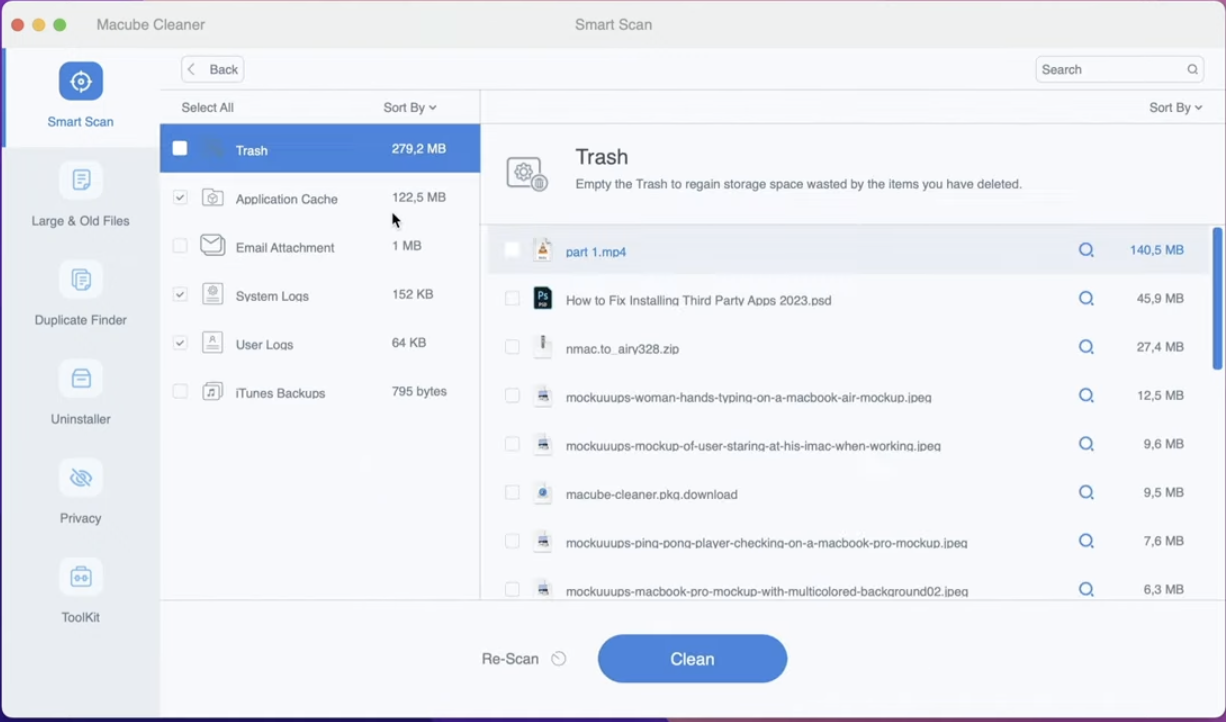
- Open Macube.
- Press Smart Scan.
- Preview what can be removed and press Clean.
4. Nektony memory cleaner
Nektony Memory Cleaner is another application, but is it the best Mac RAM cleaner for MacBook users? It’s got an Optimize RAM tool, which makes finding and using it very easy for new users.
How to use the Nektony Memory Cleaner:
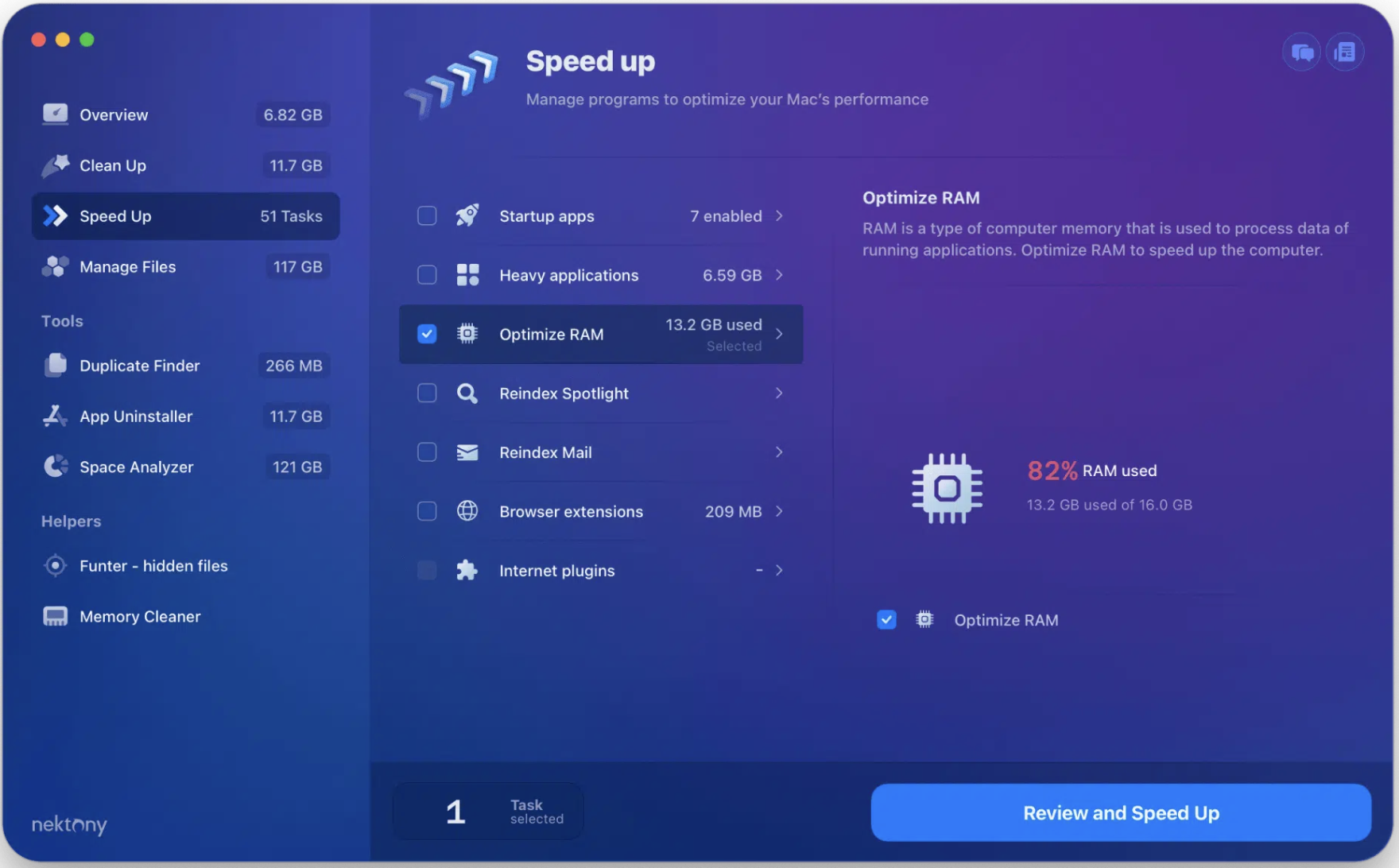
- Open Nektony Memory Cleaner.
- Go to Speed Up > Optimize RAM.
- Then press Review and Speed Up.
5. BuhoCleaner
The final memory cleaner we will be discussing is called BuhoCleaner. It’s a no-frills application that has shortcut buttons to free up RAM and space much more easily and quickly on your Apple Mac device. While there is a full interface, the pop-up menu makes your memory cleaner and much more accessible when you want to check or give it a boost.
Here’s how BuhoCleaner works to release RAM:
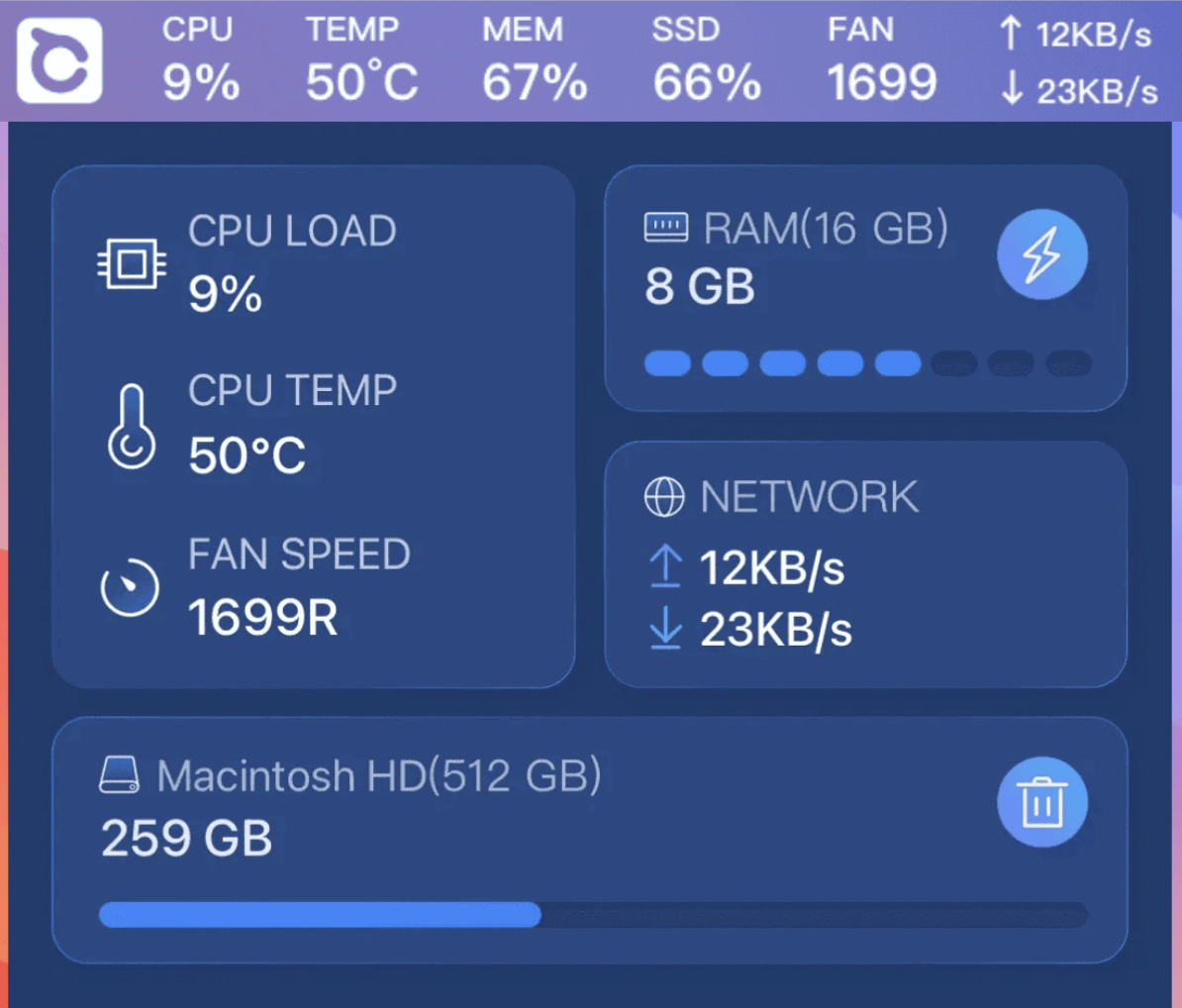
- After you install BuhoCleaner, you’ll see a winged circle icon in your menu bar.
- Click on the BuhoCleaner icon and look for RAM.
- When it needs a boost, press the bolt icon.
Why Mac needs memory cleaners?
If you regularly use a Mac, you don’t necessarily need a memory cleaner to keep your activities running smoothly, as macOS efficiently monitors memory to help clean Mac automatically. However, in our own experience and after interrogating many Apple users, we can say that it isn’t always enough. Having an extra tool to clear junk, highlight memory-heavy processes, and even protect against potential malware can make maintaining performance easier and much more reliable.
Advice from us:
If you’d like to try freeing up RAM manually, you can check out our supporting guide for extra support on how to clear up RAM on Mac. We’ve shared tips on how to use macOS tools, like Activity Monitor, to check and free up RAM without a memory cleaner.
Key features to look for in a Mac memory cleaner
There are several features we encourage you to look out for when deciding what memory cleaner to install.
Look for:
- Instant, one-click buttons to free up RAM
- Real-time memory monitoring
- A full list of the apps or processes slowing you down
- Extra cleanup tools
- Malware protection for online safety
- A simple interface for easy navigation
Comparison of Mac cleaners' top tools
Still not sure which Mac memory cleaner is right for you? Here’s a comparison of all five of the cleaners we discussed to help you find the best tool for your needs…
| Memory Cleaner | Best for | Main features | Pro’s | Con’s |
| MacKeeper | Full Apple Mac optimization, protection, and maintenance | Declutering, performance boost, enhanced security, real-time protection, privacy, and 24/7 chat service |
|
|
| CleanMyMac | Comprehensive Mac maintenance and management | Smart care, clean up tool suite, protection, system optimization |
|
|
| Macube | Affordable Mac cleaner for all-level Apple users | Erase junk, protect your privacy, clear browser cache, and smart scan |
|
|
| Nektony Memory Cleaner | Essential Mac Cleanup software | MacCleaner Pro, Apple Cleaner, and Uninstaller |
|
|
| BuhoCleaner | A one-click memory cleaner tool | macOS cleanup feature support, delete junk files, free up extra storage |
|
|
The best memory cleaner for Mac is found
We know how frustrating it is when your Mac keeps slowing down, freezes, or the dreaded colour wheel popups all too frequently. The solution to this pain is to step up your RAM management and keep it as optimized as possible–whether that’s manually or by using one of the memory cleaner tools we’ve explored.
Of course, we highly recommend MacKeeper’s Memory Cleaner as it’s designed by Clario Tech to help free up RAM instantly, clear all unnecessary processes, and support macOS to keep it running its best. While you can manually support your Mac’s stability, if you’re ready for an automatic way to boost performance, MacKeeper is where we would start.