Security for Macs is more important than ever, and these two apps can both help—but which one is right for you? Read on and find out, as we pit them against each other in our MacKeeper vs Norton showdown. If you need to remove a virus now, download MacKeeper and get it sorted.
MacKeeper is a purely Mac-focused app that combines security and antivirus with privacy, cleanup, and performance-related tools. It’s designed for everyday safety and maintenance, leaving Mac owners free to enjoy their hardware without worries.
MacKeeper’s main capabilities
Every MacKeeper subscription includes its full feature set. You get:
Antivirus
Adware Cleaner
Duplicates Finder
Smart Uninstaller
Memory Cleaner
Update Tracker
Login Items
ID Theft Guard
Private Connect
StopAd
Key advantages and limitations of MacKeeper
MacKeeper offers a solid set of useful tools, including a VPN at no extra cost. There are no confusing subscription tiers to deal with, and the only optional extra is Premium Services, a 24/7 tech support service. The things it lacks are a firewall, ransomware protection, and protection against malicious URLs.
Norton review
Norton offers a variety of subscription levels with different levels of protection, but the core features across all of them include antivirus, cloud backup, and a password manager. For this comparison, we’re going to look at Norton 360 Standard. Check out our full Norton Antivirus review for more information.
Norton offers a good selection of security features
Norton feature overview
Opt for Norton 360 Standard, and you can protect up to three Macs, PCs, tablets, or phones with:
Scam protection.
Antivirus, malware, ransomware, and hacking protection.
10GB of cloud backup space.
Password manager.
Deepfake protection.
VPN.
Norton pros and cons
Pros:
Good value for a capable set of protection and privacy features.
Strong antivirus and ransomware protection.
It’s good to have a VPN included too. It includes some basic performance tools.
Cons:
Performance tools are limited to a junk cleaner and a startup program manager.
Anti-tracking features cost extra.
Price leaps up after the first year.
MacKeeper vs Norton: Comparison
Now it’s time for us to dive deeper into the differences between MacKeeper and Norton. Let’s find out which one suits your needs the best.
Malware and threat protection
Choose MacKeeper or Norton, and you get real-time protection and on-demand scans to check your Mac for malware. Norton has some advanced options too, including the ability to auto-scan external drives when you plug them in, and an AI Agent Protection tool designed to stop AI tools from taking dangerous actions.
Both apps let you run custom scans, but only Norton lets you schedule scans. MacKeeper also offers an Adware Cleaner tool, which Norton doesn’t.
Both are good at detection, quarantining, and removal, and they’ve been independently tested by AV-TEST, detecting 100% of threats. And they both got top scores for protection, performance, and usability.
As well as antivirus, Norton gives you a Smart Firewall and an Intrusion Prevention tool, further protecting you from threats.
A note from our experts:
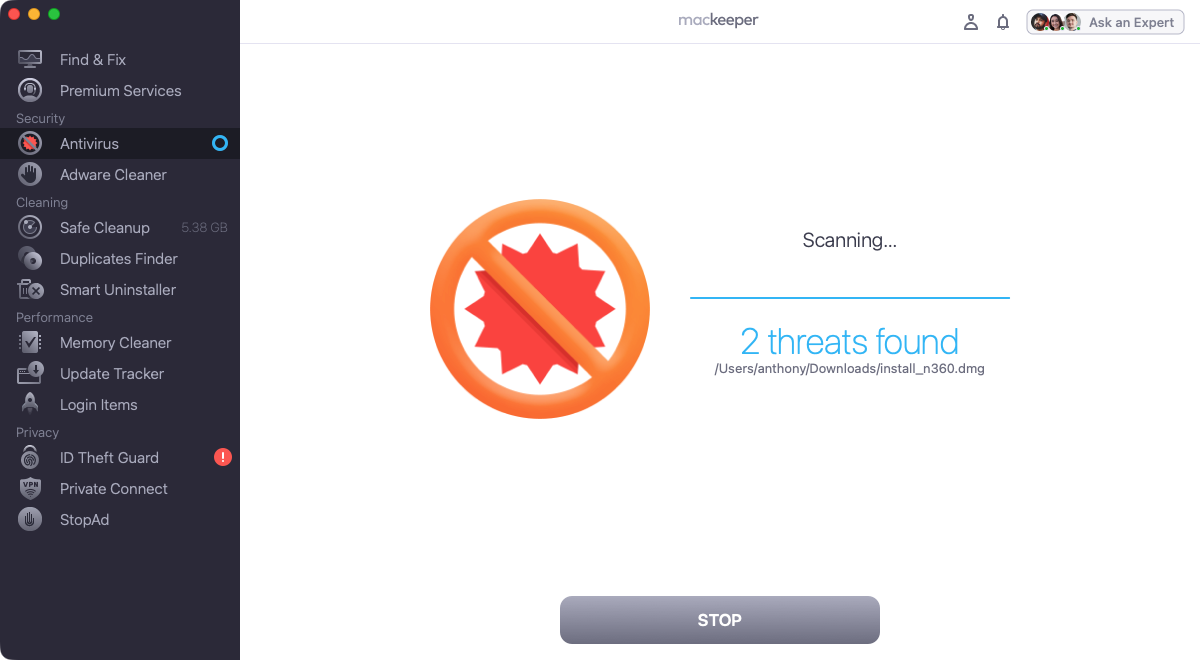
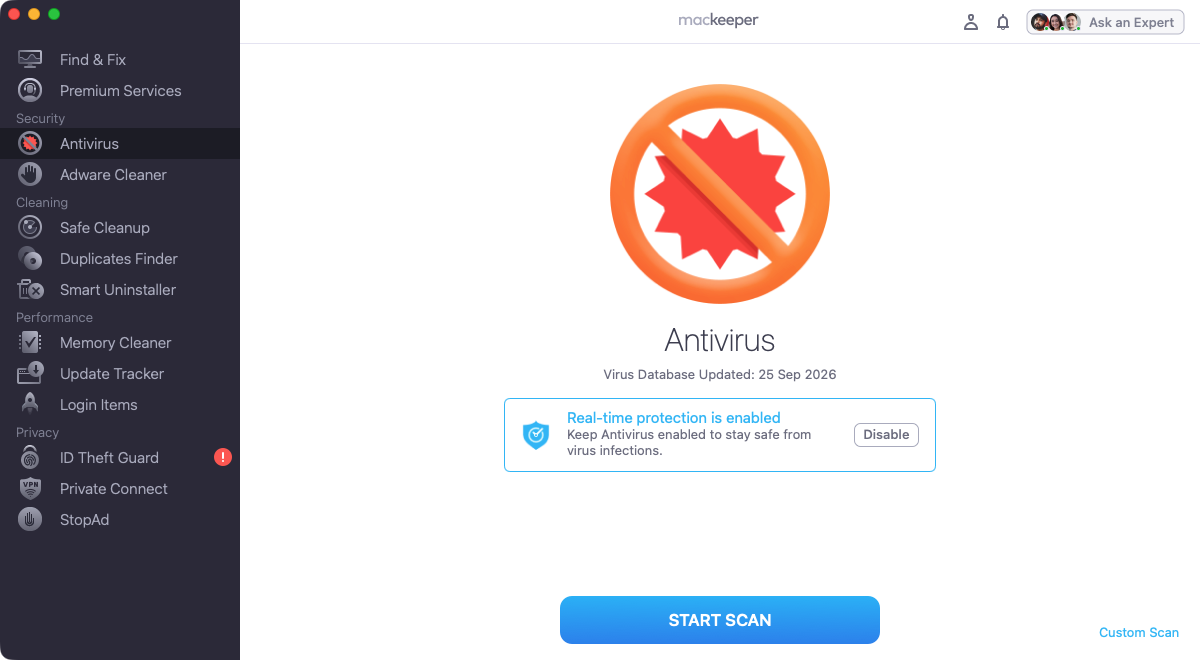
MacKeeper’s Antivirus scans your Mac for malware—fast. And it’s easy to use, offering on-demand and real-time protection. Here’s how to run a scan:
When the scan is finished, let MacKeeper delete any malware that might have been found.
MacKeeper offers fast, on-demand scans
Mac maintenance and cleanup tools
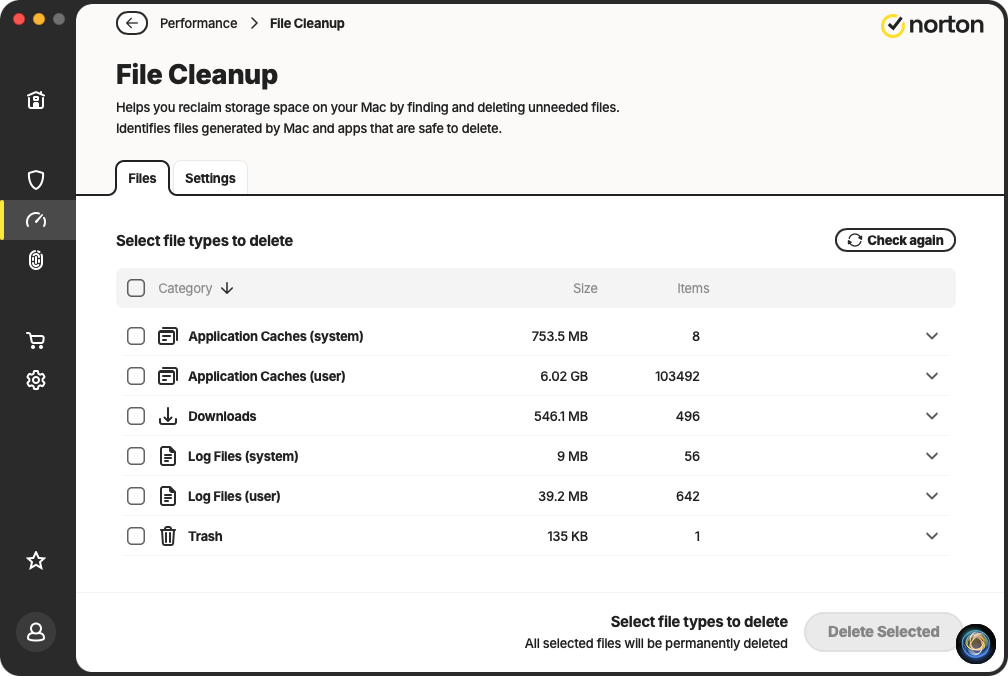
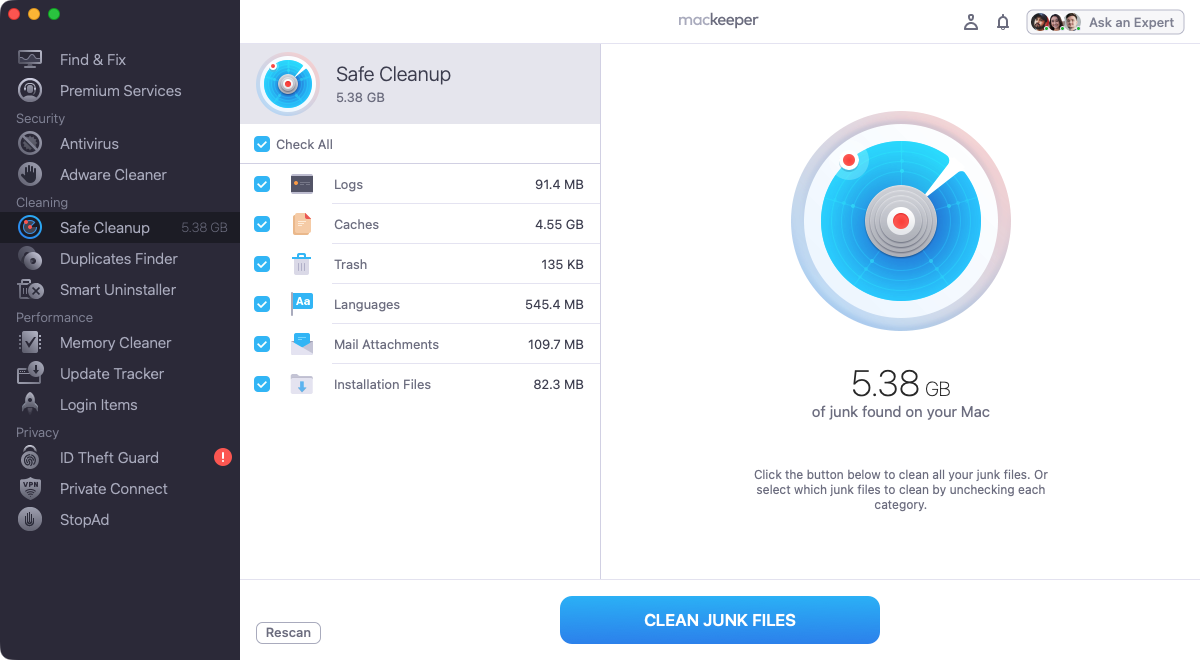
Here, MacKeeper has the edge. Norton offers a File Cleanup tool to find and remove junk data, and a Startup Manager to stop apps from automatically loading when you start your Mac.
Duplicates Finder to remove unnecessary copies of files, as well as photos that are very similar.
Smart Uninstaller to delete apps, browser extensions, and plugins—as well as data they might leave behind.
Memory Cleaner, a tool that instantly frees up RAM, giving your Apple Macintosh machine a quick speed boost.
Norton's File Cleanup tool can quickly clear out trashMacKeeper's Safe Cleanup clears junk data, including unneeded language files
Online privacy and VPN features
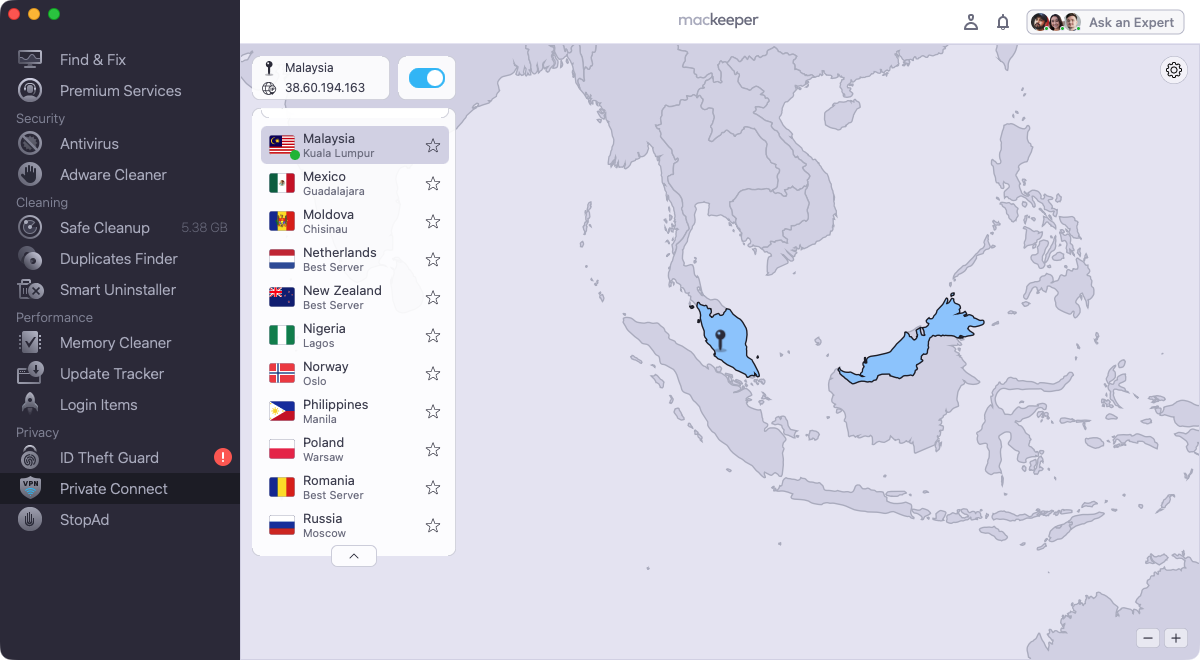
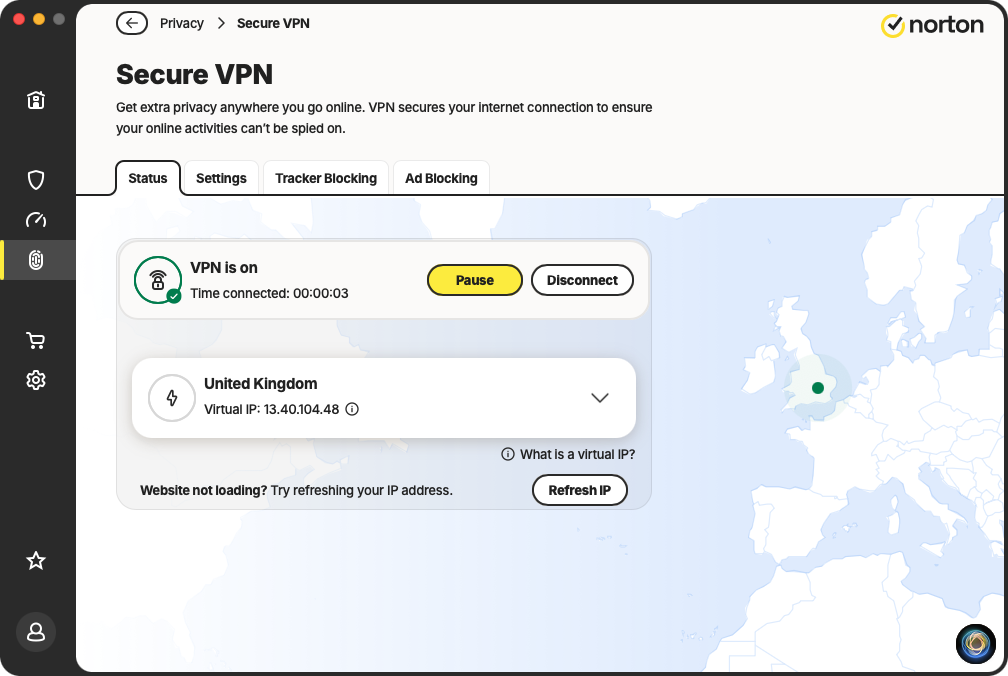
Both MacKeeper and Norton offer a VPN (virtual private network), encrypting your network traffic and hiding your IP address from the outside world. Here’s how they compare:
Norton: 140 server locations, across 100 countries. Supported protocols are Mimic, IPsec, and WireGuard.
MacKeeper: 296 server locations, across 50 countries. The one supported protocol is OpenVPN.
Norton’s VPN also offers a Kill Switch function, which blocks your Mac’s internet connection if the VPN is interrupted. With both VPNs, you get a one-click option to choose the fastest server.
Both VPNs offer decent online privacy protection. And both companies have a ‘no-log’ policy, meaning they don’t monitor or store any of your data when you use their VPN services.
As well as VPN, Norton offers a basic Password Manager, which could be useful.
MacKeeper's VPN offers good basic protectionNorton's VPN has the added bonus of a kill switch
Identity monitoring and breach alerts
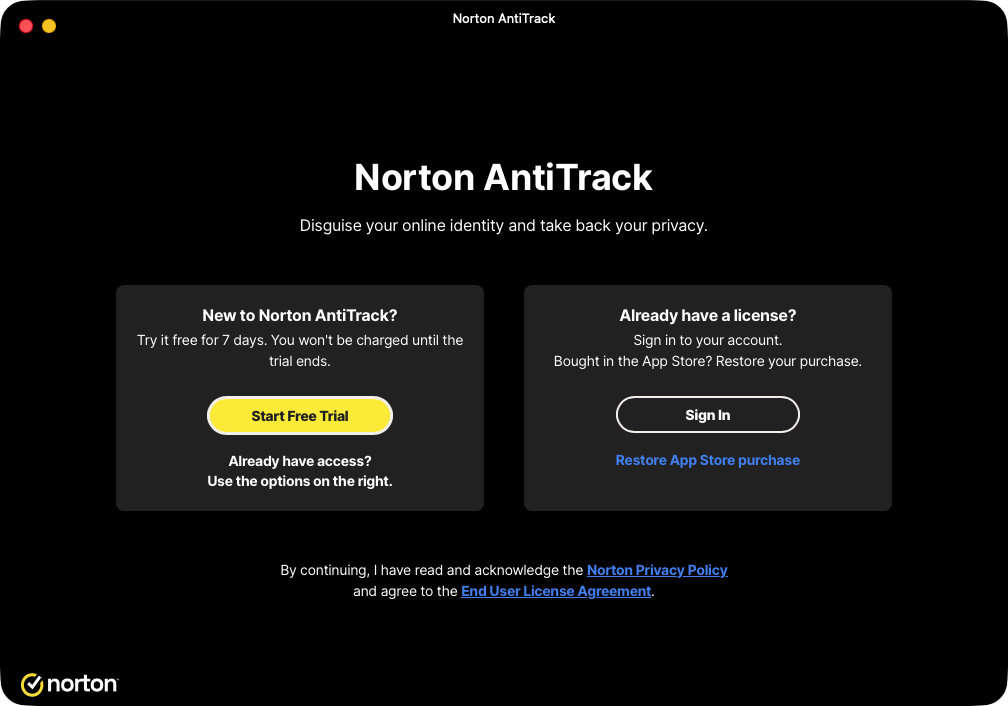
We also found another tool in Norton’s Privacy section—AntiTrack, which stops online trackers from following you. However, it turns out this requires a separate subscription, so we haven’t considered it for this review.
A big plus point for Norton is its Scam Protection feature, which protects you from online scams and risky websites. You can unlock additional features with Scam Protection Pro, but that costs more.
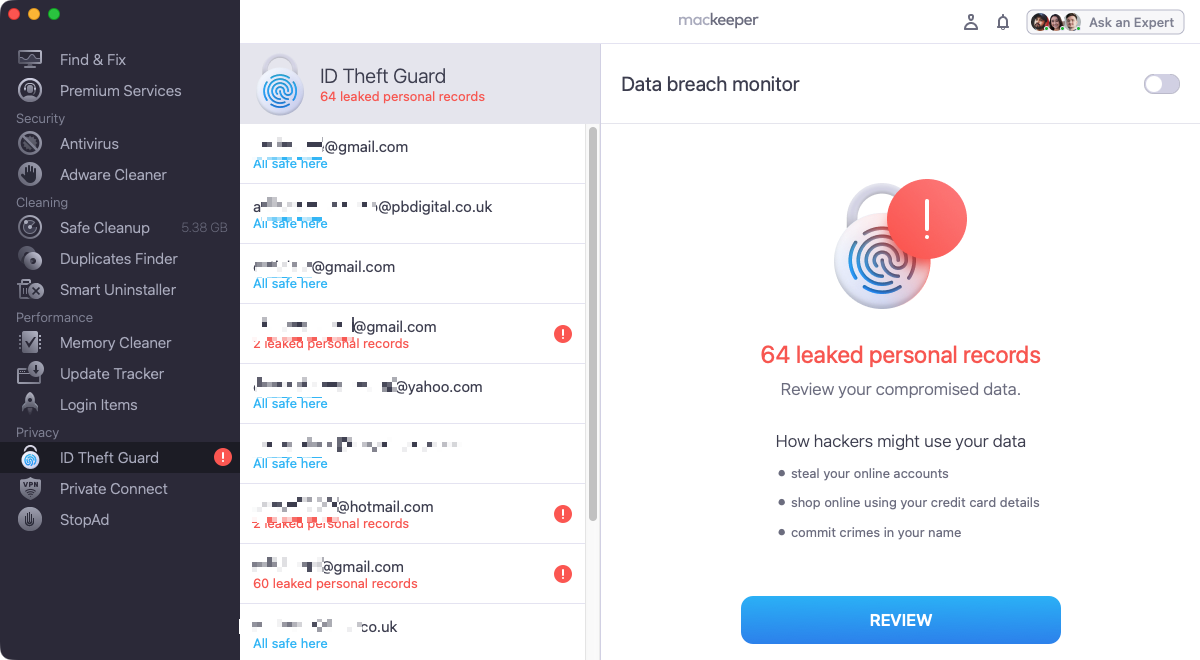
MacKeeper also offers anti-tracking, through its StopAd browser extensions, at no extra cost. These extensions are available for Safari and Chrome. You also get ID Theft Guard, which alerts you if your email addresses have been leaked on the internet or dark web.
Norton's AntiTrack feature requires a separate subscriptionMacKeeper offers free anti-tracking, as well as ID Theft Guard
Interface and everyday usability
Installing either MacKeeper or Norton is simple, but in both cases, you’ll need to give them permission to access your SSD and certain macOS features. This is all standard for security apps, and they both walk you through the process well.
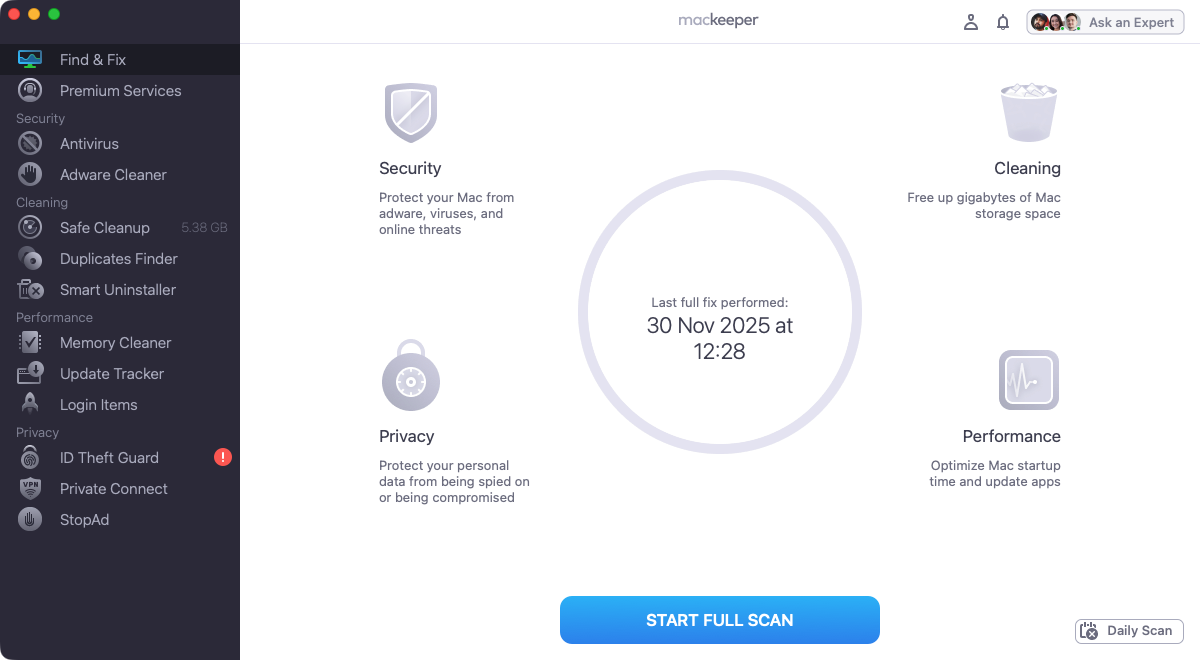
Neither MacKeeper nor Norton is difficult to use, but MacKeeper’s interface is much more straightforward. Simply select a tool from the sidebar on the left of the app, then do what it tells you on the screen.
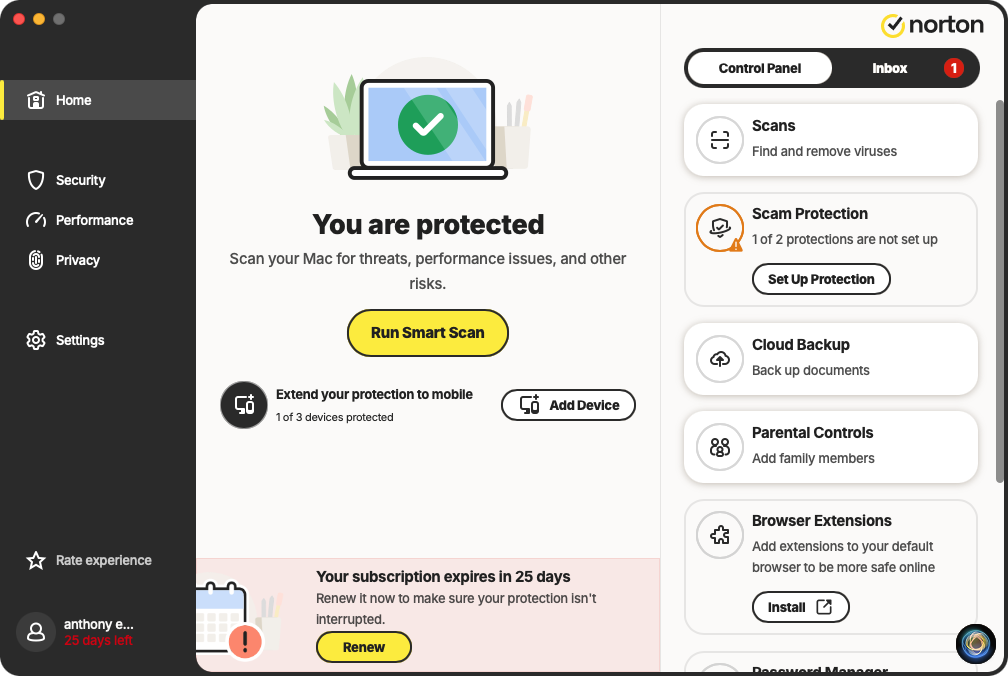
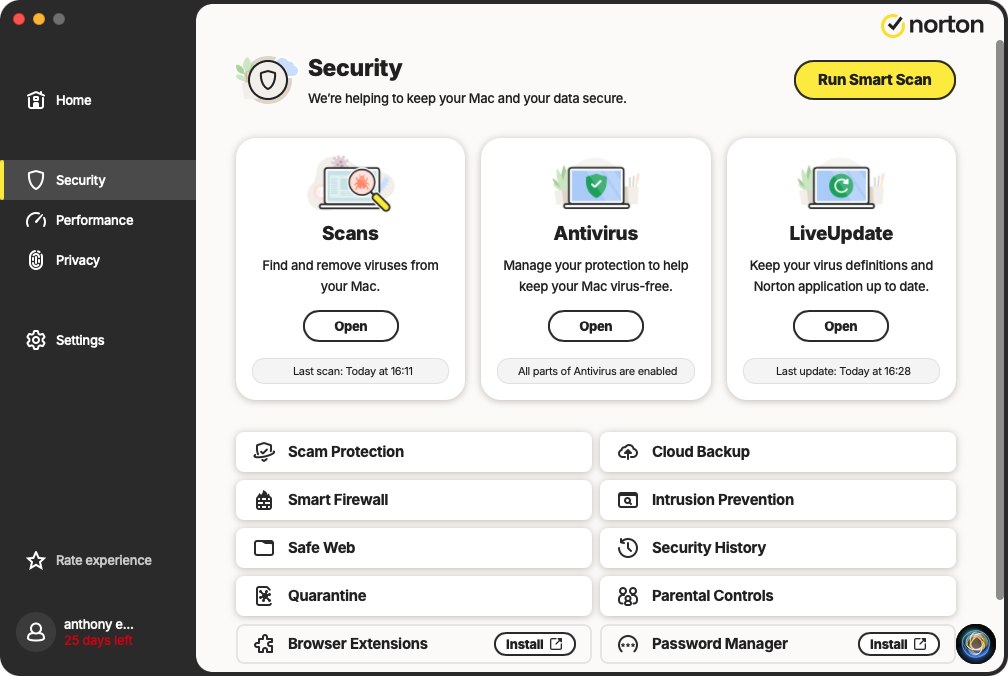
Norton, in contrast, has three main sections in its sidebar—Security, Performance, and Privacy. Within these, you can select different tools, and the Security section is particularly crowded.
The security section of Norton 360 is bit clutteredMacKeeper's interface is simple but effective
System performance and resource usage
Based only on our general initial impressions, neither MacKeeper nor Norton made any noticeable impact on system performance. Looking into it more closely, this is what we discovered:
App size: MacKeeper is 141MB. Norton is 305MB, but it also installs Norton AntiTrack (75MB) and Norton Uninstaller (2MB)
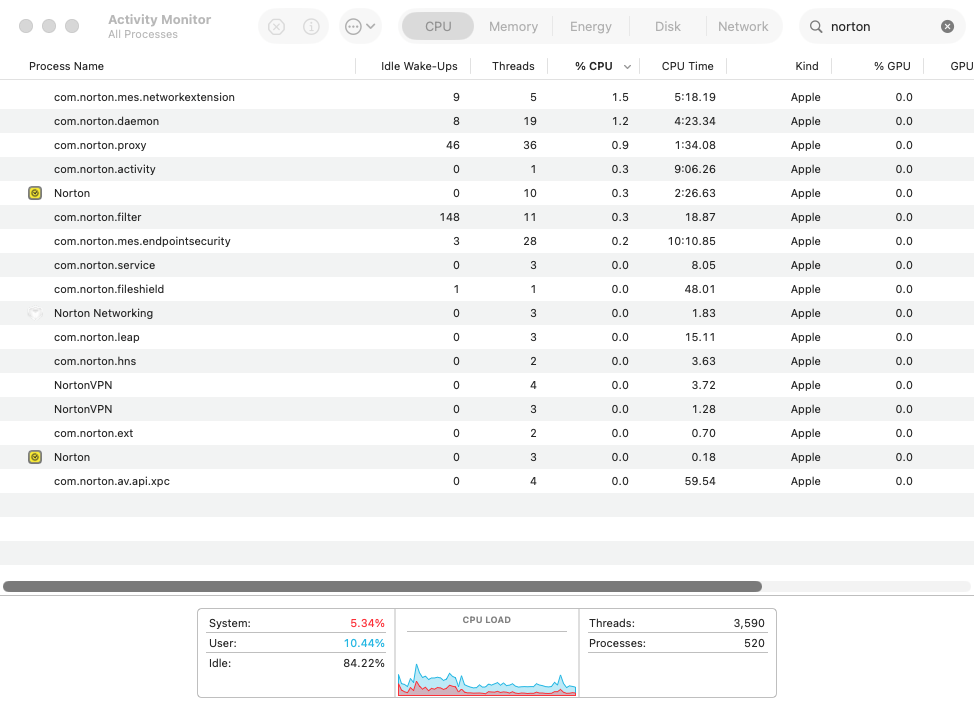
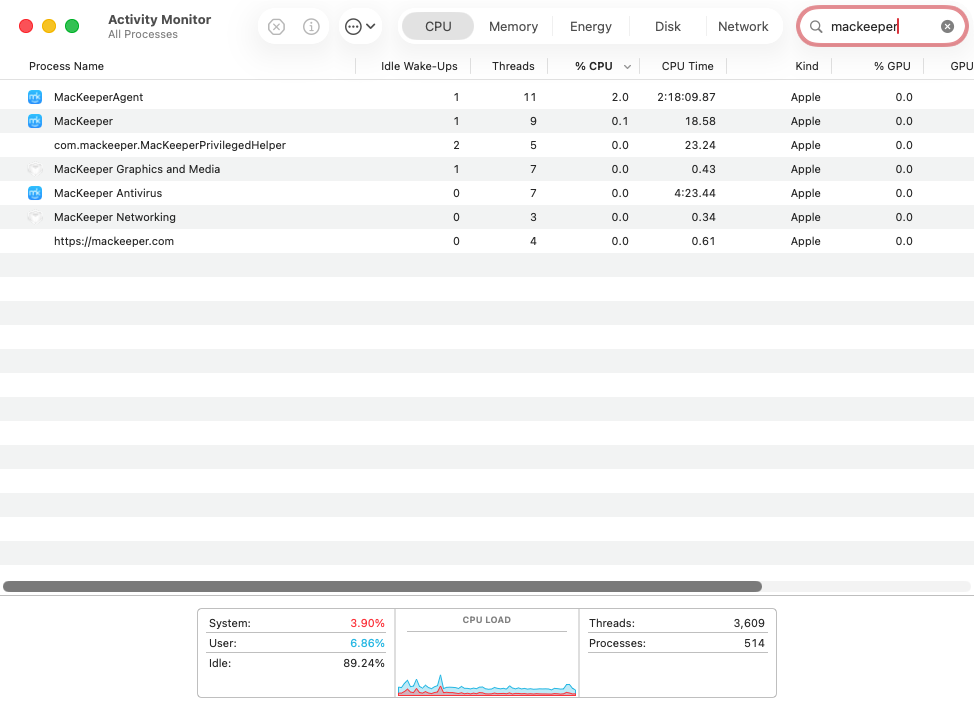
Background processes: In Activity Monitor, we found seven processes for MacKeeper, and 17 for Norton.
Idle system impact: When idle, Mackeeper’s MacKeeperAgent process fluctuated between 1% and 5%. It used 46 threads. Norton’s most active processes peaked at around 1.5%, while several floated around 0.5%. It used a total of 138 threads.
Scanning system impact: During a virus scan, MacKeeper’s CPU usage fluctuated between 200% and 600%, meaning it was using multiple processor cores. Norton’s top process only used around 70% CPU during a full virus scan.
Full scan time: MacKeeper took 5m 30s to finish a full scan. Norton took much longer at 35m 20s. Both found our test virus files.
Both apps have a negligible effect on performance, but if you do need a speed boost, read our guide on how to make a MacBook faster.
Norton relies on a lot of background processesMacKeeper uses relatively few background processes
macOS support and device coverage
Norton works on Macs running macOS 10.13 (High Sierra) or later—including Intel and Apple Silicon models. Norton Standard covers up to three devices, including macOS, Windows, Android, and iOS.
MacKeeper also requires High Sierra, and also works on Intel and Apple Silicon Macs, but not any other platforms. The standard monthly and yearly plans are for one user only, but you can also get a 12-month plan for up to three Macs. Currently, MacKeeper is running an offer, giving you an extra license for free.
Help resources and customer assistance
MacKeeper’s website offers live chat, letting you talk to real people, 24/7. You can ask about MacKeeper, manage your subscription, report issues with your Mac, or other subjects. MacKeeper’s site also has an extensive help centre—a knowledgebase that explains everything you need to know about the app. You also get a blog full of useful articles for Mac users, and a YouTube channel with 178 informative videos.
Norton’s site is jam packed with information—unsurprising for such a large company. There’s live chat, a pretty good blog, and customer support resources including a full knowledgebase. The YouTube channel offers 181 videos.
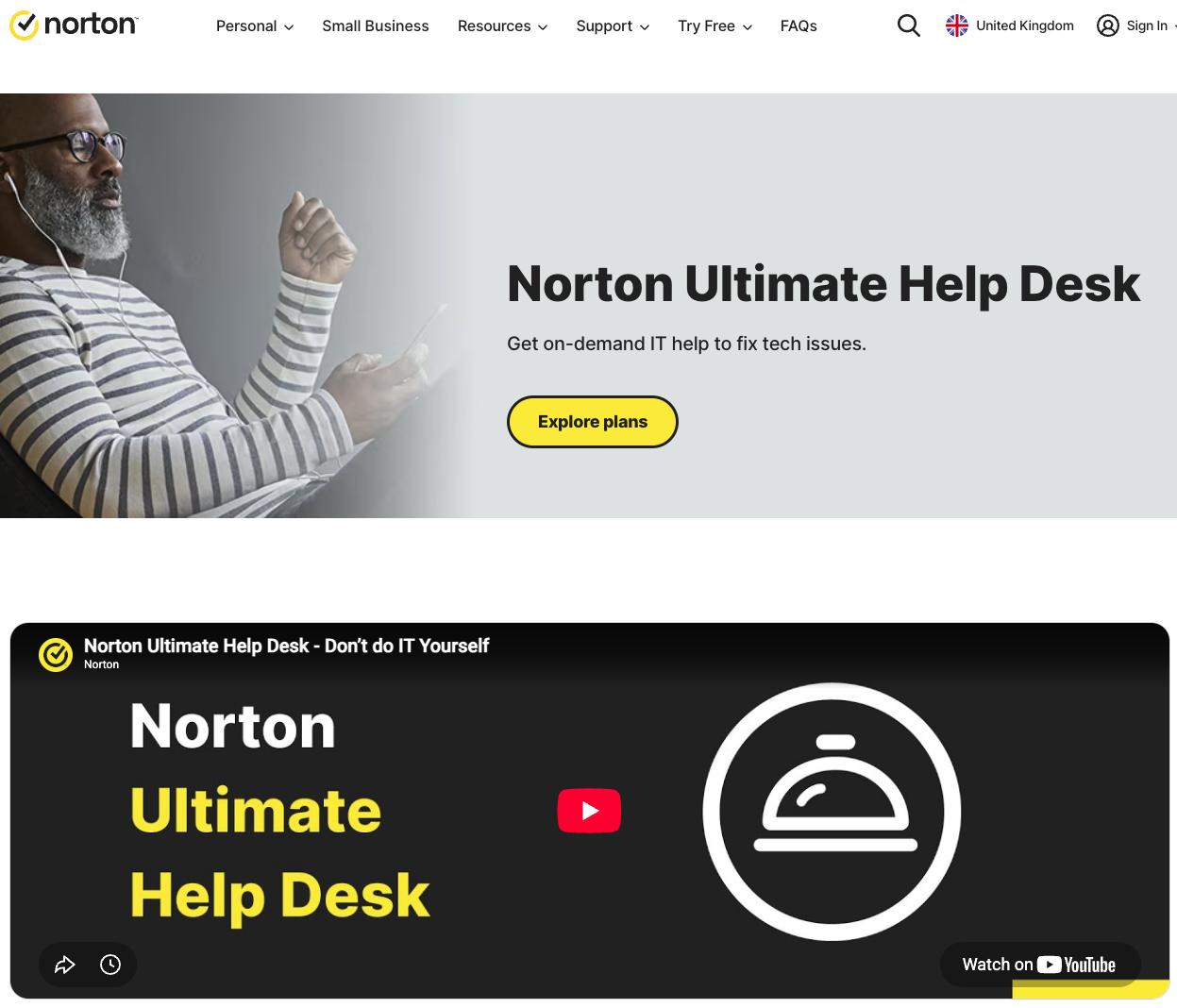
As well as standard support, both offer paid technical support too. MacKeeper has Premium Services, and Norton has Norton Ultimate Help Desk.
Norton's Ultimate Help Desk can be accessed through its websiteYou can access MacKeeper's Premium Services from within the app itself
Cost, subscriptions, and overall value
You can try both MacKeeper and Norton for free, but be aware that Norton requires you to submit your credit card details. If you don’t cancel during the free 30 days, it will automatically sign you up for the full version and charge you. MacKeeper lets you try all the features at least once for no charge.
Here’s how they compare:
MacKeeper
Norton
Current pricing
$10.95 per month for one-month plan (1 Mac)
$66.78 per month for annual plan (1 Mac)
$5.97 per month for annual plan (4 Macs)
$24.99 for first year (3 devices)
Renews at $94.99
Free trial or free version
Free time-limited version
Free trial
Refund policy
30-day money-back guarantee for semi-annual and annual subscriptions
14-day refund window or monthly subscriptions
30-day free trial
60-day money-back guarantee
Final verdict on MacKeeper and Norton
So MacKeeper or Norton? Which is it to be? That depends on what devices you want to protect and how many you have. They each offer decent value, but if you need to cover more than Macs, Norton is the obvious choice. If you only have Macs or a single Mac, then MacKeeper makes more sense.
Norton is much more security-focused and has more features in that respect, while MacKeeper beats it for maintenance and cleaning tools. That said, their virus-finding abilities are on par with each other, and in our test, MacKeeper finished scanning our machine much faster than Norton.
For ease of use, we’d recommend MacKeeper. While Norton is powerful, its more crowded interface makes it a little hard to navigate.
Whichever app you choose, you get excellent protection at a reasonable price. Try MacKeeper today and see for yourself what it can do.
We respect your privacy and
use cookies
for the best site experience.
Privacy Preferences Center
We use cookies along with other tools to give you the best possible experience while using the
MacKeeper website. Cookies are small text files that help the website load faster. The cookies we
use don’t contain any type of personal data meaning they never store information such as your
location, email address, or IP address.
Help us improve how you interact with our website by accepting the use of cookies. You can change
your privacy settings whenever you like.
Manage consent
All cookies
These cookies are strictly necessary for enabling basic website functionality (including page
navigation, form submission, language detection, post commenting), downloading and purchasing
software. The website might malfunction without these cookies.