McAfee covers every platform at once, which is exactly why it can feel heavy on a Mac you use alone. If you want an alternative to McAfee Antivirus built for macOS rather than ported to it, MacKeeper’s Antivirus runs real-time scans quietly in the background.
Start from what you actually do on your Mac, not from feature counts. A McAfee Antivirus comparison only helps once you know whether you need plain antivirus or a full security suite, how many devices you cover, and whether you’d ever open the identity monitoring bundled into the higher plans.
We’d read our McAfee Antivirus review first, since knowing what you’re leaving makes the replacement easier to judge.
Weigh these five things before you switch:
Scope. A single antivirus costs less than a suite you’ll half-use.
Device coverage. One MacBook needs a different plan than a household of six.
Web and privacy protection. Phishing blocking matters more day-to-day than raw malware counts.
System impact. Some competitors idle quietly, others make an older Macintosh audible.
Renewal pricing. Nearly every vendor discounts year one, then doubles it.
Best McAfee Antivirus alternatives
There’s no single best replacement for McAfee Antivirus, so we’ve grouped the seven below by who they suit. Some are Mac-only, others cover every device in the house, and a couple lean on privacy tools rather than detection depth.
Whichever you pick, uninstall the old app first, because two real-time scanners on one Mac will fight each other—our guide shows how to completely remove McAfee.
1. MacKeeper
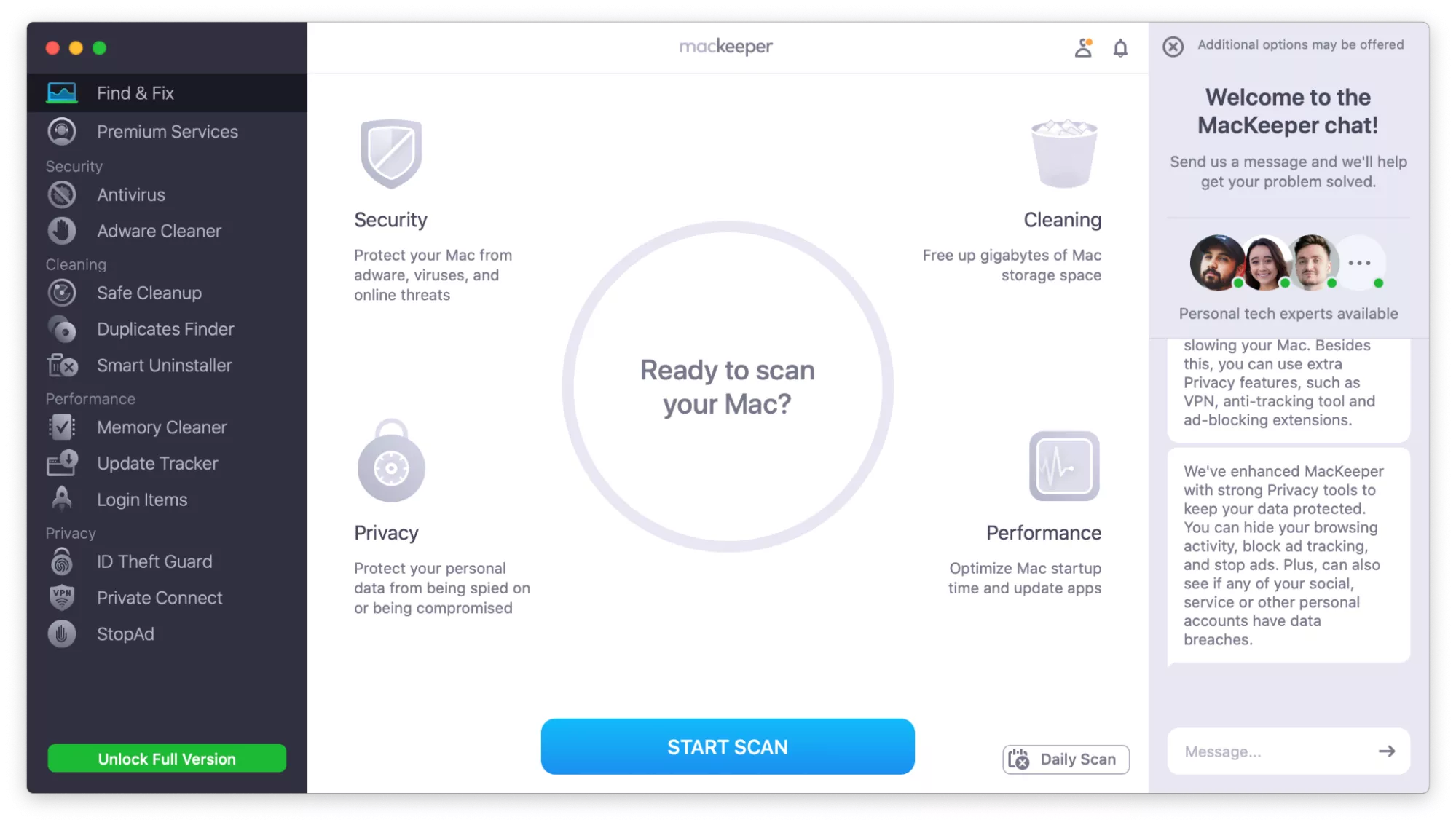
MacKeeper is the Mac-only option here, and that focus is the point, since nothing in it is a Windows build wearing an Apple coat. Real-time antivirus sits alongside cleanup, a VPN, and ID theft monitoring in one app, which suits anyone who’d rather run one subscription than four. We’ve written a full breakdown comparing McAfee vs MacKeeper if you want the details.
Here’s where MacKeeper lands:
Who it’s for. Mac-only households that want cleanup and security together.
Standout. A 24/7 human support chat built into the app.
Pros. One interface, light on resources, and no Windows features you can’t use.
Cons. Dearer than a single-purpose scanner, and it won’t cover a phone or a PC.
Pricing. $10.95 monthly, or $71.40 a year for one Mac and $89.40 for three.
Open MacKeeper and review the dashboard, where cleanup, security, and privacy tools share one sidebar
2. Bitdefender
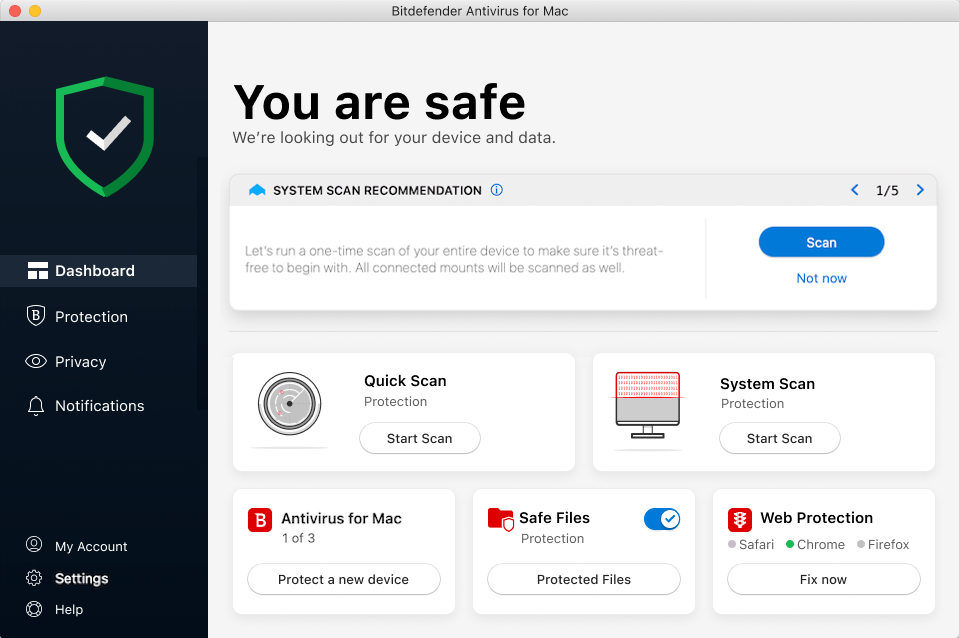
Bitdefender is the detection specialist of the group, with a decade of consistent independent lab results behind it. On macOS you get Time Machine protection, an adware blocker, and anti-phishing, all while the heavy scanning happens in the cloud rather than on your processor. In our view it’s the pick when protection quality outranks everything else.
Bitdefender in short:
Who it’s for. People who want the strongest engine and few extras.
Standout. Ransomware defense that shields your Time Machine backups.
Pros. Very low system impact, a 30-day trial, and cover for Windows, Android, and iOS too.
Cons. The bundled VPN is capped at 200MB a day, and parental controls need the family plan.
Pricing. First-year rates of $29.99 for Antivirus Plus, $59.99 for Total Security, and $79.99 for Premium Security.
Open Bitdefender on your Mac and check the status panel, where scans, web protection, and the VPN sit together
3. Norton 360
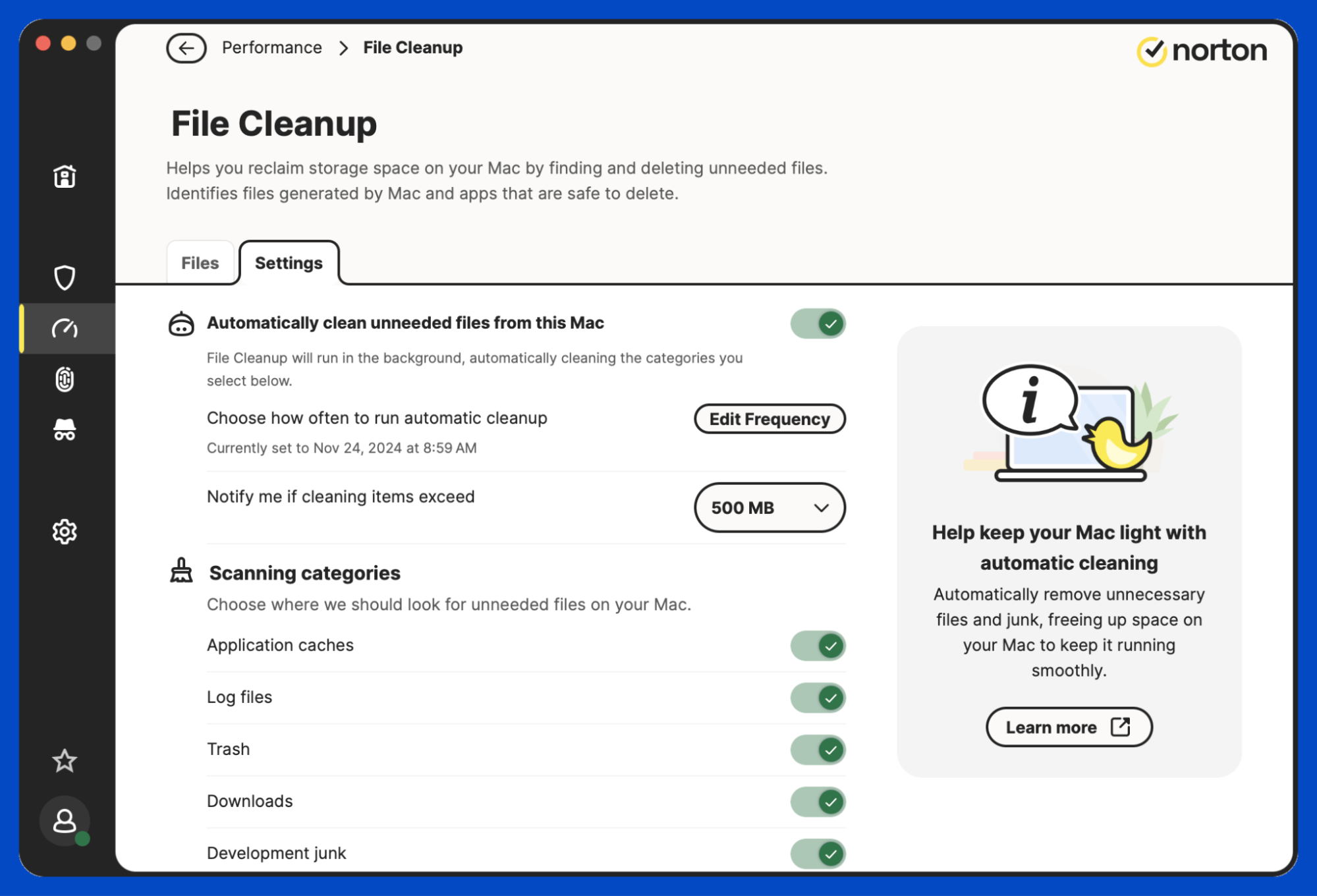
Norton 360 is the closest thing to a like-for-like swap, because it bundles antivirus, a VPN, a password manager, and dark web monitoring the way McAfee does. That breadth is genuinely useful if you cover a mixed household, though read the small print: the cloud backup everyone quotes is Windows-only, so a Mac owner pays for storage they can’t reach.
Norton 360 at a glance:
Who it’s for. Mixed households that want one subscription across every device.
Standout. Identity and dark web monitoring included at the mid tier.
Pros. Strong lab scores, a 60-day refund window, and a genuinely broad feature set.
Cons. The steepest renewal of the seven, and Mac users lose the backup feature.
Pricing. AntiVirus Plus starts at $29.99 and 360 Deluxe at $49.99 for year one, renewing at $124.99.
Open Norton 360 on your Mac and review the My Norton screen, which groups device security, the VPN, and monitoring
A note from our experts:
Comparing suites is useful, but most people just want to know their files are safe tonight. If McAfee hasn’t earned its place on your Mac, MacKeeper’s Antivirus is a straightforward swap. MacKeeper is certified by AppEsteem, and it passed AV-TEST certification, so the protection is independently checked rather than self-declared. MacKeeper is also Apple-notarized. It watches for malicious files around the clock and flags anything it finds, and roughly 47% of new users turn up malware on their very first scan.
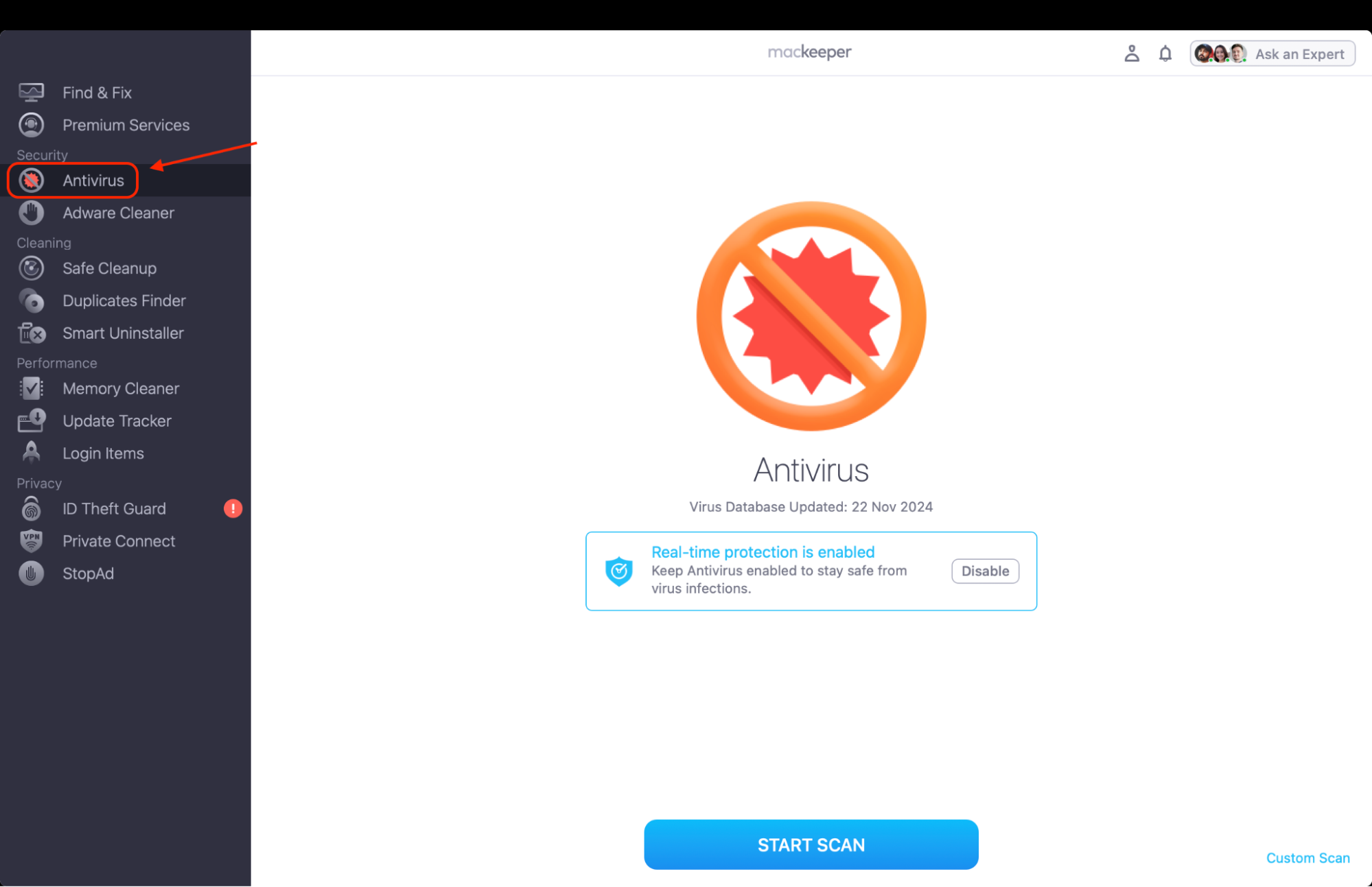
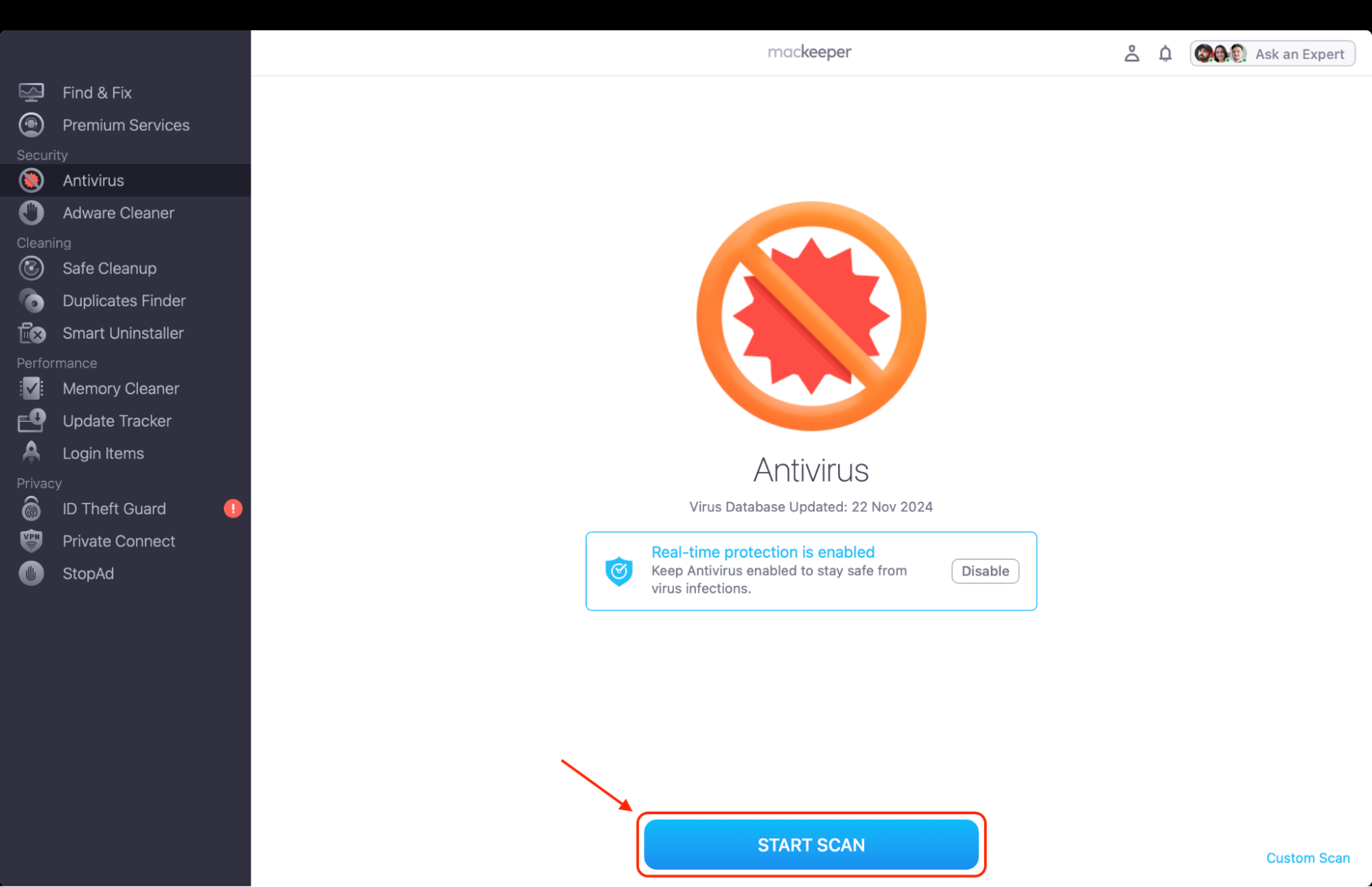
Here’s how to run your first scan with MacKeeper’s Antivirus:
Turn on real-time protection, then click Start Scan.
Review what the scan found, click Move to Quarantine to block it, then Delete to remove it.
Step 1. Select Antivirus from the left sidebar and turn on real-time protectionStep 2. Click Start Scan and wait while MacKeeper checks your drive
4. TotalAV
TotalAV is built around being easy, and it earns that: the interface explains itself, and the scan finishes fast on an older Macintosh. It pairs antivirus with disk cleanup and browser tidying, which overlaps with what your Mac already does, so treat those as convenience rather than a reason to buy.
TotalAV summed up:
Who it’s for. First-time buyers who want protection without a settings menu.
Standout. Consistently high AV-TEST scores on macOS as well as Windows.
Pros. Cheap in year one, quick scans, and a usable free tier.
Cons. No firewall, and the renewal is roughly five times the introductory rate.
Pricing. Antivirus Pro $19, Internet Security $39, and Total Security $49 for year one, renewing at $99, $129, and $149.
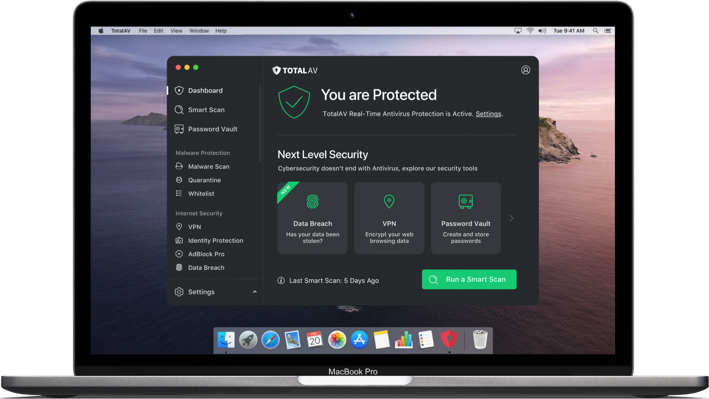
Open TotalAV on your Mac and review the home screen, where the scan button and cleanup tools sit side by side
5. Surfshark Antivirus
Surfshark comes at this from the privacy end. The antivirus is a component of the Surfshark One bundle rather than a product you buy alone, and what you’re really paying for is the VPN, breach alerts, and a private search engine, with scanning added on top. That makes it a sensible fit if privacy is your reason for leaving McAfee.
What Surfshark offers:
Who it’s for. Privacy-first users who’d buy a VPN anyway.
Standout. Unlimited simultaneous connections on a single subscription.
Pros. Very cheap per device, and the breach monitoring is genuinely good.
Cons. A thin independent testing record, and no antivirus on the entry plan.
Pricing. Scanning arrives with Surfshark One, from roughly $2.79 a month on a two-year term, with higher renewal rates.
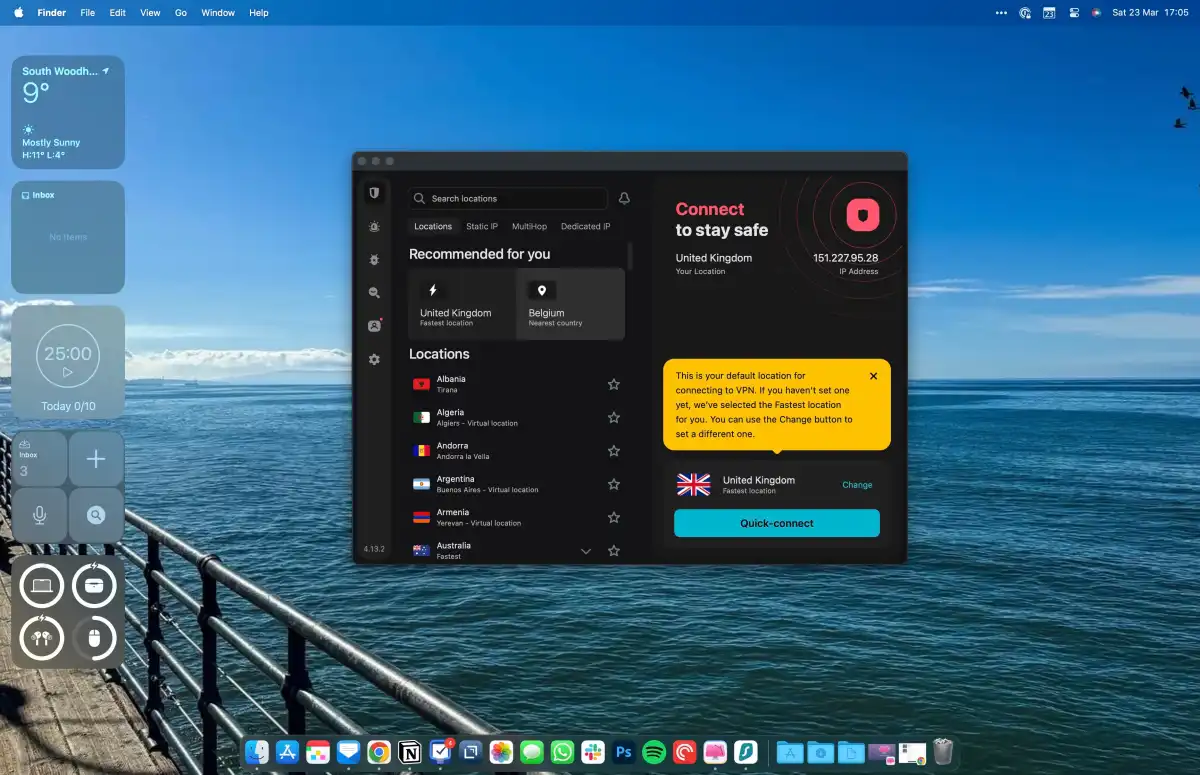
Open the Surfshark app on your Mac and switch to the Antivirus tab to reach scans and real-time protection
6. Avast
Avast is the one most people have already met, usually through its free tier, which remains the most generous on this list. The paid Premium Security layer adds ransomware defense and fake-website blocking. We’d flag its history honestly, though: in 2024, the company settled with the FTC over selling users’ browsing data, which matters if privacy is what drove you away from McAfee.
Avast, weighed up:
Who it’s for. People who want solid free protection and may never upgrade.
Standout. A free tier with real-time scanning rather than on-demand only.
Pros. Award-winning detection, and a clear upgrade path when you need more.
Cons. Heavier on resources than most, plus a past data-privacy settlement.
Pricing. A free tier, or Premium Security at $49.99 for year one and $77.99 after.
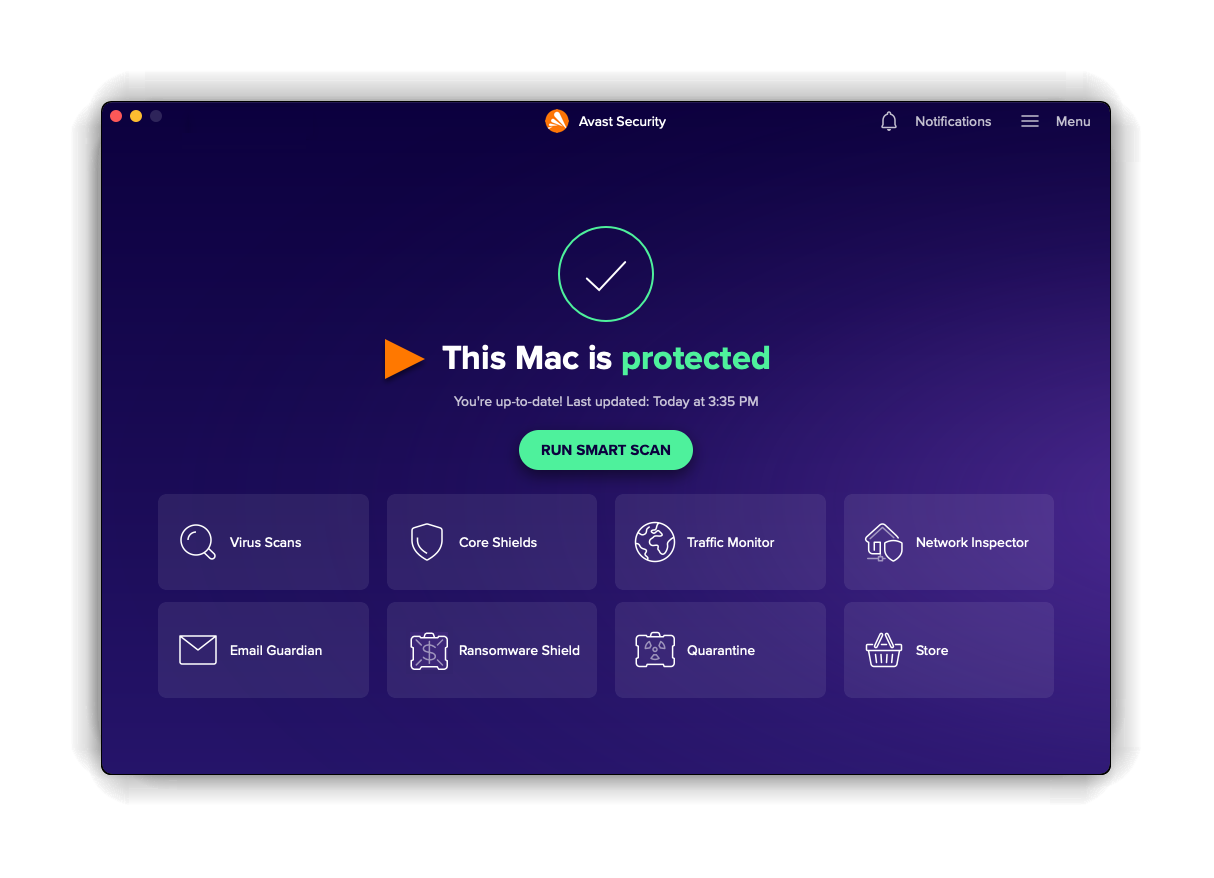
Open Avast on your Mac and review the status screen, where smart scan and the protection modules are listed
7. AVG
AVG sits under the same owner as Avast and shares its detection engine, so switching between the two gains you very little. What it does offer is a lighter footprint at startup and a plainer interface, which some people simply prefer. Our AVG vs McAfee comparison goes deeper on how the two line up.
AVG in brief:
Who it’s for. Cautious users who want to try free before paying.
Standout. Top Product status at AV-TEST for the free edition.
Pros. Fast scans, a light startup footprint, and a long-standing free tier.
Cons. Frequent upgrade prompts, and no real gain over Avast.
Pricing. A free tier, with paid Mac plans from $49.99 a year for a single device.
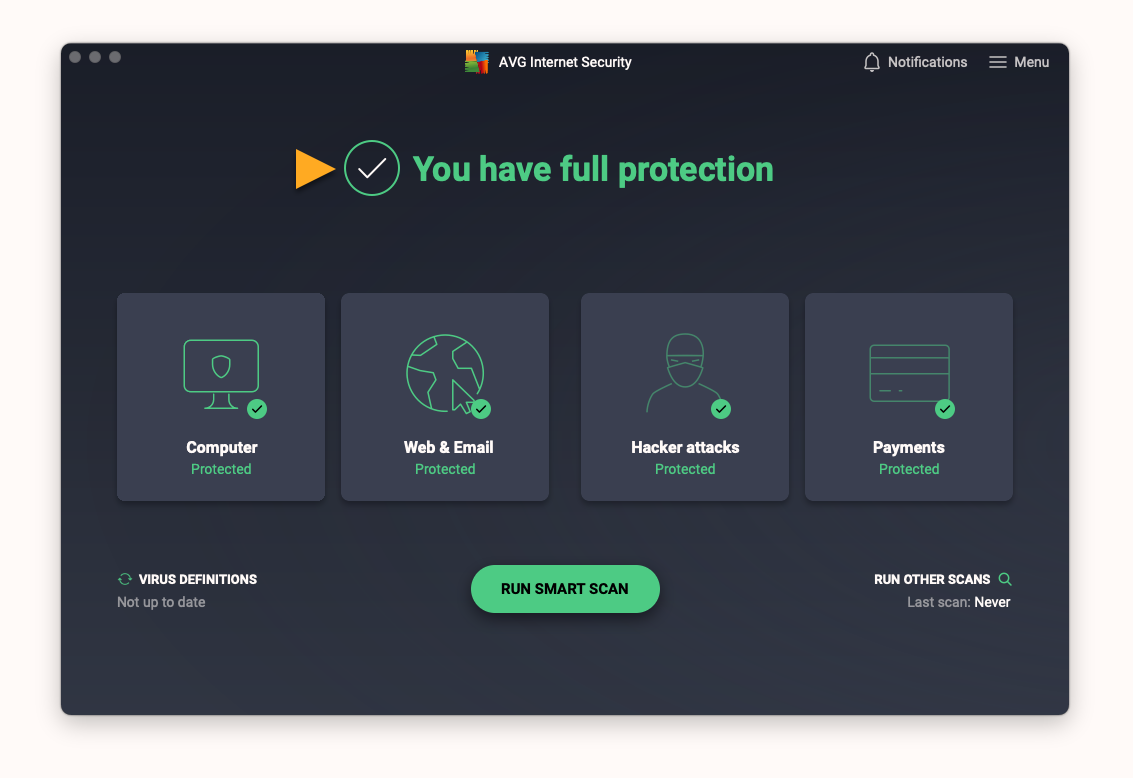
Open AVG on your Mac and review the main panel, where the scan control and protection status are shown
Conclusion
The right McAfee alternative comes down to your device, what you want protected, how much slowdown you’ll tolerate, which extras you’d actually open, and your budget. Bitdefender wins on detection, Norton on breadth, TotalAV and AVG on price, and Surfshark on privacy.
If your Mac is the only machine you’re protecting, though, paying for Windows features you’ll never touch is the thing worth avoiding. MacKeeper’s Antivirus was written for macOS and checks for malicious files around the clock, and MacKeeper includes a built-in VPN, while MacKeeper, trusted by millions of users, provides 24/7 human support when a scan turns up something you don’t recognize.
We respect your privacy and
use cookies
for the best site experience.
Privacy Preferences Center
We use cookies along with other tools to give you the best possible experience while using the
MacKeeper website. Cookies are small text files that help the website load faster. The cookies we
use don’t contain any type of personal data meaning they never store information such as your
location, email address, or IP address.
Help us improve how you interact with our website by accepting the use of cookies. You can change
your privacy settings whenever you like.
Manage consent
All cookies
These cookies are strictly necessary for enabling basic website functionality (including page
navigation, form submission, language detection, post commenting), downloading and purchasing
software. The website might malfunction without these cookies.