If you’re struggling with a cluttered drive and searching for a comprehensive Nektony duplicate file finder review, you’re likely trying to decide if this tool can effectively reclaim your storage space. To make the cleanup process even smoother, MacKeeper’s Duplicates Finder offers a fast, automated way to detect and remove copies, keeping your Mac organized without the hassle.
Based on my experience, Nektony Duplicate File Finder is a secure, Apple-notarized utility that I’ve personally found effective for detecting identical files and similar photos on Mac. I appreciate its content-based scanning and unique folder merging capabilities, although the free version has its limits. For users seeking broader system optimization and security alongside cleanup, I recommend considering MacKeeper as a robust, all-in-one alternative.
What is Nektony Duplicate File Finder?
Nektony Duplicate File Finder is a specialized macOS application built to locate and remove redundant data across internal and external drives. The software analyzes file content, not just names, to find duplicates in Photos, Music, and standard folders. Also, I noticed that it includes helpful safety features, a Review to Remove step, and a Pro-level folder comparison tool to prevent any accidental data loss while managing your system files.
Is Nektony Duplicate File Finder safe?
I’ve found that Nektony Duplicate File Finder is safe because it’s notarized by Apple, verifying it is free from malware. Its design includes practical safeguards, such as a confirmation window before file removal, to prevent accidental data loss. Having been in continuous development since 2011, this reputable product consistently earns high user ratings for its security and reliability across platforms.
A note from our experts:
As a decent alternative to Nektony, MacKeeper’s Duplicates Finder simplifies managing duplicate files by swiftly detecting and eliminating redundant data, ensuring a clutter-free Mac. We’ve verified that MacKeeper offers memory optimization to help your system stay responsive while you handle large batches of file copies.
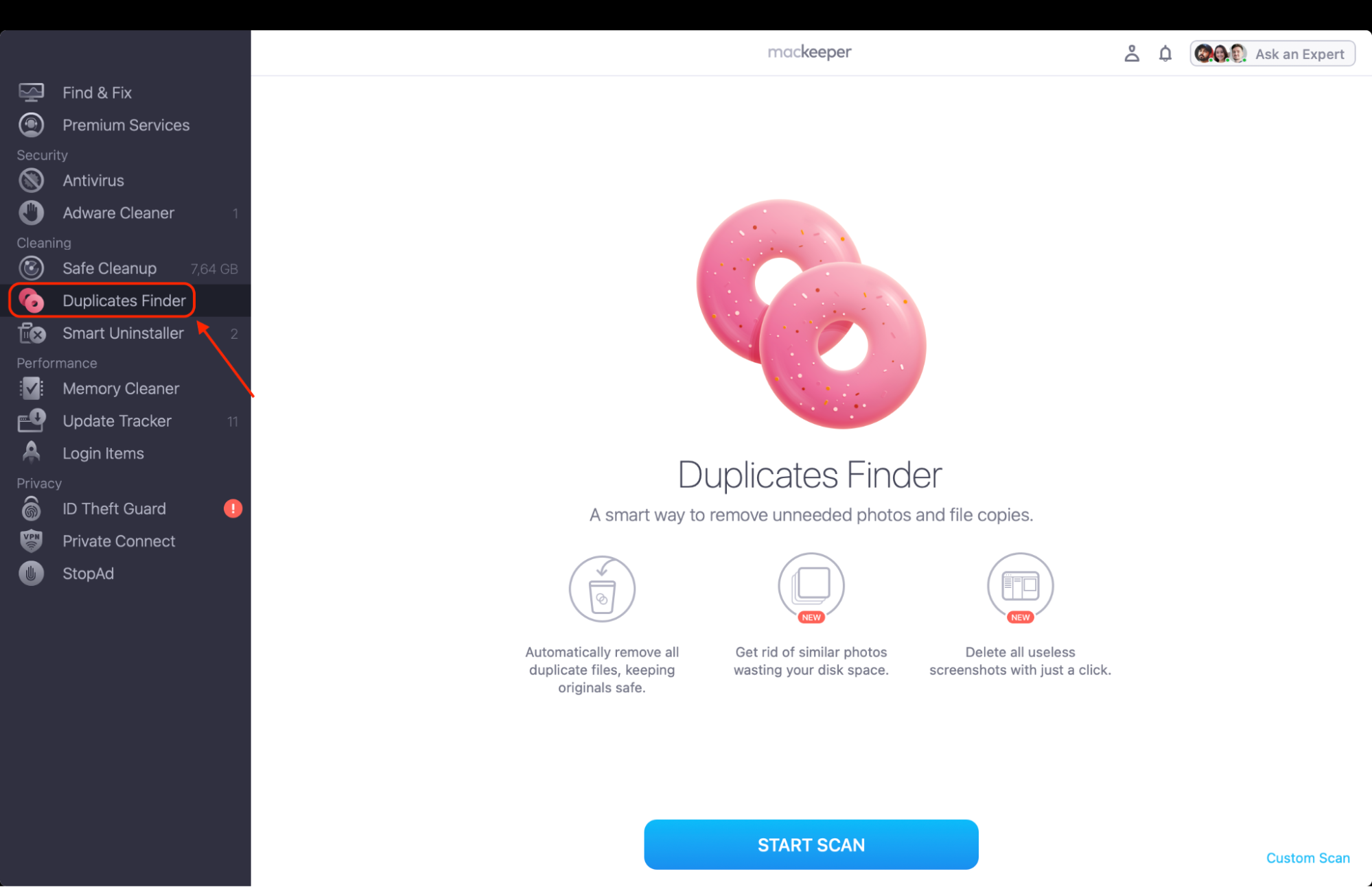
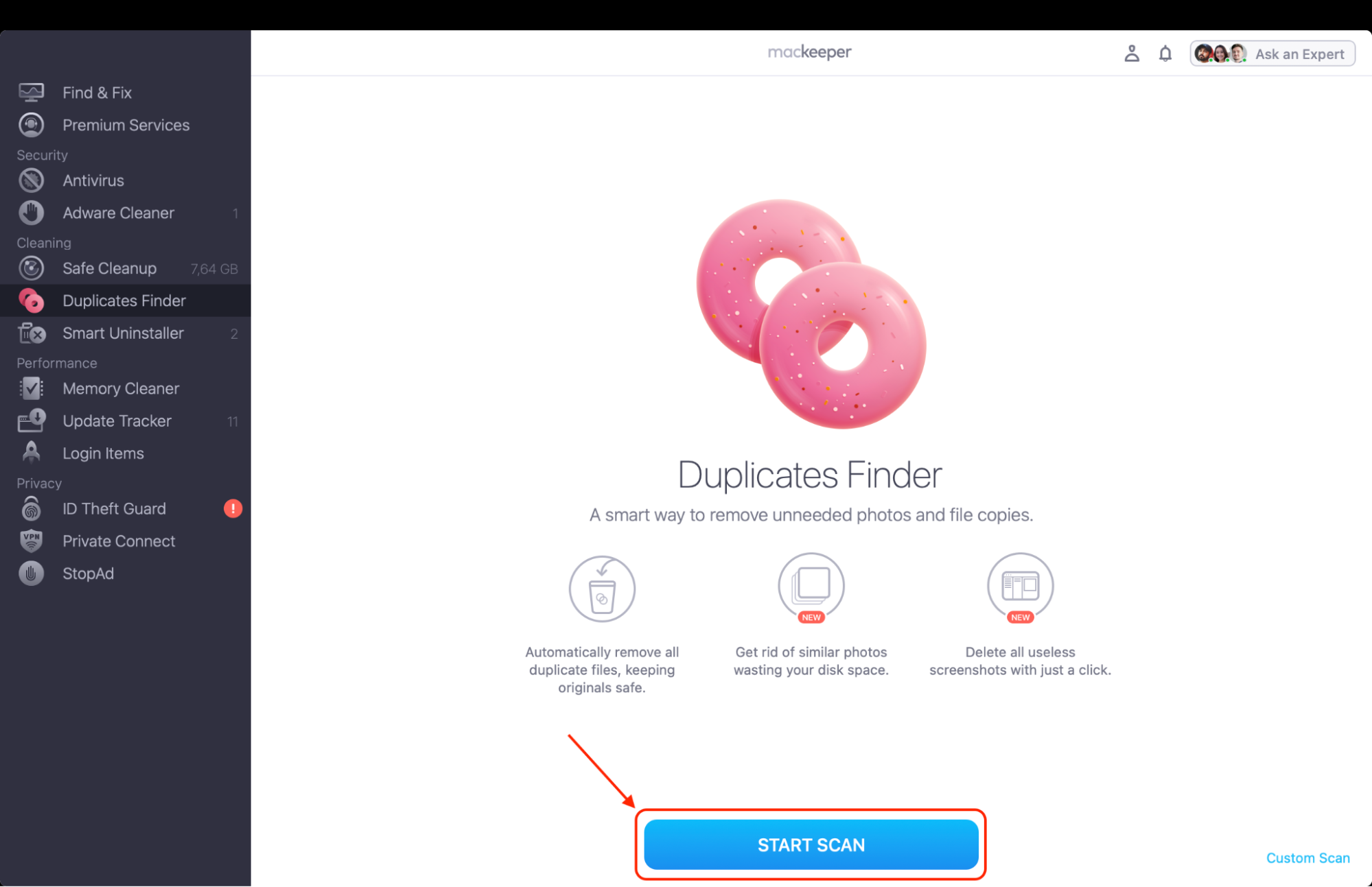
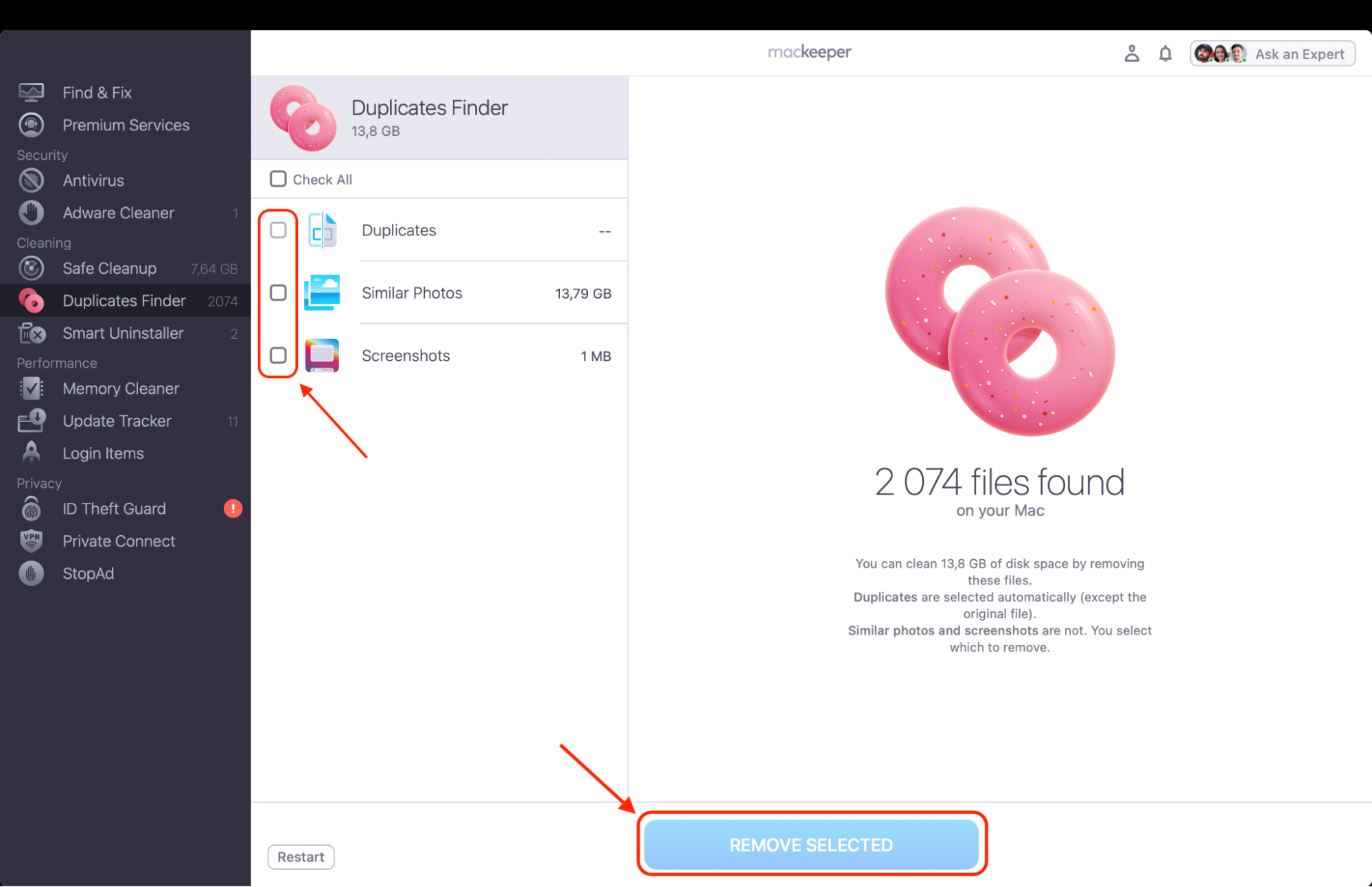
Here are a couple of easy steps on how to use this function:
In MacKeeper, choose our Duplicates Finder from the sidebar.
Click Start Scan and wait for it to finish.
Select files to delete and hit Remove Selected.
Step 1. Select the Duplicates Finder from the sidebarStep 2. Click Start Scan and wait for it to finishStep 3. Select files to delete, then click Remove Selected
Nektony Duplicate File Finder features
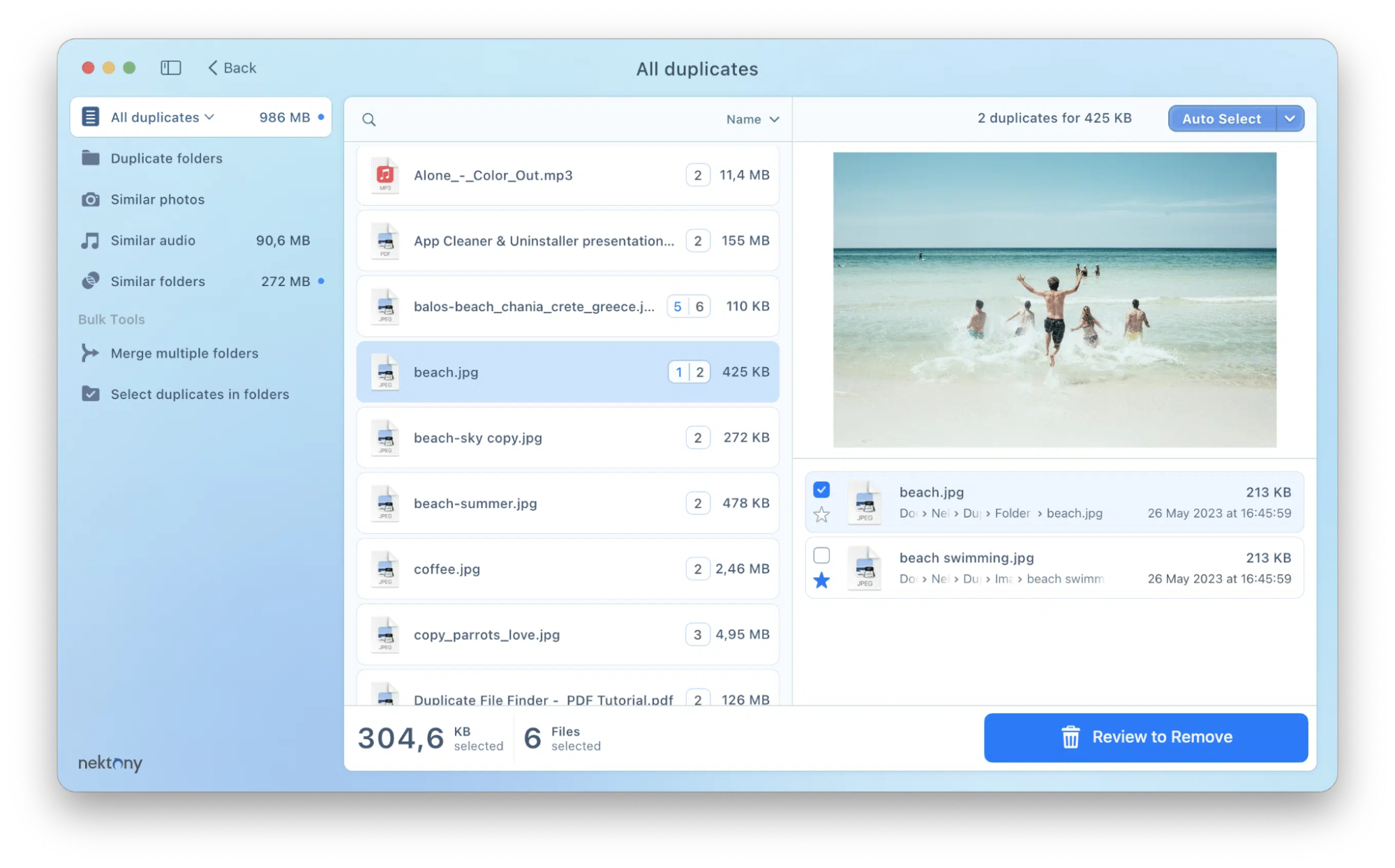
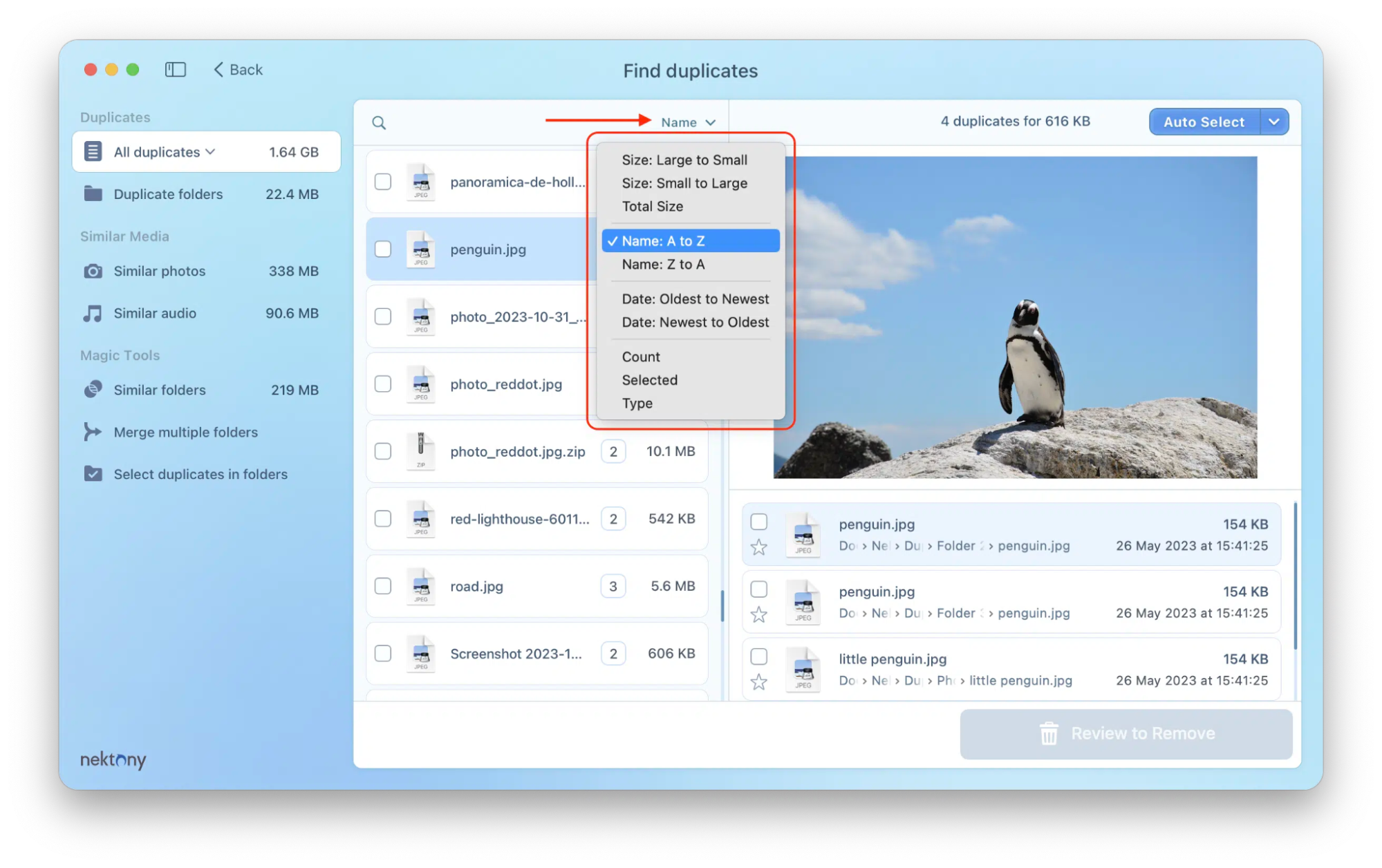
Nektony Duplicate File Finder features include scanning by content or name, detecting similar photos, customizable search settings like skipping folders, and a variety of file organization tools. It also offers safe removal options such as a trash folder for restoration, a history log, and the ability to confirm deletion. I’ve found out that additional features include a Quick Look preview and the option to group and sort duplicates for easier management.
1. Accuracy and speed
When I tested this software on my own cluttered drive, I was genuinely impressed by how quickly it tore through nearly 500GB of data. It managed to find every single duplicate without missing a beat, leading me to believe it is the best duplicate file finder for a Mac if you value your time.
I noticed that the app doesn't just skim the surface but performs a deep, bit-for-bit comparison that caught several identical files I had renamed months ago. For me, the balance between raw scanning power and precise results makes it a reliable staple in my digital cleanup routine.
Nektony scans fast with 100% byte-for-byte accuracy
2. Comprehensive scanning
I’ve used this tool to dig into the most hidden corners of my system, from obscure library folders to my cluttered external backup drives. What I find particularly useful is that I can drag and drop multiple locations into the scan window at once, allowing for a truly exhaustive search across my entire workspace.
So, in my experience, the visual breakdown of the scan results is very clear, showing me exactly which file types are eating up my space. I appreciate that it doesn't just stop at local files but also helps me manage my cloud-synced folders, which often harbor forgotten duplicates.
The app offers comprehensive scanning across local drives, external disks, and network volumes
3. Similar file detection
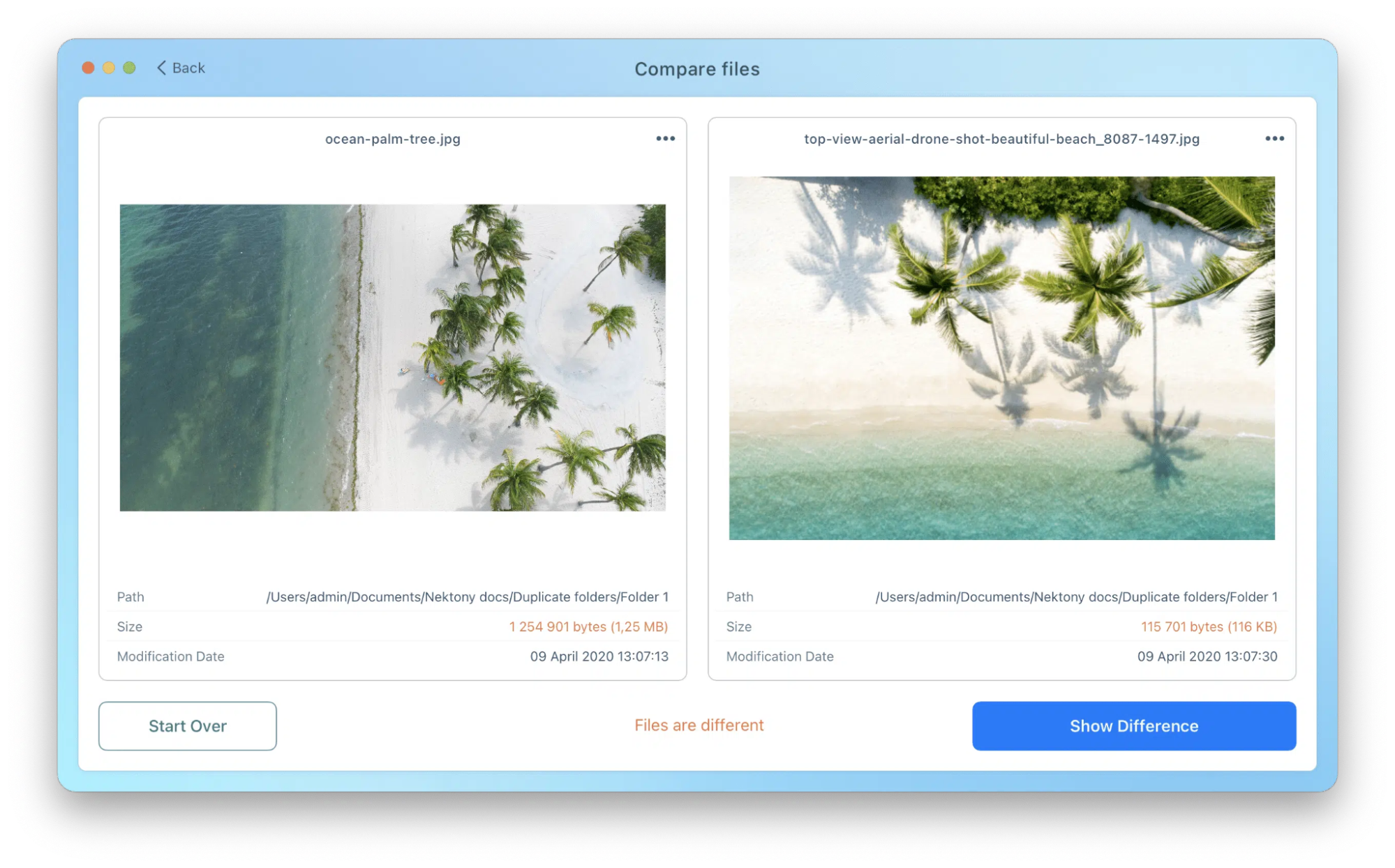
If you are struggling with how to find and delete duplicate files on your Mac that aren't exact clones, you will find the "Similar" category as life-saving as I did. I often take burst photos on my iPhone that sync to my Mac, and this feature grouped all those nearly identical shots so I could pick the best one and trash the rest.
I noticed it even works for audio files with different bitrates, which helped me purge lower-quality tracks from my music library. Such a level of "fuzzy" matching is what separates a professional tool from a basic file-matching script.
Nektony detects similar photos and audio with adjustable accuracy
4. Unique folder management
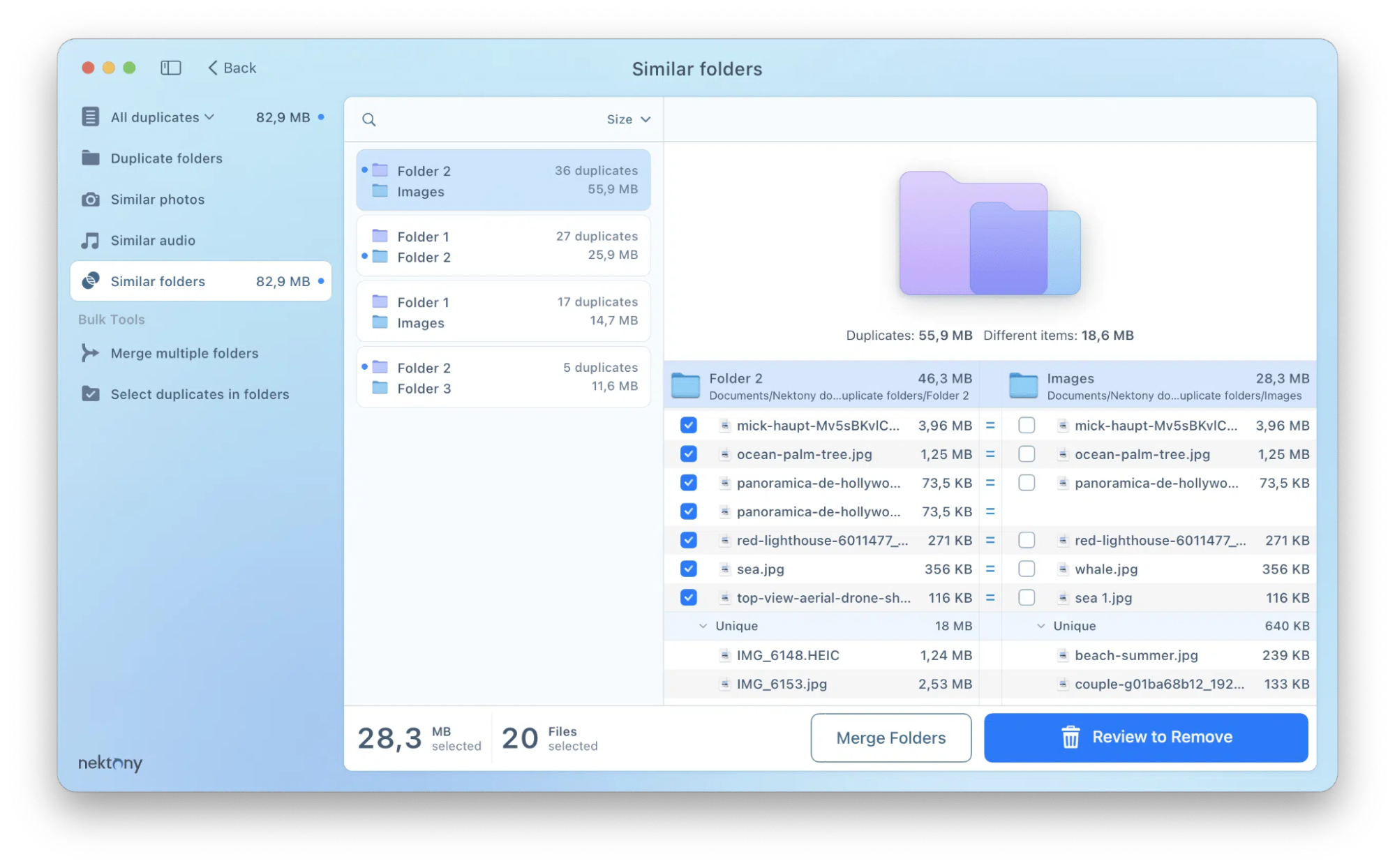
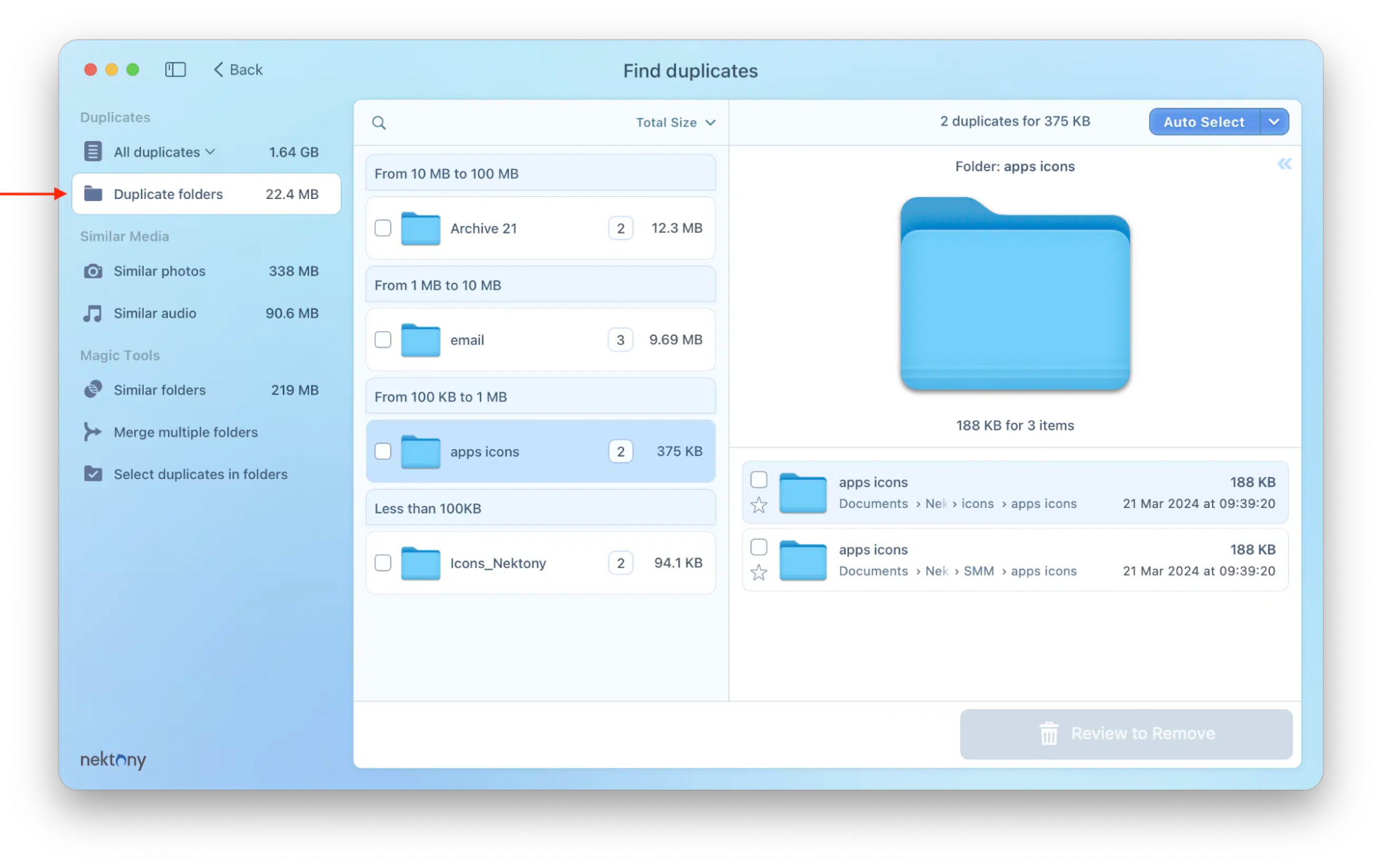
I’ve often found myself with two folders that are almost identical but contain a few unique files, and this is where Nektony’s folder merging really shines. Instead of me having to manually compare files one by one, I simply used the "Merge Folders" feature to consolidate everything into a single, clean directory.
I found the Venn-diagram-style interface incredibly helpful for visualizing which files were shared and which were unique. It’s a unique approach to organization that I haven't seen in other apps, and it saved me hours of tedious dragging and dropping.
Unique folder management allows merging directories without data loss
5. Safe removal
One of my biggest fears is accidentally deleting a precious memory, but I found the built-in safeguards here very reassuring when I had to find duplicates in Photos on a Mac. Before anything was permanently gone, the app forced me to go through a "Review & Remove" screen where I could see exactly what was about to happen.
I also liked that I could set the app to move duplicates to a specific folder first, giving me a "buffer zone" before I emptied the trash. In my view, these layers of protection make the tool safe enough for anyone to use without worrying about losing their important data.
Safe removal is ensured with a confirmation window and restoration history
Pricing of Nektony Duplicate File Finder
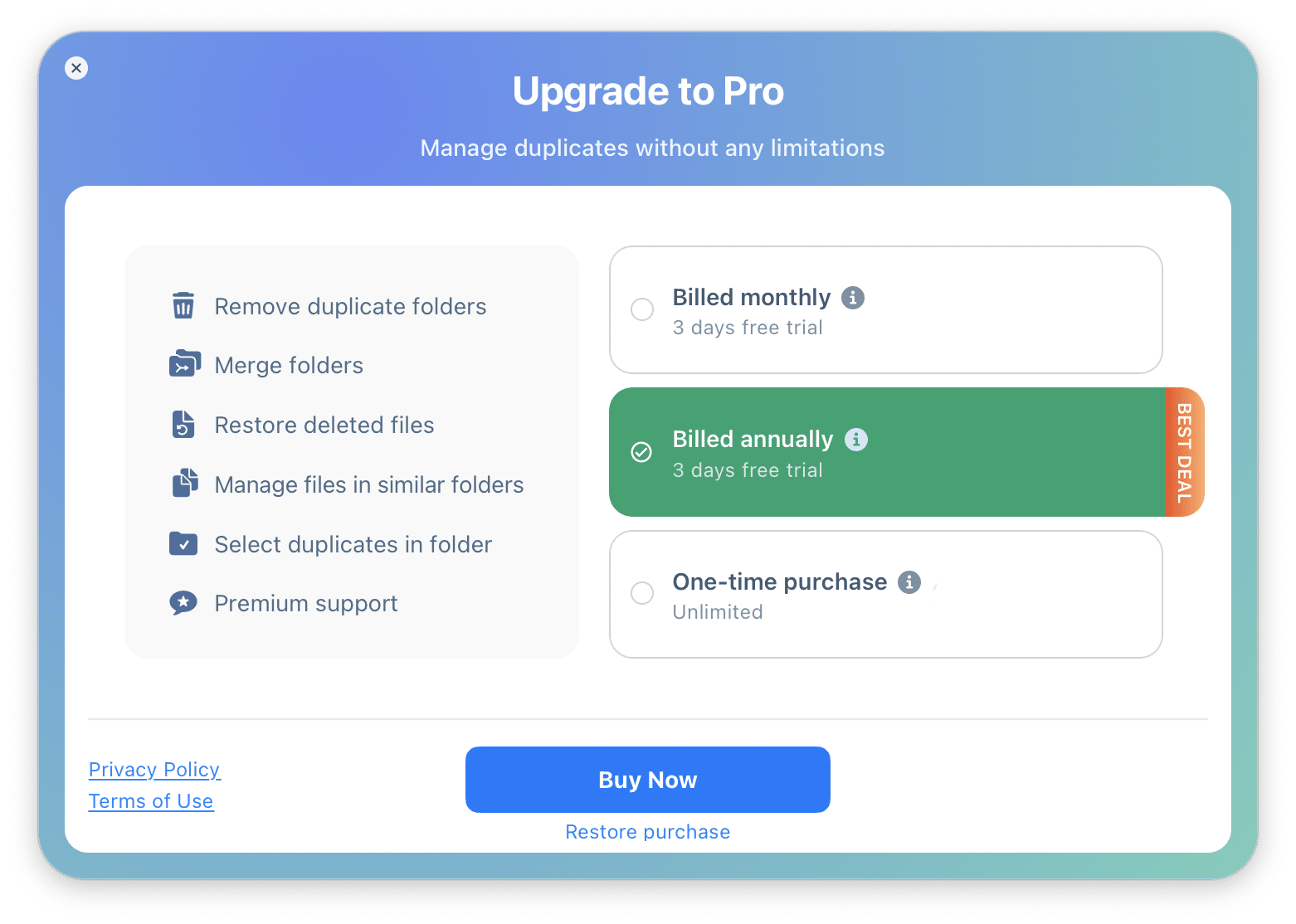
Duplicate File Finder Pro is available for a one-time purchase of $34.99. The application is also available for free with its basic features. As in our Nektony app cleaner review, I’d like to highlight that the flexible pricing makes it accessible for both light users and those needing heavy-duty cleanup.
The Pro version costs $14.95 annually or $49.95 for a lifetime license
Free version vs paid version Nektony Duplicate File Finder: What’s included
Nektony’s Free Duplicate File Finder finds and previews basic duplicates, while the Paid (Pro) version adds crucial features for thorough cleanup, like deleting duplicate folders, managing similar photos/music (content-based matching), merging folders, advanced auto-selection, and mass selection.
In my opinion, these upgrades make it far more efficient for large cleanups than the basic free version.
What users say about Nektony Duplicate File Finder?
I’ve observed that users generally find Nektony Duplicate File Finder effective and easy to use for managing storage. While you might find the extensive features slightly overwhelming, many praise its simple interface and fast scanning. I noticed that developers offer excellent tech support, making you feel secure compared to other potentially scammy software alternatives. I believe this really matters today.
Nektony Duplicate File Finder pros and cons
I’ve observed that Nektony Duplicate File Finder is a fast and simple tool for Mac users, with pros like quick scanning, the ability to find similar photos, and options to merge folders. As far as I can tell, the cons include its limited platform availability (Mac only) and a lack of advanced features like cloud storage integration found in more comprehensive tools.
Nektony Duplicate File Finder alternatives
I’ve found that MacKeeper’s Duplicates Finder is a fantastic alternative if you want a streamlined, one-click solution that also optimizes your system's memory during the process. While Nektony is great for merging folders, you might prefer Gemini 2 for its AI-powered learning or CleanMyMac for all-in-one maintenance.
Nektony vs. MacKeeper: Which is right for you?
Choosing between Nektony and MacKeeper usually comes down to whether you need a specialized deep-cleaning tool or a comprehensive performance suite. I’ve noticed that MacKeeper excels as an all-in-one dashboard, while Nektony focuses specifically on intricate file management. To help you decide, I’ve broken down the standout features for each.
Why you might choose Nektony Duplicate File Finder:
Advanced folder merging. I found this to be its best feature, allowing you to combine similar folders without losing unique files.
Byte-for-byte comparison. It ensures 100% accuracy when identifying clones, even if file names differ.
Detailed removal history. I appreciate the ability to review and restore deleted items if you make a mistake.
Granular auto-select rules. You can set specific parameters for which files to keep based on path or date.
Why you might choose MacKeeper’s Duplicates Finder:
All-in-one security. Unlike Nektony, Clario Tech developed MacKeeper to provide real-time antivirus protection and adware and malware removal.
Memory optimization. I’ve observed that it offers performance monitoring to keep your Mac responsive while cleaning large file batches.
One-click cleanup. It is optimized for macOS to provide a faster, more automated "Find & Fix" experience for general users.
Apple-notarized reliability. It is a trusted solution for millions of users, ensuring your system remains secure and stable.
Conclusion
Nektony Duplicate File Finder is an exceptionally robust choice for anyone needing to reclaim storage through precise byte-for-byte scanning and unique folder merging. Throughout my review, I noticed that its ability to identify similar photos and audio makes it a standout for creative professionals who struggle with media clutter.
However, if you want a tool that handles more than just duplicates, I highly recommend using MacKeeper’s Duplicates Finder as a comprehensive alternative. Clario Tech developed this software to be more than a simple cleaner. I appreciate that MacKeeper is Apple-notarized and optimized for macOS, offering performance monitoring to keep your system responsive while you clean.
We respect your privacy and
use cookies
for the best site experience.
Privacy Preferences Center
We use cookies along with other tools to give you the best possible experience while using the
MacKeeper website. Cookies are small text files that help the website load faster. The cookies we
use don’t contain any type of personal data meaning they never store information such as your
location, email address, or IP address.
Help us improve how you interact with our website by accepting the use of cookies. You can change
your privacy settings whenever you like.
Manage consent
All cookies
These cookies are strictly necessary for enabling basic website functionality (including page
navigation, form submission, language detection, post commenting), downloading and purchasing
software. The website might malfunction without these cookies.