Duplicate photos on your Mac can quickly create clutter, making it difficult to stay organized and unnecessarily consuming valuable storage space. While you can remove duplicates manually, using a dedicated tool like MacKeeper’s Duplicates Finder offers a more efficient solution.
What does a good duplicate finder for Mac include?
The most effective duplicate finders offer comprehensive tools for locating duplicates and similar photos taking up space on Mac. Prioritize software that ensures safe file removal and provides recovery options for added peace of mind. We also recommend using options that offer user-friendly interfaces, compatibility with external drives, and customizable scanning settings.
A note from our experts:
Does the mere idea of searching for duplicate photos on your Mac make you feel overwhelmed? MacKeeper’s Duplicates Finder, developed by Clario Tech, is designed to locate identical and similar files while ensuring your originals remain untouched. MacKeeper also provides a suite of cybersecurity and performance tools, helping your Mac stay secure and running like new.
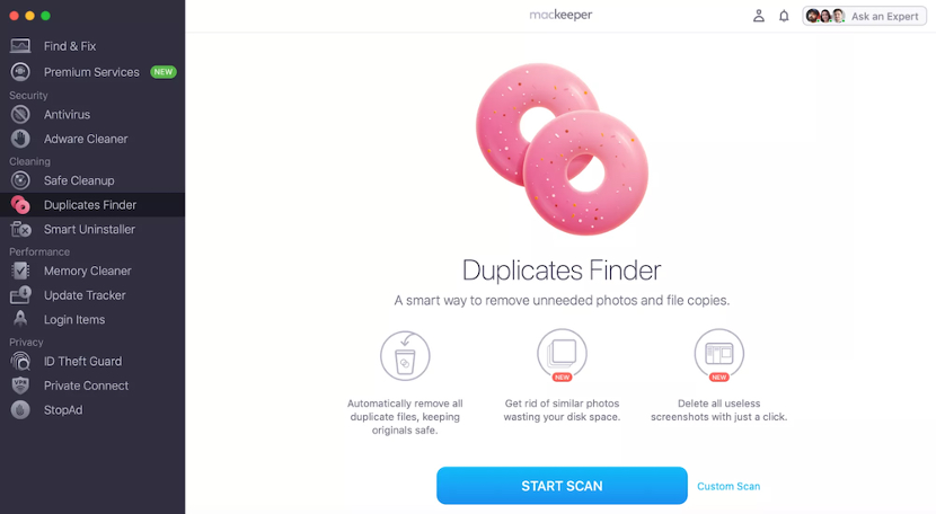
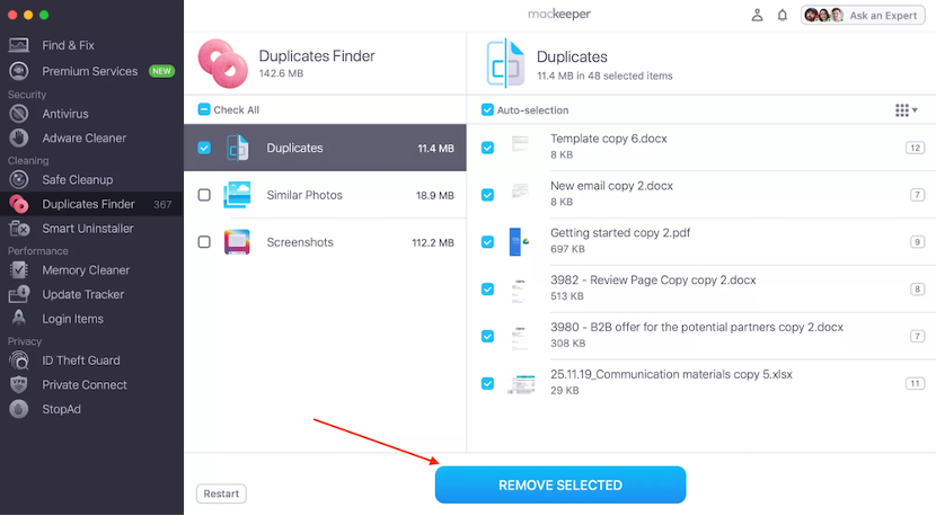
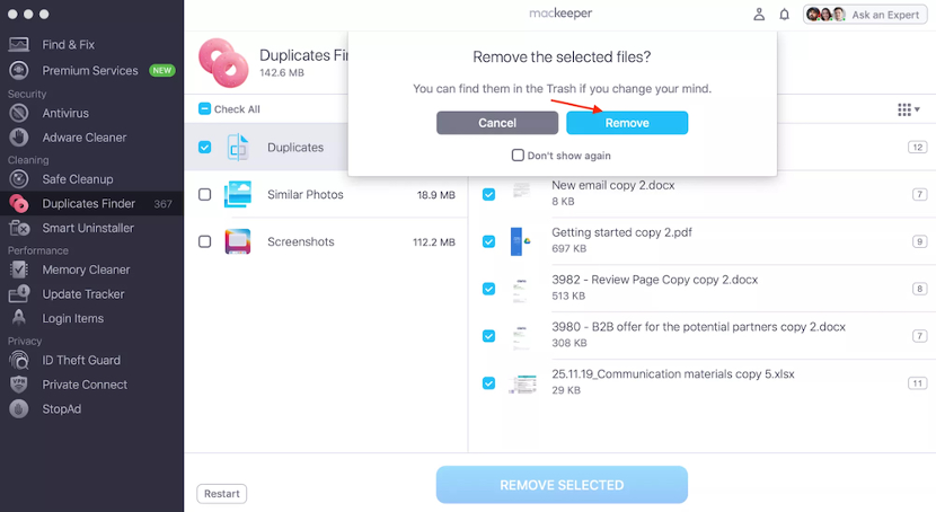
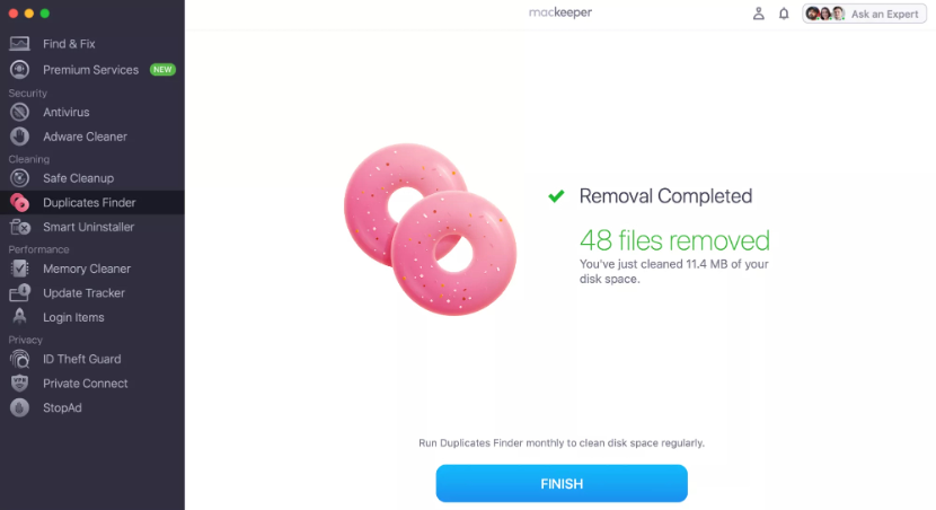
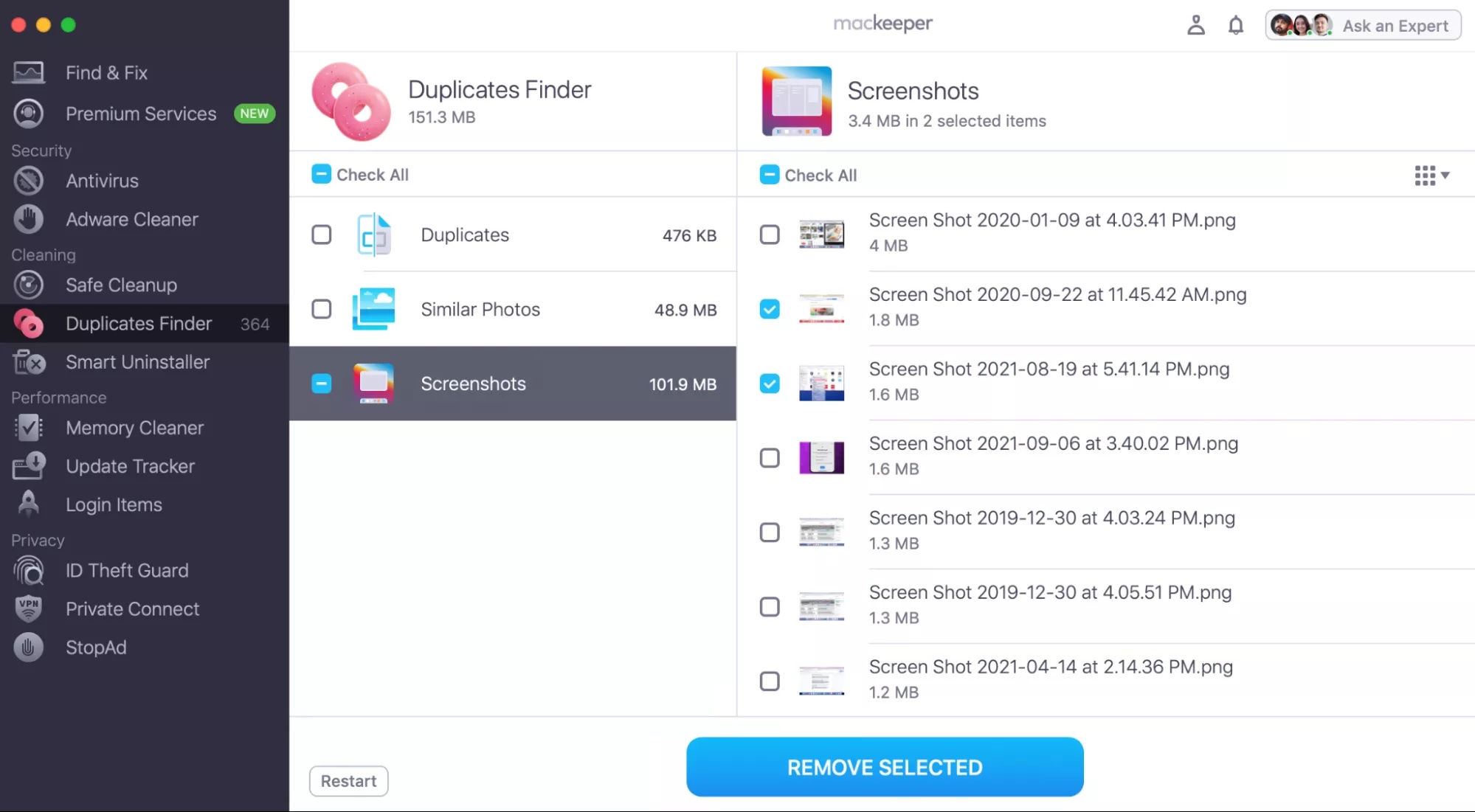
Find below a step-to-step guide to use MacKeeper’s Duplicates Finder:
Check the Duplicates and Similar Photos folder to choose the items to delete.
Click Remove Selected.
Hit Remove again, then click Finish.
Step 1. MacKeeper > Duplicates FinderStep 2. Select the duplicate photos to remove Step 3. Confirm you want to delete the selected filesStep 4. Confirmation of duplicate photo removal
Top duplicate finder programs for Mac
If you want a fast, effective way to clean up storage on Mac, you’re in the right place. The top duplicate finders make it easy to scan for duplicate photos, files, and documents, allowing you to keep only the originals and maximize your disk space.
Find below the best app to find duplicate photos on Mac based on your needs:
1. MacKeeper Duplicate Finder
MacKeeper’s Duplicates Finder is an excellent solution for anyone seeking to delete duplicate files, similar photos, or screenshots from their Mac. Fully compatible with macOS 10.11 or later, it boasts a straightforward installation process and an intuitive interface that makes it accessible even to beginners. In just minutes, you can scan your entire Mac and reclaim GBs of valuable disk space.
We should mention that Duplicates Finder is just one component of MacKeeper’s comprehensive cybersecurity suite. For the same annual subscription, you gain access to a host of additional features, including antivirus protection, Smart Uninstaller, ID Theft Guard, and Private Connect. This all-in-one approach sets MacKeeper apart from competitors.
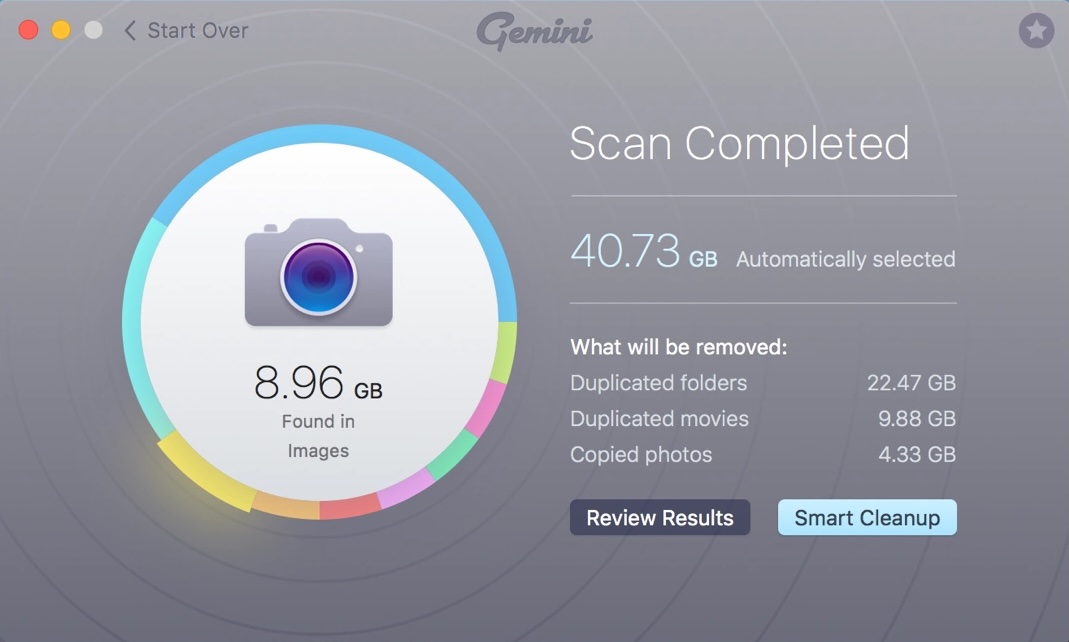
Gemini stands out as a top choice among users, primarily due to its advanced AI-powered duplicate detection, which streamlines and simplifies the entire process. Designed for those who value an intuitive and user-friendly experience, Gemini offers impressive convenience. Some users may not like that it’s a paid solution, but a free trial is available for you to explore its features first.
In addition to its sleek, intuitive interface, Gemini delivers rapid detection speeds, although some users note occasional accuracy issues. A standout feature is its ability to identify duplicates instantly, helping you prevent clutter before it starts. Importantly, while duplicate and similar file detection is automated, you retain full control over what gets deleted. There’s also a useful file restoration feature, so you can easily recover anything you remove by mistake.
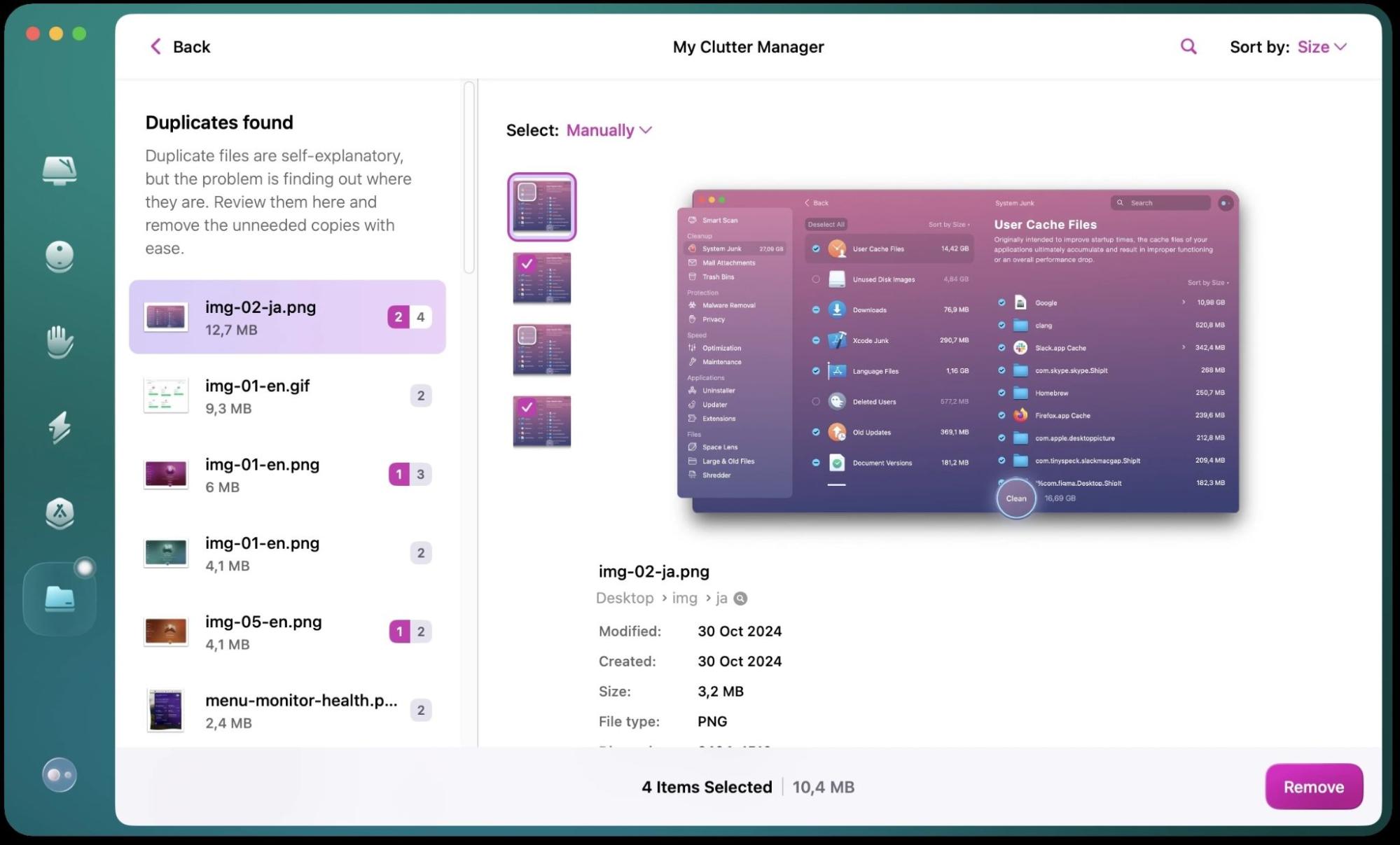
3. CleanMyMac
CleanMyMac remains a popular choice for locating duplicate and similar files. However, unlike some competitors, it requires you to manually select the files you want to scan. Additionally, while its macOS compatibility starts at version 11 (slightly less extensive than alternatives like MacKeeper), it still supports a wide range of systems.
One notable drawback is that CleanMyMac comes with one of the highest monthly subscription costs among similar tools. While this premium pricing may deter some users, the subscription includes access to a suite of advanced Mac cleaning features. These tools can help you free up space and boost your Mac’s overall performance.
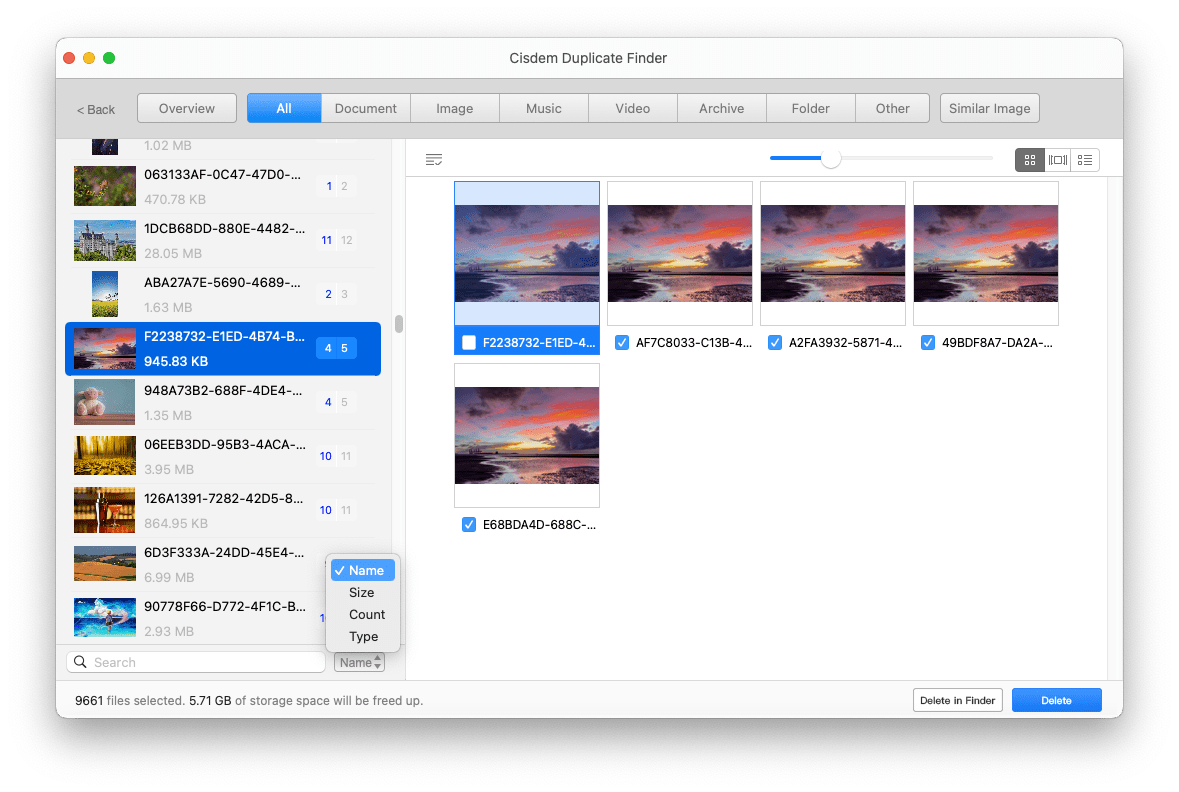
Cisdem Duplicate Finder offers a robust solution for removing duplicate photos on your Mac. While its price point is on the higher side, it does provide a free trial (though this only lets you detect duplicate files). Opting for a subscription or one-time purchase unlocks the ability to remove all file types, including photos, music, videos, and documents.
This makes Cisdem Duplicate Finder an excellent choice for users seeking to delete duplicates across a wide range of file types. Another standout benefit is its ability to scan and clean not only internal drives but also external and network drives. Additionally, its extensive customization options allow you to specify exactly which file types and sizes to scan.
5. Nektony Duplicate File Finder
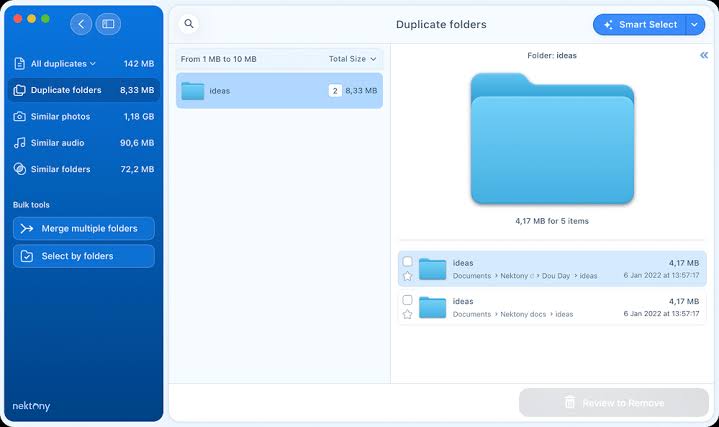
If you need an intuitive tool with powerful folder comparison capabilities, Nektony Duplicate File Finder is worth considering, though its cost may be a drawback for some users. It excels at scanning, detecting, and removing duplicate files within your photo and audio libraries, all while boasting an easy-to-use interface and some of the fastest scanning speeds available.
What truly distinguishes Nektony is its unique folder merging feature. This allows you to seamlessly combine the contents of multiple folders, automatically eliminating duplicate files in the process and helping you reclaim valuable storage space.
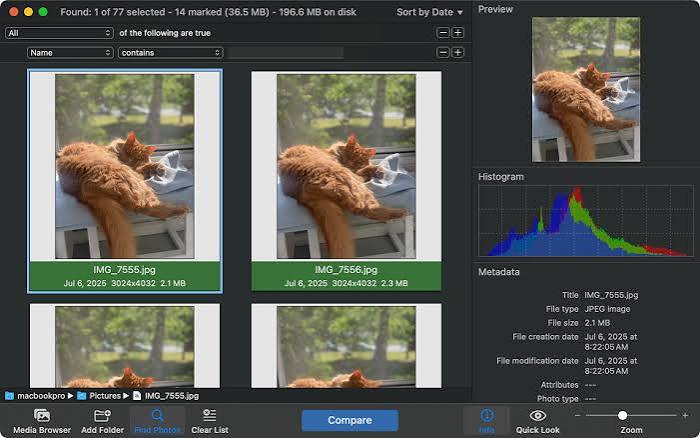
PhotoSweeper is another noteworthy duplicate photo finder software for Mac, particularly popular among professional photographers. While its performance lags behind competitors, its mid-range price point may also be a barrier for some users. The free trial is quite limited, allowing you to delete only 10 photos.
This app exclusively supports image files, so you can’t use it to remove audio, documents, or other file types. However, it excels at scanning and deleting photos across internal, external, and network drives. Notably, it’s compatible with software like Lightroom and can even detect edited or retouched versions of images.
7. Duplicate Photos Fixer Pro
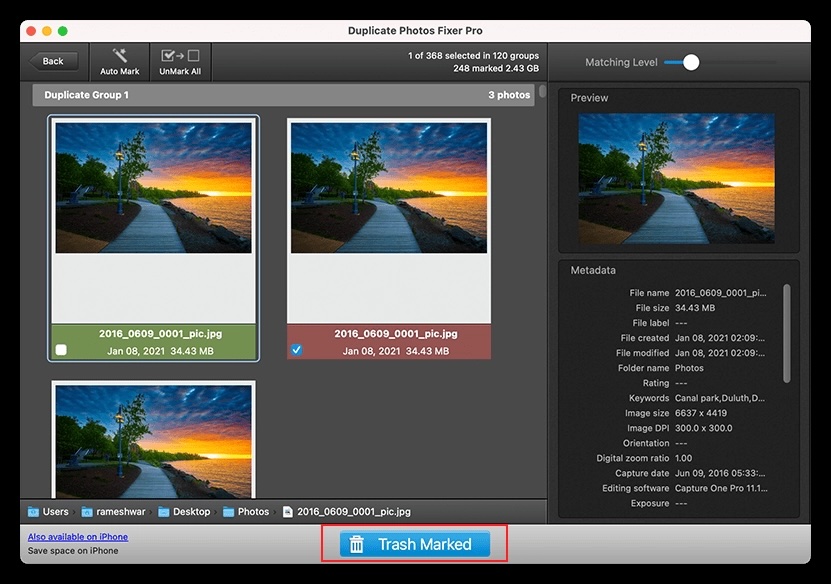
While Duplicate Photos Fixer Pro doesn’t provide a trial version like many of its competitors, its notably low annual price makes it an attractive option. It also boasts some of the fastest scan speeds available, though its functionality is limited to detecting duplicate photos on your internal drive.
Duplicate Photos Fixer Pro is primarily geared toward casual users, but it stands out with adjustable match levels for finding similar photos. The app also supports a wide range of photo formats and is compatible with Google Drive. However, its interface appears somewhat dated and could benefit from a revamp.
8. Disk Drill duplicate finder
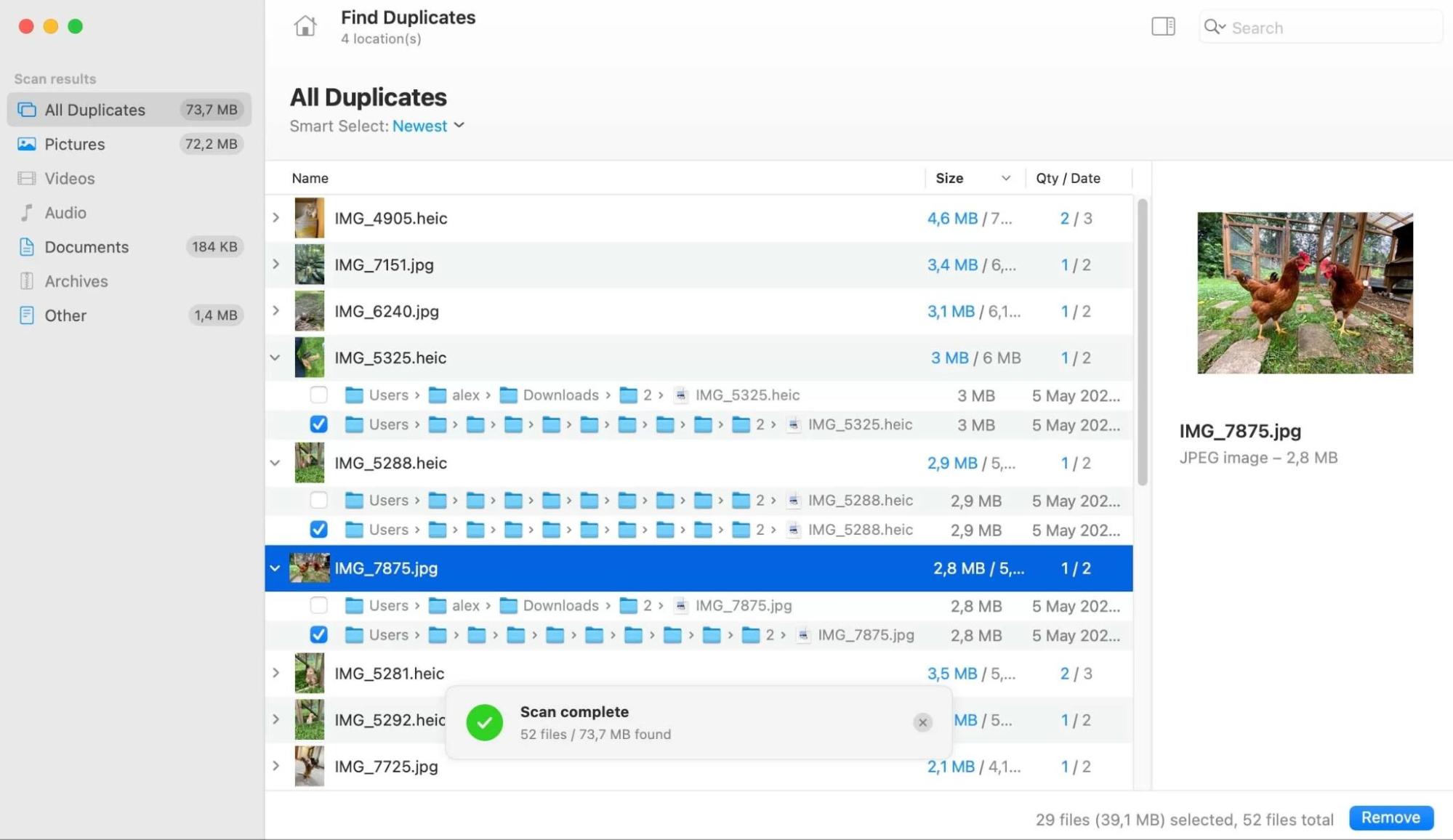
If you’re seeking a free solution, Disk Drill is an excellent ally. While its functionality is somewhat limited, especially for professional users, we believe it’s more than enough for casual users with basic duplicate photo removal needs.
A key advantage of Disk Drill is that its Find Duplicates feature is integrated into a comprehensive suite of data recovery tools, enabling you to recover lost, deleted, formatted, or corrupted files. However, you should note that Disk Drill only scans folders on your Mac and doesn’t support direct scanning of your Photos library.
Check our Disk Drill review for an in-depth analysis of its pros and cons.
9. dupeGuru
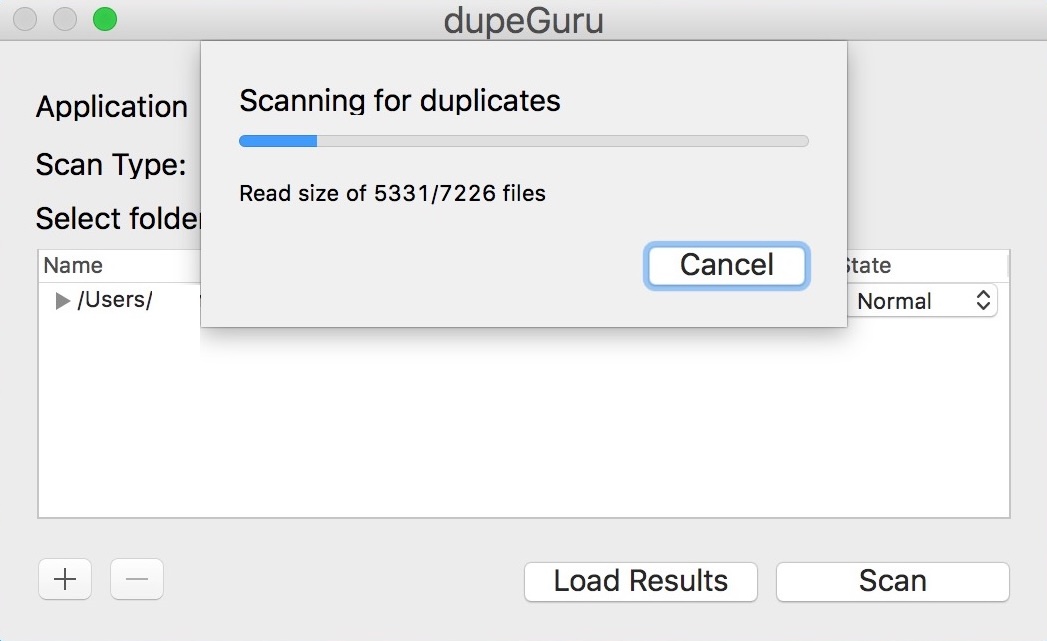
dupeGuru is a good free alternative, although it doesn’t officially support the latest versions of macOS. In fact, the last fully compatible release was for macOS 10.12. Even if you manage to run it on a newer Mac, we advise against it due to potential security risks. That said, dupeGuru remains user-friendly and is also available for Windows and Linux.
To maximize dupeGuru’s capabilities, you can customize the similarity threshold to locate both exact and similar photos according to your needs. However, its scanning process is slower than paid alternatives and may not catch every duplicate, which is an expected limitation for a free tool.
How to choose the best duplicate finder for your Mac?
The ideal duplicate finder is the one tailored to your unique needs. Our experts recommend first identifying what you want from the tool, then researching which available options best align with those requirements. Your choice will largely depend on the types of files you wish to organize (photos, documents, downloads, external drives, large media libraries, or your entire Mac).
Additionally, we advise factoring in price, OS compatibility, and expert reviews to ensure the tool you select is secure, reliable, fast, and user-friendly.
Best Mac duplicate photo finder
Duplicate photos finder apps for Mac are essential tools for keeping your computer running efficiently. With a variety of options available, we believe it’s important to consider the types of files you want to delete, your budget, and compatibility with your version of macOS when making a choice.
One standout option is MacKeeper’s Duplicates Finder, a user-friendly tool notarized by Apple and trusted by thousands worldwide to streamline Mac cleanup and enhance performance. It efficiently detects duplicate photos and files, particularly in the Downloads folder and the Photo Library, so you can delete unnecessary copies with ease.
We respect your privacy and
use cookies
for the best site experience.
Privacy Preferences Center
We use cookies along with other tools to give you the best possible experience while using the
MacKeeper website. Cookies are small text files that help the website load faster. The cookies we
use don’t contain any type of personal data meaning they never store information such as your
location, email address, or IP address.
Help us improve how you interact with our website by accepting the use of cookies. You can change
your privacy settings whenever you like.
Manage consent
All cookies
These cookies are strictly necessary for enabling basic website functionality (including page
navigation, form submission, language detection, post commenting), downloading and purchasing
software. The website might malfunction without these cookies.