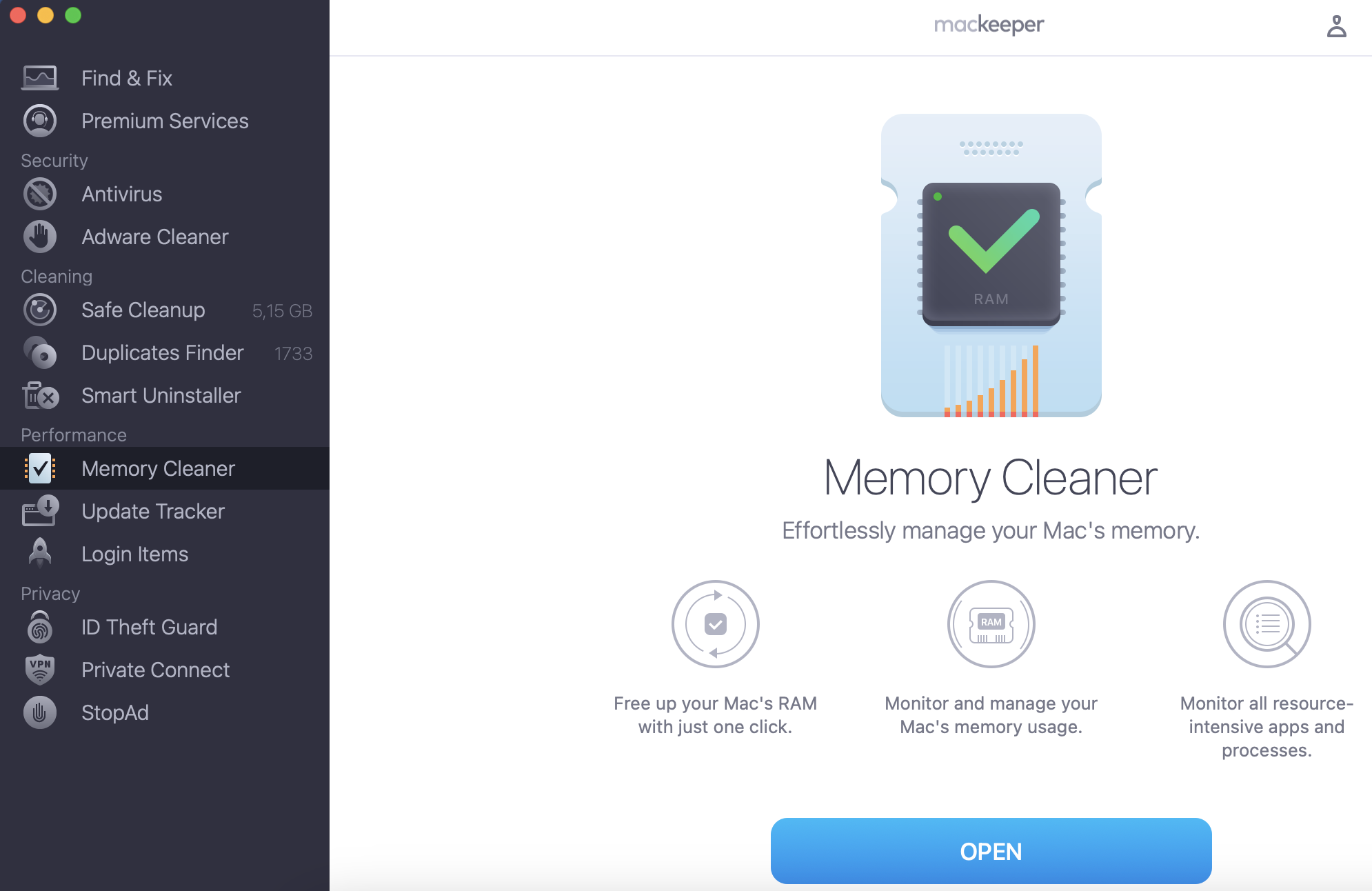
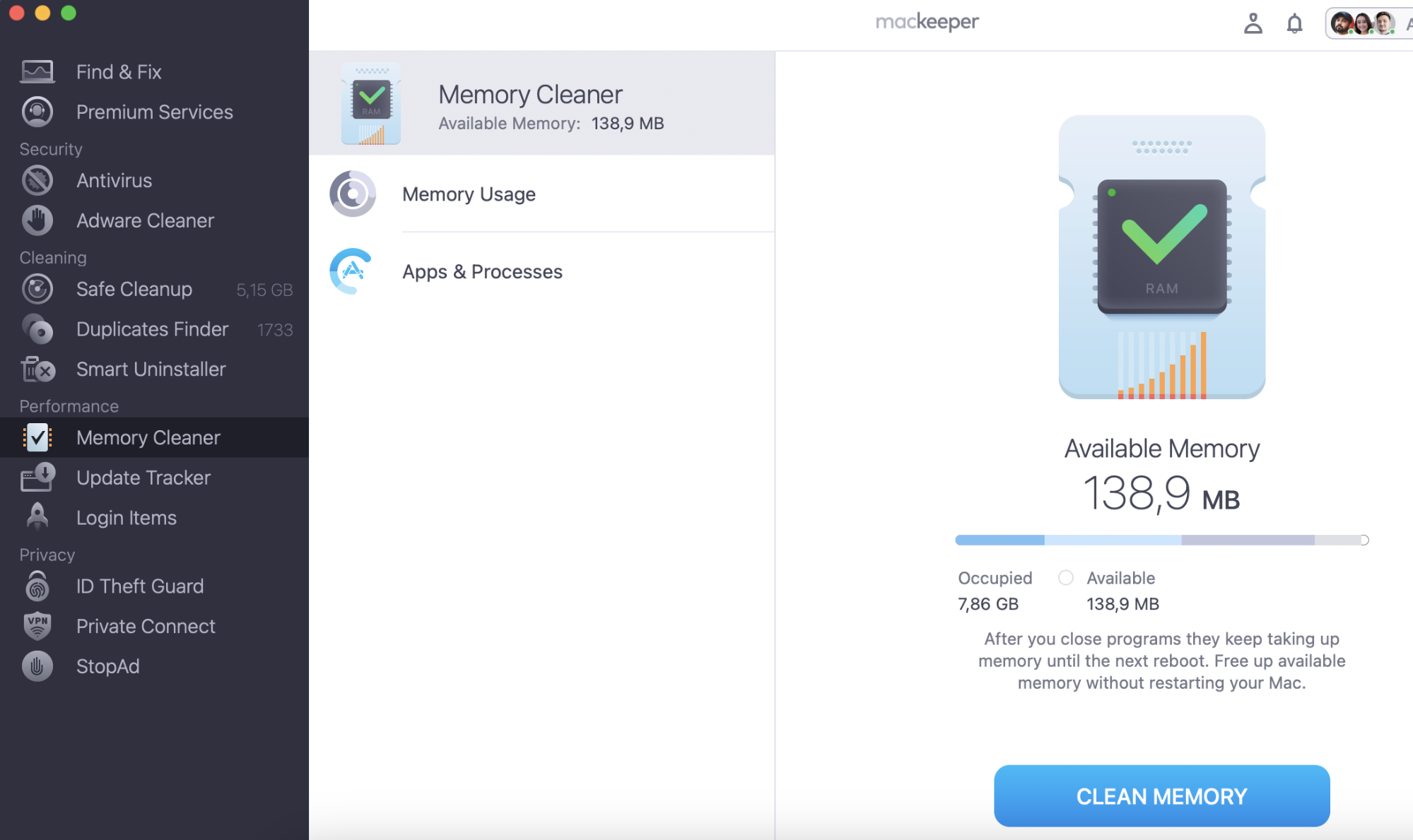
Music production apps can eat up RAM like it’s candy. That can cause even the best Mac to slow down unless you free up some memory. Thankfully, you can do that easily with MacKeeper’s Memory Cleaner feature.
Are you looking for the best Mac for music production? There are many different models that will do the trick, each with its own pros and cons.
MacBooks offer portability, for example, but desktops may be more powerful. And when you’re handling long, multi-track songs, the more RAM and processing speed you can get, the better. In addition, you’re probably looking for something affordable and good value for money.
The important thing is to weigh everything carefully before making a choice. So, let’s look at your options to see which Mac is best for your music-making needs—and your wallet!
A note from our experts:
No matter how powerful your Mac is, music production apps clutter up the device’s memory. As a result, your MacBook becomes slow and low-performing. Fortunately, there is a solution一MacKeeper’s Memory Cleaner.
Recommended system requirements for music making on a Mac
Recording and editing music can be highly demanding on your Mac. Every instrument and every track you load will eat into your RAM and test your processor. And, as you save more and more projects, your free disk space will shrink, too.
It’s easy to record audio on Mac. All Macs come with various pre-installed apps that can record audio, such as Voice Memos and QuickTime Player. However, we know that most musicians will want to use other software as well.
Therefore, your system requirements for music production will depend on what music software you’re using and the complexity of your projects. Ultimately, the faster your Mac is, the easier and quicker it will be to produce music, so the best Mac for music production will need to be pretty powerful.
Before purchasing a Mac for music production, consider any applications or external gear you’ll use. Ask yourself the following questions:
Do my music production applications or devices have minimum system requirements?
Do my apps or devices support the Apple silicon chip?
What version of macOS do I need?
Processor
Apple computers tend to have one of two types of processors:
Intel Processor
Apple silicon chip
The Apple silicon chip is a newer technology.
You could create music on an old MacBook with a dual-core i3 processor, but it’ll probably take a long time to do anything useful. If your budget is tight, that might be acceptable.
Otherwise, you should be looking at a Mac with one of Apple’s silicon chips. The older Intel chips are largely being phased out, and there’s little point investing in one right now.
Of course, there are also different types of Apple silicon chips:
M1 series chips, introduced in 2020
M2 series chips, introduced in 2022
M3 series chips, introduced towards the end of 2023
M4 series chips, introduced in 2024. If you’re buying a Mac now in 2026, you’re probably going to consider models that run M4 series chips.
Each M-series has several different levels. If you’re planning out system requirements for music production today, use this baseline framework across the current M4 generation:
Entry-Level (M4): Features a 10-core CPU and up to 24GB RAM. Excellent for hobbyists, singer-songwriters, and modest track counts with basic stock plugins.
Mid-Tier (M4 Pro): Featuring up to a 14-core CPU, this chip is the sweet spot for most music producers. The high performance-core count effortlessly handles heavy audio processing, large buffer sizes, and dozens of active plugins.
Pro-Tier (M4 Max / M3 Ultra): Offers up to 16-core (M4 Max) or 32-core (M3 Ultra) setups with up to 128GB+ of unified memory. This is ideal for professional film scoring, massive orchestral templates (using massive sample libraries like Kontakt), and complex multi-track mixing.
When choosing an Apple Silicon Mac for music or audio purposes, prioritize CPU performance cores and RAM over GPU cores. Music production relies almost entirely on the CPU to process audio signals and RAM to load samples. The massive GPU core counts on “Max” and “Ultra” chips are mostly used for video editing and 3D rendering.
RAM
Next, you need to think about memory. This is important because music software has to hold a lot of temporary data in RAM so you can do things like previewing your tracks.
In the past, it was easily possible to upgrade RAM on a MacBook if you needed more memory. However, this is more difficult to do now, so you need to make sure that you have enough memory for your needs.
How much RAM you need depends on how long and complicated your projects are. The less RAM you have, the fewer tracks, voices, and effects your Mac can handle.
For simple projects, 8GB may be enough RAM for music production. This is fine for casual use and for things like podcast recordings. Once you build up longer, more complicated songs, you may find your Mac struggling.
So, for serious music production, you should be looking for at least 16GB of RAM. And if you’re a professional music production user, you could need more, like 64GB of RAM. Fortunately, Apple desktop computers and MacBooks have all this—and more!
Storage
Let’s talk about storage next. Of course, the amount of disk space you need depends on the size of the audio files you’ll be working on. Professional software can use hundreds of gigabytes of data. A good starting point is 256GB, but more is obviously better.
Most Macs these days use solid-state drives (SSDs) for storage. They’re faster and smaller than traditional hard disk drives (HDDs).
However, storage is one thing that we can still upgrade on a Mac. While it might not be possible to add more storage internally, external hard drives are a great solution for storing your songwriting and mixing projects.
Ports
If you’re creating music with your Mac, you’ll probably need to connect external devices.
Before deciding on the best Mac for music production, consider what devices and gear you’ll use. How many are there, and what ports do they need?
Some devices that you may need to connect include:
Headphones
Speakers
An external hard drive
Digital audio workstations
Keyboard, mouse, and monitor
A second monitor, if you’re looking for multiple-display support
MacBooks usually have fewer ports than Apple’s desktop computers. Many newer MacBooks only have two USB-C ports.
Some Mac computers have Thunderbolt ports. These look just like USB-C ports, and they generally do the same job—but faster. You can connect a USB-C device to a Thunderbolt port, and it’ll work well.
If you need more ports or different types of ports, you have several options:
Purchase an adapter to adapt a USB-C port to another type
Purchase a USB dock or hub to add space for additional ports
However, purchasing additional hardware is an additional cost, and if you’re using a MacBook, it may be less portable.
Multiple display support
Some people may want multiple display support. It might also be called multi-monitor or multi-display support.
Lots of musicians—and other Apple users—like using multiple displays to easily use several applications at the same time, compare data between windows, or just because it’s how they’ve always worked.
Many Macs make multiple display support easy—however, it’s not always this straightforward. Older MacBooks running a base M1 or M2 chip don’t natively support running multiple displays at all. While base M3 MacBooks can run two external displays, they only do so when the laptop's lid is closed (clamshell mode). If you’re buying a current base M4 or M5 MacBook, native dual external display support is fully supported with the laptop lid open.
Best Apple desktop computers for music production
Some musicians use Windows computers for their music production—and it’s largely a matter of personal preference. To be honest, both platforms can be great for music. However, if you’re just starting out, you’ll find that Macs make music production much easier to get into.
For a start, Windows users need to install various drivers for their sound card and any other music hardware they’d like to use, such as MIDI controllers. Macs require fewer steps because most of the drivers you need will already be installed.
And while Windows doesn’t come with any native music software, macOS includes GarageBand, Apple’s free digital audio workstation (DAW). That means you can pretty much just plug in your instruments and start recording and editing immediately.
So, if you’ve decided that you want a Mac for making music, here are our recommendations:
1. Best budget-friendly Apple computer
The Mac mini M4 stands out as the top budget-friendly pick for music production on a Mac. It provides professional-grade processing power at a fraction of the cost of a laptop or specialized studio desktop. The Mac mini comes with the ultra-compact computer (now only 5 by 5 inches) and its power lead. You must provide your own keyboard, mouse, and monitor separately.
Memory and storage: The entry-level model now starts with a larger capacity 16GB of unified memory as standard, configurable up to 64GB. Storage ranges from 256GB up to 2TB. For music production, never buy an 8GB older model. The 16GB baseline on the M4 ensures your plugins and tracks run smoothly.
The Pro upgrade: You can choose between the standard M4 chip or the M4 Pro chip. The M4 Pro version is ideal if you use complex virtual instruments (like heavy orchestral Kontakt libraries), as it increases CPU processing speeds significantly and supports faster data transfers.
Ports and connectivity: Apple has entirely removed legacy USB-A ports from the Mac mini. The computer features:
Front: 2 USB-C ports and a 3.5mm headphone jack
Back: 3 Thunderbolt ports (Thunderbolt 4 on M4, Thunderbolt 5 on M4 Pro), an HDMI port, and a Gigabit Ethernet port
A hint from our team: Since there are no USB-A ports, you will likely need a USB-C to USB-A adapter or hub to plug in older audio interfaces or MIDI controllers.
Display support: The baseline M4 Mac mini can natively handle up to three external displays simultaneously, a massive upgrade over older generations.
What’s included? The Mac mini M4 and power lead only.
2. Best laptop for production
So, what’s the best laptop for music production? It depends on where you are on your journey.
MacBook Air 13-inch (M3 or M4): Great for beginners and hobbyists. Completely fanless and silent, meaning you can record guitar and acoustics without the fan being picked up by your mic.
MacBook Pro 14-inch (M4 Pro): Best for serious music producers. Its built-in cooling fan ensures it won’t slow down or lag during longer recording and mixing sessions. It also has plenty of built-in ports to plug in your audio gear directly without needing extra adapters.
3. Most powerful Apple desktop
Just because you’re opting for a desktop computer doesn’t mean you want to take up too much space. Good news—even with a small studio area, you can still have a very powerful Mac!
Here are our recommendations for the most compact and powerful Apple desktops:
Mac Studio
The Mac Studio comes in two primary tiers depending on your track counts and sample-library demands:
Mac Studio (M4 Max): This version features blazing-fast single-core CPU tracking capabilities and incorporates next-generation Thunderbolt 5 connectivity for zero-latency audio routing to high-end interfaces. It starts at 32GB of unified memory and can handle complex multi-track mixing effortlessly.
Mac Studio (M3 Ultra): The absolute ultimate choice for heavy orchestration and film scoring. Built by fusing two chips together, it features an astonishing 32-core CPU (with 24 dedicated performance cores). It can be configured with up to 512GB of RAM, allowing you to load massive, uncompressed symphonic sample libraries directly into memory without choking your DAW.
Ports and connectivity: The Mac Studio features 12 high-performance ports:
Front: 2 USB-C ports (Thunderbolt 4 on Max, Thunderbolt 5 on Ultra) and a high-speed SDXC card slot for transferring audio files.
Back: 4 Thunderbolt ports, 2 legacy USB-A ports (perfect for older MIDI hardware or hardware dongles), a pro-grade high-impedance headphone jack, HDMI, and a 10Gb Ethernet port.
Pros
Cons
Impressive CPU power (up to 32 cores) for massive plugin chains
Gets very costly at higher tier configurations
Front-facing ports and SDXC reader for effortless studio workflow
System RAM and internal SSD storage can’t be upgraded after purchase
Completely silent thermal cooling design under heavy render loads
Display, mouse, and keyboard are not included in the box
What’s included? Mac Studio unit and woven power lead.
MacBook Pro with an M4 Pro chip
Coming in second, the MacBook Pro with an M4 Pro chip sits directly underneath the top-tier M4 Max model. For music production, the M4 Pro is widely considered the smartest buy because it provides almost identical CPU processing speed to the Max chip at a much lower price point, sacrificing only the extra graphics cores (GPU) that music software doesn't use.
The Processor: The high-end M4 Pro chip features an impressive 14-core CPU (comprising 10 high-performance cores and 4 efficiency cores). This gives it the processing power to handle massive track counts, heavy processing buffers, and endless plugin chains without breaking a sweat.
RAM: You can configure it with up to 48GB of unified memory. While the M4 Max can go higher (up to 128GB), 48GB is more than enough to handle complex mixing sessions and large virtual instrument libraries simultaneously.
Speed: It features upgraded internal bandwidth, allowing it to move data much faster than the standard baseline M4 chip found in the MacBook Air.
4. Best Apple computer overall
If you’re looking for the absolute best Mac for music production, you’re looking for the best Apple computer overall. If money’s no object, Apple can provide memory, processing power, and storage to easily handle any massive studio project.
Mac Studio (M4 Max or M4 Ultra)
The Mac Studio is the most powerful Mac for recording studios. It delivers elite, workstation-class performance without taking up excessive desk space.
You can choose between the M4 Max or the top-tier M4 Ultra configuration depending on the complexity of your audio recordings. The M4 Ultra merges two chips together to provide unrivaled computing speeds, easily handling thousands of simultaneous plugins, virtual instruments, and live tracking inputs without lagging.
The basic framework starts with a generous 36GB of RAM but can be configured up to an incredible 256GB+ of unified memory. This massive memory ceiling ensures that you can upload even the largest, multi-gigabyte orchestral sample libraries (like Kontakt) entirely into memory without causing your audio software to stutter or crash.
It also comes with a large amount of storage—starting at 512GB and going up to 8TB. The Mac Studio offers native support for up to eight external displays depending on the chip config. It doesn’t come with a monitor, mouse, or keyboard, though, so you will need to purchase those separately.
If you want to use external devices, the Mac Studio has plenty of ports. You should be able to connect multiple audio interfaces, MIDI controllers, external SSDs, and hardware dongles while still having several ports left over.
This is the best Mac for professional music production—however, it depends on whether you actually need this tier of power. Many creators will find a cheaper alternative perfectly sufficient.
Pros
Cons
Fast and powerful multi-core CPU performance
Very expensive at premium configuration levels
Performs whisper-quiet even under maximum rendering stress
System memory and internal storage are completely non-upgradeable
Massive array of built-in front and back ports
Screen, keyboard, and mouse are not included in the box
Mac Studio specs:
Processor: Apple M4 Max or M4 Ultra
RAM: 36GB-256GB
Storage: 512GB-8TB
Ports: Up to 6 Thunderbolt / USB-C ports, 2 USB-A ports, an SDXC card slot, HDMI, Pro headphone jack, 10GB Ethernet
What’s included? Mac Studio desktop unit and power lead only.
Best MacBooks for recording music
MacBooks are Apple’s range of laptop computers.
They have some major advantages over desktop computers, including portability—if you want to carry your computer with you, you can’t beat using a laptop! MacBooks are particularly portable, being lightweight and easy to carry.
They’re also a great all-in-one solution. You don’t need to purchase a separate screen, mouse, or keyboard.
The latest MacBooks run the same Apple silicon chips as their desktop counterparts, meaning that you don’t have to sacrifice performance for portability.
They have a long battery life, too, so you don’t need to be tethered to a charger or constantly hunting for a plug socket.
Here are our recommendations if you’re looking for the best MacBook for recording music.
1. Best for performance
The best Mac computers for recording music in terms of raw performance are the Apple MacBook Pro (14-inch or 16-inch) with the M4 Pro chip for portability, and the Apple Mac Studio with the M4 Max or M4 Ultra chip for a dedicated desktop studio.
For music production, performance is driven entirely by CPU single-core speed (for processing live audio tracks through heavy plugin chains without latency) and Multicore performance (for running hundreds of tracks simultaneously). Graphics power (GPU) is mostly irrelevant for audio.
2. Most lightweight MacBooks
If you need to carry your computer around, the best MacBook for making music might be one that’s very lightweight. Fortunately, Apple’s MacBook Air range is lightweight but doesn’t sacrifice performance.
MacBook Pro (M4 Pro)
The Apple MacBook Pro 14-inch (M4 Pro) or Apple MacBook Pro 16-inch (M4 Pro) is the industry standard for touring artists, session engineers, and serious home producers.
Sustained High Power: Unlike the MacBook Air, the MacBook Pro features an active cooling system. The internal fans ensure the processor never throttles or slows down during heavy tracking sessions or multi-hour mixing marathons.
Pro ports: It features three built-in Thunderbolt ports, an HDMI port, and an SDXC card slot. You can plug high-end audio interfaces and MIDI hardware directly into the laptop without needing a performance-choking USB hub.
Do you need a MacBook or desktop computer?
It can be hard to decide whether you’d prefer a MacBook or a desktop computer for music production.
For some people, it’s an easy decision. If you know that you need to take your computer with you to class or a studio, then a MacBook is the obvious choice.
However, if you’re torn between laptops and desktop computers, ask yourself these questions:
Do you prefer using an external keyboard, mouse, or monitor?
Will you need to connect multiple external devices to your computer?
Will you use your Mac for producing music in one location?
If you’ve answered yes to these questions, you may prefer a desktop computer.
However, if you’d rather buy an all-in-one portable Mac for music production, then a laptop may be the right choice for you.
Is MacBook Pro or Air better for music production?
The best Mac choice for music production depends on whether you’re a beginner or a pro. The MacBook Pro is better for serious music producers, while the MacBook Air is better specifically for beginners or recording vocals. It all comes down to the fans.
The MacBook Pro is built for heavy, sustained studio work. It has an internal cooling fan to prevent throttling, and more ports to plug in your audio interface, MIDI keyboard, and external hard drive directly without needing a separate USB hub. It also has more power, since “Pro” and “Max” chips allow for much higher RAM limits to handle massive track counts.
Best MacBook for music production: Final verdict
The MacBook Pro 14-inch or 16-inch with an M4 Pro chip is the top choice for intensive music production, offering active cooling and necessary connectivity. For portable or entry-level setups, the fanless MacBook Air with 16GB of RAM or more is a good alternative.
We respect your privacy and
use cookies
for the best site experience.
Privacy Preferences Center
We use cookies along with other tools to give you the best possible experience while using the
MacKeeper website. Cookies are small text files that help the website load faster. The cookies we
use don’t contain any type of personal data meaning they never store information such as your
location, email address, or IP address.
Help us improve how you interact with our website by accepting the use of cookies. You can change
your privacy settings whenever you like.
Manage consent
All cookies
These cookies are strictly necessary for enabling basic website functionality (including page
navigation, form submission, language detection, post commenting), downloading and purchasing
software. The website might malfunction without these cookies.