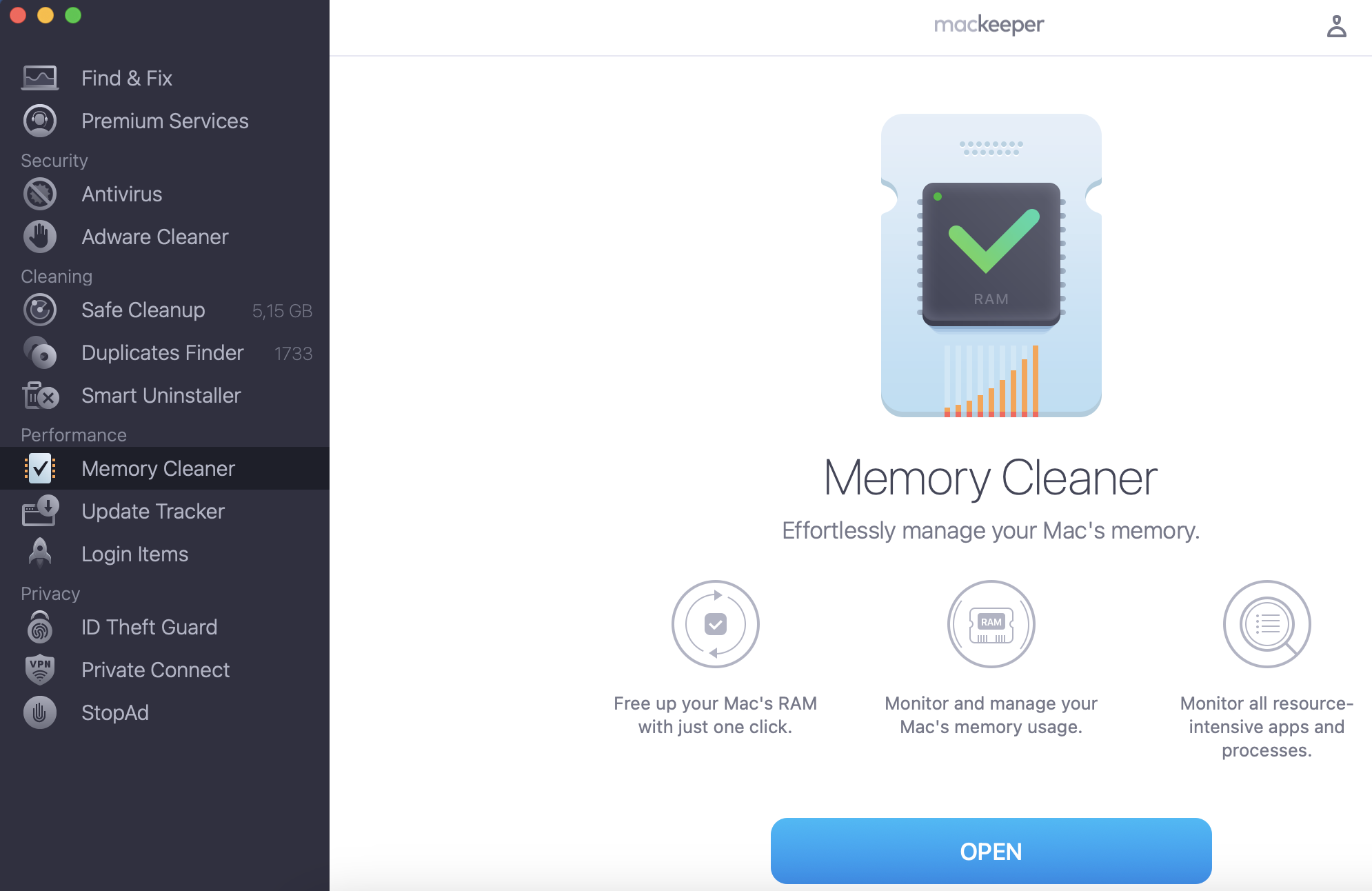
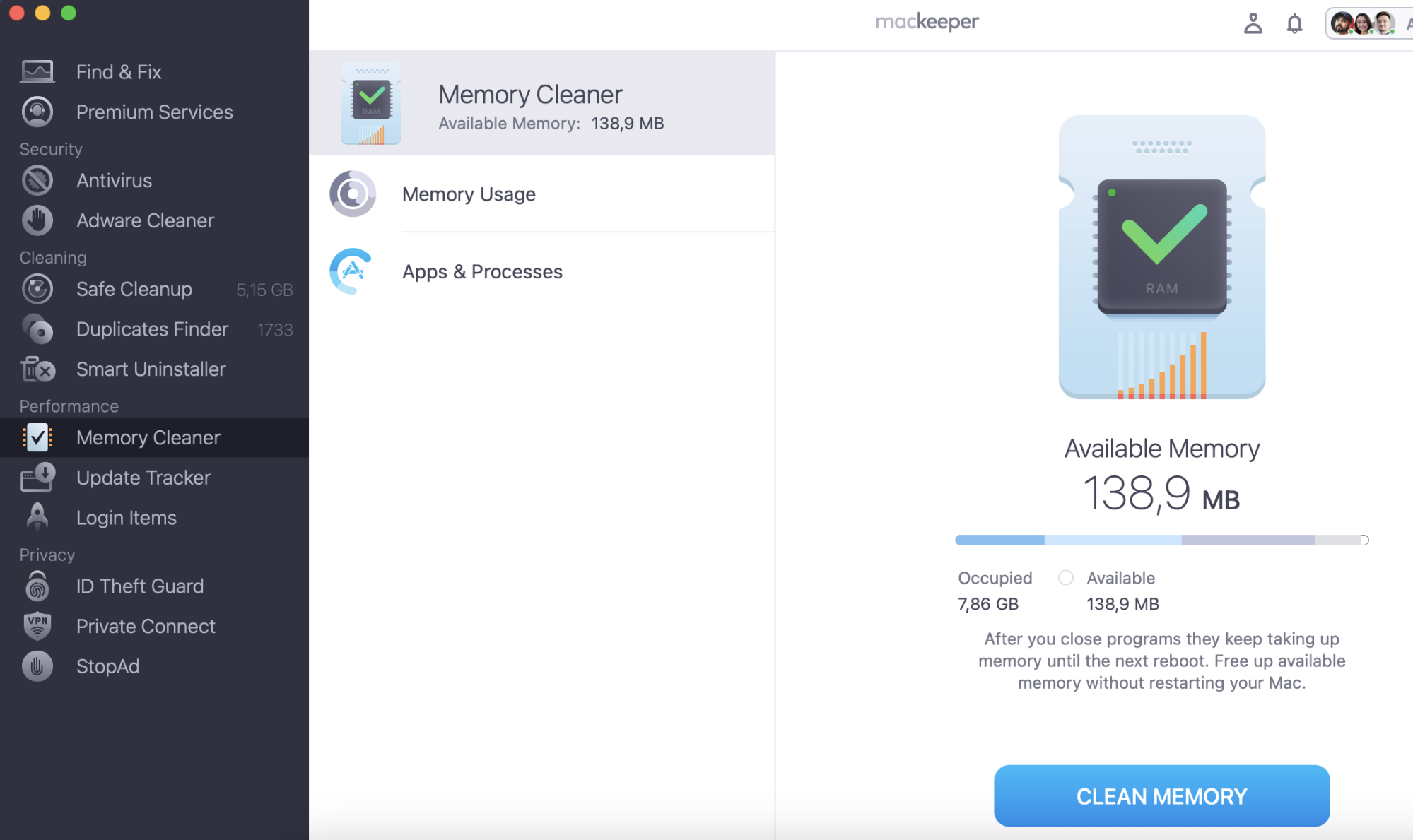
One of the most important elements we look for while trying to find the best web browser for a Mac is its speed. But before jumping to a different browser, consider optimizing your current one by clearing out your RAM. Try MacKeeper’s Memory Cleaner—it’s perfect for monitoring your computer’s memory usage and freeing up your RAM space with just one click.
Safari is the best web browser for Mac due to its full compatibility with macOS and robust privacy features. However, Google Chrome remains one of the most popular choices among users.
If you’re looking for a browser with built-in ad-blocking capabilities, your top options include Vivaldi, Brave, and Opera.
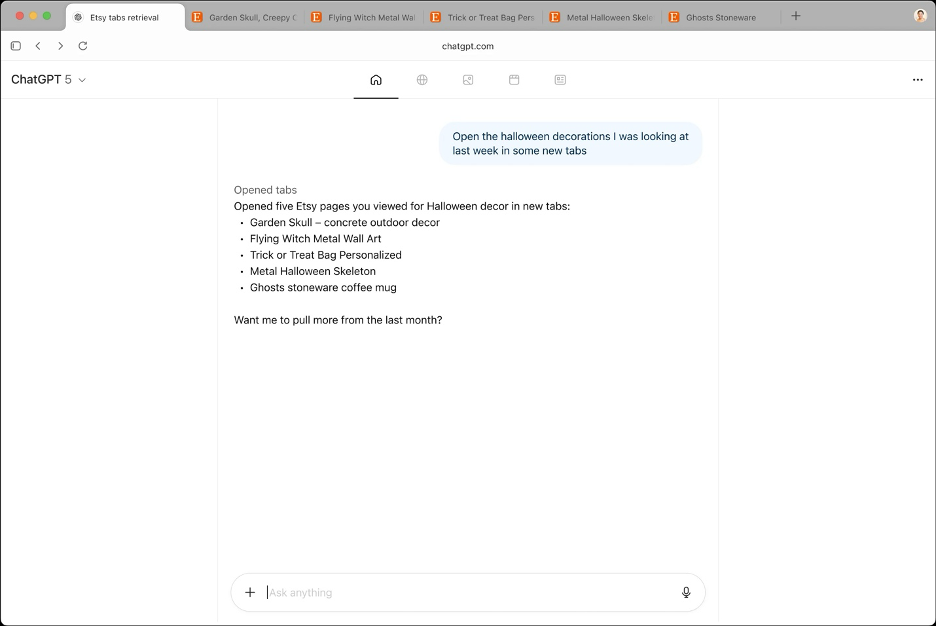
The number of AI-powered browsers is increasing, but ChatGPT Atlas still remains the best choice.
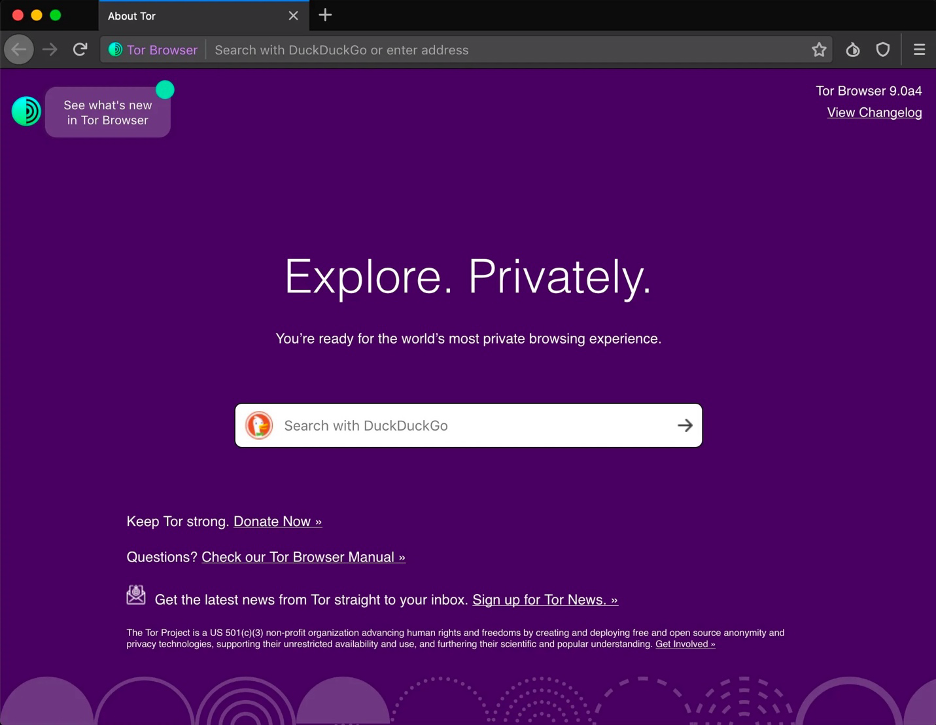
For users interested in browsing the dark web, the Tor Browser is the best option.
In today's digital world, our online activities—from entertainment to work—are paramount. That's why selecting the best web browser for Mac can help improve your daily digital experience. In this article, we’ll compare the privacy, security, and performance of popular web browsers to help settle the debate surrounding which is the best browser for Mac users.
A note from our experts:
Before choosing a new browser for your Mac, speed up your Mac. Clear your Mac’s RAM to free up space and stop memory-draining apps. MacKeeper’s Memory Cleaner will help you with this challenge and your Mac will perform at its best.
Here’s how to use MacKeeper’s Memory Cleaner to rejuvenate your browser:
When deciding which is the best internet browser for your Mac, it’s important to consider your browsing priorities coming from your needs. Do you want to use a web browser like Safari for its seamless integration of macOS software, or perhaps you’ve recently moved to Apple but still want to use Google Chrome due to familiarity?
You might also be inclined to base your decision solely on speed. While browsing speed is undoubtedly crucial, it's not always the best indication of a web browser's reliability. There are other considerations to think about when selecting the browser that best suits your needs. In this article, we'll delve into these factors to help you make your decision.
Here’s what to consider when deciding which browser will be best for you:
Speed
Security
Interface
Additional features
1. Speed
Speed is paramount for a seamless and efficient experience when it comes to browsing on your Mac. A fast browser can ensure that web pages load quickly, allowing you to search the internet with ease. Browser speed is also crucial for tasks like streaming videos, browsing social media platforms, or using online work platforms such as Google Docs, all of which rely on a stable connection.
Therefore, prioritizing browsing and loading speed across various web browsers like Safari, Chrome, or Opera is essential. By comparing the performance of these top browsers for Mac, you can determine which one will best suit your specific needs and requirements. Whether you're a heavy multitasker or rely on smooth web surfing for productivity, choosing a browser optimized for speed can greatly enhance your overall browsing experience.
Tip from our team:
If you’ve noticed that your current browser is running painfully slow, it might be time to clear your browser cache. This can help speed up your browser and improve loading times. Check out the above guide to find out how to safely clear accumulated cache.
2. Security
Security is another factor to consider when determining the best internet browser for your Mac needs, as today, cyberattackers and threats are prevalent, making online protection a necessity. While a web browser may not offer the same level of protection as specialized antivirus programs, it should provide basic Mac security features like phishing protection, sandboxing, and regular security updates to shield users from online threats.
At the very least, your browser should safeguard you from malicious websites, online tracking, and invasive cookies. Consider switching to a different browser if it's not effectively warning you about potential threats.
Important:
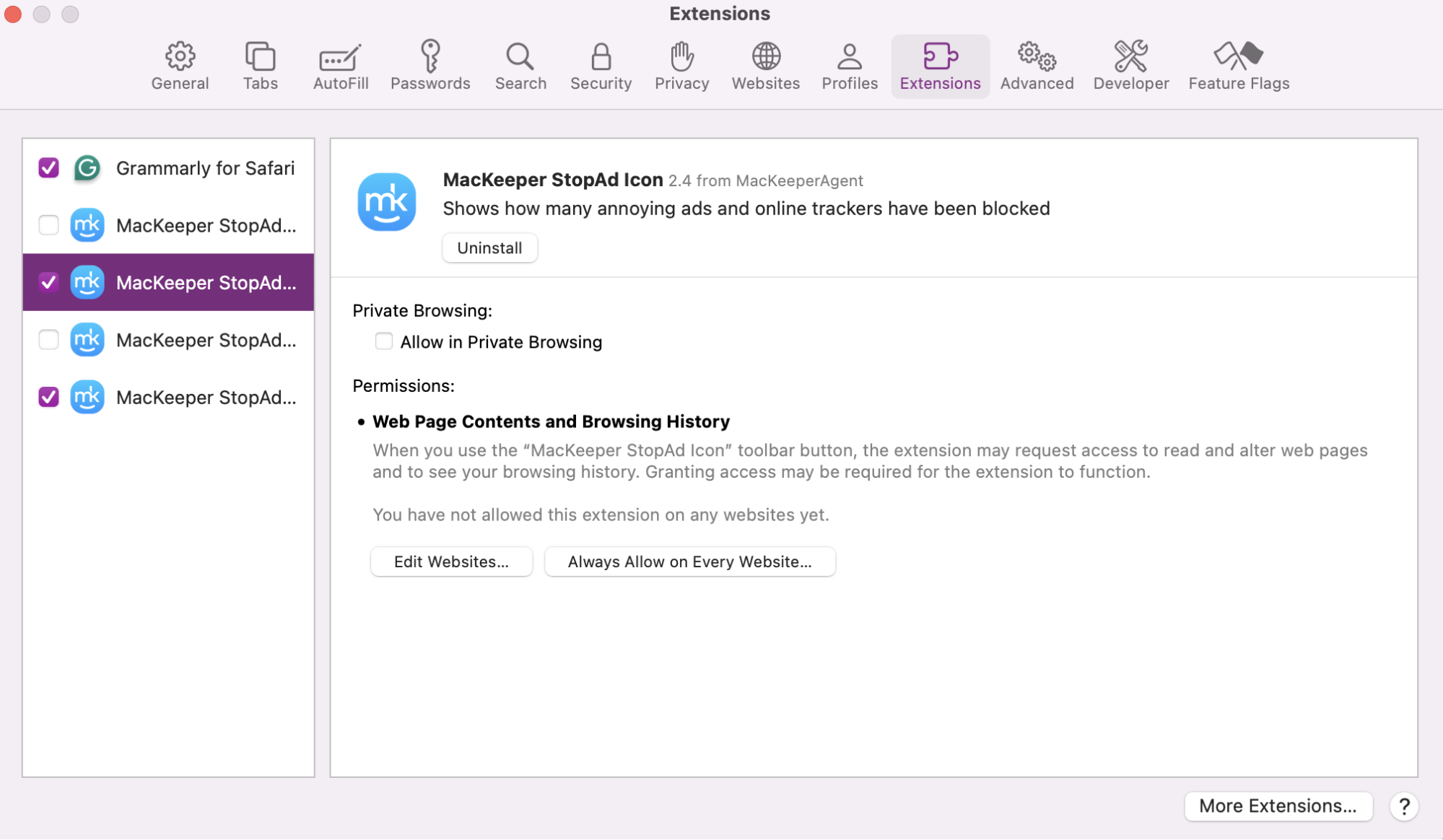
If you want security and peace of mind, choose MacKeeper’s StopAd extension. It works seamlessly with Safari and Google Chrome and helps safeguard your browsing experience. So you can rest assured knowing that MacKeeper will stop your Mac from accessing malicious websites or putting your data at risk of cyber attackers.
Make sure you have Enabled StopAd on your chosen browser to block annoying ads and trackers to help keep you protected online.
Step 1. In the MacKeeper app, click on StopAdStep 2. Make sure you have enabled StopAd on your chosen browser
3. Interface
The interface of a browser can also play a significant role in user experience, influencing how easily you can navigate and interact with content online. An intuitive interface that boasts a clean design and user-friendly features enhances usability and accessibility for Mac users. More popular browsers, like Safari and Chrome, prioritize simplicity and a sleek design in their interfaces, making them ideal choices for both MacBook and iMac users.
While Safari may focus on seamless integration with macOS aesthetics, Chrome boasts a minimalist design with plenty of customizable options. It entails that many available interface variations from different browsers can cater to many user preferences, ensuring a personalized browsing experience for Mac users.
4. Additional features
Additional features can also significantly enhance your browsing experience on Mac, as they can increase speed, enhance protection, and improve interface. Browsers such as Safari and Vivaldi offer a wide range of built-in tools and customization options, empowering users to tailor their browsing environment to suit their preferences. These features include storage optimization, advanced tab management, and seamless integration with macOS, providing added value and versatility to your chosen browser.
Hence, when selecting the best browser for Mac, you might want to consider the additional features to help you find the perfect browser for you.
Top Internet browsers for Mac
Ready to find the perfect browser for your needs? We’ll now share our in-depth review of the top browsers for Mac to help you determine which one reigns supreme. Specifically, we’ll dwell on the intricacies of each browser, analyzing their performance in key areas such as speed and security and evaluating how user-friendly their interface is.
Here are the top web browsers we’ll be comparing in this review:
Safari
Google Chrome
Firefox
Edge Chromium
Opera
Brave
Vivaldi
Arc Browser
Dia Browser
Orion Browser
ChatGPT Atlas
Tor Browser
1. Safari
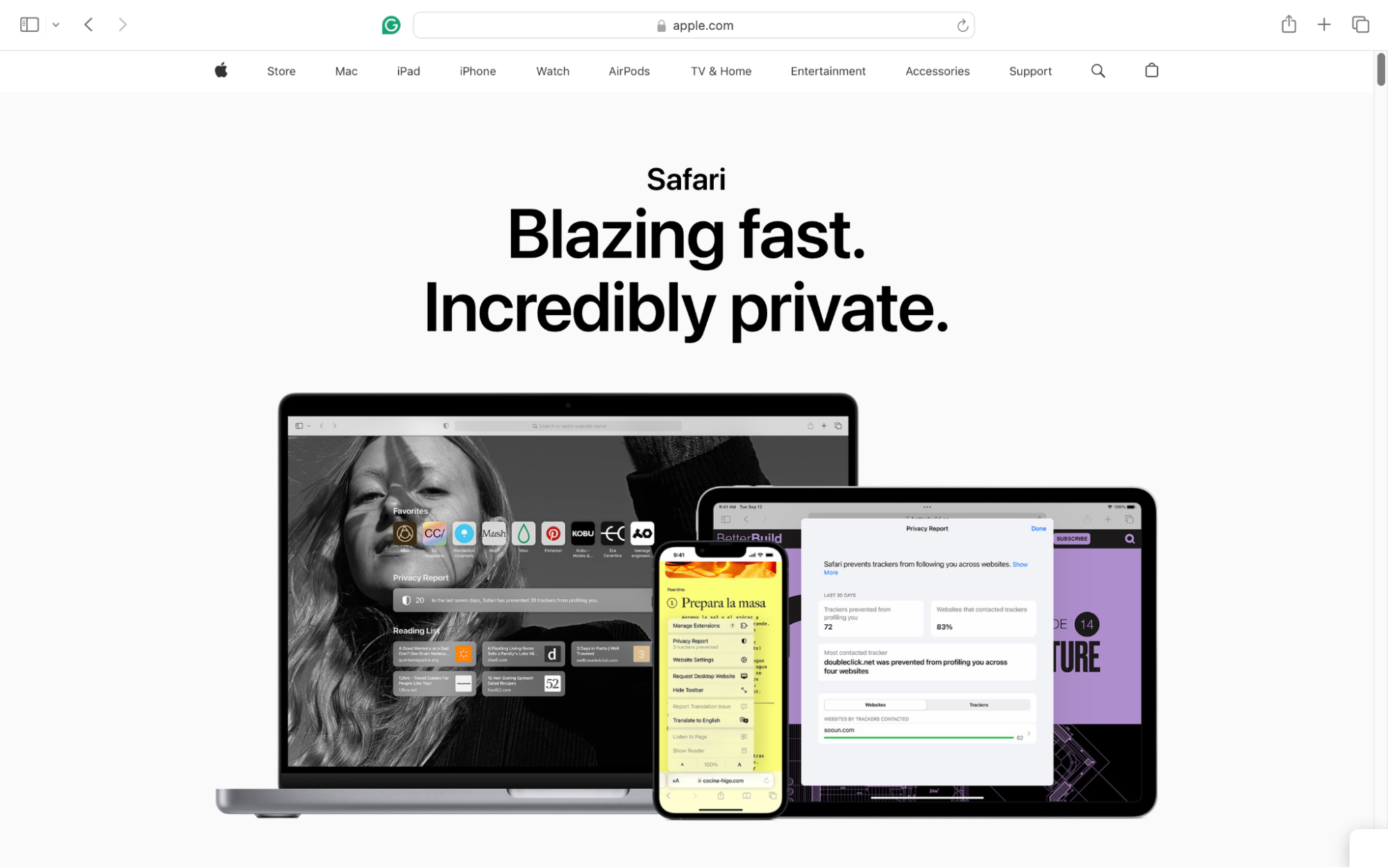
Safari, the default browser for Apple devices, has long been a staple of the Mac experience. The web browser is known for its seamless integration with macOS software and the Apple ecosystem. Safari offers Mac users a familiar and efficient browsing experience, whether you're using a MacBook, iMac, or any other Apple device. As a result, Safari's optimization for macOS ensures smooth performance and intuitive navigation across all devices.
Plus, upcoming Safari updates accompanying macOS Monterey, Sonoma, and iOS aim to enhance the browser's capabilities, introducing features such as tab grouping and other important upgrades.
Pros of Safari
Here are the pros of Safari to help you decide if this will be your next go-to browser:
Safari excels as the browser of choice for seamlessly integrating with macOS software, which is why it is the default browser for Apple devices.
The Safari software is compatible with Apple devices, providing users with a cohesive browsing experience that extends across all their Apple products.
Its built-in privacy features, including Intelligent Tracking Prevention, safeguard users’ online privacy by preventing tracking cookies and other forms of online tracking.
The browser is one of the most secure and private web browsers available due to its automatic ad and tracker-blocking capabilities. It can also warn users of untrusted websites.
Safari's energy-efficient browsing contributes to extended battery life, allowing users to browse the internet for longer periods without draining their battery as quickly. Hence, it’s ideal for individuals who utilize their Macs for work, studying, or streaming.
Cons of Safari
Here are the cons of Safari:
The biggest downside to Safari is the fact that it’s only available on Apple devices. If you have an Android phone with an Apple MacBook or iMac, you’ll still need to use a different browser on your phone.
Apple’s dedication to security also causes a significant amount of halts when it blocks websites that aren’t deemed by Safari as secure. Safari is focused on keeping you protected online but can be a nuisance at first to get used to.
The added security also means you’ll have fewer extensions to choose from if you want to enhance your browsing. Safari’s extensions are high quality but very limited compared to other browsers.
2. Google Chrome
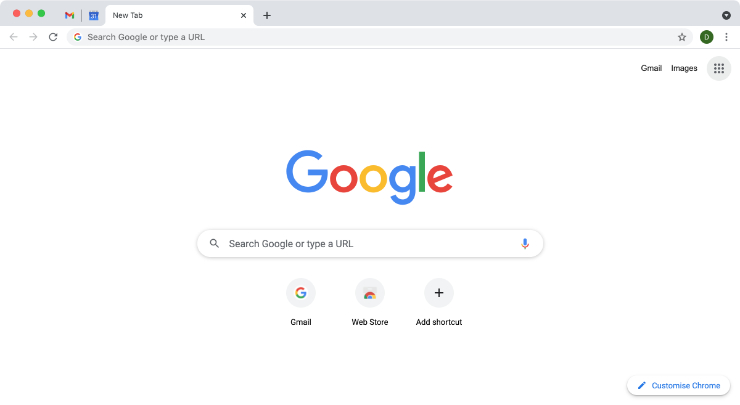
Another strong contender for the best internet browser on Mac is Google Chrome. It’s regarded as the most popular browser worldwide due to its sleek interface and wide array of extensions.
Pros of Google Chrome
Keep reading to find out the pros of using Google Chrome:
Google Chrome is known for its remarkable speed and stability, offering users a smooth and reliable browsing experience, even when handling multiple tabs and complex web applications.
Google Chrome is renowned for its extensive library of useful extensions.
As the most popular web browser globally, it's available on multiple platforms including macOS, Windows, Linux, Android, and iOS, with frequent updates introducing new extensions and features across these platforms.
Managing extensions on Chrome is also effortless, allowing users to easily remove or disable them as needed, providing greater control over their browsing experience.
Chrome's synchronization capabilities are among the best in the industry. Regardless of the device or location, users can seamlessly pick up where they left off with synced tabs and bookmarks.
Additionally, Google offers a password manager that syncs with users’ Google accounts, ensuring convenience and security across devices.
Cons of Chrome
Here are the primary concerns that lead many individuals to avoid using Google Chrome:
Google Chrome is notorious for its high resource consumption, often using significant amounts of RAM, particularly on slower computers. Its resource-heavy nature can hinder multitasking capabilities, as Chrome may dominate available system resources.
Despite efforts to optimize performance, Chrome remains demanding on hardware, which can impact the performance of devices including its speed and loading times.
Privacy-conscious users may also be concerned about Chrome's data collection practices, as Google's business model relies heavily on trading user data. Even though tracking settings can be customized, you may want to consider choosing an alternative browser if privacy is a top priority for you.
3. Firefox
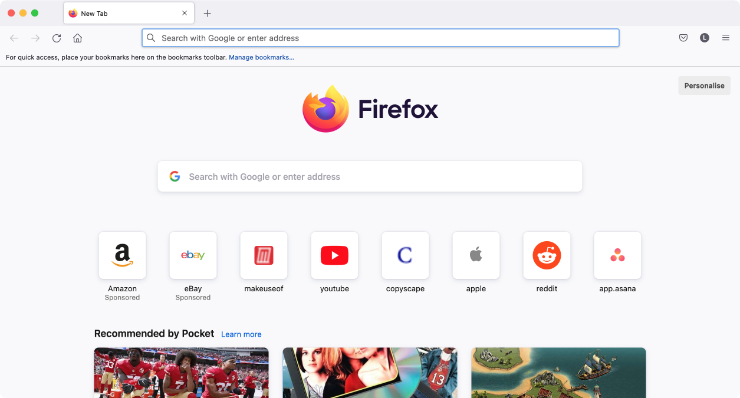
Mozilla Firefox, a long-standing contender among top web browsers for Mac, is celebrated for its robust privacy features and extensive customization options. With a broad range of extensions and add-ons, users can tailor their browsing experience based on their preferences. However, we should note that Firefox may lag in speed compared to its competitors.
Pros of Firefox
Here’s a list of pros of using Firefox on your MacBook or iMac device:
Firefox is available on multiple platforms, including macOS, Windows, Linux, iOS, and Android.
Offers extensive customization options and a wide range of extensions, allowing users to personalize their browsing experience.
The browser features the Multi-Account Containers extension, enabling users to create separate containers for different online accounts to enhance their privacy and convenience.
It also boasts privacy features that are available by default to block tracking cookies, social trackers, and more.
Cons of Firefox
Here are the cons that many Mac users experience when using Firefox:
Firefox doesn’t have the reputation of being particularly fast, so it’s not ideal for individuals looking to prioritize speed.
It’s less popular than Safari and other Mac-supported browsers due to its lower name recognition, which may hinder user support as well as the development of new patches and updates.
4. Edge Chromium
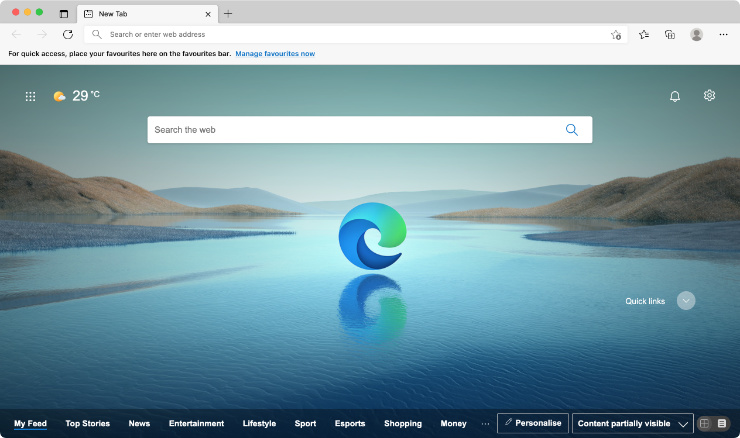
Microsoft Edge, built on the Chromium framework, represents a significant departure from the company's previous browsers, such as the infamous Internet Explorer. This cross-platform browser offers excellent performance, compatibility, and privacy tools. It’s available on macOS, iOS, and Android, making it a versatile choice for users across different devices.
Pros of Edge Chromium
Here’s what many people like about Edge Chromium:
Edge is pre-installed on Windows computers, but it’s also available for macOS, iOS, and Android users, making it highly versatile.
The browser includes tools for organizing tabs, comparing prices, and downloading websites to run as standalone apps.
Edge is significantly faster than its predecessor, Internet Explorer, and maintains impressive speed and performance.
It offers security features including, password monitoring, and private searches to help users take control of their privacy.
Edge works with all extensions available on the Google Chrome store, giving users access to a vast library of tools and add-ons.
Cons of Edge Chromium
But Edge chromium isn’t without its faults, and here are some that affect users the most:
While Edge supports Chrome extensions, some may not run as smoothly on Edge as they do on Chrome.
Despite having good privacy features, Edge's privacy focus isn't as robust as other browsers like Safari or Firefox, potentially leading to more vulnerabilities.
5. Opera
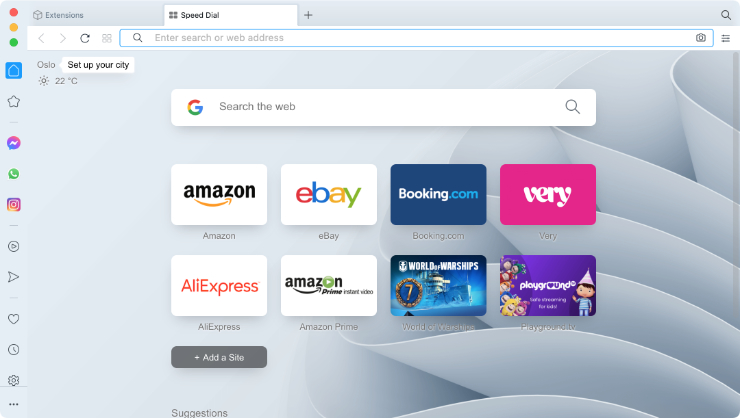
Opera is an impressive browser known for its unique features and lightweight design, ensuring it doesn’t use much processing power. Built on the Chromium framework, Opera emphasizes efficiency and privacy protection, setting it apart from resource-intensive browsers like Chrome.
Pros of Opera
Here’s why many Apple users think Opera is one of the top browsers for Mac:
It’s available on macOS, Windows, Linux, iOS, and Android, providing cross-platform support.
Opera is built on the Chromium framework, ensuring compatibility and efficiency while prioritizing user privacy.
The browser features ad blocking, private browsing, and a free built-in VPN, enhancing user privacy and allowing access to region-blocked content.
Opera includes a built-in Crypto Wallet for managing and spending various cryptocurrencies.
Cons of Opera
But even Opera has limitations that include the following:
The extensive features can make the browsing experience feel cluttered and distracting, with various social media icons lining the side of the window.
Some users question Opera's privacy practices, as it’s unclear how the browser offers premium services like a VPN for free without potential involvement with advertisers and tracking agencies.
Hint from our experts:
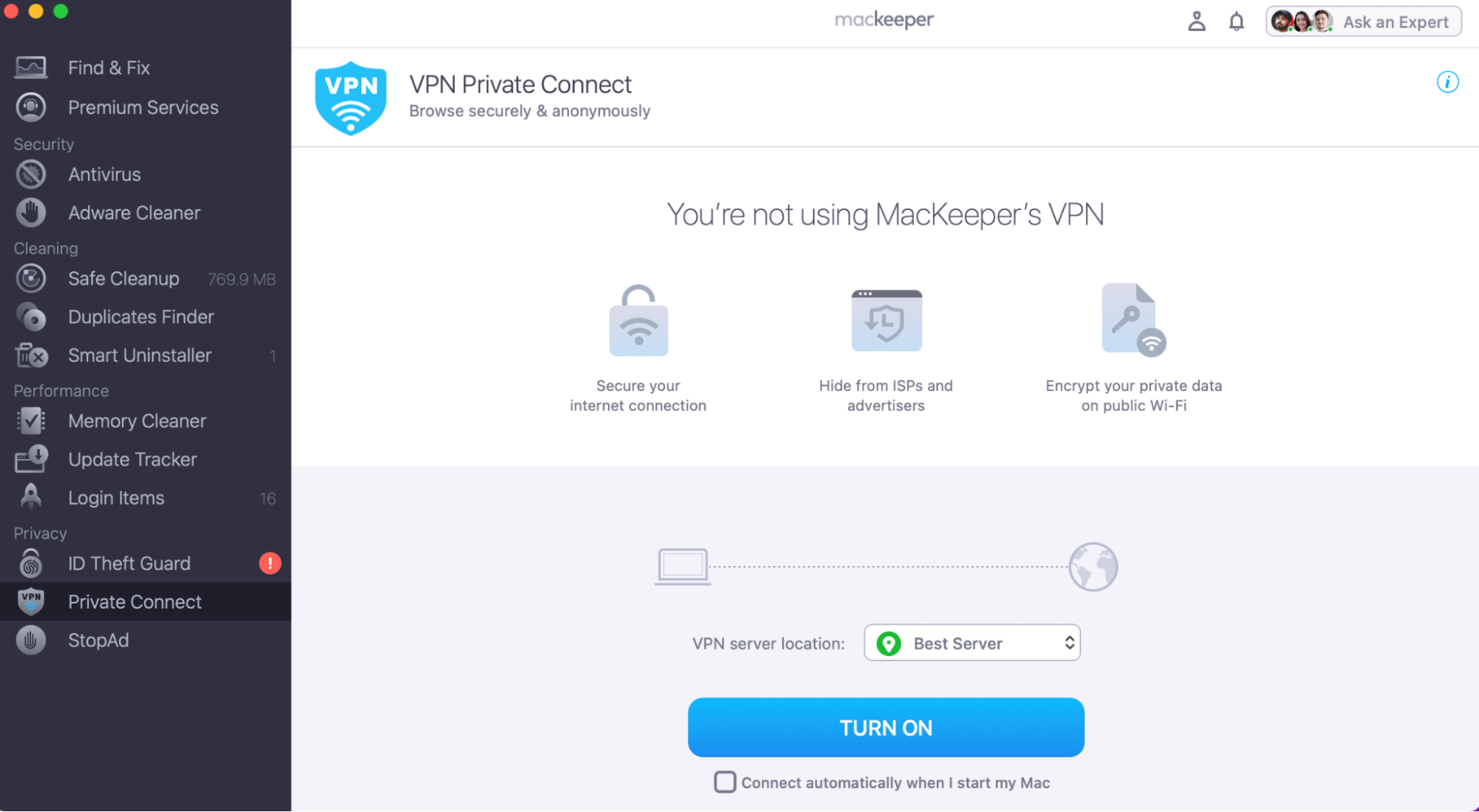
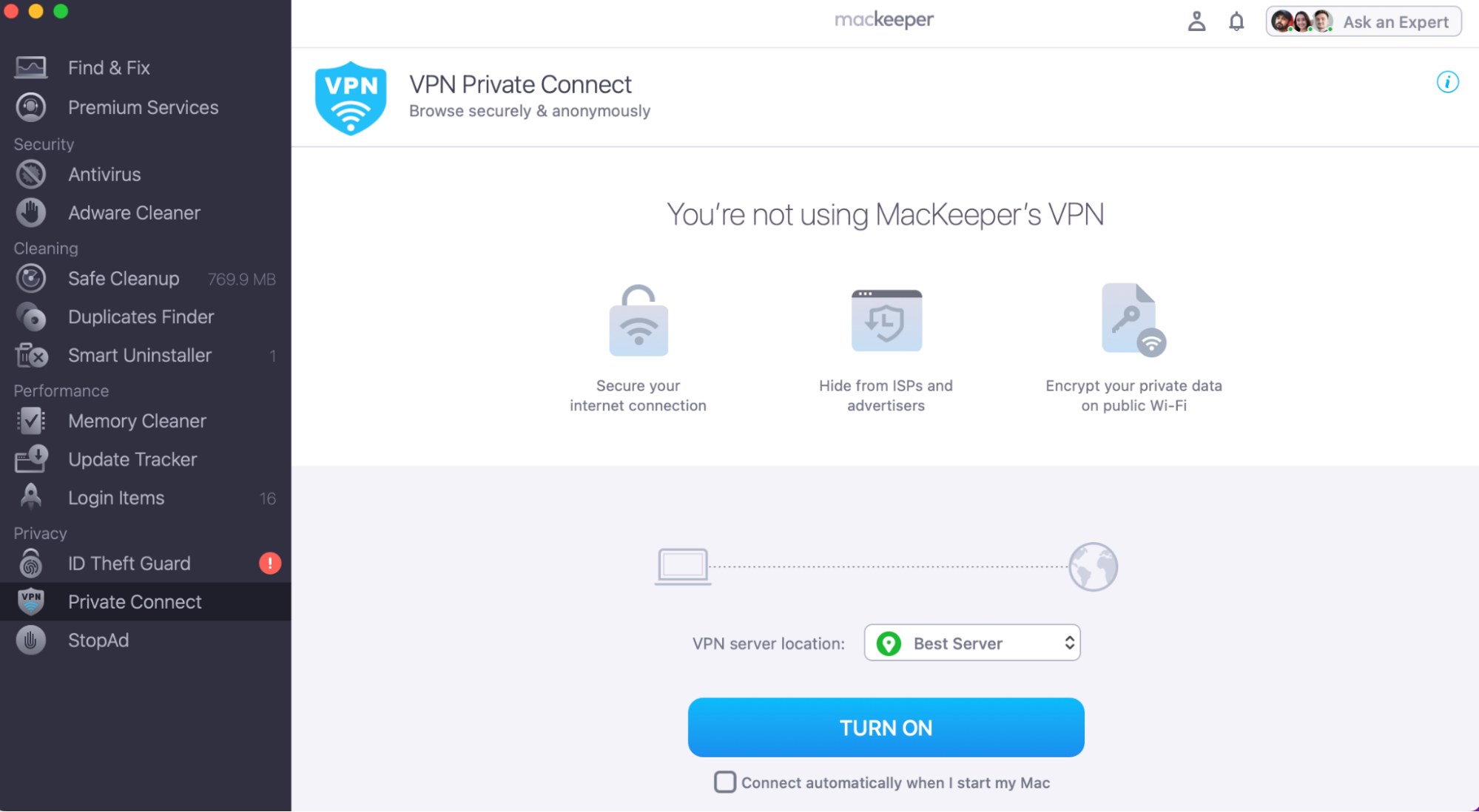
To keep you protected when browsing online, you might want to consider downloading a VPN tool, which can help secure your network and keep your private data hidden. MacKeeper’s VPN Private Connect tool can block restricted websites and protect your Wi-Fi from hackers.
Here’s how to use MacKeeper’s VPN Private Connect tool:
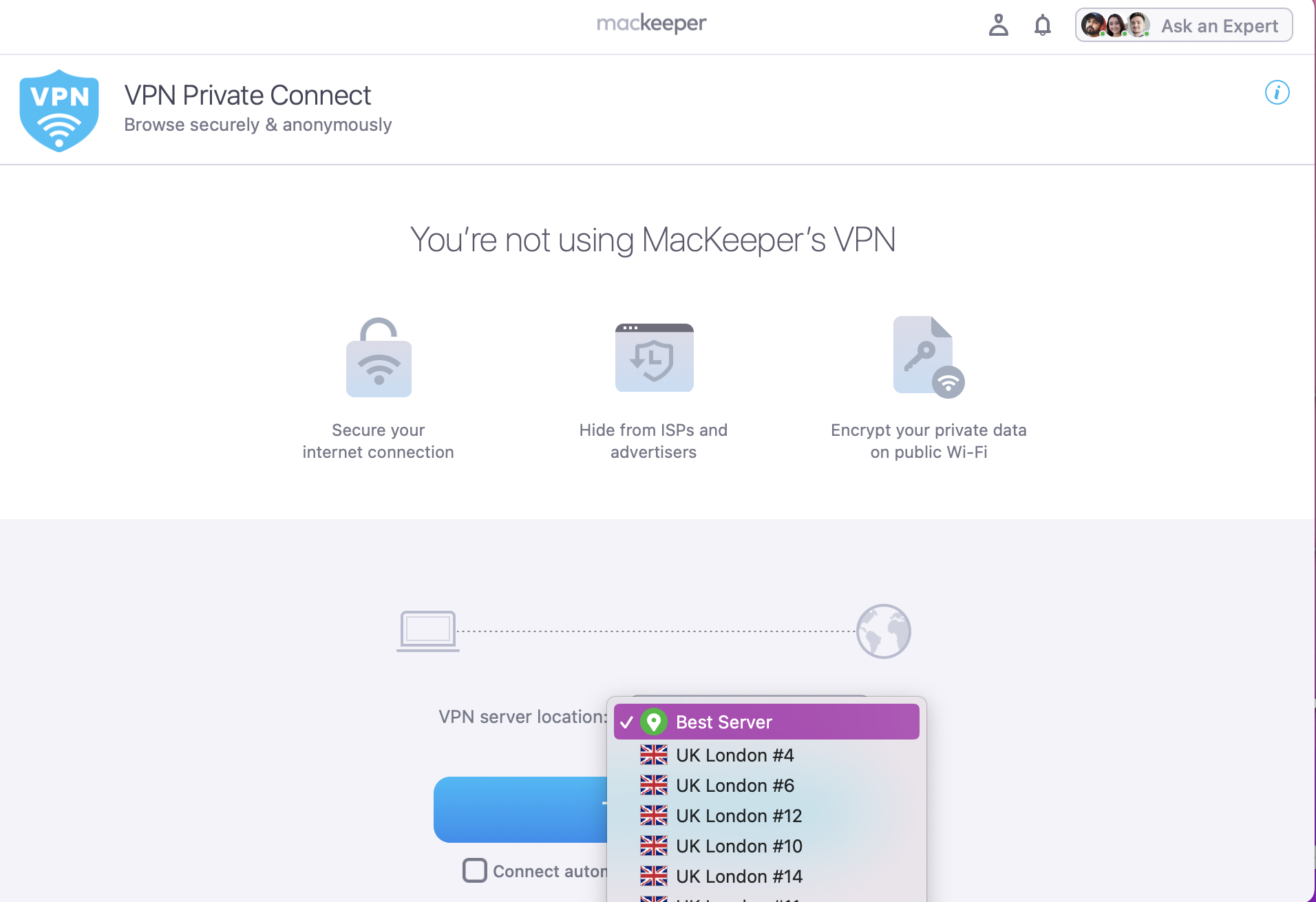
Use the drop-down menu to select your preferred VPN server location.
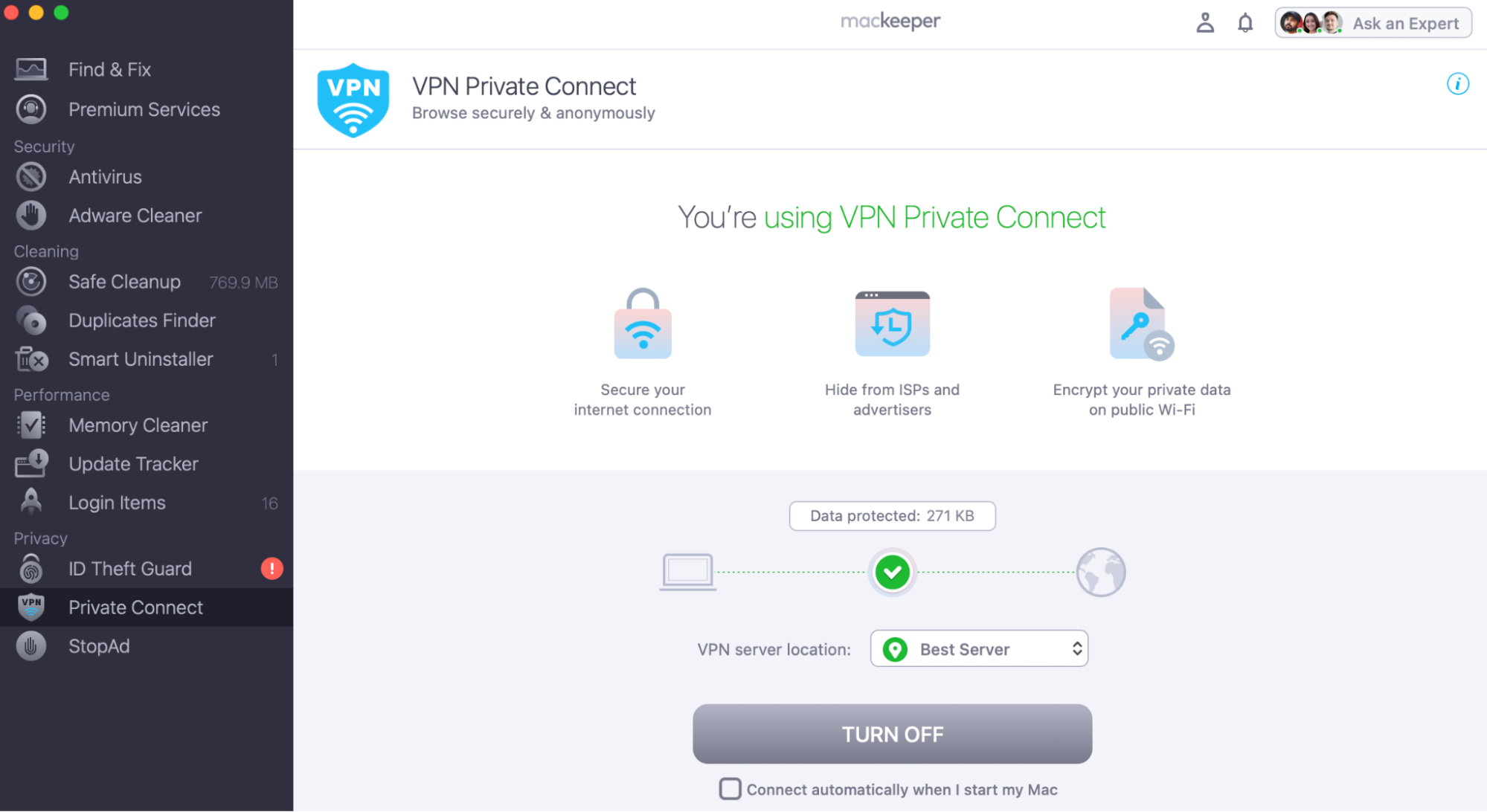
Then click, Turn On to connect your Mac to a secure VPN server.
Step 1. Open the MacKeeper app, and click on the Private Connect featureStep 2. Use the drop-down menu to select your VPN server locationStep 3. Then press Turn On to connect your device to your new VPN server
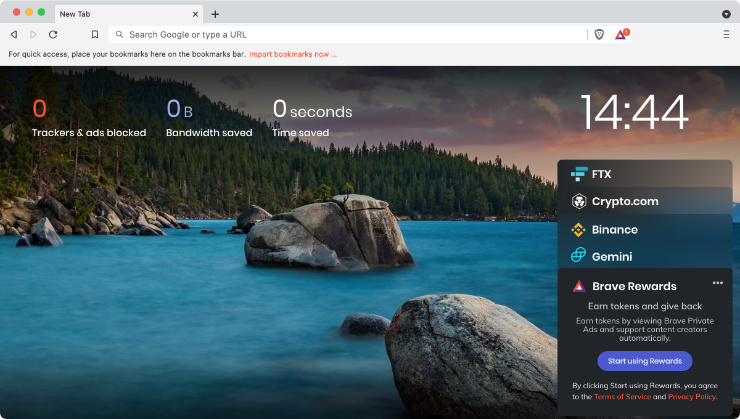
6. Brave
The Brave browser is known to prioritize privacy without sacrificing speed or power efficiency. For those seeking the best internet browser for Mac that protects their data, Brave stands out as a top choice for MacBook and iMac users.
Pros of Brave
Here are some of the key points that make Brave a popular browser for Mac users:
Brave blocks ads and trackers by default, providing regular reports on how many ads and trackers it blocks.
The browser includes Tor functionality for anonymous browsing, hiding your browsing history and location from websites.
By blocking ads, Brave loads websites faster than much of the competition, including Chrome, and uses less power, conserving battery life.
Users can choose to view ads and earn Brave Rewards points, which can be used to support web creators, with plans to spend points on premium content and gift cards.
Cons of Brave
Even though Brave prioritizes protection and speed, it still falls behind other popular web browsers, and here’s how:
As a relatively new and smaller browser, Brave can experience performance issues due to the smaller development team behind it.
Those prioritizing privacy might feel more secure with more established browsers like Firefox or Safari, which have a larger user base and more widely reported security updates.
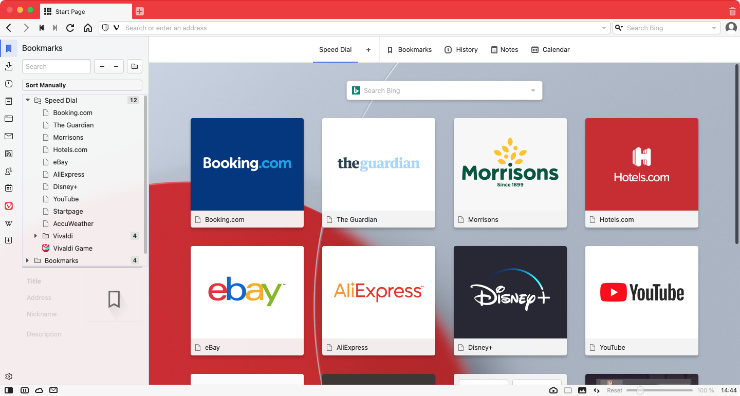
7. Vivaldi
For the last browser in today’s review, we have Vivaldi. Even though it’s the newest browser on our list, it’s certainly making some big waves. Founded by the former CEO of Opera, this exciting browser emphasizes privacy while boasting a host of built-in features and customizable elements.
Pros of Vivaldi
For a new browser, Vivaldi is growing in popularity, and here’s why:
Vivaldi allows you to customize the browser extensively, from a minimalistic view to a feature-rich interface with split-screen websites, grouped tabs, and built-in Notes. This means you can personalize your browsing experience without needing third-party extensions.
The browser also has a straightforward privacy policy, ensuring that it doesn’t track your data, see which sites you visit, or log your search queries. This commitment to privacy makes it a secure option for users concerned about their online protection.
Vivaldi offers a range of built-in tools, including a tracker blocker, to keep your browsing private and secure. The browser aims to provide as many features as possible natively, reducing the need for additional extensions.
Cons of Vivaldi
With Vivaldi being a newer browser, it may not be as reliable as other options out there. Let's explore some other cons to using Vivaldi:
The sheer volume of features can be overwhelming for new users not willing to spend time learning how to customize and use Vivaldi effectively.
Vivaldi's design might not appeal to everyone, as it’s considered less visually appealing compared to other browsers. Personal taste plays a significant role here, but many users might prefer a simpler and more stylish alternative.
8. Arc Browser
Arc Browser is one of the newest browsers available, although developers are currently focusing their efforts on Dia, an AI browser. Despite this transition, Arc Browser is still accessible and has marked a significant turning point in browser history. It prioritizes fast and efficient browsing while minimizing the presence of ads.
Pros of Arc Browser
Arc Browser offers several key advantages:
It features a clean, simple interface that’s not only visually appealing but also highly functional and easy to navigate.
One of its standout features is Spaces, which allows users to create multiple profiles tailored for different aspects of life, such as work or personal use, each with its own unique settings.
The Split Screen feature lets you open two tabs in the same window, making it easy to switch between them and enhancing multitasking.
Additionally, it’s compatible with all Chrome extensions and plug-ins, so you won’t need to forfeit this important feature available in Google’s native browser.
Cons of Arc Browser
On the other hand, there are some drawbacks to consider:
Being an innovative product, it can initially be confusing and disorienting, and it may take some time to get used to it.
Developers are focusing on their AI browser, which means maintenance and security updates primarily depend on Chromium, the platform on which Arc is built.
9. Dia Browser
Dia Browser is an AI-powered alternative developed by the creators of Arc Browser. This makes it an “agentic browser”. With Dia, you can retain many of the features that make Arc a great choice, including efficient tab management, a user-friendly sidebar, and the ability to create different profiles using the Spaces feature.
Pros of Dia Browser
Here’s a look at the benefits of this AI-powered browser:
It’s one of the most advanced AI browsers available, ensuring reliable performance when searching for and finding answers to your questions.
The excellent sidebar we appreciate in the Arc Browser has become even more refined and functional, making it unsurprising that other AI browsers on this list have already adopted similar features.
The process of writing prompts has been streamlined with Skills. These are pre-built prompts that let you interact with the content on your current page. You can easily extract information and create summaries without needing to navigate away from the page.
Cons of Dia Browser
Like any new technology, it isn't fully refined yet and has areas that need improvement. For example:
It isn't fully compatible with ChatGPT, as it currently can’t retrieve your ChatGPT chat history for use in the Dia Browser chat, which seems like a necessary improvement.
Although it can be used for free, you’ll need to pay a monthly fee if you want an unlimited AI chat experience, although it may take some time to reach those limits.
10. Orion Browser
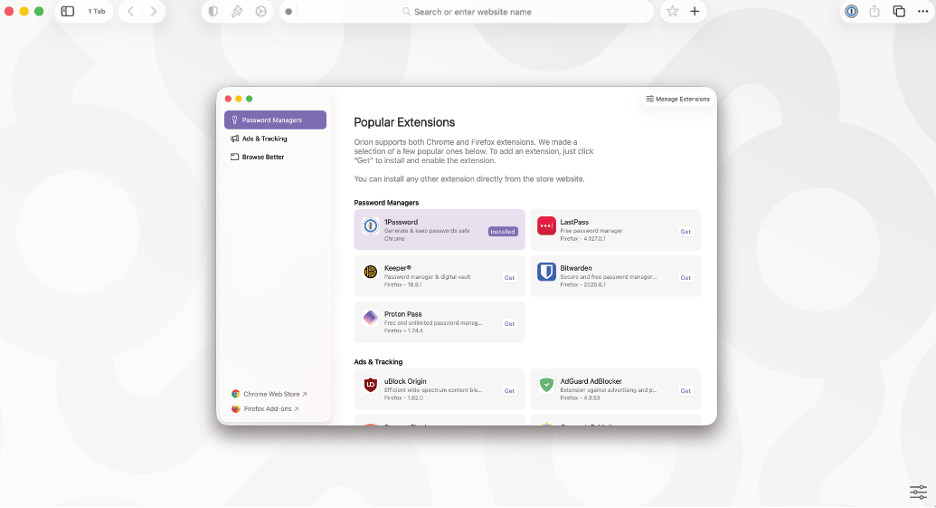
While Orion Browser may not be the most well-known option, it’s a reliable and interesting choice for Mac users. Similar to Safari, it offers unique features not available in Apple’s browser, including native support for WebExtensions and built-in ad blocking enabled by default.
Pros of Orion Browser
Here’s a look at the main advantages of the browser developed by Kagi Inc.:
It’s compatible with most extensions designed for Safari, Chromium, and Firefox, so you won’t miss out on any essential tools when you choose Orion.
It features a built-in ad blocker that helps create a clean and enjoyable browsing experience, similar to what Safari offers.
The interface also includes vertical tabs that can be organized into a tree structure, making it easy to navigate between different tabs.
Cons of Orion Browser
Orion has its drawbacks, including the following:
While it’s compatible with a variety of extensions, some don’t function properly, like the 1Password password manager.
Unlike other browsers, it lacks AI features, which makes it somewhat limited in this area.
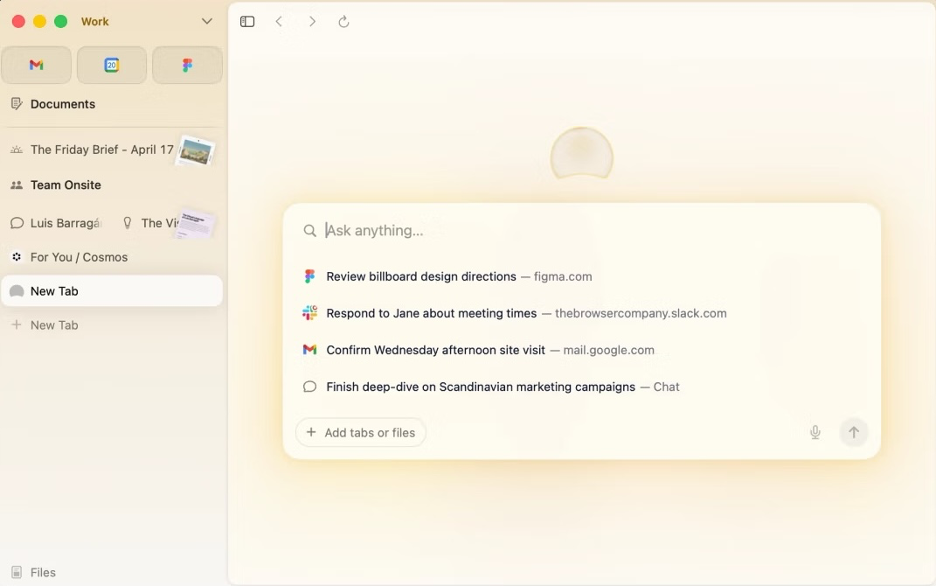
11. ChatGPT Atlas
In addition to leading the generative AI chatbot sector, OpenAI has also entered the realm of agentic browsers with ChatGPT Atlas. Rather than relying on Google Search, this Chromium-based browser uses ChatGPT for searches. It stands out as one of the best browsers for Mac, surpassing traditional options by enabling more efficient browsing.
Pros of ChatGPT Atlas
Here are our favorite features of ChatGPT Atlas:
It provides a native, user-friendly, and intuitive experience, with simplified workflows that make it easy to switch tabs or use split views.
If you spend your day using ChatGPT, you’ll find that this browser is an upgraded version of the ChatGPT desktop app, making it easy to adapt.
The research agents feature helps you save time, reduce repetitive tasks, and enable personalized interactions.
Cons of ChatGPT Atlas
While OpenAI’s browser has its strengths, there are areas that could be improved. Some cons include:
Users need to pay for the premium version to access the best features, so they should first check what’s available in the free version if they choose not to pay.
Even though this is an upgrade from ChatGPT, the need to use it isn’t always clear.
12. Tor Browser
Tor Browser is the preferred choice for exploring the dark web. This means it’s particularly useful for individuals seeking maximum privacy while browsing the Internet, such as activists and journalists. Tor ensures your anonymity online by concealing your IP address and location from websites.
Pros of Tor Browser
This is why you should use Tor for your browsing needs:
Tor is the best option for accessing the dark web, providing strong anonymity and privacy while you browse online.
It offers a variety of security tools, and you can easily customize your privacy settings to fit your needs.
Despite its use of complex security features, Tor has a simple, minimalist interface that makes it very user-friendly.
Cons of Tor Browser
However, there are some drawbacks to consider:
It’s noticeably slow, which is expected since it routes your internet traffic through multiple intermediary nodes to encrypt your activity.
It’s not compatible with all standards, meaning you might not be able to access all websites or view them correctly while using Tor.
Choosing the best browser based on your needs
When deciding which is the best internet browser for Mac, it’s likely going to come down to your priorities and needs. If speed is paramount to you, Safari emerges as the top choice. For unparalleled compatibility, Chrome might be your preferred option. If you want the most customization, Vivaldi offers a wide range of features to help you tailor your browsing experience. While Safari remains our favorite for its seamless integration with macOS and impressive performance, each browser in this review presents unique strengths that make each one a reliable option.
However, your choice of browser will mean little if you’re not regularly monitoring your computer’s memory usage to keep its performance optimized for a smoother browsing experience. MacKeeper's Memory Cleaner provides a convenient solution that allows you to free up available RAM with just one click. By utilizing tools like MacKeeper, you can ensure your chosen browser and device both run efficiently to enhance your overall Mac experience.
Which is the fastest browser for Mac?
When it comes to speed, Safari tends to be the fastest browser on a Mac due to its cohesion with macOS. This means Safari can leverage Mac’s system resources more efficiently. Its close integration with macOS allows the browser to take full advantage of essential system features, resulting in quicker speed, shorter loading times, and smoother navigation overall. Additionally, Safari's energy-saving features can help MacBook users conserve their battery life, which can, in turn, improve browser speed and efficiency.
What is the safest browser for a Mac?
For protection and security, Safari is often considered the safest browser for Mac users. Apple devices focus on sustaining user privacy and security across all their applications, including the Safari web browser. Safari implements robust security features like Intelligent Tracking Prevention (ITP) to help protect users from online threats. For example, ITP can block invasive cookies to enhance user privacy. With regular security updates and a focus on protecting user safety, Safari provides a secure browsing environment for Mac users, minimizing the risk of encountering malicious threats.
What is the preferred browser on a Mac?
The preferred browser on a MacBook can vary depending on personal preferences and specific needs. However, Safari is often seen as the go-on choice for many Mac users due to its integration with macOS and Apple technology. Even new Mac users who used to prefer a different web browser, like Google Chrome or Edge, soon switched to Safari and never looked back. Safari is a very popular choice for many MacBook and iMac users who want to be able to rely on their web browser for quick results and minimal loading times, as well as protection from online trackers.
What browser works best with Apple?
The best browser for Apple Mac devices is believed to be Safari, and it’s not just because it’s the default option. Its integration with OS software and ever-adapting Apple technology regards Safari as the best browser option. After all, it’s the browser created by Apple itself, designed specifically to sync seamlessly with macOS software and all other Apple devices.
What is the best browser for Mac with ad blocking?
Our favorite ad-blocking browser for macOS is Vivaldi. While more aggressive options are available, such as Brave or Avast, we appreciate Vivaldi’s high level of customization. Its built-in controls let you choose whether to block trackers, ads, or neither, and you can adjust ad-blocking settings on a per-website basis.
What is the best browser for Mac other than Safari?
Beyond Safari, Google Chrome remains the most popular option for Mac. It’s an excellent browser that loads web pages quickly, maintains high security standards, and syncs seamlessly across all your devices. Additionally, it’s compatible with a wide variety of extensions and works perfectly with Google’s online apps.
We respect your privacy and
use cookies
for the best site experience.
Privacy Preferences Center
We use cookies along with other tools to give you the best possible experience while using the
MacKeeper website. Cookies are small text files that help the website load faster. The cookies we
use don’t contain any type of personal data meaning they never store information such as your
location, email address, or IP address.
Help us improve how you interact with our website by accepting the use of cookies. You can change
your privacy settings whenever you like.
Manage consent
All cookies
These cookies are strictly necessary for enabling basic website functionality (including page
navigation, form submission, language detection, post commenting), downloading and purchasing
software. The website might malfunction without these cookies.