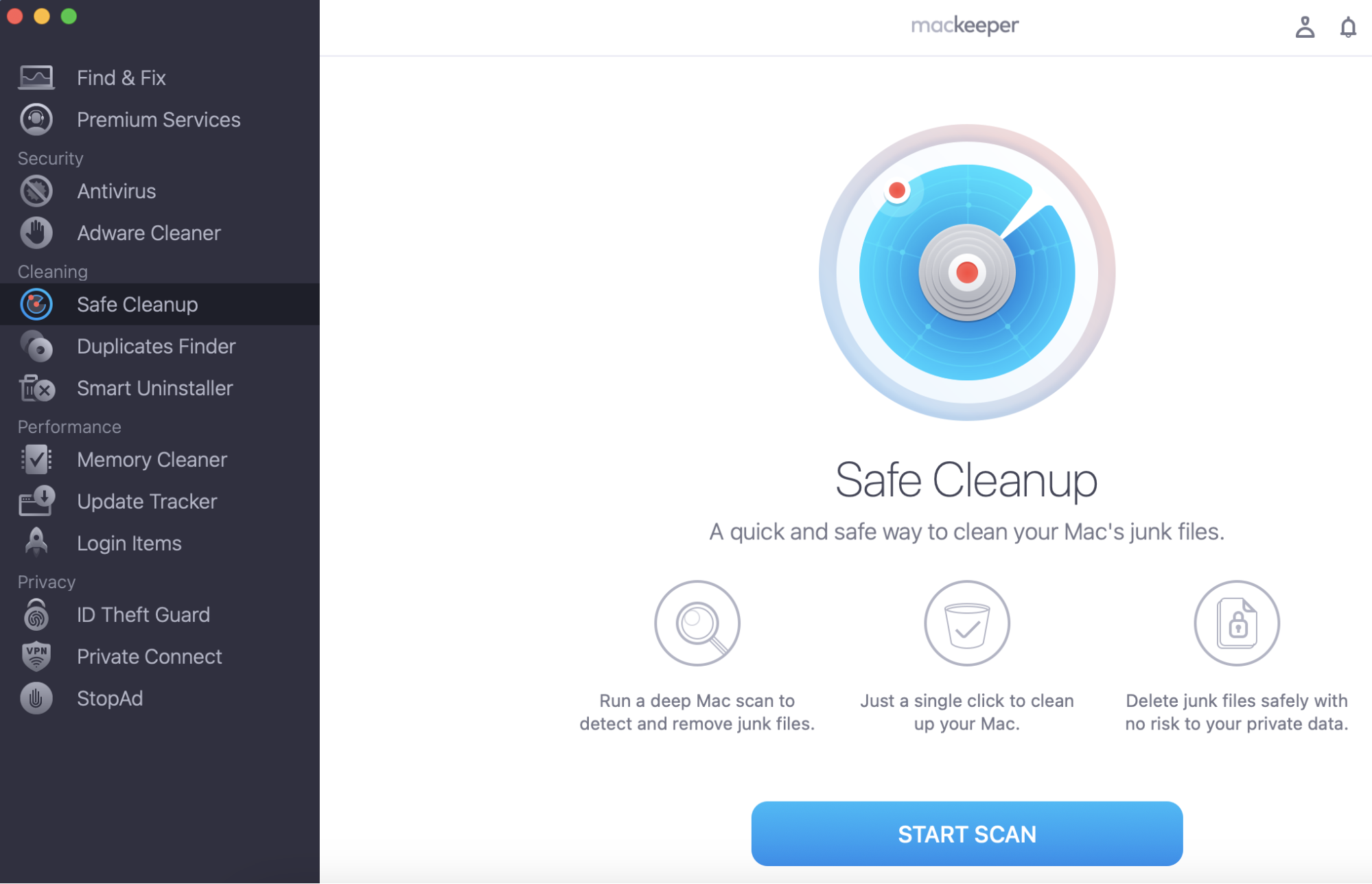
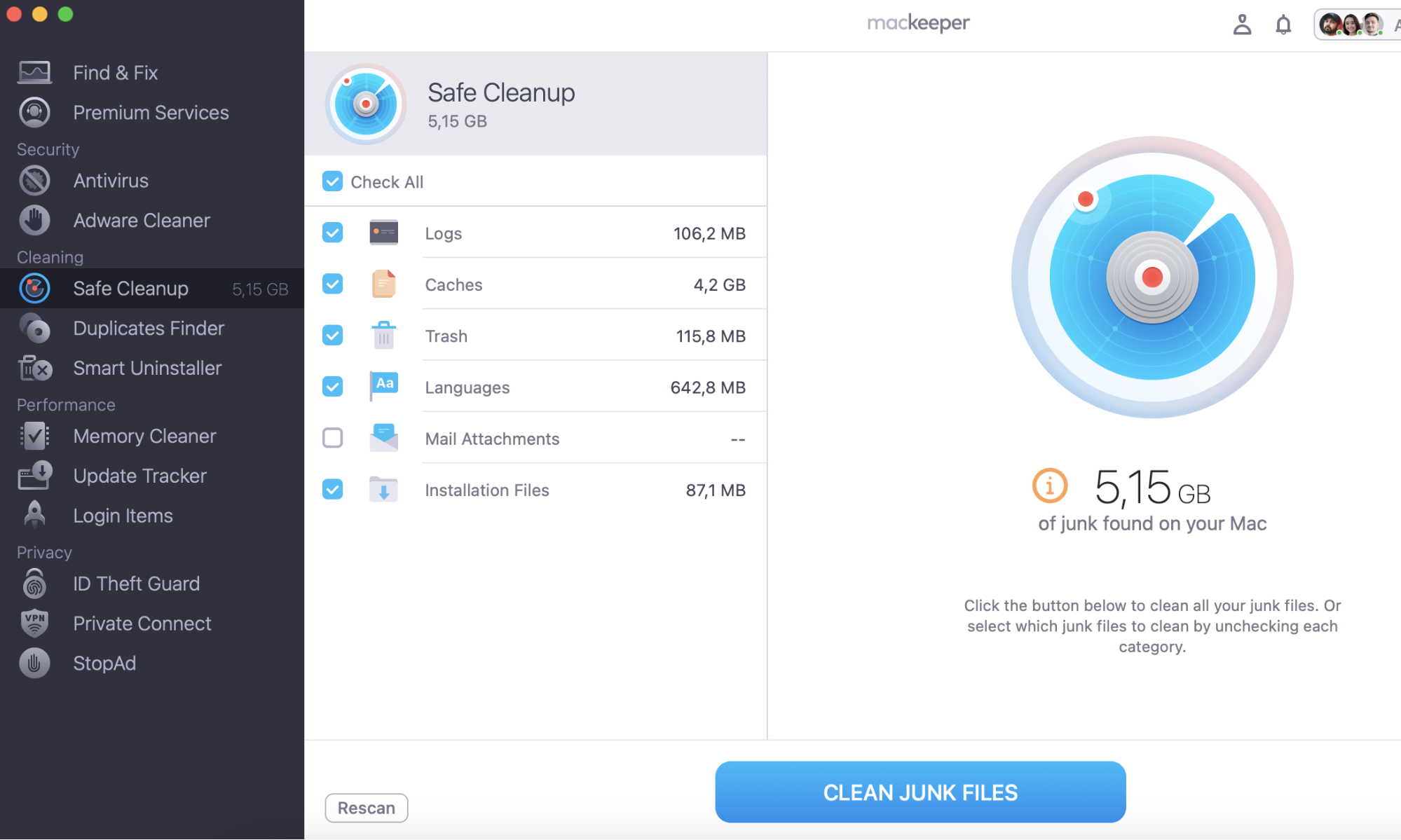
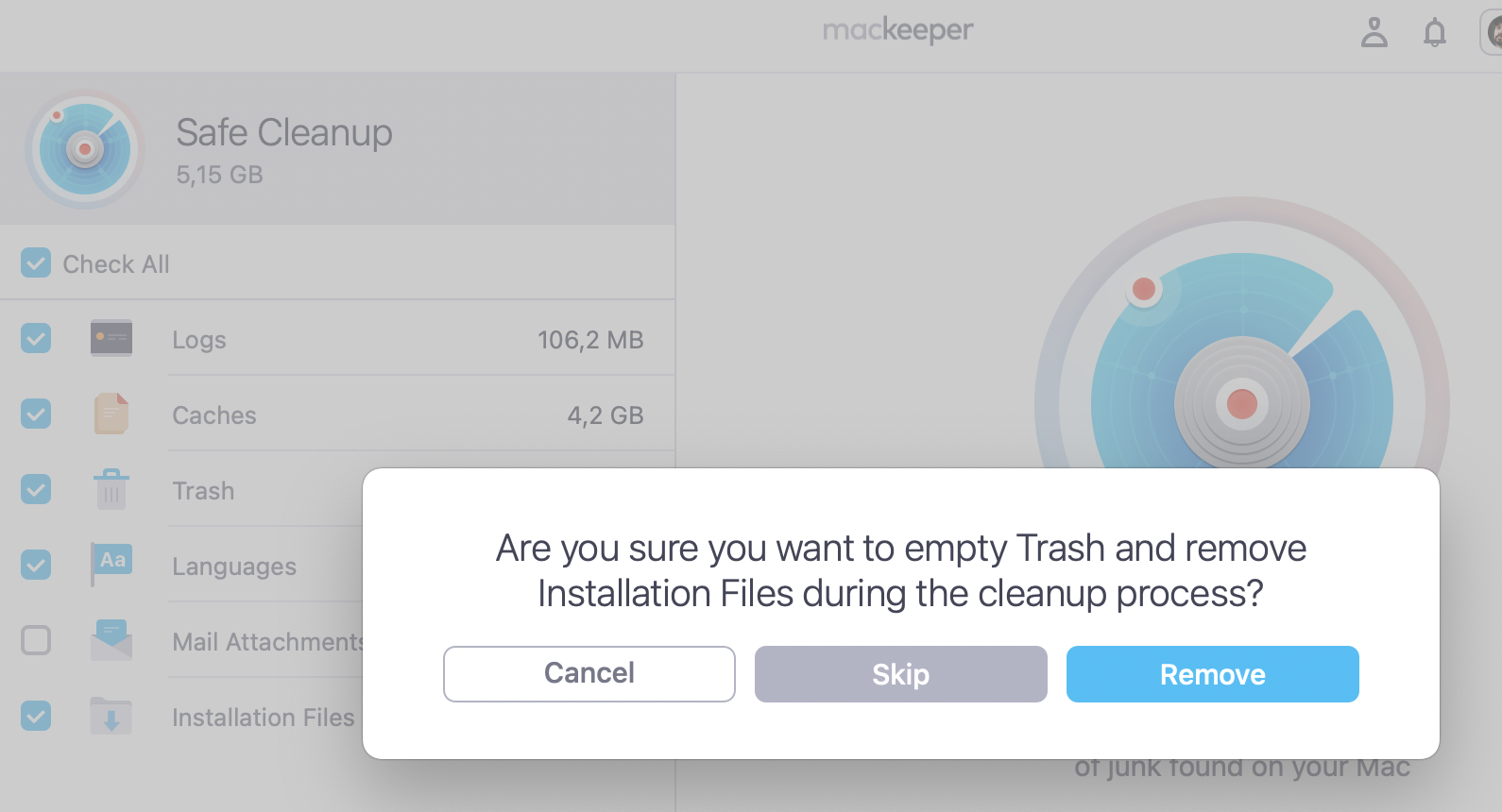
MacKeeper has several cleaning tools for macOS, making it a more comprehensive solution than Intego. With MacKeeper’s Safe Cleanup you can instantly detect and remove junk files. After doing this, you’ll free up a significant amount of space on your device—all within just a few clicks.
Since you can clear out your Mac whenever you want, using a cleaning tool might seem pointless. However, not using this kind of software is a bad idea. Spending lots of manual time clearing out your device makes little sense when you can use tools that will save you hours, and you’ll also find programs that you had forgotten about. Moreover, cleaning software will ensure that you don’t delete important files and folders and therefore avoid corrupting your computer.
With so many tools available, picking the right cleaning software is difficult. But to save you from decision fatigue, I’ve put together this comprehensive Intego vs. MacKeeper review. Keep reading to learn about the pros and cons of both tools, along with pricing, features, and more.
A note from our experts:
If you’re accustomed to using Intego, it’s time to try out the alternative. MacKeeper’s Safe Cleanup tool gets your Mac rid of digital junk and frees up so much-needed space. Try out MacKeeper today!
Follow these instructions to use MacKeeper’s Safe Cleanup solution:
Before we examine the different features of Intego and MacKeeper, it’s worth discussing both in more detail. I’ll provide some background context in the two sections below.
MacKeeper
MacKeeper is a software solution owned by Clario. The tool was initially launched in 2010 and is now used by millions of people worldwide. The app covers several aspects of Mac maintenance, including an antivirus solution (if you’ve been wondering, “do Macs need antivirus?”, the answer is yes). In March 2025, MacKeeper showed 100% detection rate of widespread and prevalent malware certified by AV-TEST.
With MacKeeper, users can also perform actions like uninstalling and updating apps. Premium users also have access to MacKeeper’s Premium Services team, which provides round-the-clock support for several issues related to macOS and other Apple devices.
Intego
Intego is a software solution that was initially founded in 1997. Since its early days in France, the company has relocated its headquarters to the US. Intego focuses on security and cleanup tools, and like MacKeeper, it also has millions of users.
With Intego, users can automatically organize their devices and remove duplicate files. Moreover, the app has various anti-malware features to protect browsers—such as inbound and outbound firewall protection.
Features overview Intego and MacKeeper
Now that you know the background of Intego and MacKeeper, let’s look at the two apps’ features. Below are the most important tools for both of them.
Intego features
Intego has a number of essential features for a better macOS user experience, such as a Web Shield for safer online shopping. Users also have access to a cleanup tool called Washing Machine and all the following:
Key Intego Features
Blocking data exfiltration
Automatic file organization
Content restrictions
Personal backup and recovery
Optional VPN
Anti-phishing tools
Scheduled and automatic scanning
Virus Barrier
Real-time device protection
Features of MacKeeper
MacKeeper also has a broad suite of features for macOS users to keep their devices clean and safe, including a VPN and duplicate file remover. Users also get access to the following features:
Key MacKeeper Features
VPN
Ad-blocking tool
Spyware and adware removal
Remove unused and unwanted apps
Real-time virus and malware scanning/protection
24/7 technical support
Personal record leak monitoring
Fix problems with your device via Find & Fix
Block third-party trackers in Safari and Google Chrome
Intego vs MacKeeper pricing
Besides looking at app features, you’ll also need to consider pricing when picking between Intego and MacKeeper. Pricing will vary depending on your location, and for simplicity, I’ll compare both in USD and how much your software would cost in the US.
Intego pricing
Intego’s pricing is a bit more complicated, as plans cover different services available. You can choose between one and five Macs from different bundles. It’s also possible to pick whether you want a one-year or two-year subscription, with the latter being less expensive.
Let’s first start by looking at Intego’s pricing for 12-month subscriptions:
Mac Premium Bundle + VPN
Mac Premium Bundle X9
Mac Internet Security X9
$134.99 per year (1 Mac), $165.99 per year (3 Macs), $196.99 per year (5 Macs)
$84.99 per year (1 Mac), $115.99 per year (3 Macs), $146.99 per year (5 Macs)
$49.99 per year (1 Mac), $66.99 per year (3 Macs), $84.99 per year (5 Macs)
Meanwhile, here’s a rundown of how much Intego costs for two-year subscriptions:
Whether you use Intego, MacKeeper, or another app, knowing how to check Mac for virus will make it much easier to stop your device from getting harmed. You can also use tools like Activity Monitor to find offending apps and programs.
Payment methods of Intego
Intego offers a handful of payment methods: PayPal, Mastercard, Visa, and American Express.
Pricing of MacKeeper
MacKeeper’s pricing is simple and ranges from 1 to 3 Macs. You can choose whether you want to pay month-to-month, but this will be more expensive over the course of a year. A cheaper option is to pay every 12 months, and it’s also more cost-effective to add three Macs instead of one if you want to protect the whole family.
12 Months (3 Macs)
12 Months (1 Mac)
1 Month (1 Mac)
$7.45 per month
$5.95 per month
$10.95 per month
MacKeeper payment methods
MacKeeper offers a broader range of payment methods than Intego. Here’s a rundown of the ways you can pay for the service:
Credit and Debit Cards
Visa, Mastercard, JCB, American Express
Alternative Payment Methods
PayPal
iDEAL (Netherlands only)
Carte Bleu (France only)
Alipay (China only)
WeChat (China only)
Boleto Bancario (Brazil only)
Compatibility with devices
Even if you like the features available in your chosen software, it means nothing if you can’t use the tool with your device. Since MacKeeper and Intego are compatible with different devices, I’ve broken these down into the two sections below.
Intego compatibility
Intego is compatible with each of the following devices:
Windows
macOS
If you want to use Intego on your device, you’ll need to have at least macOS 10.13 installed. For Windows, you’ll have to download Windows 7, 8, 10, or 11.
Compatibility of MacKeeper
MacKeeper is only compatible with Macs, and you’ll need to have at least macOS 10.13 for MacKeeper 7. The earlier version of this software is available on devices running macOS 10.11 and macOS 10.12.
Hint from our team:
Despite a difficult early period, MacKeeper has made huge strides toward improving customer safety and building a great product. If you’re wondering, “is MacKeeper safe?”, it’s worth checking out our separate guide.
Customer support
Customer support is also important as sometimes, things will, unfortunately, go wrong—regardless of the software you choose. Let’s now look at how MacKeeper differs from Intego in its customer support.
Intego customer support
Intego has a resource center where you can find answers to commonly asked questions. If you need further support, you can submit a ticket.
MacKeeper customer support
MacKeeper has a round-the-clock Premium Services team that can help with several requests that are related to MacKeeper’s software and your computer. Moreover, the team has expertise in other Apple products, such as Apple Watch, iPhone, and iPad.
You can contact MacKeeper’s Premium Services team for all kinds of requests, and you should be able to solve the problem much quicker than if you needed to search for things manually or wait for a ticket request. The team can also help you with Android devices, your printer, and more.
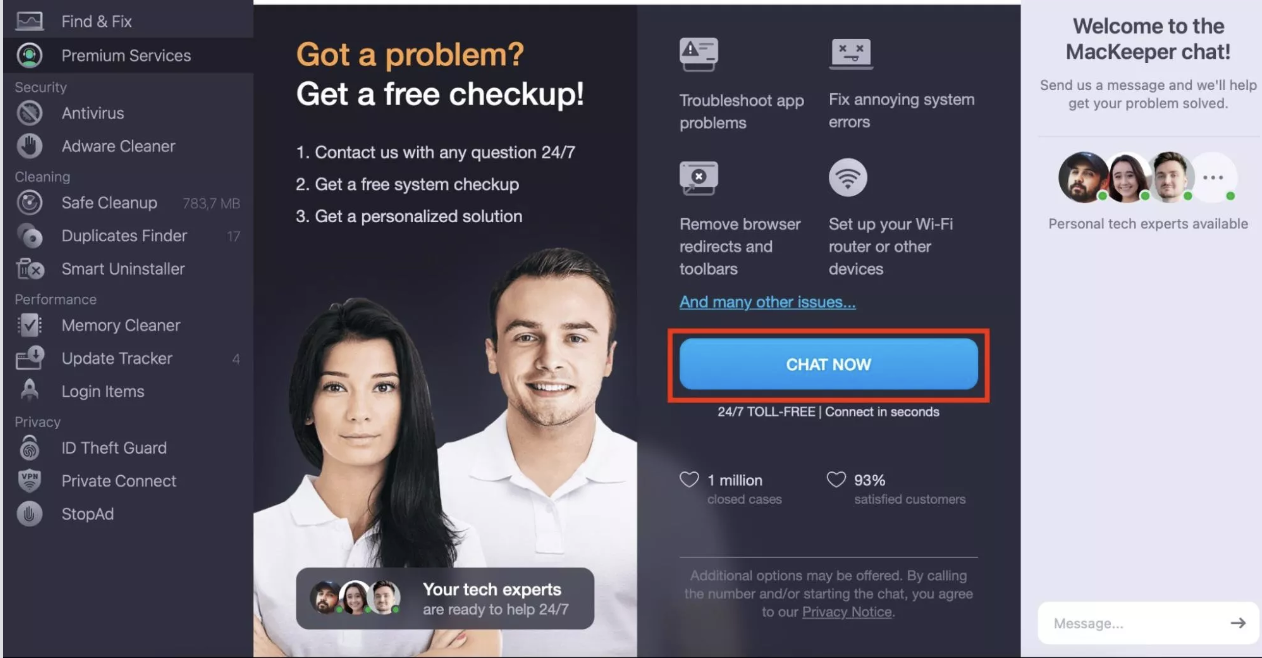
Here’s how to contact MacKeeper’s Premium Services team:
Select Premium Services, which is close to the top in the left-hand corner.
Tap Chat Now.
Tell the team what you’re struggling with. Go into as much detail as possible to ensure that they can assist you more efficiently.
Step 1. Open MacKeeper > Select Premium ServicesStep 2. Select Chat Now and enter your problem in the text box
What are the advantages and disadvantages of Intego and MacKeeper
Intego and MacKeeper both have their own unique pros and cons. For example, Intego has comprehensive security features but lacks a bit in cleanup tools. Moreover, its customer support is more difficult to get in touch with. On the other hand, MacKeeper excels at cleaning up devices but is only available on macOS.
Pros and cons of Intego
Some of the pros of using Intego include:
Comprehensive payment offerings
Available on Windows and Mac
Firewall and virus protection
Recover your documents with Personal Backup
Easy configuration
Meanwhile, some of the drawbacks associated with Intego include:
Limited payment options compared to MacKeeper
Difficult to reach customer support straight away
MacKeeper pros and cons
Some of the advantages associated with using MacKeeper include:
Comprehensive cleanup tools
User-friendly interface
Reasonable and transparent pricing
Lots of payment methods are available
Available in 18 languages
24/7 customer support
Meanwhile, some of the drawbacks you’ll notice when using MacKeeper include:
Limited actions with the free plan
Not available on non-macOS computers
Everything you need to know about Intego and MacKeeper
In this MacKeeper vs. Intego comparison, the main difference between Intego and MacKeeper is that while MacKeeper focuses mainly on cleaning up your device and maintenance, Intego focuses more on security. However, MacKeeper still has very competent tools for keeping your device safe—including ad-blockers and spyware removal.
When choosing between MacKeeper and Intego, you must consider the different features available. However, pricing and customer support are also important. If you want to try out MacKeeper’s Safe Cleaning tool (or any other feature) for free, you can then decide whether you want to upgrade or not.
We respect your privacy and
use cookies
for the best site experience.
Privacy Preferences Center
We use cookies along with other tools to give you the best possible experience while using the
MacKeeper website. Cookies are small text files that help the website load faster. The cookies we
use don’t contain any type of personal data meaning they never store information such as your
location, email address, or IP address.
Help us improve how you interact with our website by accepting the use of cookies. You can change
your privacy settings whenever you like.
Manage consent
All cookies
These cookies are strictly necessary for enabling basic website functionality (including page
navigation, form submission, language detection, post commenting), downloading and purchasing
software. The website might malfunction without these cookies.