For us, reinventing MacKeeper means putting the customer's voice at the heart of MacKeeper’s strategy. Our transformative vision implies that Mac optimization, cleaning, privacy, and security are not something our customers should worry about. Start with MacKeeper’s Safe Cleanup and see for yourself how easy your Mac optimization process could become.
Today we’re proud to announce a new strategy and direction, accelerated by our new, international executive team members, including CEO Alun Baker (Oracle, Merrill, Accenture), CMO Dominic Neil-Dwyer (SONY, BBC), and CFO Geoff Baldock (Travelex, Safetykleen). The senior team has been appointed to drive MacKeeper’s ongoing transformation to create a completely disruptive consumer solution for the digital protection and privacy space. Our new Director of CX (Customer Experience), Scarlet Jeffers (Apple, EY Seren), is helping us put the consumer at the focal point of our strategy with a critical emphasis on user experience and customer satisfaction review.
A note from our experts
MacKeeper stands for your Mac's high performance. Seeing is believing! Try out MacKeeper’s Safe Cleanup and watch for your Mac’s changes.
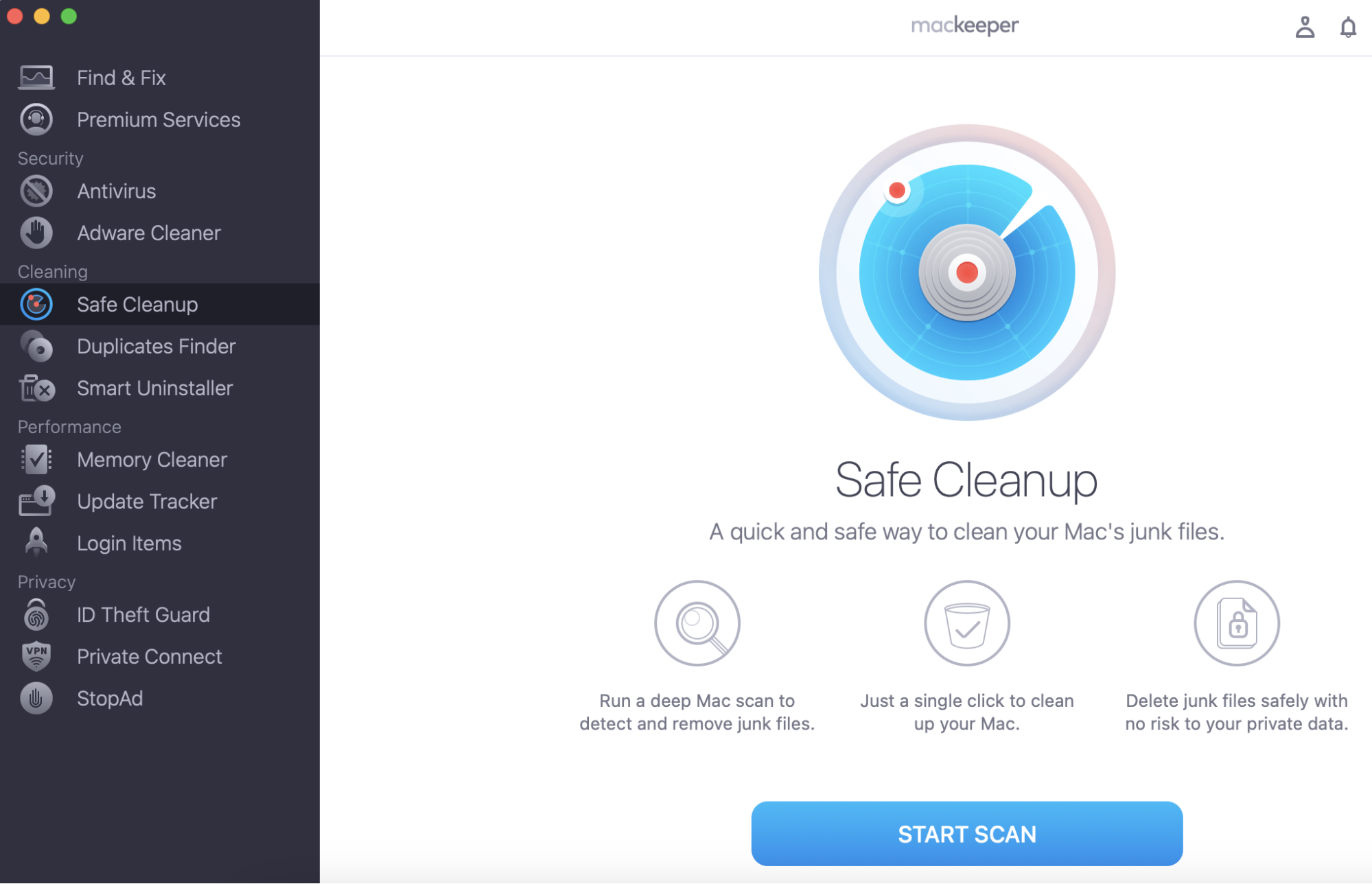
Select Safe Cleanup from the menu and click Start Scan.
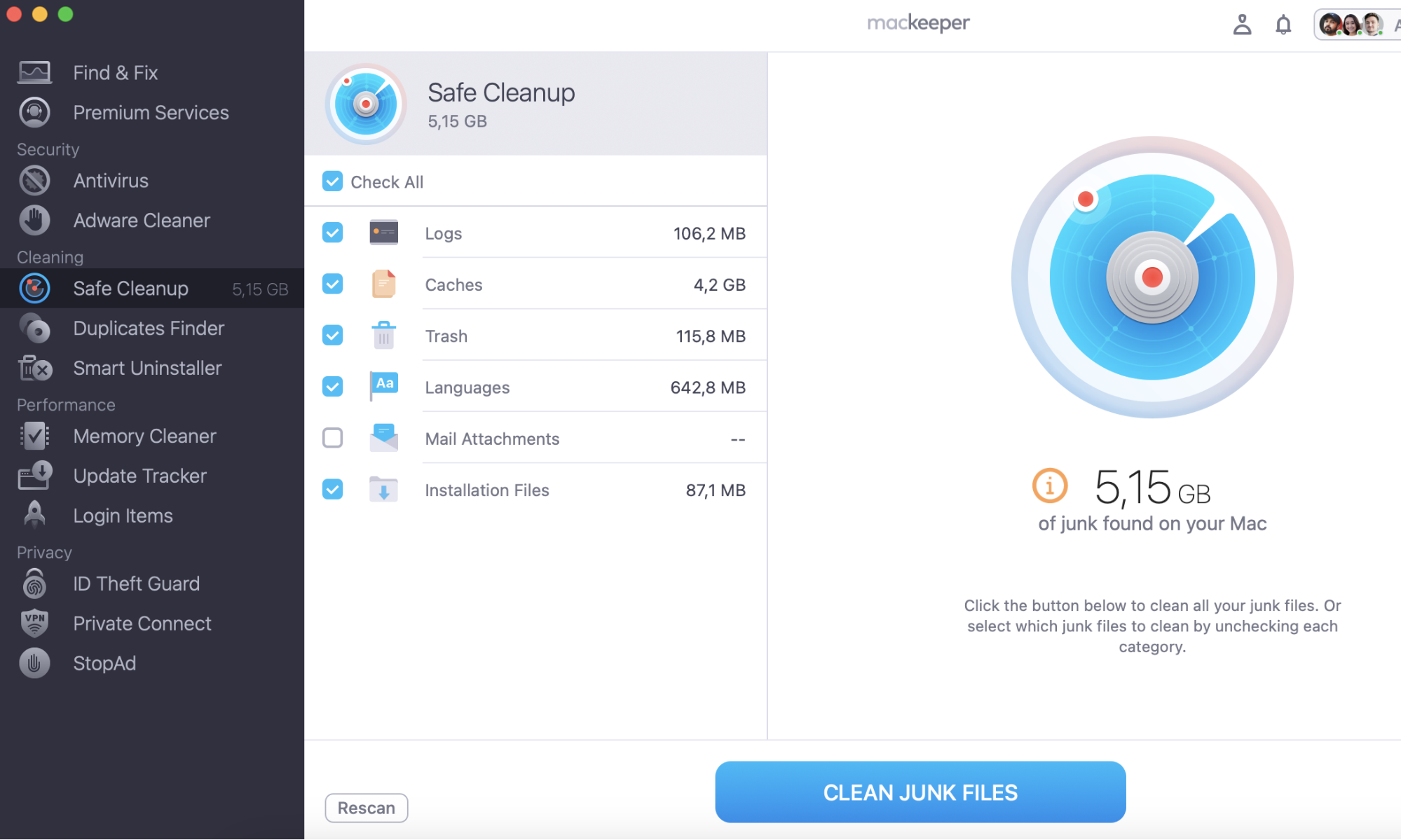
Select Clean Junk Files to free up some space.
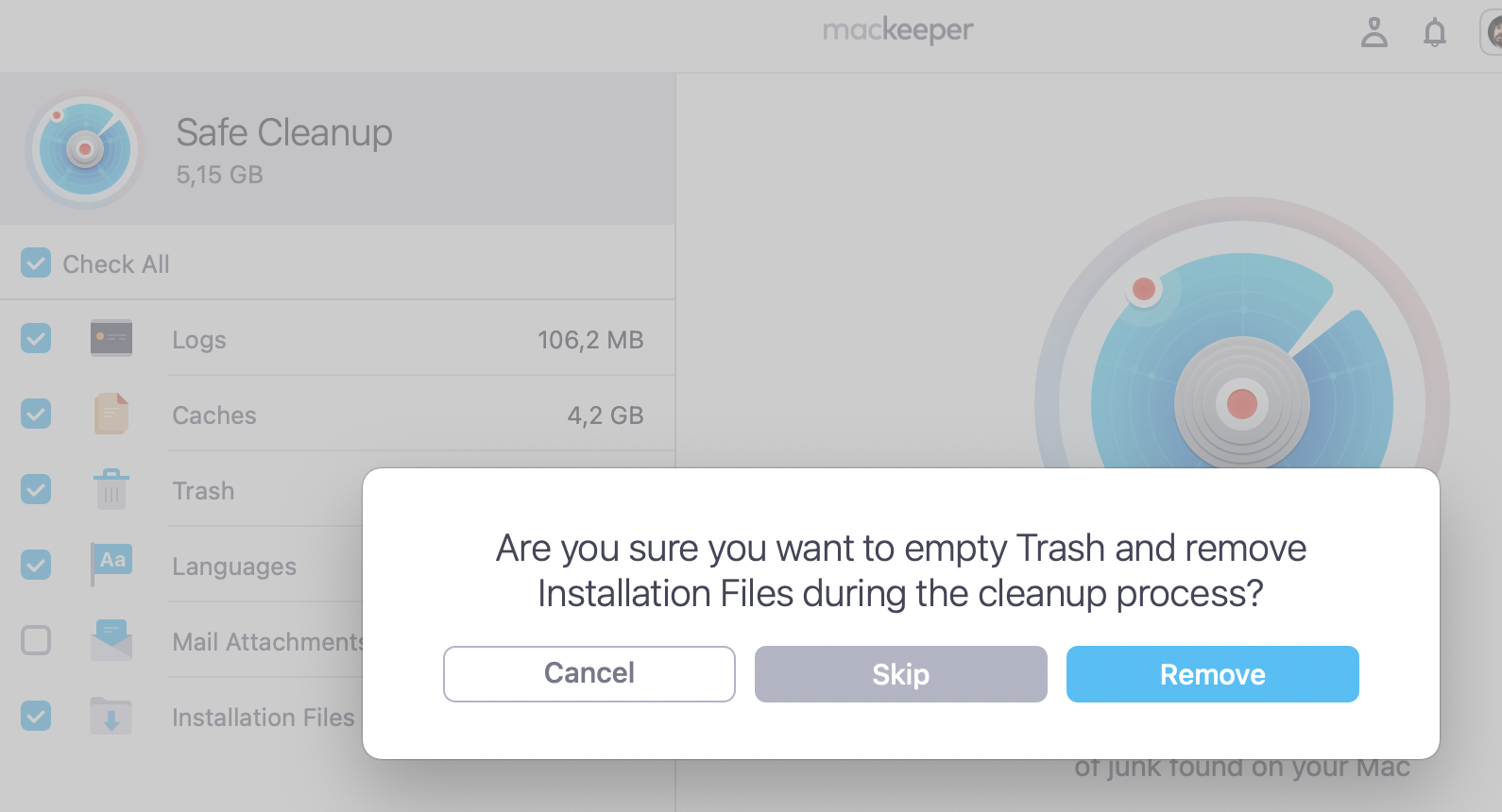
Step 1. MacKeeper > Safe Clenup > Start ScanStep 2. Check the files you want to delete > click Clean Junk FilesStep 3. Click Remove
A major strategic initiative and unique competitive differentiator for us here at Kromtech is the integration of our world-class technical service group of over 800 support experts (ZoomSupport™) into a premium solution offer. We’re making a significant investment in groundbreaking software releases over the next 12 months. We’ve already launched MacKeeper (4.0) with anti-tracking and macOS VPN features. The plan is for further new feature releases during the coming month, including online ID Theft protection as well as ads and trackers blocking.
Historically, the MacKeeper brand has suffered from criticism over its use of third-party affiliates, who engaged in aggressive sales techniques to promote the sale of the software. We have proactively eliminated these distribution channels and are proud to now be considered to be one of the most compliant software providers in this space.
Our 2019 product and service roadmap will bring a completely fresh approach to help consumers easily solve the problems and complexities of digital privacy and protection. This will be done by combining security, privacy, and anti-fraud technologies, with best-in-class technical assistance — 24/7 access to a team of 800+ smart, empathetic tech experts ready to help when things go wrong.
Alun Baker, our newly appointed CEO, is a highly respected technology executive and has more than 20 years’ experience growing and transforming technology companies. As Chief Executive at Kromtech, Baker is helping us to pivot in order to revolutionize and disrupt an industry characterized by complex, technology-based messaging that perpetuates fear and confusion among consumers.
“Kromtech is a highly energized and dynamic company with a new, clear purpose. We are committed to disrupting the traditional consumer cybersecurity market that has seen cybercrime escalate to epidemic proportions, costing the world over $600B. We’re all about putting the consumer first in their constant battle against the invasion of privacy, identity theft, and intrusion across all their devices that result from not only their online activity but also from corporate loss, misuse, and abuse of their personal data.
Digital protection and privacy today need multi-faceted, personalized care, and we’re committed to serve this need. Watch this space over the coming year.� — Alun Baker, CEO Kromtech.
Our next product release for MacKeeper is planned for the end of Q2 2019.
We respect your privacy and
use cookies
for the best site experience.
Privacy Preferences Center
We use cookies along with other tools to give you the best possible experience while using the
MacKeeper website. Cookies are small text files that help the website load faster. The cookies we
use don’t contain any type of personal data meaning they never store information such as your
location, email address, or IP address.
Help us improve how you interact with our website by accepting the use of cookies. You can change
your privacy settings whenever you like.
Manage consent
All cookies
These cookies are strictly necessary for enabling basic website functionality (including page
navigation, form submission, language detection, post commenting), downloading and purchasing
software. The website might malfunction without these cookies.