Should you choose Pearcleaner or AppCleaner to remove apps from your Mac? These simple, free programs both promise to uninstall apps without leaving anything behind, and we’re putting them to the test here. But if you’re looking to save disk space, give MacKeeper’s Safe Cleanup a try—and get rid of junk files quickly and easily.
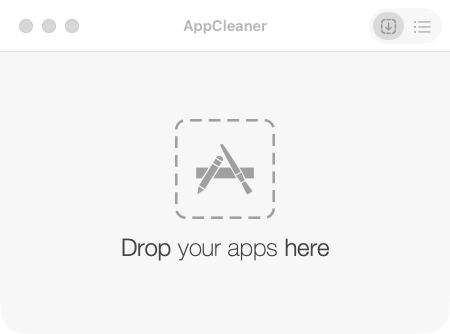
AppCleaner is a minimalist, free program that lets you uninstall macOS apps simply by dragging and dropping them into a window. That includes anything the app might otherwise leave behind, hidden in hard-to-find folders on your Mac. Read our full AppCleaner review for more information.
What is Pearcleaner?
Pearcleaner is a maintenance tool for Macs. As well as cleanly removing apps from Apple computers, it lets you manage plugins, app updates, and more. Pearcleaner is free and open source, so its community plays a crucial role in its continued development.
Pearcleaner vs AppCleaner: Comparison
For this AppCleaner vs Pearcleaner comparison, we’ve considered everything from functionality to interface design to find out which app is best.
A note from our experts:
MacKeeper also has a Smart Uninstaller app, but if you want to really free space on your Macintosh machine, its Safe Cleanup feature is the way to go.
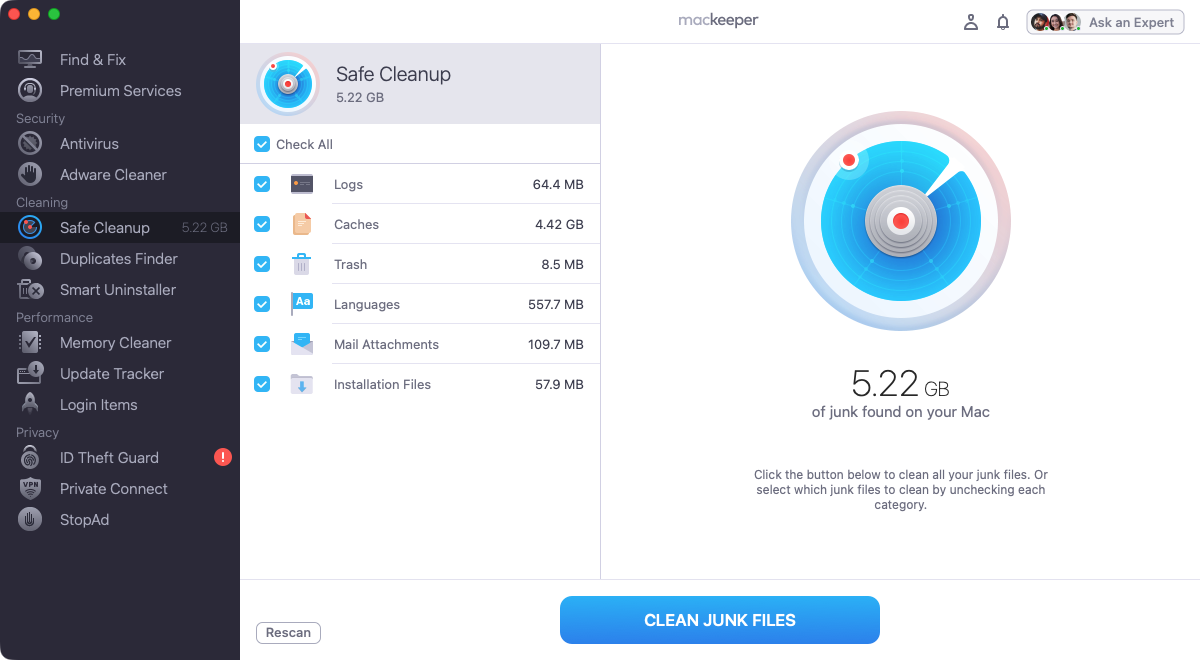
You can use it to delete junk files as simply as this:
When the scan is finished, select what to remove and click Clean Junk Files.
In just a few clicks, Safe Cleanup can free up gigabytes on your Mac
1. Feature overview
As you can see from our table below, the main difference between AppCleaner and Pearcleaner is that Pearcleaner offers far more additional features beyond app removal. In contrast, AppCleaner is a single-purpose tool.
AppCleaner
Pearcleaner
Drag and drop apps to delete
Yes
Yes
Browse apps and their related files
Yes
Yes
Delete leftover files when apps are dragged to Trash
Yes
Yes
Additional features
None
Orphaned File Search
Homebrew Managed
App Lipo
Sentinal Monitor
Apps Updater
PKG Manager
Translation Pruner
Plugin and Services Manager
Dev Environment Manager
Undo Manager
CLI and Deep Link Support
2. macOS version compatibility
AppCleaner currently offers different versions, covering different Mac operating systems, all the way back to macOS 10.10 (Yosemite), which was released in 2014. That means it supports Intel and Apple Silicon models.
Pearcleaner is focused much more on modern systems. You need an Intel or Apple Silicon Mac or MacBook running macOS 13 (Ventura) or newer.
3. User interface and ease of use
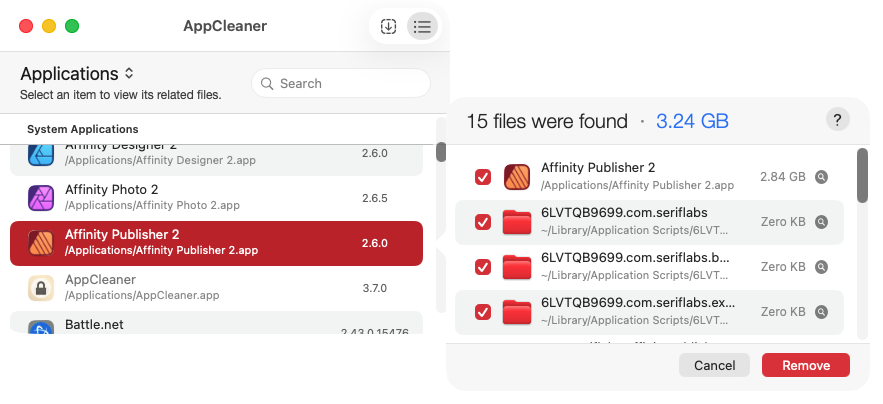
AppCleaner is about as stripped back as an app can be. You have a drag-and-drop view, a list view, and a simple settings panel. Deleting apps with AppCleaner is simple.
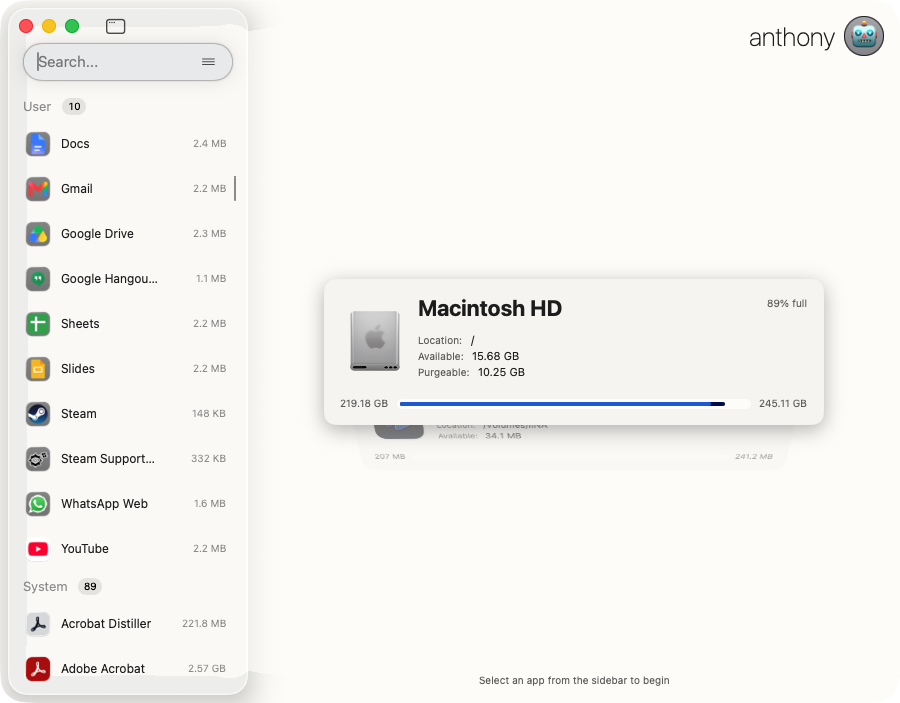
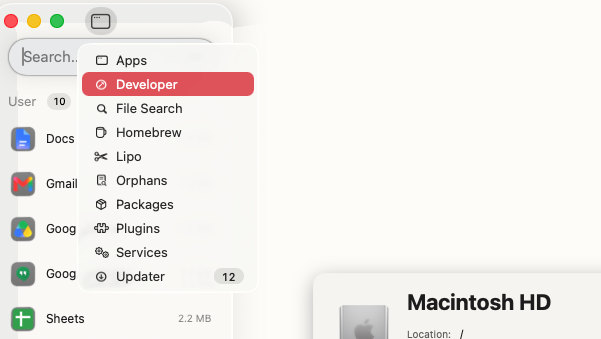
With Pearcleaner, there are many more bells and whistles, and it took us a while to get to grips with it all. In the top left, you can select different tools, while the top right features controls for the current tool. The settings panel is also more complex, and you should be careful to read everything carefully.
With AppCleaner, it's all about simplicityPearcleaner is a more advanced tool, packed with features
4. Scanning depth and leftover detection
Whether you choose AppCleaner or Pearcleaner, you get deep leftover file scanning. That means both apps will fully search your Mac for files and folders related to the apps you delete.
However, Pearcleaner has other tricks up its sleeve. If you’ve already deleted an app the old-fashioned way (with Finder), the tool’s Orphaned File Search means you can still find all the leftover data.
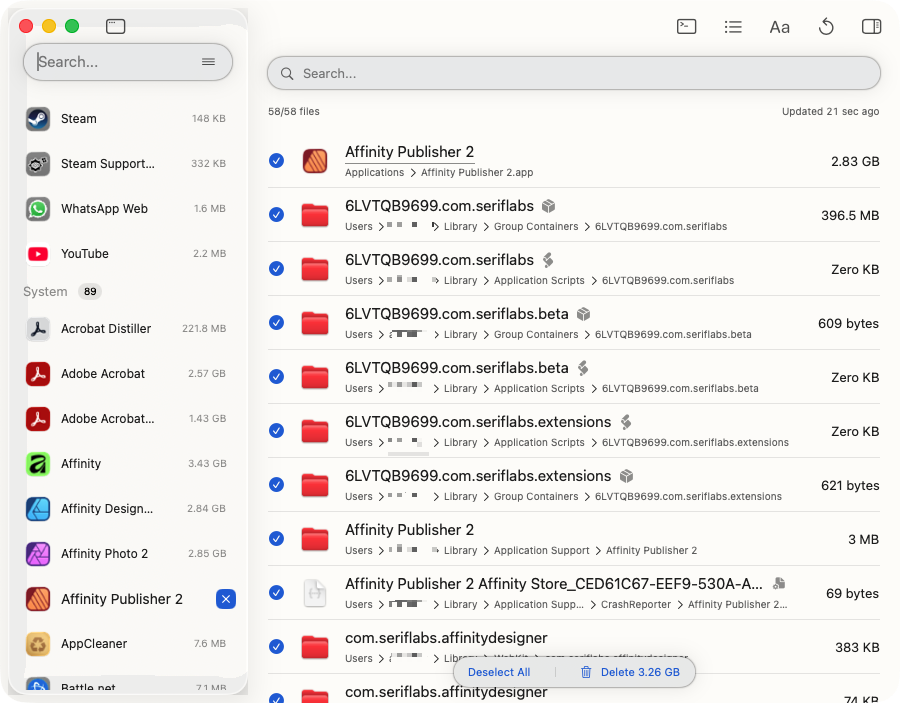
In our tests, the two programs performed almost the same for leftover detection, but Pearcleaner was slightly more thorough.
In AppCleaner's list view, you can see all everything in detailPearcleaner does a good job of finding data related to your apps
5. Background monitoring and automation
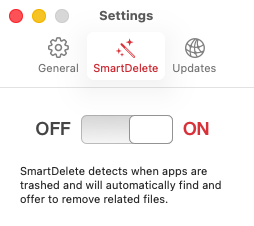
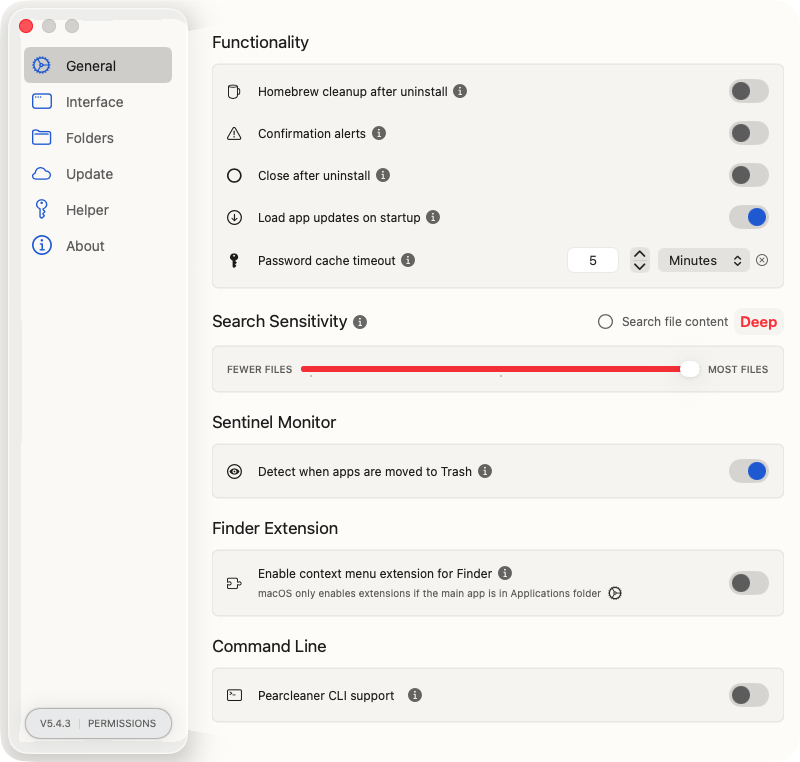
Both tools have the ability to launch automatically when you send an app to your Trash. In AppCleaner, this is called SmartDelete. In Pearcleaner, it’s called Sentinel Monitor. We tested both, and they worked exactly as advertised, showing us a list of the leftover files and folders they could delete.
SmartDelete automatically opens AppCleaner when you send an app to your TrashEnable Sentinel Monitor, and Pearcleaner is always ready to help when you delete an app
6. Advanced tools and extra utilities
As we’ve explained above, AppCleaner is 100% focused on app removal, so it doesn’t have any additional tools.
With Pearcleaner, you also get:
Orphaned File Search: Find and delete old leftovers.
Homebrew Managed: Update, uninstall homebrew packages, and more.
App Lipo: Remove unused architectures from app binaries to shrink apps.
File Search: Advanced file and folder filtering.
Apps Updater: Update all your apps from one place.
PKG Manager: Manage packages installed by the macOS Installer.
Plugin and Services Manager: View and delete plugins, and find related files.
Dev Environment Manager: Find and clean out files related to development tools.
Launch Services Manager: Manage launch agents, daemons, and XPC services.
Pearcleaner offersmore than an app uninstaller
7. System requirements and performance
These are two very lightweight programs, and on the M1 Mac we tested them on, their impact on the system was negligible. As far as we could tell, AppCleaner was running just one main process, while Pearcleaner was running its main app, alongside the PearcleanerHelper and AutoFill (Pearcleaner).
This makes sense, because AppCleaner is a basic app that weighs in at 7.6MB, while Pearcleaner is more feature-rich, leading to a 24MB file size. In reality, though, neither app is going to make any difference to your Mac’s performance.
8. Licensing and security
AppCleaner is the property of FreeMacSoft, which belongs to developer Julien Ramseier. While the app is free of charge, it’s not open-source, so you can’t see the source code. If you do visit the FreeMacSoft site, be careful with what you click. There are lots of ads, including ones with fake download buttons and a particularly intrusive pop-up ad. For more information, check out Is AppCleaner for Mac safe?
Pearcleaner was created by developer Alin Lupascu, and it’s completely open source, licensed under Apache 2.0 with Commons Clause. That means you can view, modify, copy, and distribute the code. The only thing you can’t do is sell it.
9. Pricing
Pearcleaner and AppCleaner are both free of charge. Pearcleaner is open source, while AppCleaner is freeware. That means no subscriptions, paywalls, or hidden tier restrictions.
Explain the cost models of both applications, noting that both utilities are completely free to download and use without subscriptions, paywalls, or hidden tier restrictions.
When to choose AppCleaner?
If you just want to cleanly delete apps from your Mac, then AppCleaner is a simple, reliable option for you. Also, if your Mac is old, then this app may be your only choice.
You should go with Pearcleaner if you like having more advanced features and customization options. Its additional maintenance tools can make a big difference if you find them useful.
Limitations of standalone free uninstallers for Mac
In this AppCleaner vs PearCleaner comparison, we’ve seen that free app uninstallers can be very effective for deleting apps and their leftover data. The fact that they’re free is obviously a bonus too.
However, neither of these programs is as capable as a premium cleaning, optimization, and security tool like MacKeeper. They don’t offer antivirus, junk file cleaning, or privacy protection, and they don’t clear storage as effectively as a broader cleaning tool.
And, of course, you aren’t entitled to any kind of customer support like you are with a paid app. If you don’t know how to use a feature or if something goes wrong, you’re on your own.
Make the right choice for your Mac
When choosing between AppCleaner or Pearcleaner, it ultimately comes down to a matter of simplicity versus power. AppCleaner does one job, and it does it well. That’s great for everyday use. But if you like having more features and don’t mind a slightly steeper learning curve, then Pearcleaner is the natural choice.
Bear in mind, though, that you get more cleaning features, plus antivirus and privacy protection with MacKeeper. And its Safe Cleanup removes much more than unwanted apps, including cached data, old log files, and unwanted language packs—giving you back more of your Mac’s storage. Try it out today and see for yourself.
We respect your privacy and
use cookies
for the best site experience.
Privacy Preferences Center
We use cookies along with other tools to give you the best possible experience while using the
MacKeeper website. Cookies are small text files that help the website load faster. The cookies we
use don’t contain any type of personal data meaning they never store information such as your
location, email address, or IP address.
Help us improve how you interact with our website by accepting the use of cookies. You can change
your privacy settings whenever you like.
Manage consent
All cookies
These cookies are strictly necessary for enabling basic website functionality (including page
navigation, form submission, language detection, post commenting), downloading and purchasing
software. The website might malfunction without these cookies.