Is your Mac running low on space and slowing down? You’re probably weighing CCleaner vs Avast Cleanup to tidy things up. Before you compare tool after tool, we recommend MacKeeper’s Safe Cleanup as a great alternative to clear junk files in one click—no guesswork. One click, and your Mac has room to breathe.
CCleaner is one of the more recognizable cleanup tools, and many people meet it on Windows before trying the Mac version. It targets everyday clutter—cache, logs, and browser leftovers—so your Macintosh has more room to work. Folks often compare it to Avast Cleanup because both promise a tidier, more responsive system. Our CCleaner for Mac review digs into how it behaves on macOS, and below we’ll walk through what CCleaner does day-to-day and where it fits in your routine.
Key tasks CCleaner helps with
From what we’ve studied, here’s what CCleaner tends to handle for most Mac users:
Junk cleanup—clearing caches, logs, and temporary files that pile up over time
Browser data removal—wiping history, cookies, and other browsing leftovers
App management—spotting apps you rarely open so you can uninstall them
Privacy-related cleanup—removing traces of past activity across the system
A note from our experts:
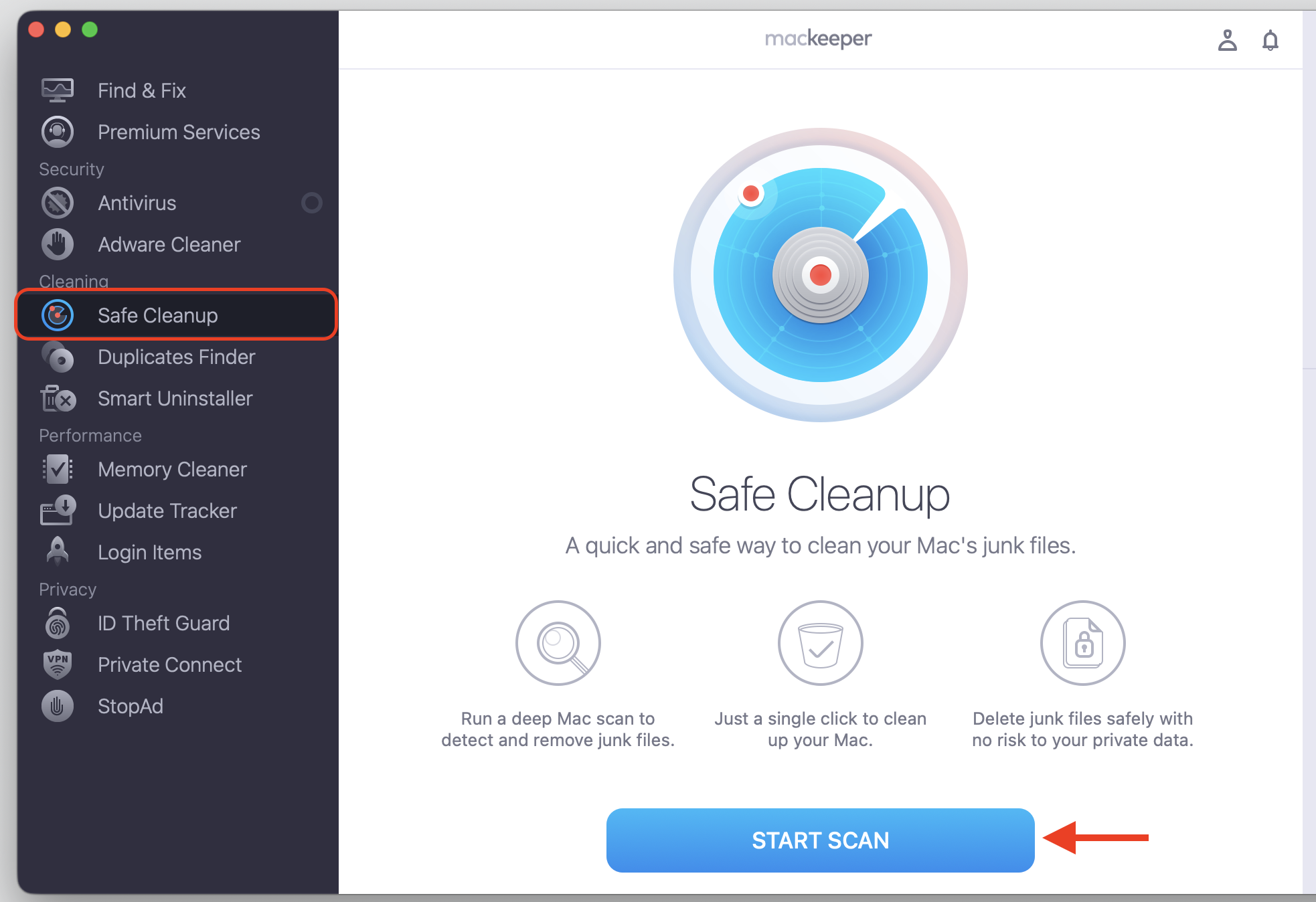
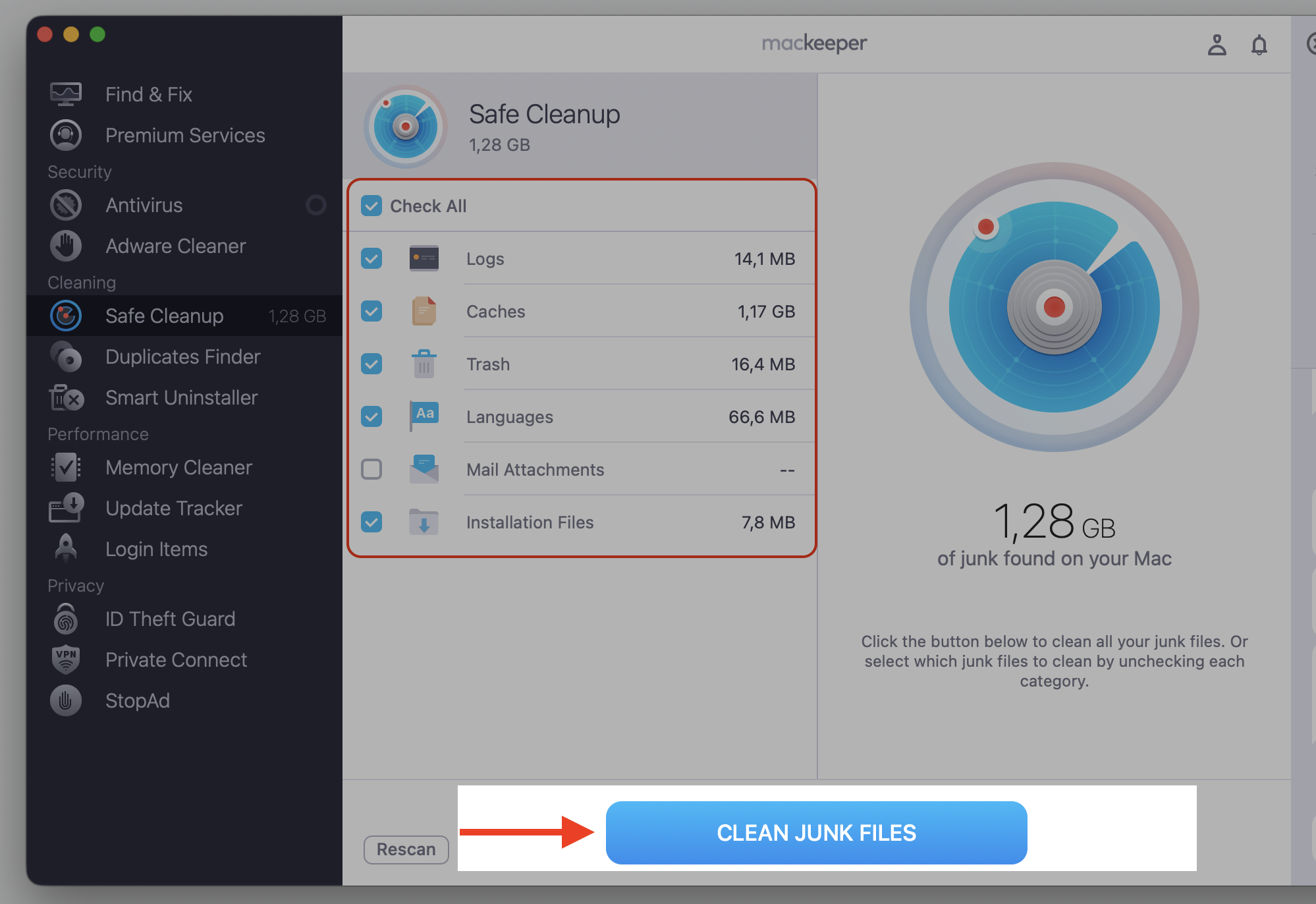
The above-mentioned tasks can also be easily performed using the MacKeeper app. As a decent alternative to CCleaner, its cleaning functionality also handles the task of finding and safely deleting duplicate file copies on your Mac, as well as provides more grounded app management capabilities, as it also helps to delete redundant browser extensions and hidden processes that use your MacBook’s CPU. As your fresh start with MacKeeper, we suggest trying its principal cleaning feature first—Safe Cleanup—to delete all the accumulated clutter on your Mac.
Do the following:
Download, install, and run MacKeeper from the official site.
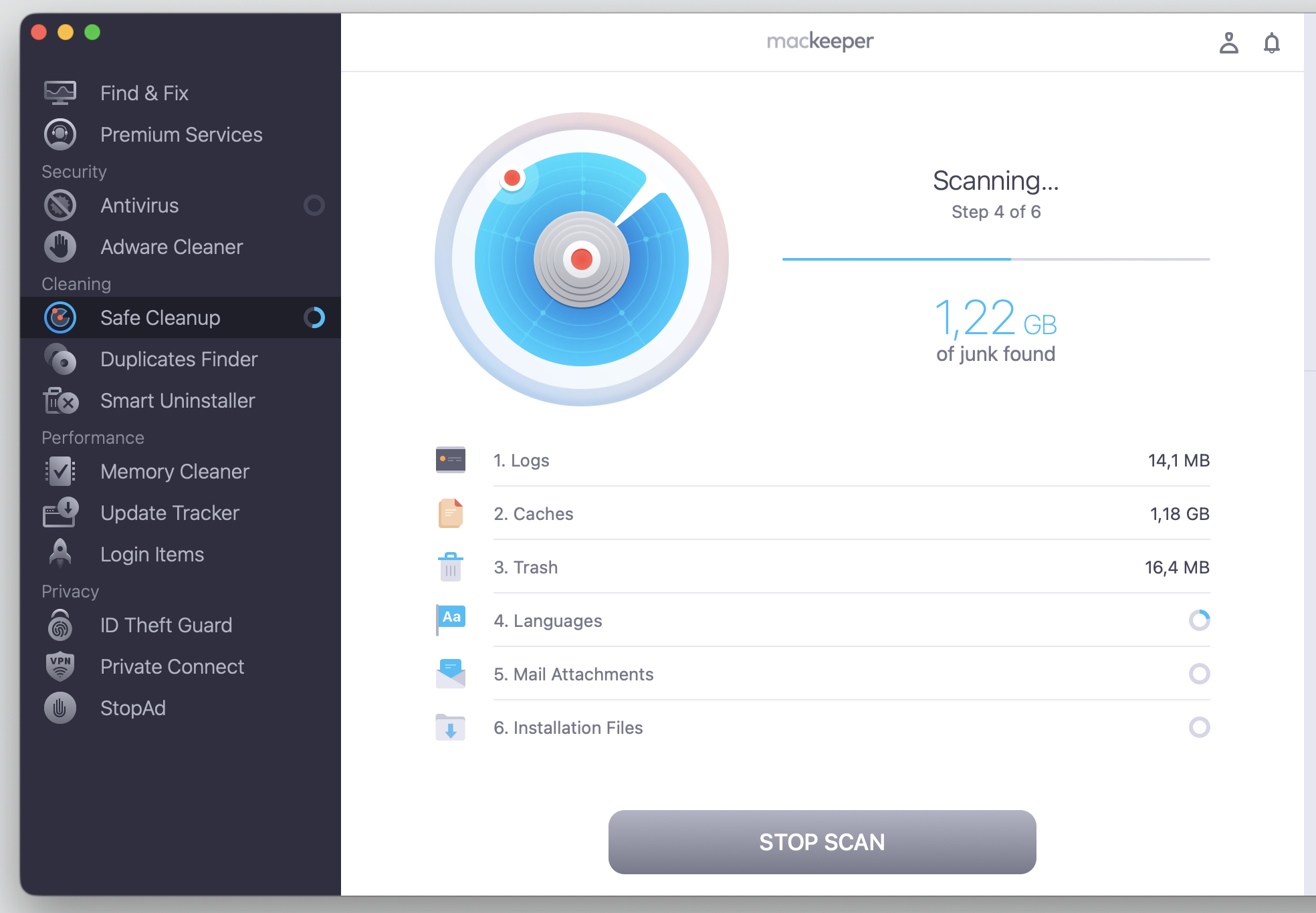
Choose Safe Cleanup > Start Scan and wait until the process ends.
Pick the files you need to delete or check all the boxes.
Confirm your decision to remove the selected files with the Clean Junk Files button.
Step 1. Go to MacKeeper > Safe Cleanup > Start ScanStep 2. Wait until the scan is finishedStep 3. Check all the setup and proceed with Clean Junk Files
CCleaner plans and free limits
CCleaner offers a free version plus paid plans, and what you get depends on the plan and platform. The free version covers basic cleanup, while Professional and Professional Plus add extras like scheduled scanning and automatic updates. Because pricing and free limits change often, it’s worth checking CCleaner’s official site for the current subscription terms before you commit. Free users can still handle routine tidying, though some tools stay limited to a paid plan.
CCleaner strengths and drawbacks
A quick look at the trade-offs:
Pros: a familiar name, a clean and approachable interface, and a free version that covers basic cleanup
Cons: the free version is limited compared to the paid tiers, it has fewer broader security features, and it offers less value if you want a full Mac care suite
Avast Cleanup overview
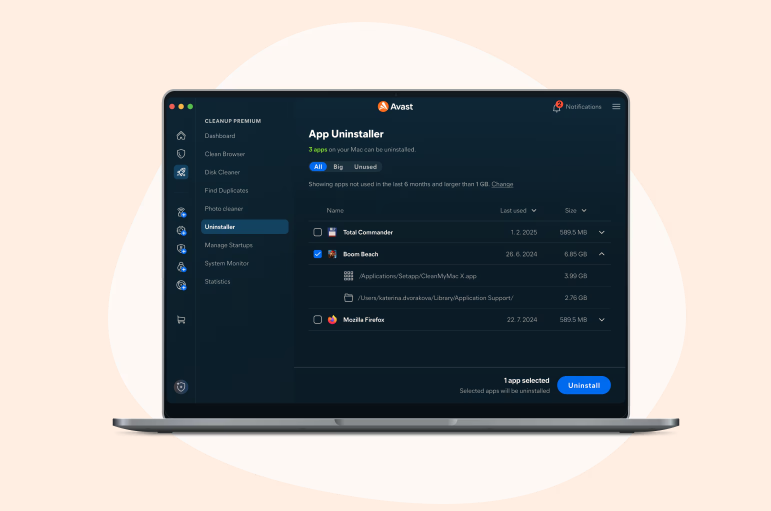
Avast Cleanup is a paid cleanup and maintenance app that many people discover through the wider Avast ecosystem. It focuses on freeing space and keeping your Mac tidy with guided, step-by-step suggestions. We’ve noticed that users often consider it as an alternative to CCleaner when they want a little more hand-holding during cleanup. Our Avast Cleanup review covers how it works on macOS in detail, and below, we’ll look at its main tools and who they suit.
Main cleanup options in Avast Cleanup
Avast Cleanup groups its features around freeing space and cutting clutter. Whether you want to delete cache on Mac or track down forgotten files, it guides you through each step. These are the tools you’ll lean on most:
Junk cleanup—removing caches, logs, and temporary files
Large file detection—surfacing big items you may have forgotten
App leftovers—clearing files left behind after you uninstall an app
Photo cleanup—finding duplicate or blurry photos you can remove
Browser cleaning—tidying cookies and browsing data
Avast Cleanup subscription and trial
Avast Cleanup is a paid product, sometimes sold on its own and sometimes bundled with other Avast tools. A free trial is often available so you can test it before you subscribe. Device limits, renewal terms, and bundle details vary by offer, so check Avast’s official page for the current plan and trial length. That way, you’ll know exactly what you’re signing up for.
Benefits and limitations of Avast Cleanup
The main upsides and downsides:
Pros: guided cleanup that walks you through each step, a place in the recognizable Avast ecosystem, and useful storage and photo cleanup tools
Cons: paid access once the trial ends, possible overlap with other Avast products you own, and limited value if you only need basic manual cleanup
CCleaner or Avast Cleanup: Side-by-side verdict
So, CCleaner or Avast Cleanup—which one fits you? From our investigation, the core difference comes down to approach. CCleaner is a familiar utility with both free and paid options, while Avast Cleanup is a paid tool built around guided cleanup for people already in the Avast ecosystem. Both aim to help you free space, but they get there differently. Let’s compare them across the areas that matter most to you.
Setup and daily use
CCleaner keeps things quick—open it, pick what to clean, and go. Avast Cleanup leans on a more guided interface with suggestions along the way. If you like doing a fast sweep yourself, CCleaner’s simple layout feels natural. If you’d rather be walked through it, Avast Cleanup’s prompts are reassuring.
Finding junk files and freeing space
Both apps tackle junk cleanup, browser clutter, app leftovers, large files, duplicates, and photos, though the depth varies. When you want to remove junk files, CCleaner offers a straightforward scan, while Avast Cleanup adds guided suggestions and photo tools. Results depend on your own Mac, so neither can promise a set amount of recovered space. Think of both as regular tidying helpers rather than magic wands.
Browser privacy cleanup
Both tools can clear browser history, cookies, and trackers, which trims some of the traces you leave online. Still, cleanup alone isn’t full online privacy protection—safe browsing habits and a proper privacy tool matter too. Clearing cookies helps, yet it won’t stop tracking on its own. Treat browser cleanup as one helpful layer, not the whole shield.
Cleanup app vs security suite
Here’s an important distinction we’d like to mention—a cleanup app tidies files and frees space, but it doesn’t replace dedicated malware protection. Neither CCleaner nor Avast Cleanup should be mistaken for antivirus on its own. Avast does offer broader security tools in its ecosystem, so bundle context can matter—but the cleanup app itself won’t guard against threats. For real safety, keep a security tool alongside your cleaner.
Free access, trials, and subscription value
CCleaner lets you do a fair bit for free, while Avast Cleanup asks for a subscription once the trial ends. If your needs are simple, CCleaner’s free version may be enough. If you value guided cleanup and don’t mind paying, Avast Cleanup earns its keep. Since pricing and trial terms change often, confirm the current plans on each official site before you decide.
Best fit for routine Mac maintenance
For casual users, Mac maintenance is simpler than it looks. CCleaner suits quick, hands-on cleanup, and Avast Cleanup suits people who like guided steps. For all-around upkeep, though, we’d point you toward a broader suite that pairs cleanup with security. That way, one tool handles the everyday care your MacBook needs and keeps day-to-day performance steady. Both are compatible with recent versions of Apple’s macOS, so pick the one that matches how much guidance you want.
Conclusion
The main differences between CCleaner and Avast Cleanup come down to price and style—CCleaner offers a free option and quick manual cleanup, while Avast Cleanup leans on paid, guided cleanup within the Avast ecosystem. Both can help you tidy your Mac and optimize storage, so the right pick depends on your budget, your cleanup needs, and how much guidance you want.
If you’d rather skip the comparison altogether, MacKeeper’s Safe Cleanup feature clears trash, caches, logs, and other junk in one click—without touching your personal files. It’s a simple, safe way to free up space and keep your Mac tidy. Try MacKeeper’s Safe Cleanup today and let your Mac breathe easy.
We respect your privacy and
use cookies
for the best site experience.
Privacy Preferences Center
We use cookies along with other tools to give you the best possible experience while using the
MacKeeper website. Cookies are small text files that help the website load faster. The cookies we
use don’t contain any type of personal data meaning they never store information such as your
location, email address, or IP address.
Help us improve how you interact with our website by accepting the use of cookies. You can change
your privacy settings whenever you like.
Manage consent
All cookies
These cookies are strictly necessary for enabling basic website functionality (including page
navigation, form submission, language detection, post commenting), downloading and purchasing
software. The website might malfunction without these cookies.