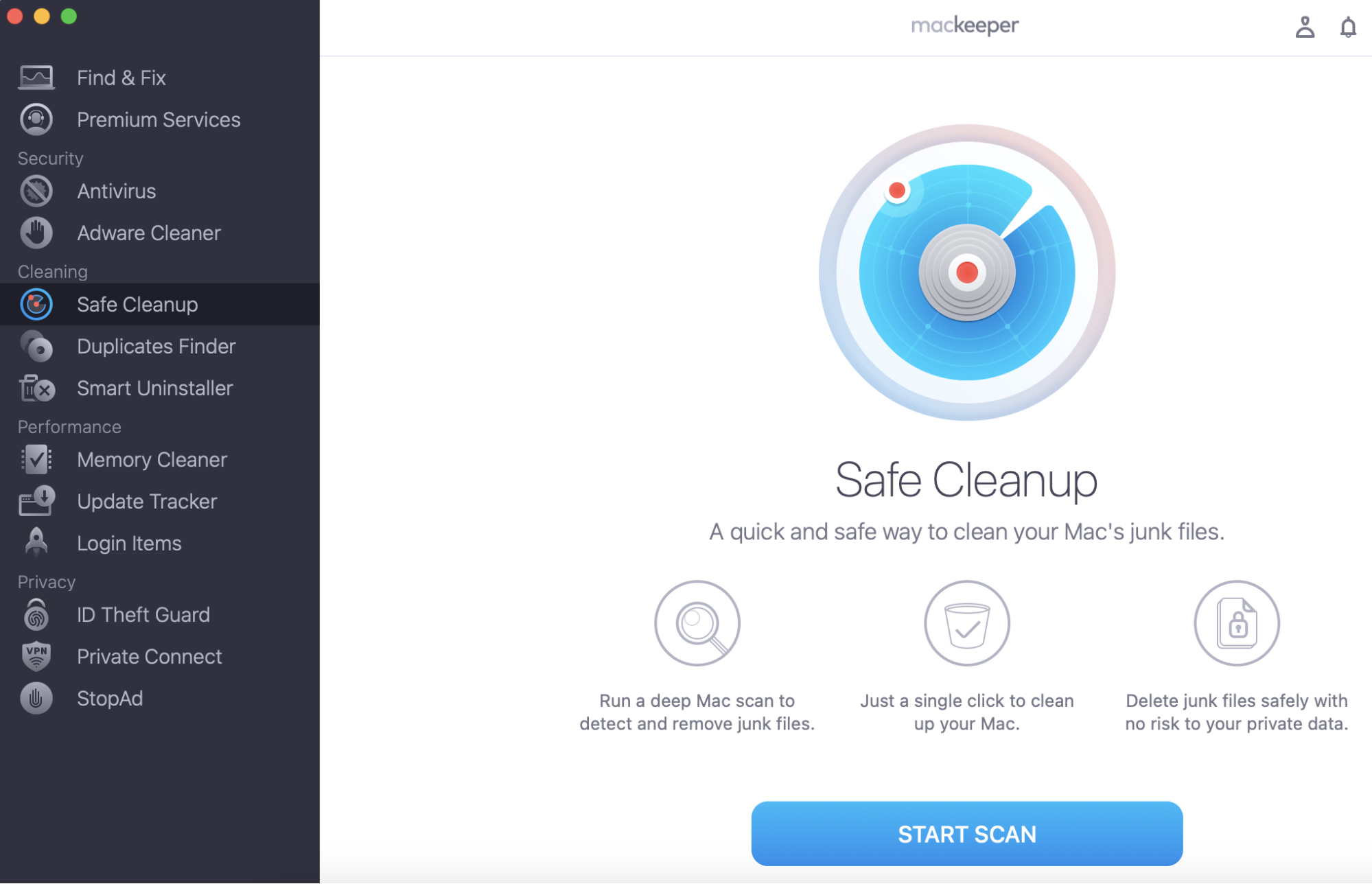
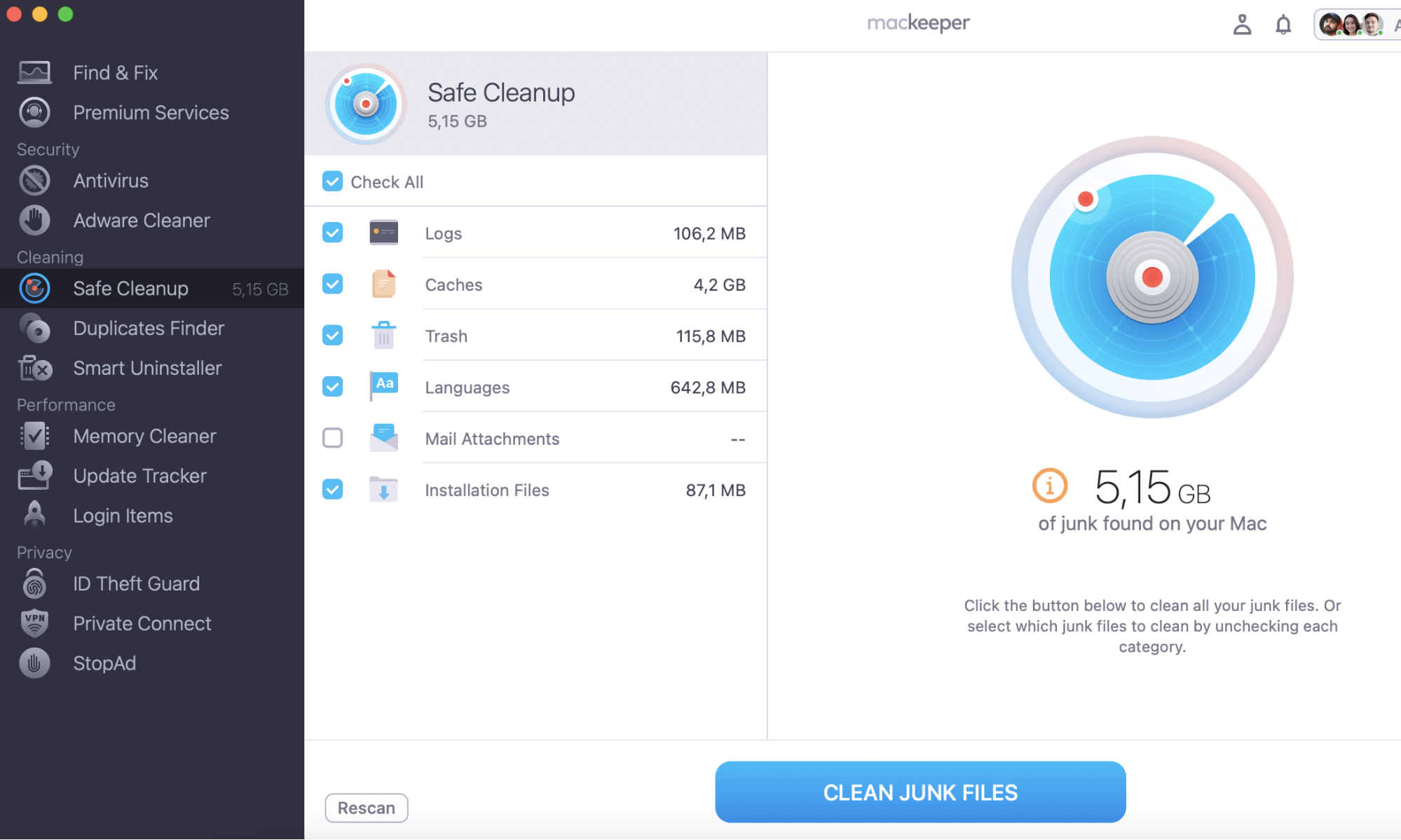
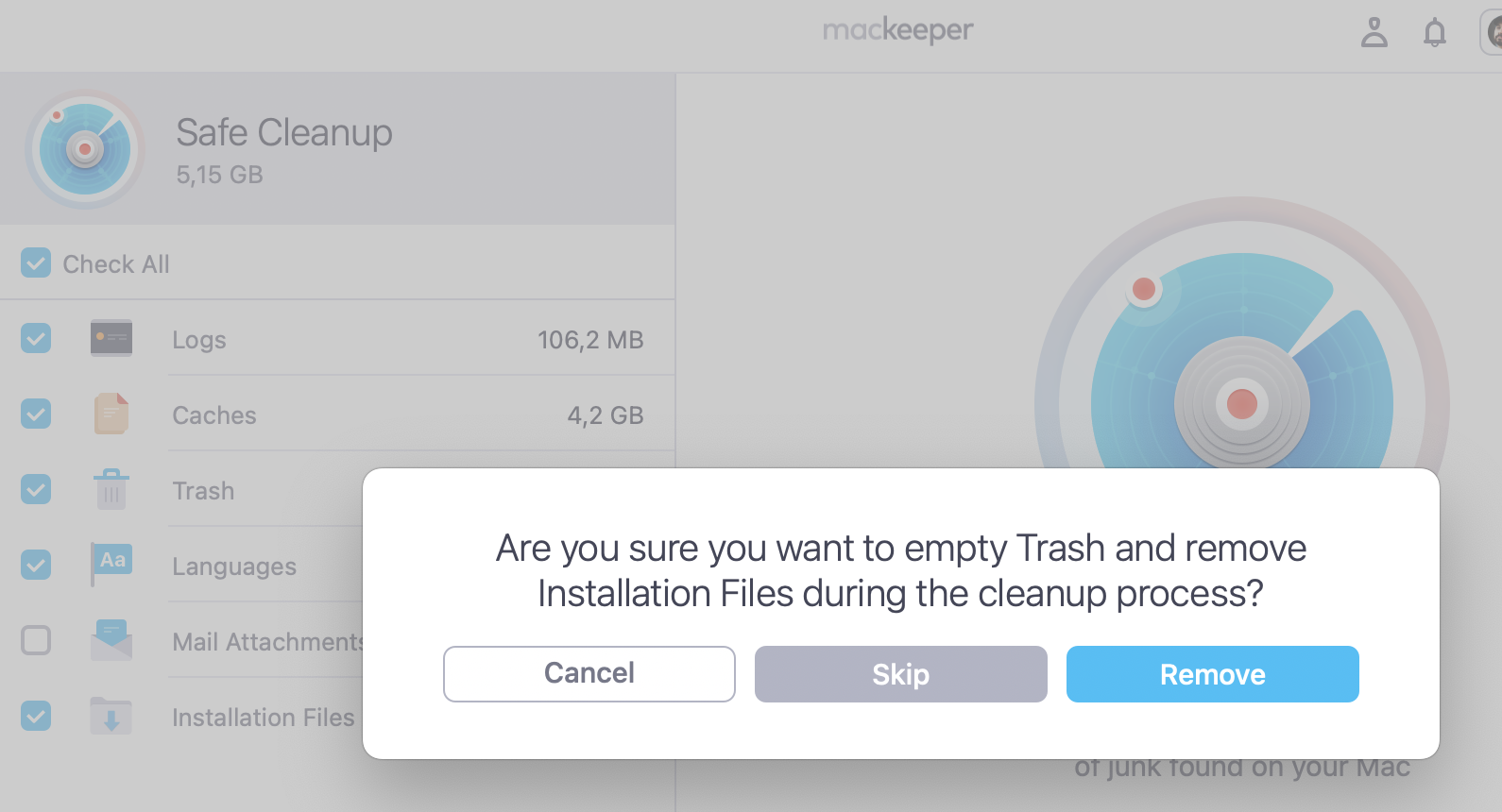
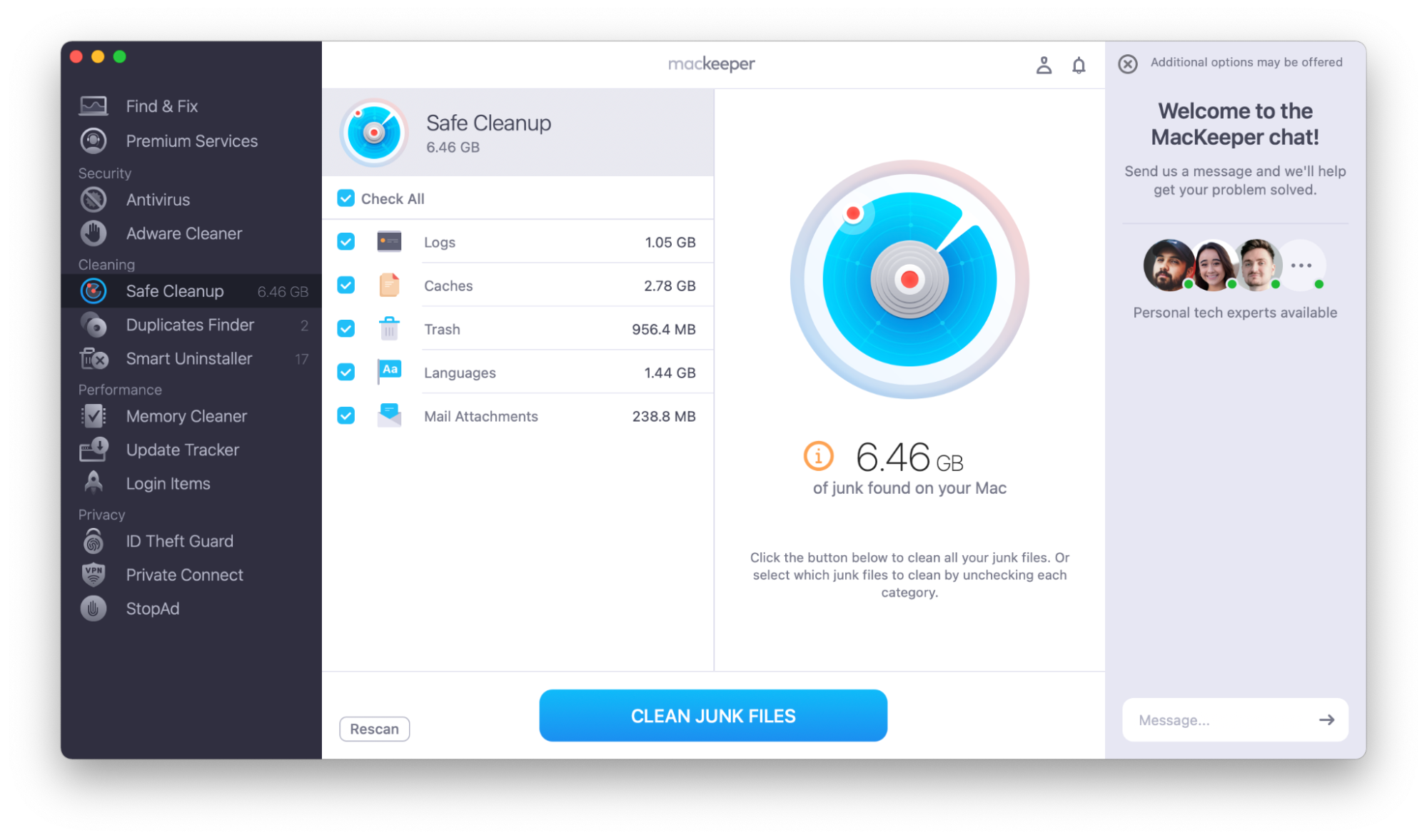
Are you looking for OnyX alternatives? Try MacKeeper's Safe Cleanup to clear some memory and see if that helps. Our tool empties trash and removes junk files in a click and keeps your personal files untouched. Increase free storage space using MacKeeper's Safe Cleanup.
If your Mac is running slowly, it may need a quick cleanup. Remove unnecessary files with MacKeeper’s Safe Cleanup tool to see if that helps. Our tool clears out log files, files’ leftovers, mail attachments, etc., and frees up space on your Mac.
Try clearing some memory with MacKeeper’s Safe Cleanup:
There are lots of reasons why you might want a utility like OnyX.
When you first got your Mac, you were probably impressed with its speed and responsiveness, but it may have slowed down over time. This might be because your hard disk is getting full or because there are other areas that you could optimize.
Your hard disk might be filling up with items such as:
Large or old files
Duplicate files
Sets of nearly identical photos—for example, if you shoot pictures in burst mode
Files left behind when you uninstalled apps
Installer files that you’ve used but haven’t deleted
Incomplete downloads
Cookies or other small files downloaded from websites you’ve visited
And much more!
You can deal with some of this yourself. You may have deleted lots of files manually or tried to clear cache files. However, using a system maintenance app can be much easier and often safer, too.
Maybe you want to try a disk cleaner because your Mac is running slow or regularly freezes. You may need a disk manager because you need to do some disk repair.
OnyX has lots of great points. It’s free, for one thing. It’s a really powerful tool and lets you perform all kinds of system maintenance on Mac, including:
Running various cleaning and maintenance tasks
Repairing permissions
Rebuilding databases
However, OnyX can be complicated to use. For example, it won’t perform a malware search. It also doesn’t scan your system to begin cleaning tasks. You need to choose which folders and caches to focus on. You may need quite a high level of Mac expertise to improve your Mac’s performance using OnyX.
If you’re just looking for a utility to clean up your system, check out our article on how to find the best Mac cleaner. However, while writing this article, I’ve tried a selection of OnyX alternatives on my Mac. I’ll explain some of their best features that may help you keep your Mac in great condition.
The alternatives to OnyX come at various price points and, depending on their features, may be suitable for users of different levels of experience.
1. MacKeeper
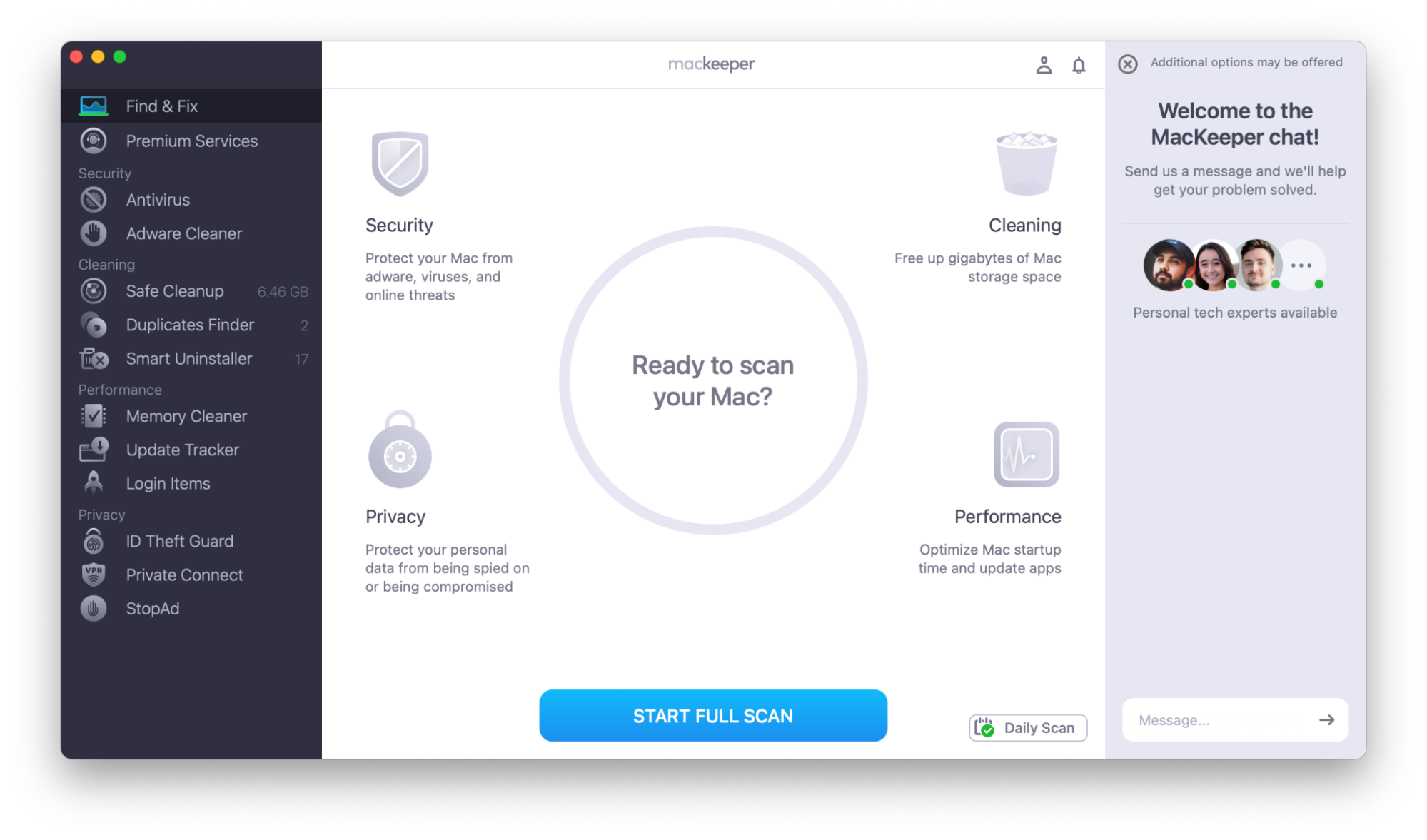
MacKeeper is a powerful utility to keep your Mac running smoothly. It’s not just a Mac cleaner but also includes various security and system maintenance features.
The Safe Cleanup feature looks through logs, caches, trash, language packages, and mail attachments. After running a Safe Cleanup tool, I detected over 6 GB of junk on my Mac!
It will also find duplicate files for you, including similar photos. This could be really useful if you take lots of pictures using Burst Mode on your camera. I found more than 32 GB of similar photos on my Mac! But if you’d rather not include similar photos in your duplicate search, you can choose to exclude this.
Smart Uninstaller categorizes items into Applications, Widgets, Preference Panels, Plugins, Browser Extensions, and Leftovers, making it easy to see what you want to remove. It also flags up unused apps, so you know what you can uninstall without affecting your Mac experience.
There’s no large file finder, though, which is included in some of the other cleaning applications on this list.
In addition to freeing up hard disk storage space, MacKeeper can clean up available memory and show you currently active processes, allowing you to close any that are taking up too many resources.
If your Mac starts slowly, you may want to look at your Login Items—these apps launch at startup. Removing some of them could speed up your Mac’s login times.
It can also support your existing applications. Update Tracker checks your apps for new versions and lets you update them with one click.
Its security tools include real-time antivirus protection and an adware cleaner. In addition to real-time antivirus protection, you can scan files or folders individually—useful if you’re unsure about downloaded items or are concerned about any particular file.
MacKeeper also includes some useful security features that we haven’t seen in many other of the OnyX alternatives on this list, including:
ID Theft Guard, real-time monitoring allowing you to see if your email address, password, phone number, or other sensitive details have been part of data breaches or leaks
Private Connect VPN, which can give you greater anonymity while browsing
StopAd, which can block ads and trackers while you’re browsing
Contacting the support team is easy within the app, too, with a chat window visible at all times.
Pros
Cons
Includes real-time antivirus protection
Doesn’t include a large file finder
Comprehensive security protections
Monthly or yearly subscription
Useful cleaning tools
Price: One week free, followed by $10.95 per month for one Mac, $71.40 per year for one Mac, or $89.40 per year for three Macs.
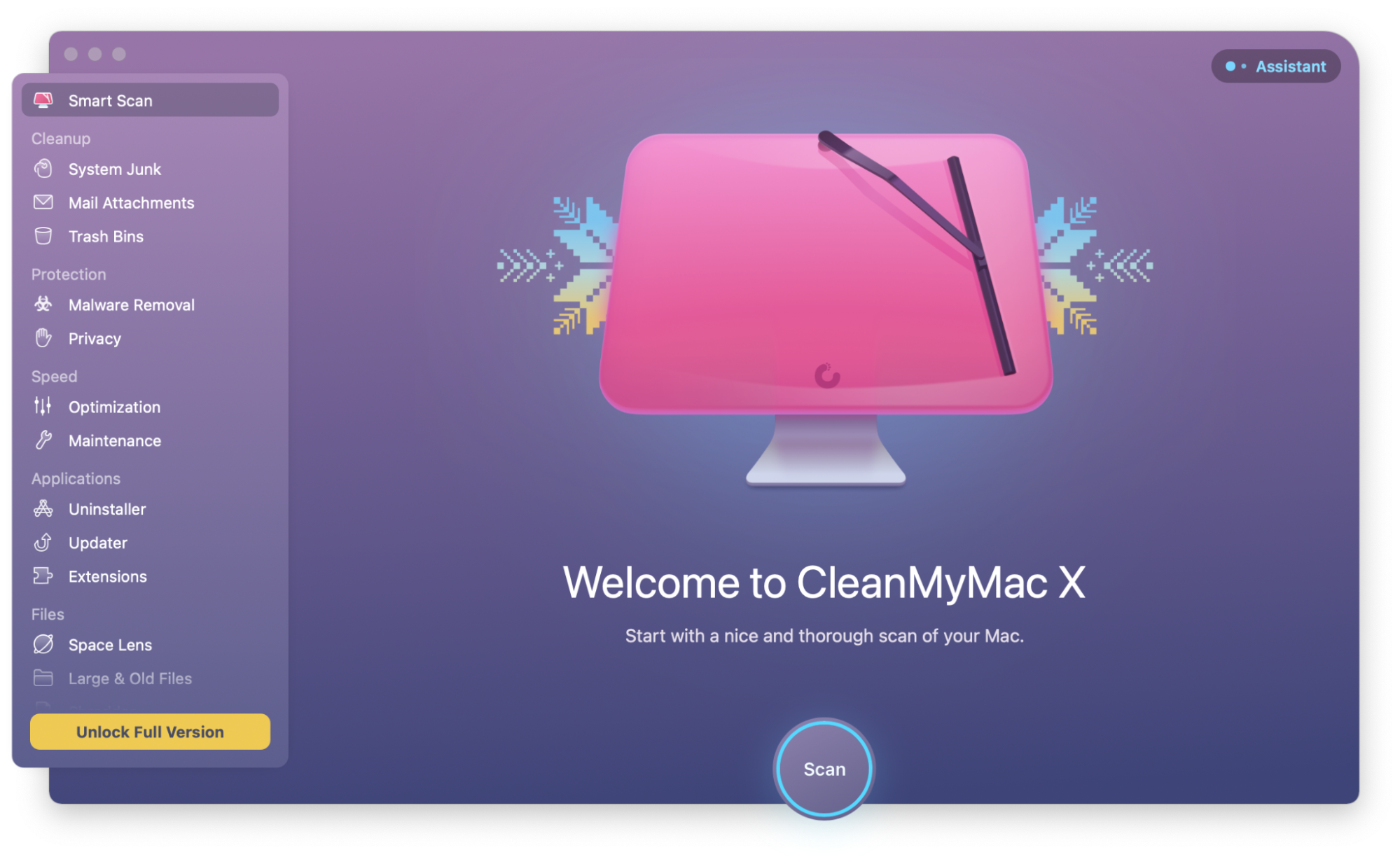
CleanMyMac is designed to speed up your Mac in several ways. It’s a Mac cleaner and performance monitor, with malware scanning included. Despite some questioning whether CleanMyMac is legit and safe to use, it is generally regarded as a reputable and secure tool when downloaded from the official source.
It’s simple to use. One click of a button can run a scan, with different scans available for:
Finding system junk
Finding mail attachments
Emptying all trash bins
Finding and removing malware
Clearing browsing history and chat history
Finding where most of your disk space is being used
It can also “shred” files, deleting them completely without leaving a trace.
When looking for why your system might be running slowly, it looks through your startup apps (also called login items), launch agents (small applications that work with other software, such as drivers for graphics tablets), heavy RAM consumers, and any hung or frozen applications.
CleanMyMac also includes some features to support your existing software:
An uninstaller to ensure that no files are left behind when you uninstall an application
An updater to look for updates for applications and even your macOS
Extension support to manage extensions for your existing applications
The application will also give you a good deal of information without fully opening it. Clicking the icon in the top bar of your Mac will show details such as available memory, CPU temperature, battery life, and details about your network.
You can get a seven-day free trial for CleanMyMac, but you do need to sign up for an account and input your payment details. You won't be charged if you cancel before the seven days are up.
Pros
Cons
Visualization of disk space is useful and easy to understand
Doesn’t offer a duplicate file finder
Includes a malware scanner
You need to sign up for an account and give payment details even for a free trial
Seven-day free trial available
Price: Free trial for one week, followed by either a one-year subscription of $39.95 for one Mac, $59.95 for two Macs, or $89.95 for five Macs, or a one-off lifetime charge of $89.95 for one Mac, $134.95 for two Macs, or $199.95 for five Macs.
macOS versions: macOS 10.13 and later
3. AVG Cleaner
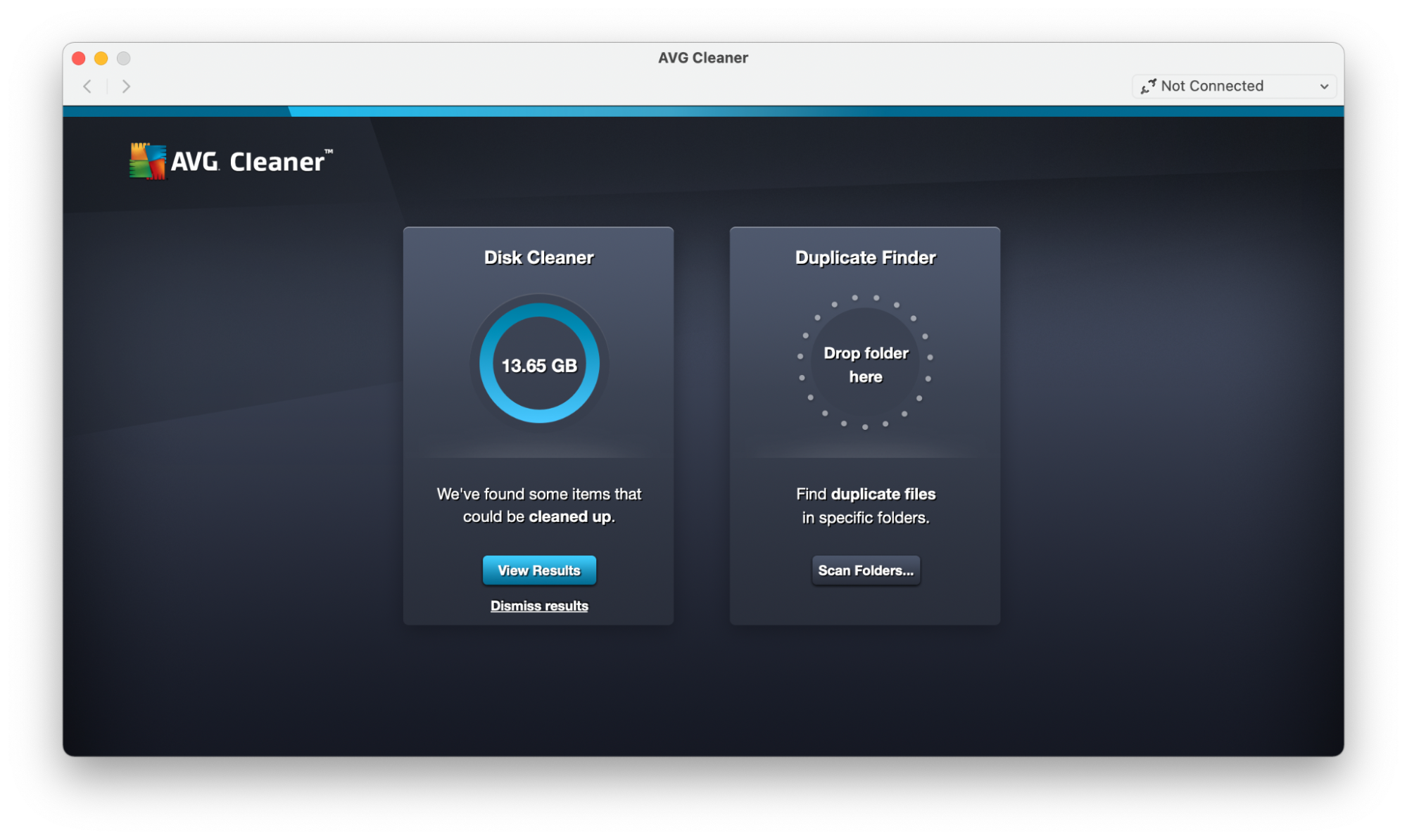
AVG Cleaner is a very simple and free service to clean up your Mac. It only offers two main services: a disk cleaner and a duplicate finder.
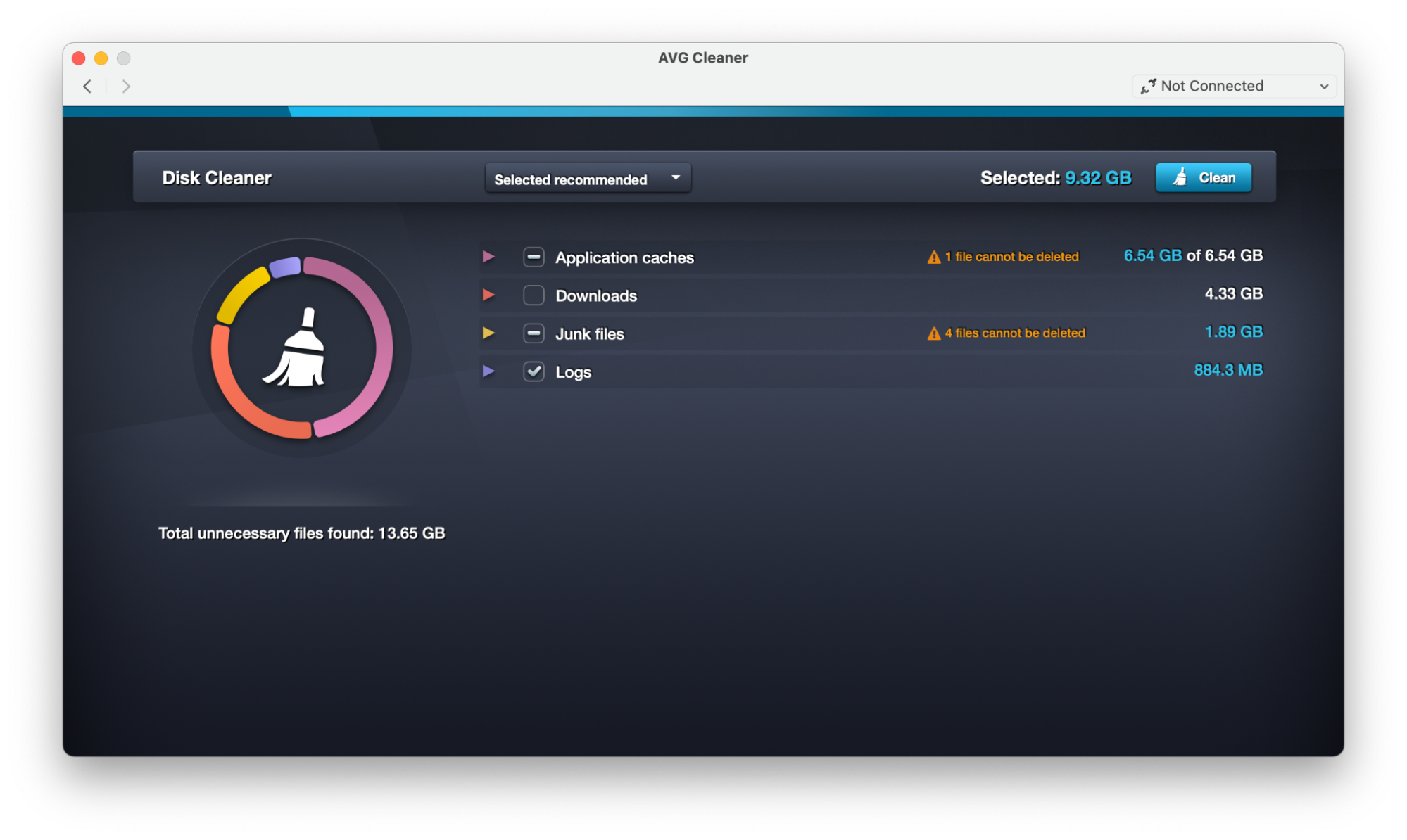
When cleaning up your disk, an easy search function will quickly look through your files, including downloads, cache files, logs, trash, and leftover files from uninstalled apps. It also notifies you about files that can’t be deleted.
The duplicate finder will flag up any repeated files, letting you easily delete them and free up space on your device. You can search through an individual folder or an entire directory.
In my tests, the duplicate finder found three duplicate files—all identical images.
If you’re looking for an easy-to-use piece of software to free up space on your Mac, AVG Cleaner could be a great choice. It’s also a small file, only around 16 MB.
Pros
Cons
Free
Only offers a disk cleaner and duplicate finder
Easy to use
Small file size
Price: Free
macOS versions: macOS 10.8 or later
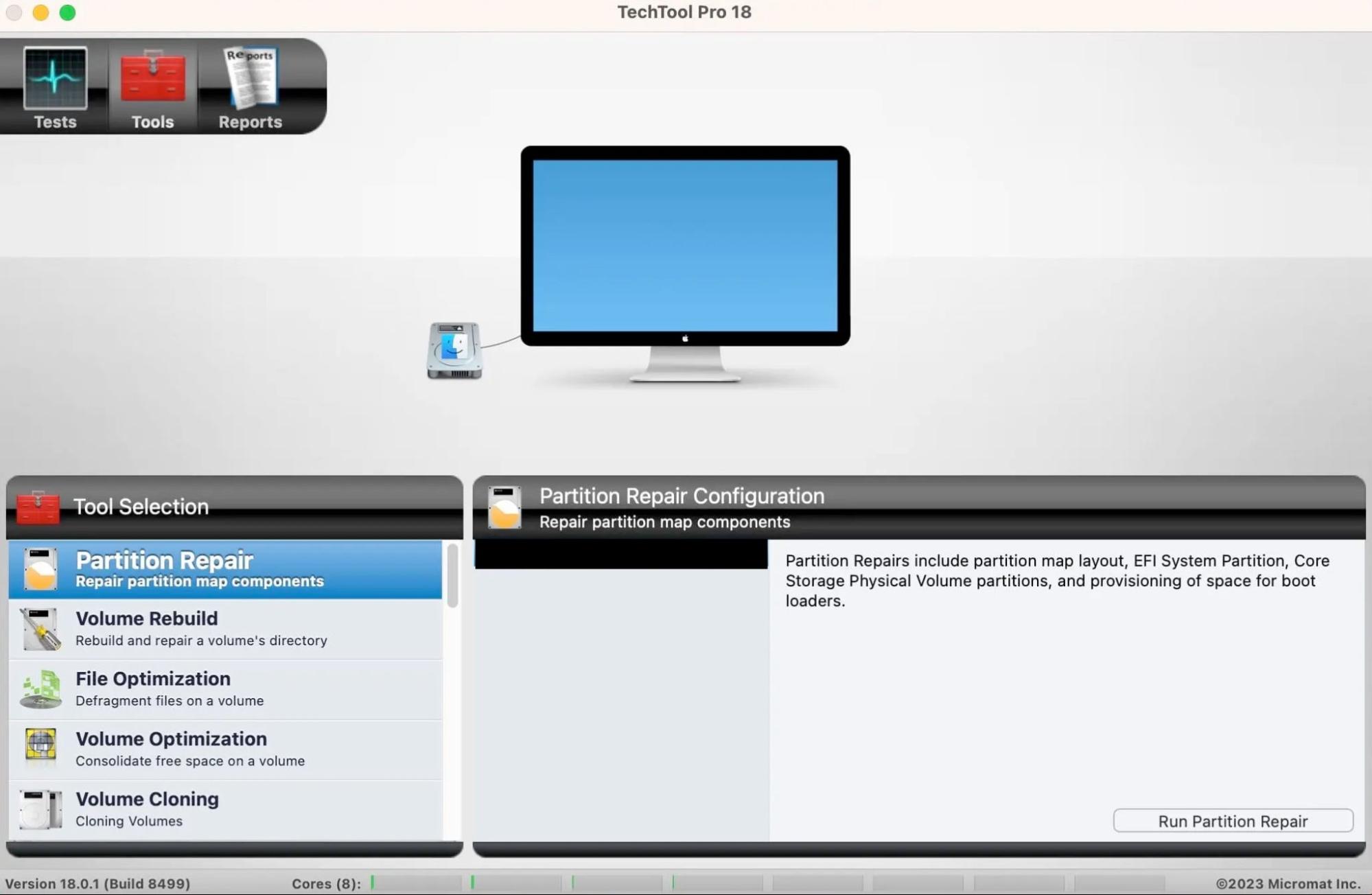
4. Techtool Pro
Techtool Pro is a comprehensive diagnostic and repair utility for Macs. It doesn’t find large files or clean out old files for you, but it can do a lot more to ensure that your Mac is in good health.
Its diagnostic tools are easy to use—one click starts a system check to test for possible hard drive failure, RAM issues, and other information about the health of your Mac.
Techtool Pro offers a huge range of features, including those you may have never thought they’d need. For example, do you want to check the battery health of your iPhone or iPad? Just make sure it’s connected to your Mac, and Techtool can do that for you!
You can choose from a subscription or a one-off purchase.
Pros
Cons
Includes a wide range of disk diagnostic, repair, and monitoring tools
May be too involved for many users’ needs
Includes checks for security vulnerabilities
Is not a cleaning utility
No extra charge to upgrade your subscription to include the latest macOS
No free trial available
Price: $159.99 for a one-off lifetime purchase, or $90 for a year’s license. An enterprise version is also available for people who need more than 50 licenses.
macOS versions: macOS 10.13 or later. If you have an older macOS, the Techtool team may still be able to support you if you contact them directly.
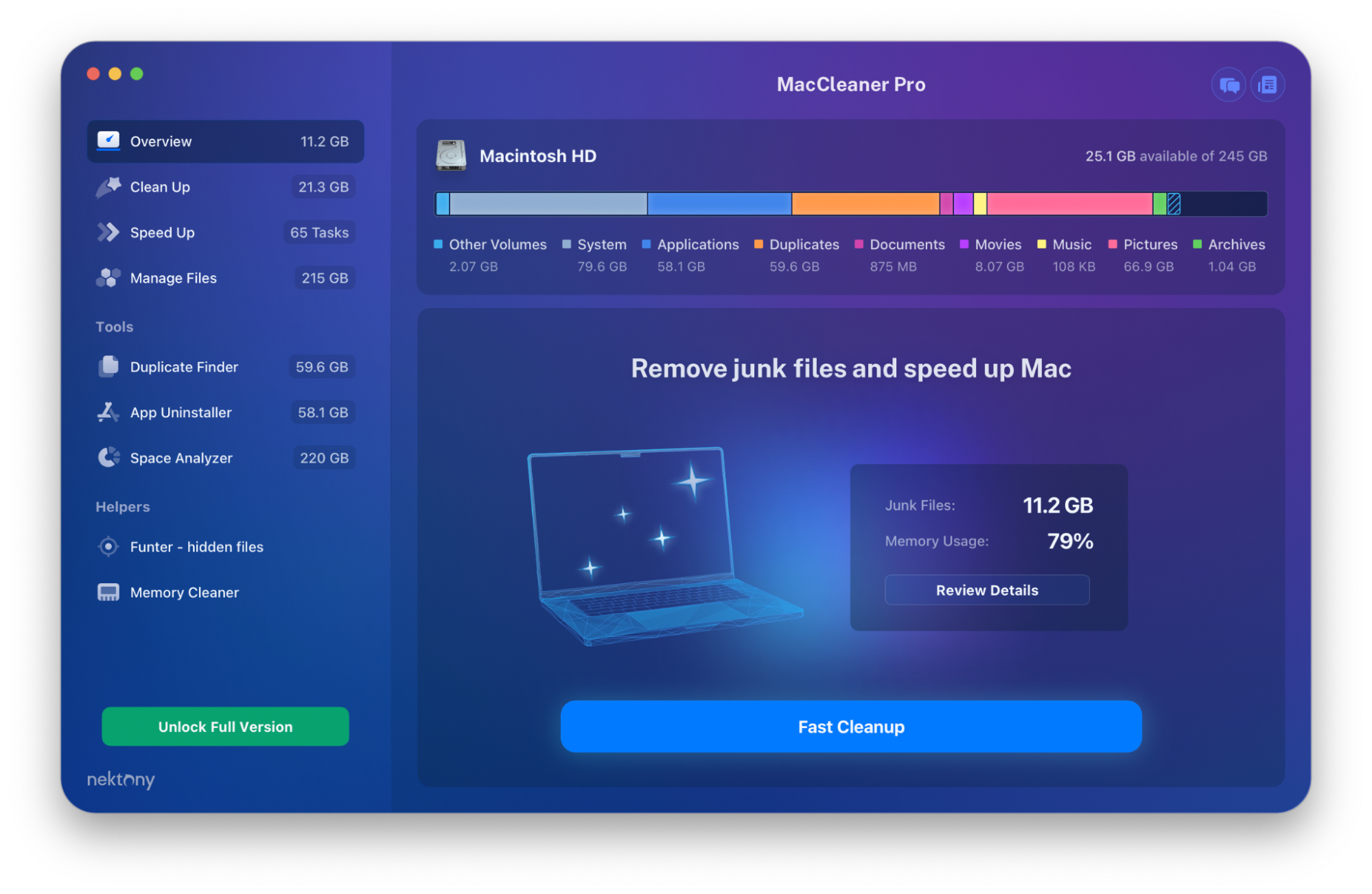
5. MacCleaner Pro
MacCleaner Pro is a powerful tool that allows you to speed up your Mac by clearing out old files and changing settings.
It divides its features into three sections:
Speed Up Mac, where you can clear inactive memory, change what opens at startup, and identify and quit memory-hogging applications
Clean Up Mac, where you can clear caches, remove unneeded files such as unused language files, and delete mail attachments and screenshots
Manage Disk Space, where you can manage large files or duplicates
It can provide several visualizations of how your disk space is being used, allowing you to see which types of files take up the most memory, as well as showing you how much RAM is in use.
MacCleaner Pro comes with a variety of tools:
App Cleaner & Uninstaller allows you to delete old installation packages and get rid of any junk left by previously uninstalled apps.
Duplicate File Finder flags up duplicates and lets you merge folders or organize repeated content. It also finds similar images, not just identical files. You can even select two files or folders and ask MacCleaner Pro to compare whether they’re duplicates.
Disk Space Analyzer shows you how your disk space is being used and can even check cloud or other external storage.
It also includes two “helper” apps, which can run from your menu bar. One helps you free up memory, and one lets you find hidden files.
Pros
Cons
Disk space analyzer is easy to understand and can even look at cloud or external storage
No security features
Regularly updated
Launches separate apps for some features
One-off price
Price: One-off price of $44.95
macOS versions: macOS 10.11 or later
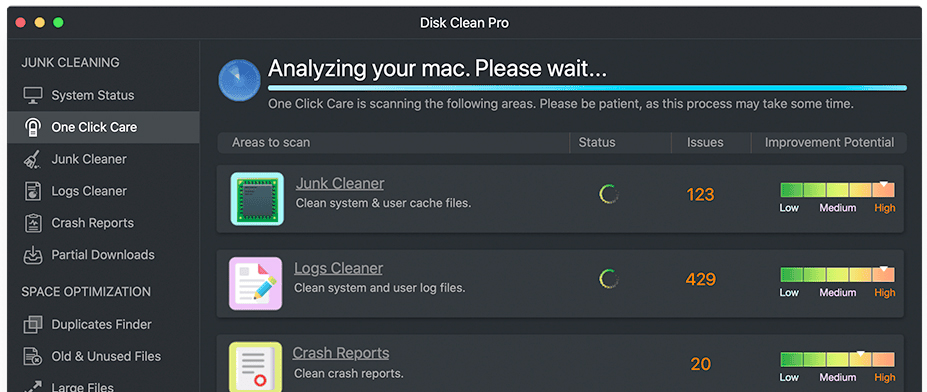
6. Disk Clean Pro
Disk Clean Pro removes unneeded files to free up space on your Mac.
A one-click scan can tell you where the clutter is on your Mac and easily help you remove it. It can scan through various areas on your system, including:
Your documents
System and user logs
Crash reports
Your downloads folder, including looking for incomplete downloads
However, it won’t remove write-protected files, so you may notice them appearing in future scans too. If you want to remove these protected files, you may need to use other methods, including downloading another OnyX alternative mentioned in this list.
You can also use Disk Clean Pro to find duplicate files on your hard drive. In addition, it can search for old files and large files, making it easier to free up space.
It doesn’t offer any security features or other system maintenance tools, but it could be a good solution for someone looking for a simple clutter removal tool for their Mac.
Pros
Cons
One-click cleaning
No free trial available
Low cost
Will not remove write-protected files
No security features like malware removal
Price: $9.99 for the web version of the App Store, and $11.99 for the App Store app on Mac
macOS versions: macOS 10.7 or later
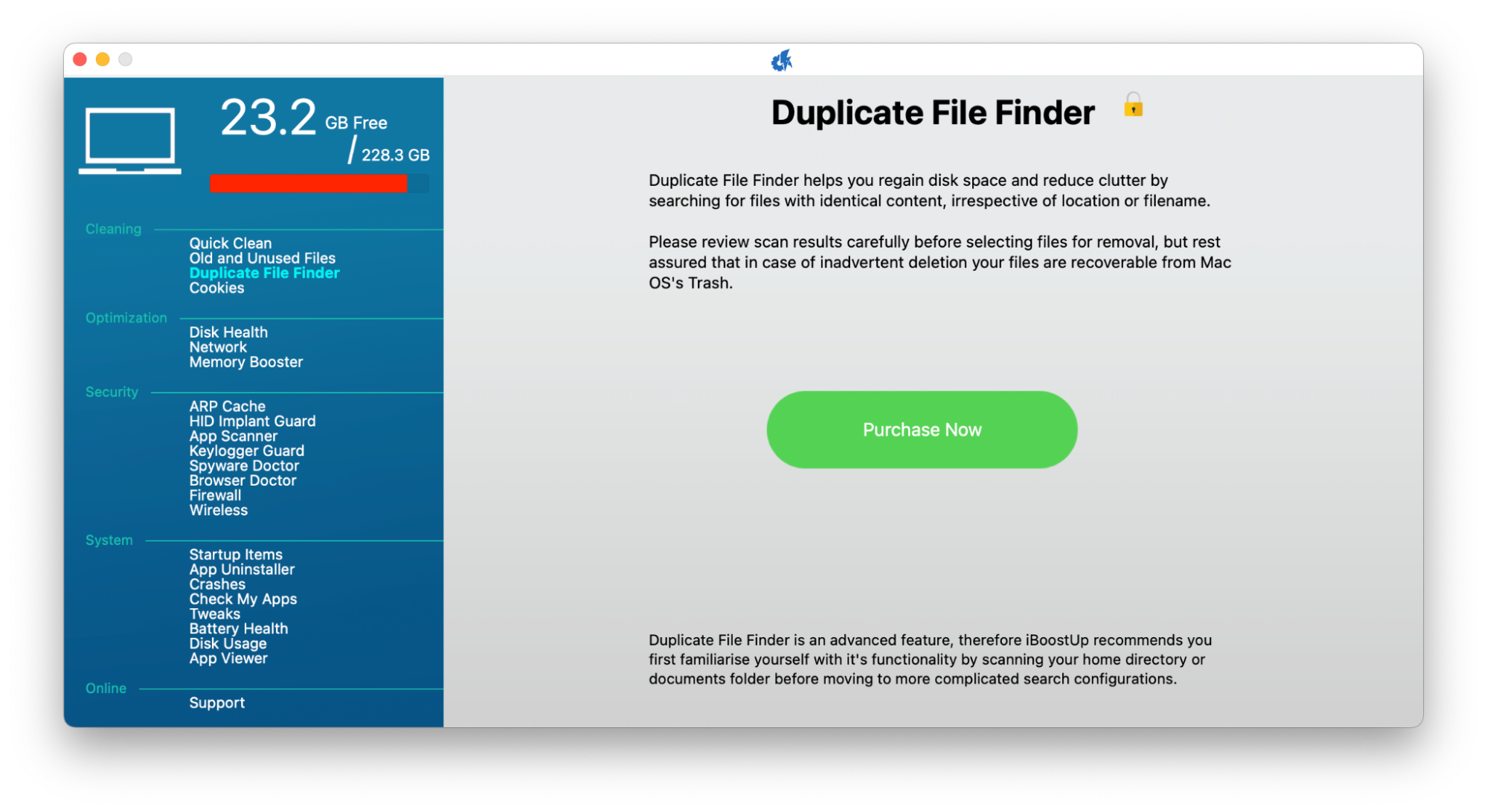
7. iBoostUp
iBoostUp is a Mac optimization tool founded by former employees of various antivirus software companies. As you can imagine, this means that it puts a heavy emphasis on security.
The software is free to download, but some features are restricted to Premium users, including the duplicate file finder, old file finder, memory booster, and app uninstaller. If you were looking for a Mac cleaner, you’d need to pay for the additional iBoostUp features.
However, the free version of iBoostUp still contains some very useful security and maintenance features, such as:
Disk health scan
Disk usage scan
Spyware Doctor
Crash reports
It also includes some features we haven’t seen on other OnyX alternatives in this list, such as the Keylogger Guard, which alerts you if anyone installs a keylogger on your system.
Scans are quick and easy to run, and the app makes a feature of showing how much space is available on your Mac—it’s always visible in the top left corner.
If you have any concerns or questions while using iBoostUp, it’s easy to contact the support team through the app’s interface.
Pros
Cons
Free version available
Some features not available in the free version of the app
Focuses heavily on security
Easy to contact the support team
Price: Free version available, Premium at $6.95 per month or $14.95 per year, or Premium Unlimited at $79.95
macOS versions: macOS 10.11 or above
8. Disk Drill
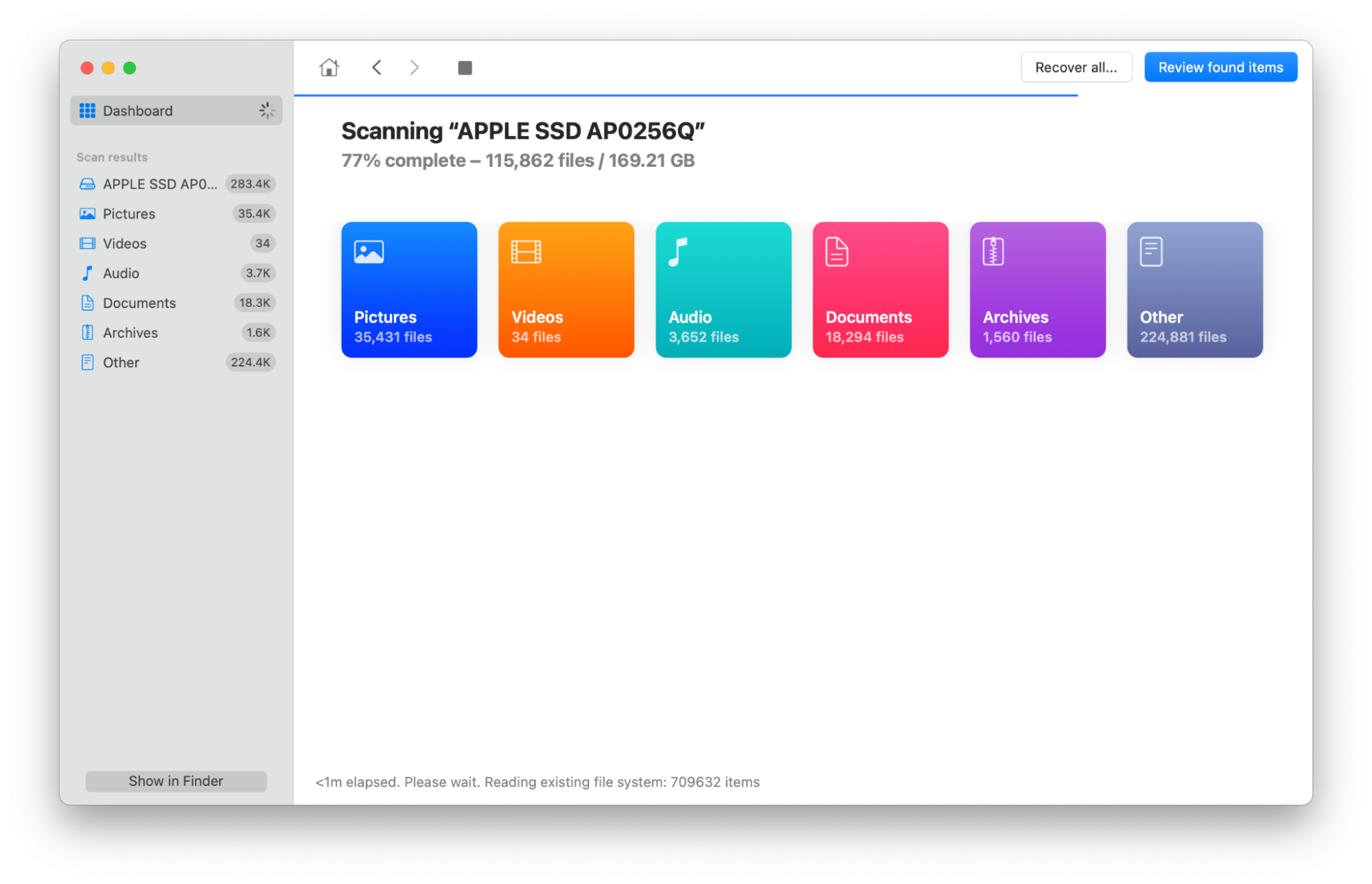
Disk Drill isn’t just a Mac cleaner. Instead, it’s mainly data recovery software. If you’ve lost or mistakenly deleted a file, Disk Drill may be able to restore it for you.
Once you’ve installed the application and given it the necessary permissions, all you need to do is open Disk Drill and choose Search for lost data.
The app splits types of found data into categories so you can find what you need:
Pictures
Video
Audio
Documents
Archives
Other, which we found included mainly software and installation files
Once you’ve found the file you need, you simply click Recover.
It also supports external hard drives, iPads and iOS, cameras, and many other external devices.
In addition to data recovery, Disk Drill also offers some extra cleaning and optimization tools, including:
Duplicate file finder
Disk space visualization
Clean up partition or folder option
Data shredder
It even lets you create an emergency macOS bootable installation drive, something we haven’t seen in many of the other OnyX alternatives on this list.
Pros
Cons
Buying the macOS version also includes a Windows download
Free version has limitations
The Pro and Enterprise versions offer unlimited data recovery
No security features
Offers cleanup and maintenance features
Price: Free version available, or $89 for a lifetime license. If you’re upgrading from a previous version or are an educational or non-profit organization, you can qualify for a discount.
macOS versions: The latest version is compatible with macOS 10.15.7-14.x. Other versions are available for older systems.
9. Cocktail
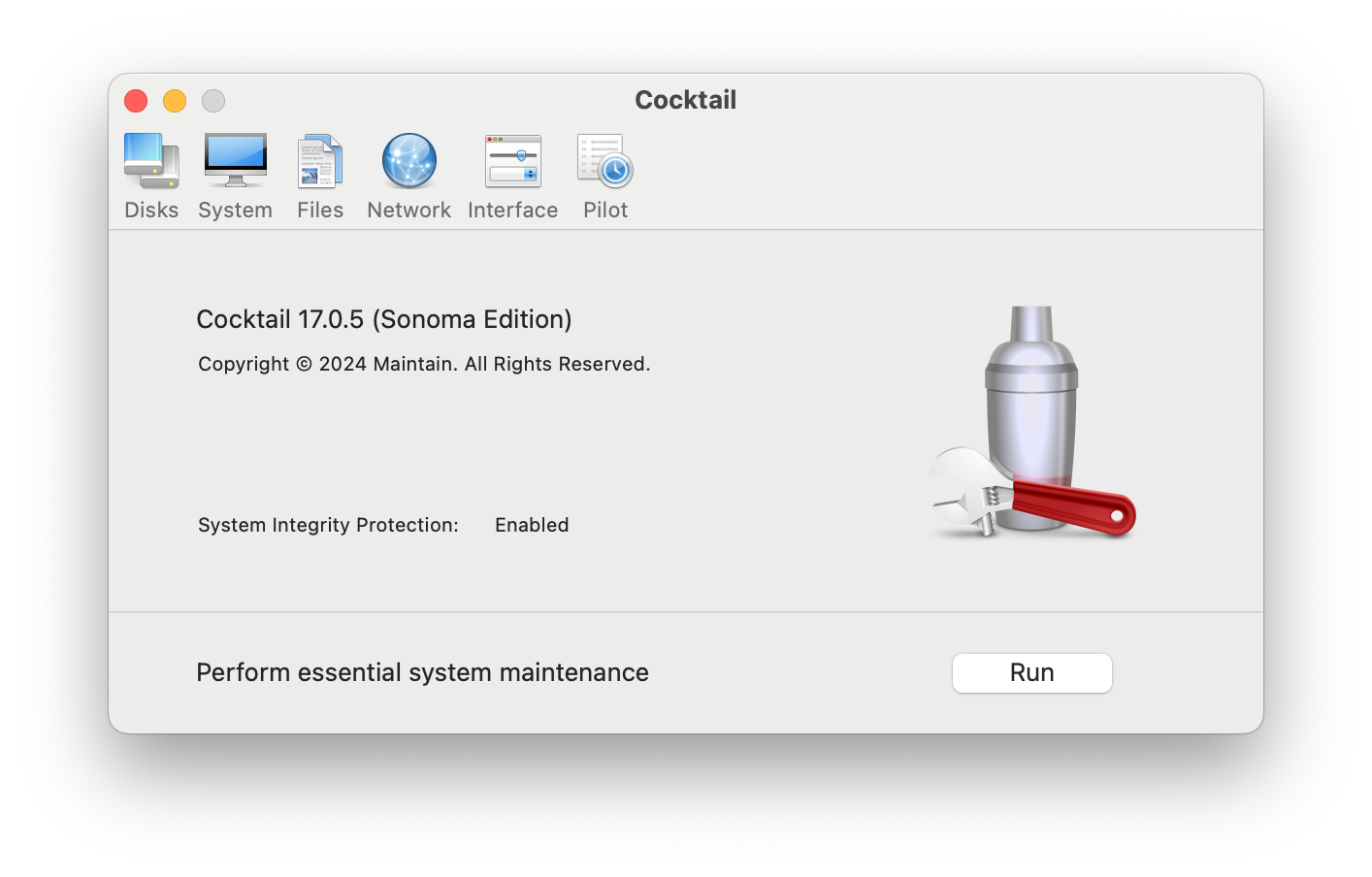
Cocktail is an OnyX alternative designed to optimize and repair your system. It lets you remove unwanted files, repair user permissions, and optimize network settings, among other actions.
Tasks on Cocktail are divided into five sections:
Disks, where you can set your disk sleep time, repair user permissions, and change other settings
System, where you can change startup settings, purge inactive memory, force empty trash, and much more
Files, where you can clear caches, find corrupted files, and remove otherwise inaccessible or locked files
Network, where you can optimize network settings, configure file-sharing options, and change connection types and speeds
Interface, where you can customize the look, features, and hidden settings of various applications, including Finder, Launchpad, and Dock
The Pilot option also allows users to automate various tasks. If you want to schedule cleaning or emptying caches, Cocktail will let you do this easily.
It’s a very user-friendly app, allowing users to optimize, clean, and repair their Mac with one click. Its interface is easy to understand, and more than 250,000 Mac users worldwide currently have it installed on their machines.
Pros
Cons
User-friendly
New license needed for each macOS version
Allows you to schedule important cleaning and maintenance tasks
May not be compatible with your version of macOS
Free demo available
Some reviews say that it’s hard to contact the developers or support team
Price: Free demo available for 10 launches, followed by $19 for a license for one Mac, $39 for a license for five Macs in one household, or $99 for a license for 10 Macs. Business and educational licenses are also available for up to 100 Macs.
macOS versions: macOS 13.0 and 14.0
10. CCleaner
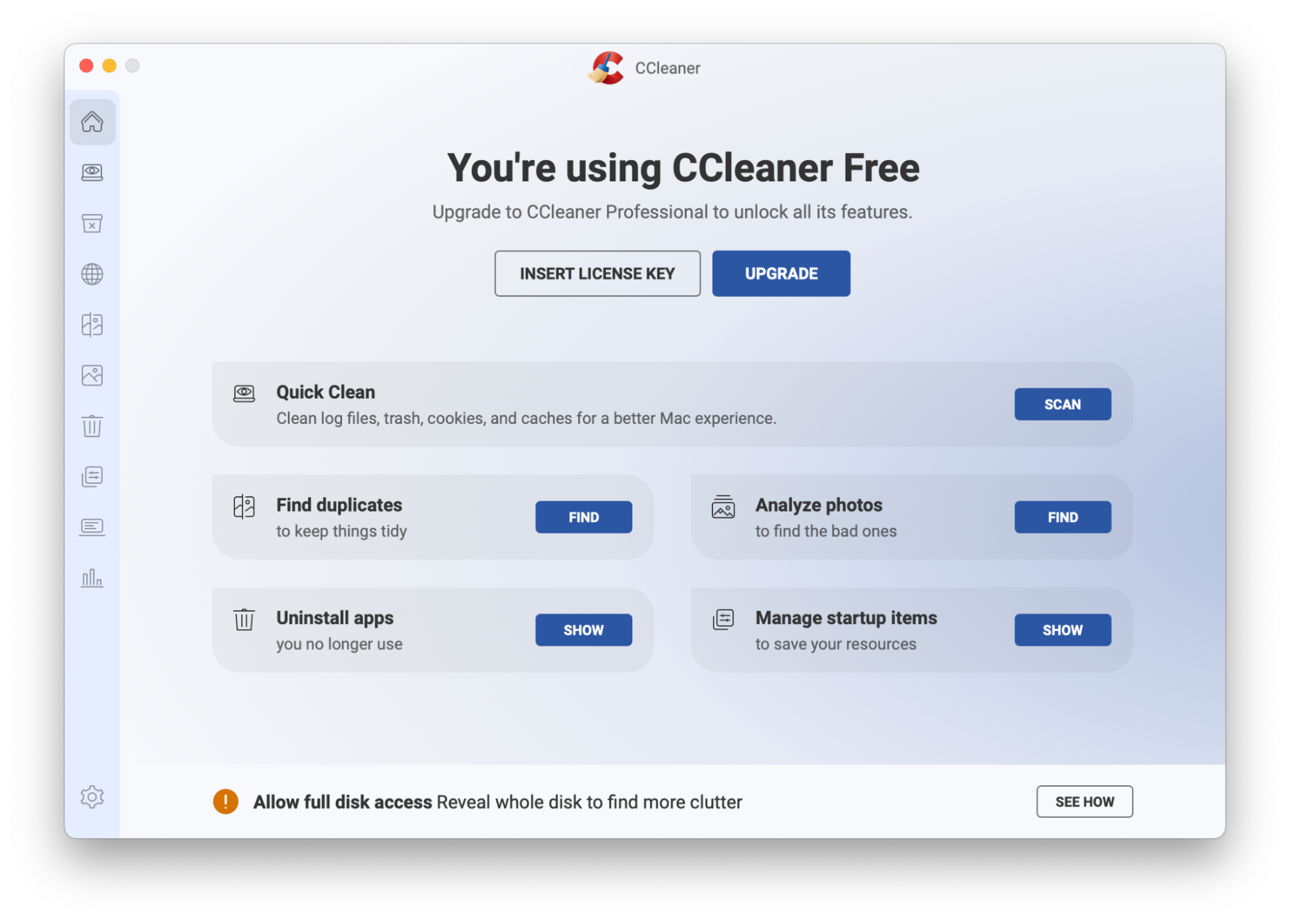
CCleaner is a Mac cleaning tool. If you’re looking for a true OnyX alternative, you may find that CCleaner is a bit basic—it doesn’t include lots of OnyX’s more advanced features. However, if you’re just looking for a cleaner, it could be very useful.
It includes a duplicate file finder, and CCleaner Pro can even flag up blurry, poorly lit, or duplicate photos for removal.
It doesn’t include security features such as a VPN or virus protection. However, the Pro version can make your browser more secure by scheduling regular removal of your browsing history, cookies, passwords, and other autofill data.
You can manage your startup items with CCleaner, improving your Mac’s startup speed.
The free version of CCleaner offers many of the features of the paid version, including:
Clearing unwanted clutter
Finding duplicate files
Uninstalling redundant apps
The paid version includes the photo analyzer, automatic browser clearing, and automatic trash emptying.
If you’re concerned about other users on your machine using CCleaner, you can choose to only install it for one user.
CCleaner is also available for Windows, Android, and iOS, so if you’ve used it on another operating system before, you may find it’s extra easy to learn. However, the version for Mac isn’t quite as advanced as its Windows counterpart. It’s also virtually identical to Avast Cleanup.
Pros:
Cons
Image deletion suggestions are useful
No security features
Free version is available, and the paid version is still a fairly low price—in addition, the Professional Plus version allows you to purchase a shared license for Mac, Windows, and Android
Doesn’t do as much as the Windows version
Available for a wide variety of macOS versions
Price: Free version available, or $29.95 per year for CCleaner Pro
macOS versions: macOS 10.12 or later
11. Avast Cleanup
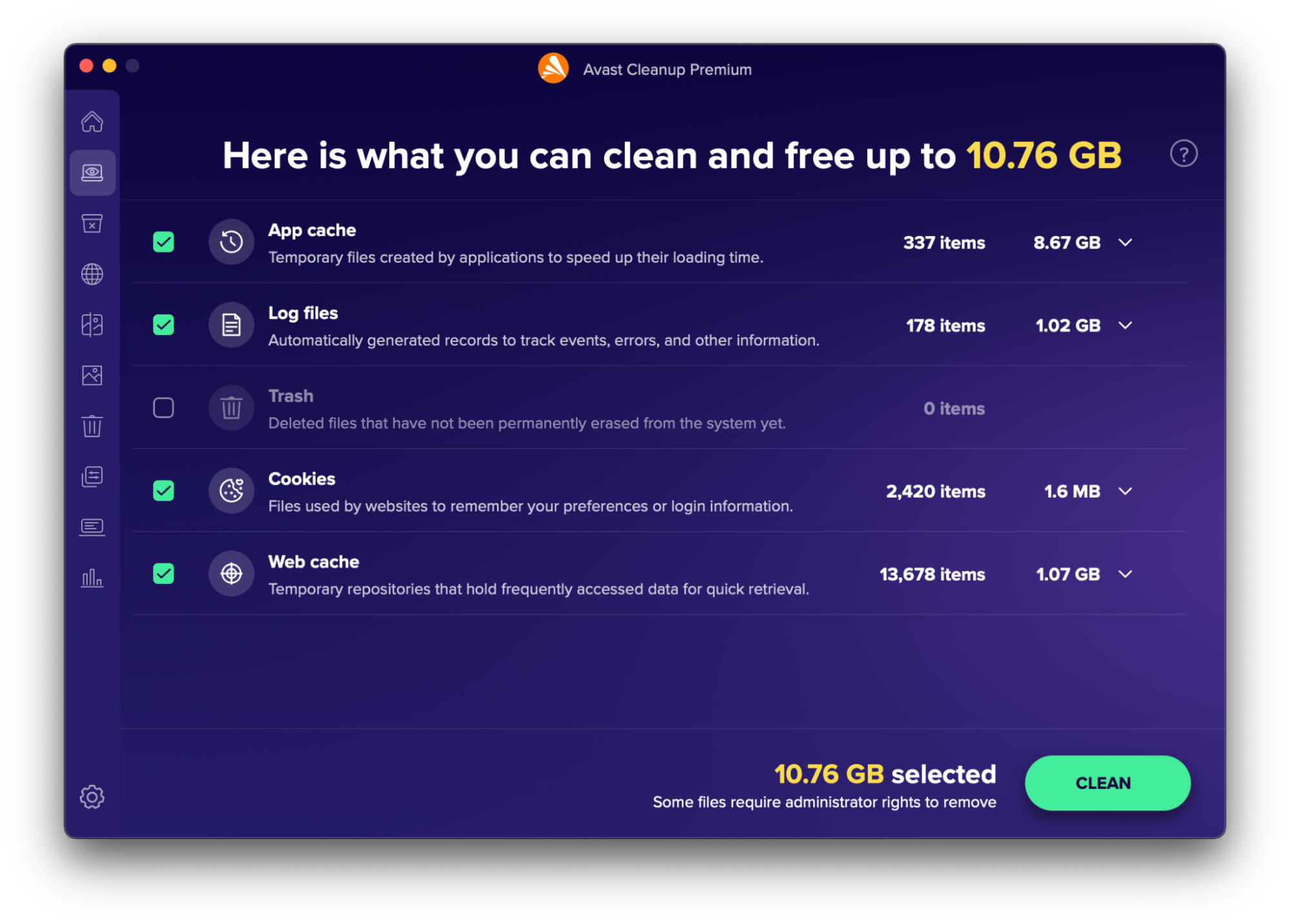
Avast Cleanup is a Mac cleaning facility with a variety of tools to declutter different files and areas of your system.
When you first open the app, its interface and features are virtually identical to CCleaner. Five options greet you:
Quick clean, which allows you to empty caches and trash, delete cookies, and clear log files
Find duplicates, which flags up duplicate items–you can even search through external hard drives or iCloud files
Analyze photos to find blurry, poor quality, or similar photos and remove ones you don’t need—this also lets you scan external hard drives or iCloud files
Uninstall apps after checking when you last used software and how much space it takes up, and then remove it thoroughly, leaving no unnecessary files behind
Manage startup items by removing processes that aren’t needed by your Mac at startup, allowing it to boot up faster
Once you’ve used the app a few times, it also provides statistics on your usage, including a breakdown of all the junk you’ve removed, a record of how much space you’ve saved, and the amount of browser data you’ve deleted.
Avast also has a range of other software, including a secure browser, VPN service, and antivirus protection. Unlike some of the other OnyX alternatives on our list, these don’t come included with their Cleanup app.
Avast Cleanup is available for a 30-day free trial before committing–and you don’t need to sign up or enter any payment details when starting your free trial.
Pros
Cons
Free 30-day trial
No security features
Shows cleanup stats
Few system maintenance features
Price: 30-day free trial, followed by $2.39 per month for one Mac or $2.89 per month for 10 devices
macOS versions: macOS 10.12 or later
12. Nektony App Cleaner & Uninstaller
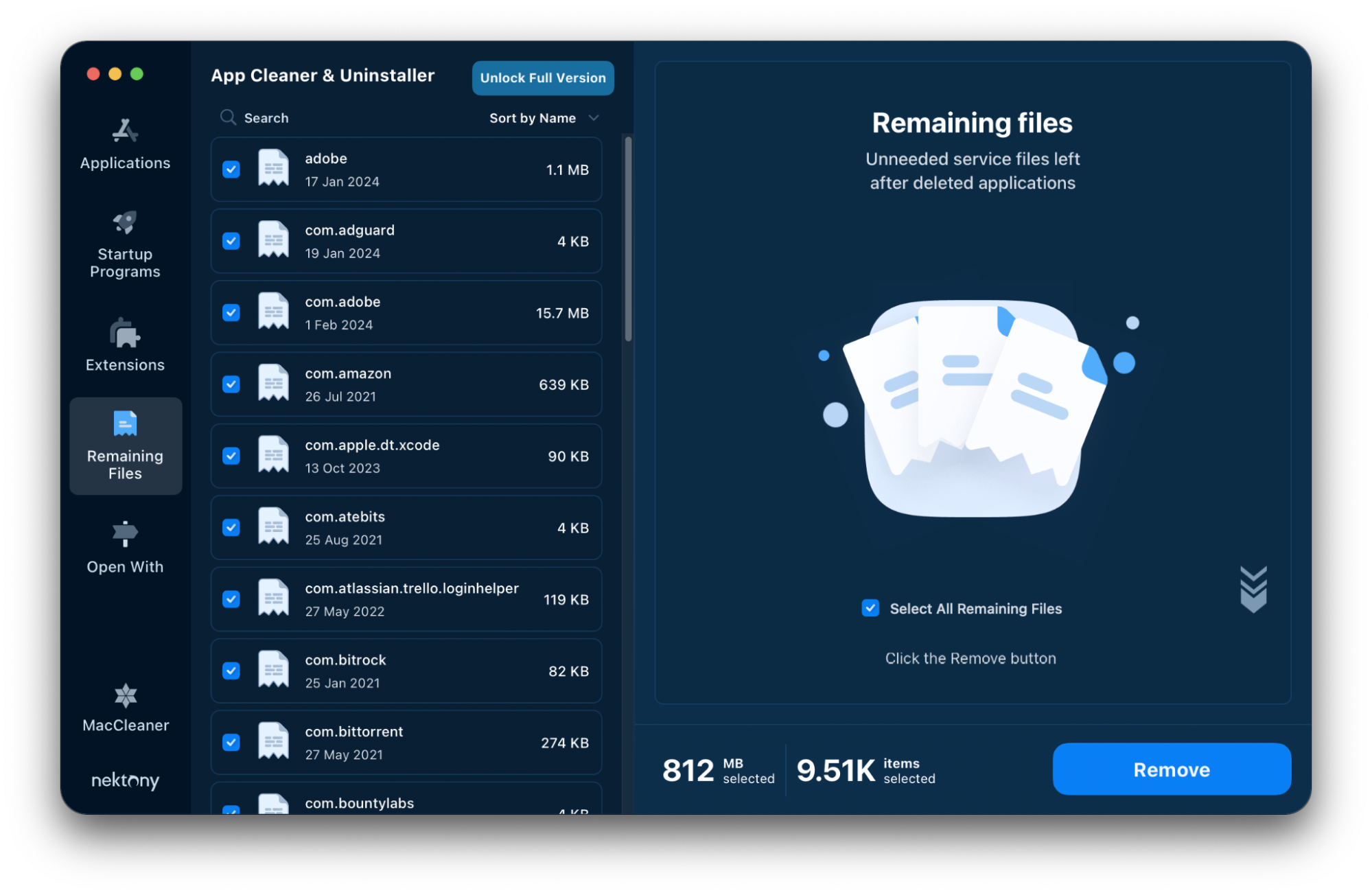
Nektony App Cleaner & Uninstaller is made by the same company as MacCleaner Pro, and the two apps work together, with App Cleaner & Uninstaller having an easy-click button to switch between them. However, this software focuses mainly on uninstalling applications completely, leaving no trace.
In addition to completely uninstalling apps or following up on previous uninstallations, this application has a few other features. You can use the App Cleaner & Uninstaller to change login items, potentially improving your Mac’s startup times.
You can also disable unnecessary launch agents, which automatically launch to manage processes such as software updates or system scans. If your Mac is running slower than it should be, this could help to speed it up.
In addition, App Cleaner & Uninstaller allows you to uninstall or remove several other types of file, including:
Screensavers
macOS install files
Browser extensions and other plugins
Depending on your level of experience, the application offers Basic and Expert modes. Basic offers one-click uninstalls, whereas Expert lets you tailor your preferences more.
If you’re worried about accidentally uninstalling important apps, there’s also a Skip List feature. You can add applications to the Skip List to ensure they never appear as an option to be uninstalled.
The app is free to download and use, but some features are locked behind a paywall. You get a two-day free trial when you first download it, though.
Pros
Cons
Free, or $7.95 per month or $14.95 per year for one Mac. You can also choose to purchase it in a bundle with MacCleaner Pro for $29.95 per year
No security features
Caters for users of varying experience levels
One-click removal features not available in the free version
Price: Two-day free trial, followed by $14.95 per year
macOS versions: macOS 10.13 or later
Final comparison of OnyX competitors
If you’re looking for OnyX alternatives, it’s important to consider what you want out of your new application.
Are you looking for a simple Mac cleaner? Or are you looking for a more advanced system maintenance, disk repair, and management solution? Do you need antivirus protection? Are you looking for an entirely free solution, or do you want to pay a subscription or a one-off cost?
We’ve put together a table of comparisons to help you make the best decision for your Mac.
The questions we’ve asked about each app are:
How much does the app cost?
What macOS is the app compatible with?
Does the app scan files for you, or do you need to know where all the relevant items are?
Does the app include cleaning tools, such as uninstallers, duplicate file finders, or a facility to remove other unneeded files?
Does the app include security features, such as malware scans, VPNs or other privacy protection?
Does the app include system maintenance tools, such as the ability to change startup settings or user permissions?
Read through the more in-depth descriptions above to learn more about each application and its abilities.
We respect your privacy and
use cookies
for the best site experience.
Privacy Preferences Center
We use cookies along with other tools to give you the best possible experience while using the
MacKeeper website. Cookies are small text files that help the website load faster. The cookies we
use don’t contain any type of personal data meaning they never store information such as your
location, email address, or IP address.
Help us improve how you interact with our website by accepting the use of cookies. You can change
your privacy settings whenever you like.
Manage consent
All cookies
These cookies are strictly necessary for enabling basic website functionality (including page
navigation, form submission, language detection, post commenting), downloading and purchasing
software. The website might malfunction without these cookies.